Skip to content
GEAREDGAMING

HUB 03 · Best Value

Razer DeathAdder Alternatives

The DeathAdder is the shape everyone else copies: a right-hand hump with a thumb shelf, built for a palm grip. Which is exactly why there are now good alternatives to it.

By Stephen V.Updated How we research
#ad

We earn a commission when you buy through our Amazon links, at no extra cost to you. It never affects our rankings, and we say so when the cheaper product is the better buy. How this works.

Top pick · Best DeathAdder Alternative

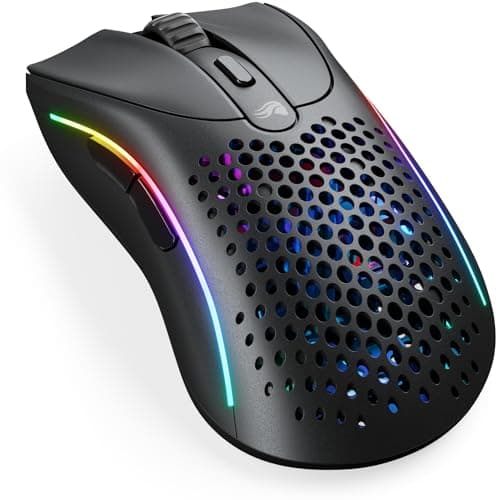
Glorious Glorious Model D 2 Wireless

Glorious Model D 2 Wireless

8.2/10

A full-size ergonomic shell at 66 g, wireless. That combination is the thing almost nobody sells — big-hand mice are normally heavy ones.

Price as of November 22, 2026. Prices change — Amazon's is the one that counts. #ad · we may earn a commission from this link to Glorious Model D 2 Wireless

Verdict

The short version

The closest alternative to the Razer DeathAdder is the Glorious Model D 2 Wireless: the same right-hand ergonomic family, which Glorious lists at 66 grams, with 2.4GHz and Bluetooth instead of a cable. It is the pick for the buyer who wanted a DeathAdder for the shape — and the shape is the only reason most people want one — but would rather not be tethered.

The budget pick is the Logitech G203 LIGHTSYNC — the cheapest mouse here, wired, which Logitech lists at 85 grams with six buttons. It is not an ergonomic shell and we are not going to pretend it is; it is a small symmetrical mouse that is very hard to beat for the money. Between those, the Razer Basilisk V3is the upgrade for anyone who wanted the shape plus more controls — eleven buttons and a free-spinning wheel — the SteelSeries Rival 3 Gen 2 is the cheaper light wired option at a listed 77 grams, and the Corsair KATAR PRO XT is the lightest wired pick here at a listed 73 grams if you will trade the hump for mass.

Compare

Specs and prices at a glance

#ProductKey specsBest forPrice
01Glorious Model D 2 Wireless

Glorious

  • 127 x 67 x 43 mm
  • 66 g
  • BAMF 2.0 · 26K DPI
  • 2.4GHz + Bluetooth 5.2
Large hands, wireless, light$69.99 on Amazon →
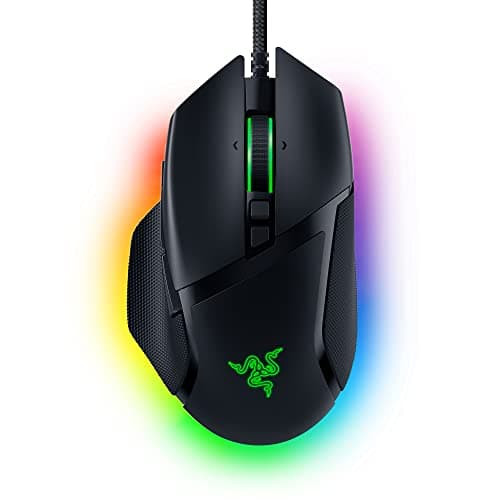
02Razer Basilisk V3

Razer

  • 26K DPI sensor
  • Wired
  • 101g
  • 11 buttons
  • Free-spin scroll
MMO, MOBA and big hands$32.99 on Amazon →
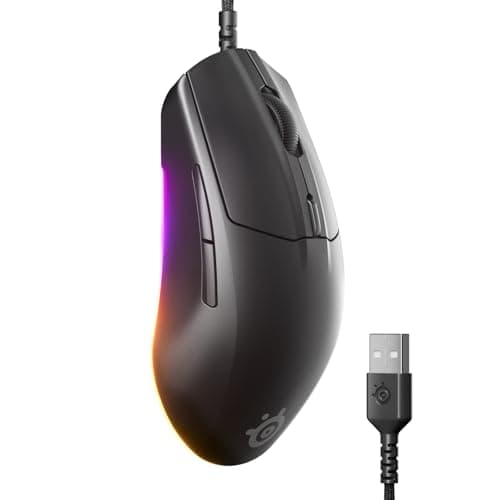
03SteelSeries Rival 3 (Gen 2)

SteelSeries

  • 8,500 DPI TrueMove Core
  • Wired
  • 77g
  • 6 buttons
If you prefer SteelSeries' shape$34.97 on Amazon →
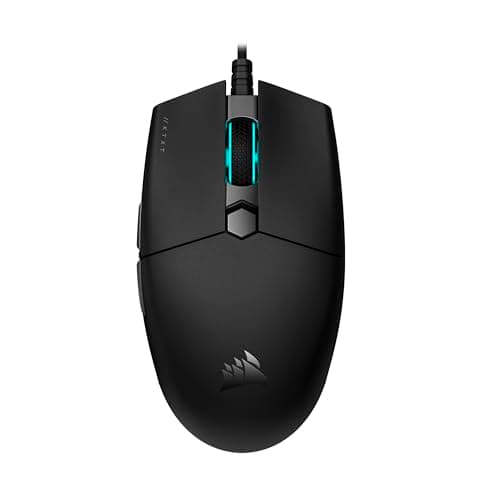
04Corsair KATAR PRO XT

Corsair

  • Corsair rates 18,000 DPI
  • Wired
  • 73g
  • 6 buttons
Lightweight FPS on a budget$29.99 on Amazon →
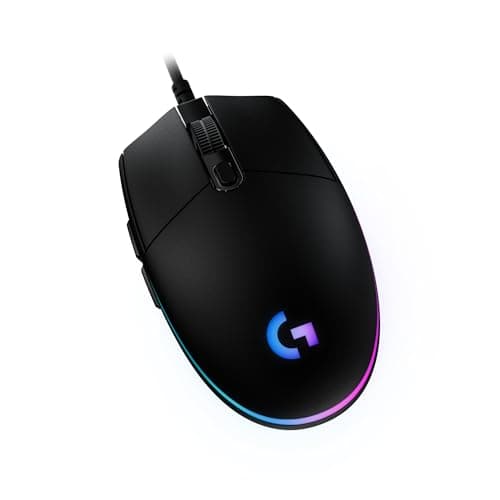
05Logitech G203 LIGHTSYNC

Logitech G

  • Logitech rates 8,000 DPI
  • Wired
  • 85g
  • 6 buttons
Almost everyone on a budget$19.99 on Amazon →

#ad · Specs as published by the manufacturer or the Amazon listing. Live prices from the Amazon Creators API, as of November 22, 2026. Where we have no verified live price we show none, rather than print a number that has rotted.

The DeathAdder’s whole reputation is a shape, and that is worth being precise about. It is a right-hand ergonomic shell: a raised rear hump that fills the palm, a shelf for the thumb, two thumb buttons, and a profile that slopes down toward the front. Razer lists the current DeathAdder V3 at around 59 grams wired, and the long-running DeathAdder Essential at 96 grams with a 6,400 DPI sensor. Over two decades it has become the default recommendation for a palm grip, and almost every “ergonomic” gaming mouse since is a variation on it.

That popularity is why alternatives exist at all, and it also tells you what an alternative must do. If you are replacing a DeathAdder, the question is not which mouse has a better sensor — every sensor here is better than you are. It is which mouse keeps the part of the DeathAdder you actually liked. Prices come from the live price layer and carry the date we retrieved them.

Matching it on shape

The Model D 2 Wireless is the honest answer. It is in the same ergonomic family — a right-hand shell with a thumb shelf, measuring 127 by 67 by 43 millimetres — and Glorious lists it at 66 grams with both 2.4GHz and Bluetooth 5.2. If you liked how a DeathAdder sat in your hand and want that without a cable, this is the shortest path there.

The Basilisk V3 is the other ergonomic pick, and it is a larger, heavier interpretation at a listed 101 grams. It is the right choice if the DeathAdder always felt slightly too plain — eleven buttons and a wheel that unlocks to free-spin are genuinely useful in MMOs, MOBAs and sim games, and almost irrelevant in a shooter. Our big-hands roundup covers which of these shells actually fits a large hand, which is a measurement rather than an opinion.

Where you trade the shape for weight

Two picks here are not ergonomic shells, and they are on the page deliberately. The Rival 3 Gen 2 at a listed 77 grams and the KATAR PRO XT at a listed 73 grams are both symmetrical or near-symmetrical mice, cheaper and lighter than the ergonomic options, with the same class of sensor.

If you hold a mouse with a claw or fingertip grip, that trade is not a compromise at all — those grips do not use the rear hump, so you are paying for a shape your hand never touches. If you palm the mouse, the trade is real: a flatter shell means more of the weight is carried by your fingers and less by your palm, and over a long session that is felt. Our grip styles explainer covers how to tell which one you actually use, because most people guess wrong.

Weight, and why the DeathAdder keeps getting lighter

The DeathAdder line has lost roughly 40 grams across its generations, and that is the whole market in miniature. Mass is the one mouse specification with a clear, repeatable effect: heavier mice need more force to start and stop on every flick, and that accumulates as forearm fatigue rather than as inaccuracy.

So if you are coming from an older DeathAdder — the Essential, or a V1 or V2 — every mouse on this page will feel startlingly light for about an hour and then feel correct. If you are coming from a DeathAdder V3 at 59 grams, nothing here is lighter, and the reason to switch is wireless, buttons or price rather than weight. Our lightweight versus heavy guide separates the supported part of that consensus from the fashionable part.

Buttons, and being honest about how many you use

A DeathAdder gives you two thumb buttons. For a shooter that is the complete requirement: something for a utility slot, something for push-to-talk, done. The Basilisk V3’s eleven buttons are a genuine upgrade only if you can name what goes on them before you buy — and if you can, our MMO mouse roundup is the page for you, because it ranks mice built around that premise rather than mice that happen to have spare inputs.

The cheaper picks here have six buttons, which is two thumb buttons plus the usual three plus a DPI toggle. In practice that is the same working set as a DeathAdder.

Wired or wireless, settled

The DeathAdder exists in both. If you are choosing between a wired alternative and a wireless one, latency is not the deciding factor: a dedicated 2.4GHz link is within a fraction of a millisecond of USB, and nobody can act on that. The real differences are cable drag — which a mouse bungee fixes for about ten dollars — and batteries, which are a maintenance task a wired mouse does not have.

One pick here is wireless and four are wired, which reflects what this price bracket actually offers rather than a preference. If wireless is non-negotiable, our wireless-under-$50 page is the narrower list, and our wired roundup makes the opposite case properly.

A final word in the DeathAdder’s favour. If you have used one for years and your muscle memory lives in that shell, the best mouse for you may well be another DeathAdder. Shape familiarity is worth real money, and every alternative on this page is asking you to relearn something. We would rather say that than sell you a switch you did not need. The same logic runs through our G502 alternatives page and our Superlight alternatives page.

The short answer

Quick picks

#ProductBest forScorePrice
01
Glorious Glorious Model D 2 Wireless
Glorious Model D 2 Wireless

A full-size ergonomic shell at 66 g, wireless. That combination is the thing almost nobody sells — big-hand mice are normally heavy ones.

Large hands, wireless, light
8.2
$69.99 on Amazon →
02
Razer Razer Basilisk V3
Razer Basilisk V3

The feature-rich one. The free-spin wheel is the bit you'll actually miss elsewhere.

MMO, MOBA and big hands
8.8
$32.99 on Amazon →
03
SteelSeries SteelSeries Rival 3 (Gen 2)
SteelSeries Rival 3 (Gen 2)

A very good budget mouse that the G203 mostly makes redundant.

If you prefer SteelSeries' shape
7.4
$34.97 on Amazon →
04
Corsair Corsair KATAR PRO XT
Corsair KATAR PRO XT

73g, wired, and cheap. A pure FPS tool with nothing else going on.

Lightweight FPS on a budget
7.2
$29.99 on Amazon →
05
Logitech G Logitech G203 LIGHTSYNC
Logitech G203 LIGHTSYNC

The end of the conversation for most people. Buy it and go play.

Almost everyone on a budget
7.8
$19.99 on Amazon →

#ad · Live prices from the Amazon Creators API, as of November 22, 2026. Where we have no verified live price, we show none — we would rather leave a gap than print a number that has rotted.

In detail

The picks, in full

01
Glorious Glorious Model D 2 Wireless

Large hands, wireless, light

Glorious Model D 2 Wireless

127 x 67 x 43 mm66 gBAMF 2.0 · 26K DPI2.4GHz + Bluetooth 5.2
8.2/10

A full-size ergonomic shell at 66 g, wireless. That combination is the thing almost nobody sells — big-hand mice are normally heavy ones.

Sensor quality
9
Build quality
8
Ergonomics
9
Features
7
Value
8

Pros

  • A 127 mm shell with a genuine ergonomic hump at 66 g. Large-hand mice are normally 100 g and up, and this is the rare one that is not
  • Glorious lists 110 hours on 2.4GHz and up to 210 on Bluetooth, so this is not a mouse you charge every night
  • 80-million-click rated switches and a 26,000 DPI BAMF 2.0 sensor — nothing about the internals is a budget compromise

Cons

  • Polling tops out at 1,000 Hz. The competitive flagships offer 4K and 8K polling and this does not
  • Six programmable buttons: plenty for a shooter, short for an MMO
  • Right-handed only, and the shell is tuned for palm and relaxed-claw grips rather than fingertip

Don't buy this if…

…you specifically want the lowest-latency wireless link for ranked play. 1,000 Hz polling is enough for almost everyone, but if 4K or 8K polling is the reason you are shopping, this is not the mouse.

$69.99View on Amazon

$99.9930% off

Price as of November 22, 2026. Prices change — Amazon's is the one that counts.

#ad · we may earn a commission from this link to Glorious Model D 2 Wireless

02
Razer Razer Basilisk V3

MMO, MOBA and big hands

Razer Basilisk V3

26K DPI sensorWired101g11 buttonsFree-spin scroll
8.8/10

The feature-rich one. The free-spin wheel is the bit you'll actually miss elsewhere.

Sensor quality
9
Build quality
8
Ergonomics
9
Features
10
Value
8

Pros

  • Eleven programmable buttons, which is a genuine advantage in MMOs and MOBAs
  • The tilt-and-free-spin scroll wheel is excellent and rare at this price
  • A big, comfortable, properly-supported shape for large hands

Cons

  • Heavy at 101g — you will feel it against a 77g mouse in a flick-aim game
  • Razer Synapse is required for the good bits

Don't buy this if…

…you play competitive FPS. The weight and the button clutter both work against you there — the G305 or Rival 3 are better tools for that job.

$32.99View on Amazon

$69.9953% off

Price as of November 22, 2026. Prices change — Amazon's is the one that counts.

#ad · we may earn a commission from this link to Razer Basilisk V3

03
SteelSeries SteelSeries Rival 3 (Gen 2)

If you prefer SteelSeries' shape

SteelSeries Rival 3 (Gen 2)

8,500 DPI TrueMove CoreWired77g6 buttons
7.4/10

A very good budget mouse that the G203 mostly makes redundant.

Sensor quality
8
Build quality
8
Ergonomics
7
Features
6
Value
8

Pros

  • Lighter than the G203, which is a real advantage for flick aim
  • The TrueMove Core sensor is genuinely good
  • Very durable switches for the money

Cons

  • Costs more than the G203 without clearly beating it
  • SteelSeries GG software is heavier than it needs to be

Don't buy this if…

…you're comparing on price. The G203 does this job for less. Pick this one because the shape suits you, not because the spec sheet is bigger.

$34.97View on Amazon

Price as of November 22, 2026. Prices change — Amazon's is the one that counts.

#ad · we may earn a commission from this link to SteelSeries Rival 3 (Gen 2)

04
Corsair Corsair KATAR PRO XT

Lightweight FPS on a budget

Corsair KATAR PRO XT

Corsair rates 18,000 DPIWired73g6 buttons
7.2/10

73g, wired, and cheap. A pure FPS tool with nothing else going on.

Sensor quality
8
Build quality
7
Ergonomics
7
Features
6
Value
8

Pros

  • One of the lightest mice at this price — a real advantage for wide, fast aim
  • Paracord-style cable that drags far less than the G203's
  • Small, symmetrical, claw-grip friendly

Cons

  • Too small for large hands, and there's no way around that
  • iCUE is heavy software for a mouse this simple

Don't buy this if…

…you palm-grip. It's a small, low mouse — palm grippers will find nothing to hold onto.

$29.99View on Amazon

$34.9914% off

Price as of November 22, 2026. Prices change — Amazon's is the one that counts.

#ad · we may earn a commission from this link to Corsair KATAR PRO XT

05
Logitech G Logitech G203 LIGHTSYNC

Almost everyone on a budget

Logitech G203 LIGHTSYNC

Logitech rates 8,000 DPIWired85g6 buttons
7.8/10

The end of the conversation for most people. Buy it and go play.

Sensor quality
8
Build quality
8
Ergonomics
7
Features
6
Value
10

Pros

  • The sensor is more than good enough — you will not out-aim it, and neither will anyone reading this
  • Classic ambidextrous shape that suits the widest range of hands and grips
  • Logitech's build quality and warranty at the bottom of the market

Cons

  • The cable is stiff and it drags — a mouse bungee genuinely helps
  • Basic feet; an aftermarket set is a worthwhile few dollars

Don't buy this if…

…you have large hands and palm-grip. It is a small mouse and it will cramp you — the G502 or Basilisk V3 are the answer there.

$19.99View on Amazon

$34.9943% off

Price as of November 22, 2026. Prices change — Amazon's is the one that counts.

#ad · we may earn a commission from this link to Logitech G203 LIGHTSYNC

Which alternative, by what you wanted from the DeathAdder.

You wanted the shape, without a cable: the Glorious Model D 2 Wireless, in the same ergonomic family at a listed 66 grams.

You wanted the shape plus more controls: the Razer Basilisk V3, with eleven buttons and a free-spinning wheel.

You wanted light and wired, cheaper: the SteelSeries Rival 3 Gen 2 at a listed 77 grams.

You claw or fingertip grip and want the least mass: the Corsair KATAR PRO XT at a listed 73 grams.

You want to spend as little as possible: the Logitech G203 LIGHTSYNC, with the honest caveat that it is a small symmetrical mouse rather than an ergonomic shell.
How we picked

We do not run a testing lab

We researched published specifications, third-party lab measurements, manufacturer documentation and aggregated owner reviews, then scored each product against a published rubric. The scores are judgments from documented research — they are not measurements we took, because we do not have a lab and we are not going to pretend we do. Where a number came from someone else's lab, we name them and link them in Sources.

Questions

Frequently asked

What is the closest alternative to the Razer DeathAdder?
The Glorious Model D 2 Wireless. It is the same right-hand ergonomic shape with a thumb shelf, Glorious lists it at 66 grams, and it adds 2.4GHz and Bluetooth. If the shape was why you wanted a DeathAdder, that is the shortest path to keeping it.
Is the DeathAdder too heavy?
Depends which one. Razer lists the current DeathAdder V3 at around 59 grams, which is light by any standard, and the long-running DeathAdder Essential at 96 grams, which is not. If you are on an older model and your forearm aches after a long session, weight is the first variable to change.
Do I need an ergonomic shape at all?
Only if you palm the mouse. A claw or fingertip grip never rests on the rear hump, so an ergonomic shell is weight and material you are carrying for nothing — which is why two picks here are symmetrical, lighter and cheaper. Work out your grip before you shop.
Is there a wireless DeathAdder alternative under $50?
Yes — the Glorious Model D 2 Wireless has been in that bracket at our recent checks, which is why it leads this page. The live price table shows the real number at the date we retrieved it rather than a claim we made once.
Are left-handed DeathAdder alternatives available?
Not on this page, and we are not going to invent one. Every ergonomic pick here is a right-hand shell. A left-handed player’s realistic options are a symmetrical mouse, which two picks here are, or a dedicated left-handed shape, which is a small and intermittently stocked part of the market.

Keep reading

Receipts

Sources

We do not run a testing lab, and we do not pretend to. Where a measured number came from someone else's lab, we name them and link them. Where we could not verify something, we say so on the page rather than quietly leaving it out. Read our full method.