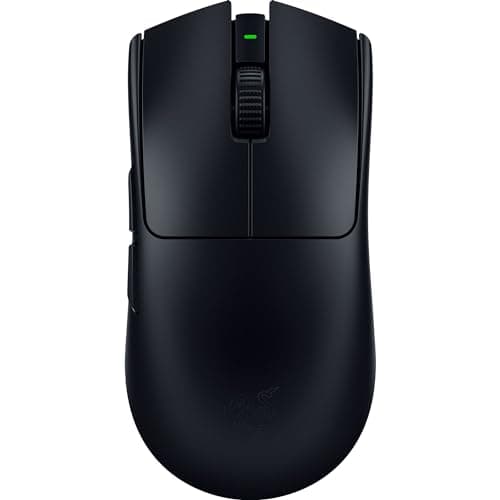
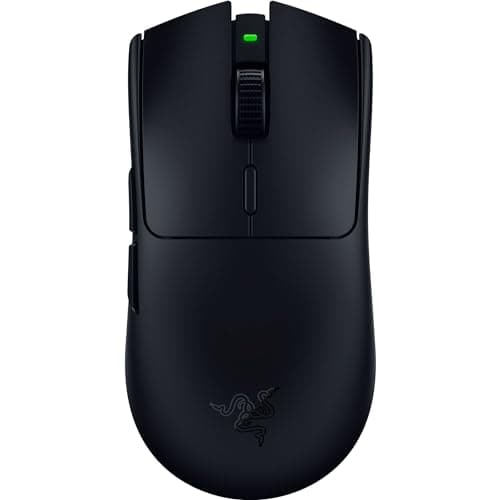
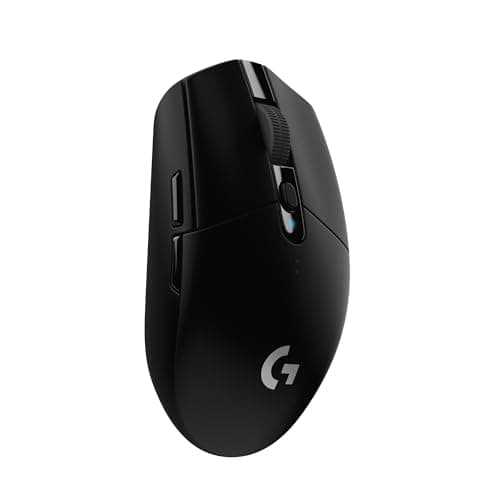
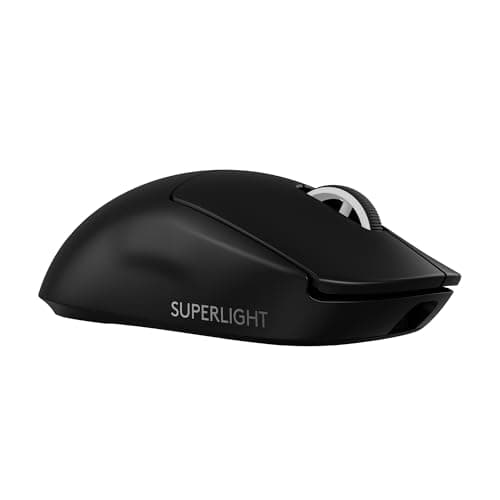
Buy the Logitech G PRO X Superlight 2. It is the shape a huge share of the professional scene already trusts, its LIGHTSPEED wireless is genuinely as fast as a cable, and it is ultralight without cutting a hole in the shell. If you want the same idea for less money, the Razer Viper V3 HyperSpeed drops tournament-grade internals into a budget body, and the Logitech G305 delivers real low-latency wireless at the very bottom of the price range. The one thing none of these mice asks you to worry about anymore is the very thing people still bring up first: latency.
The wired-is-faster myth is dead. Let it go.
For years the received wisdom was that serious players must use a cable, because wireless added lag. That was true once. It has not been true for a long time. Modern 2.4GHz gaming wireless — Logitech's LIGHTSPEED, Razer's HyperSpeed, and the equivalents from Glorious and the rest — uses a dedicated USB dongle on its own tuned radio link, and the round-trip latency is indistinguishable from a cable in real play. This is not a marketing claim we are repeating; it is why the top of the professional FPS scene, the players whose income depends on every millisecond, now compete on wireless mice. If lag were real, they would not.
A distinction worth drawing, because it is where the myth still has a foothold: the 2.4GHz dongle is the fast connection, not Bluetooth. Several of these mice also do Bluetooth for convenience, and Bluetooth does carry more latency — fine for browsing and a laptop on the sofa, not what you want for a ranked match. So the honest rule is simple: play on the 2.4GHz dongle and you are, for all practical purposes, as fast as wired; keep Bluetooth for casual, non-competitive use. Once you accept that, the entire “but is wireless fast enough?” question evaporates and you are free to choose a mouse on the things that actually still differ.
So rank on these instead
With latency off the table, a wireless mouse is decided by the same handful of physical properties that decide any mouse — only now you are not paying a performance penalty to lose the cable.
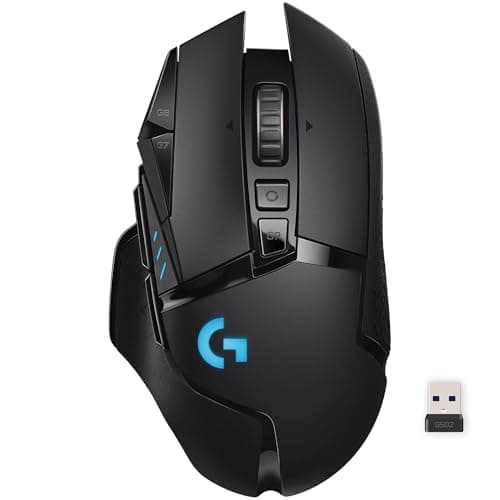
- Shape and size, matched to your hand and grip.This is the decision, and it is the one the spec sheet cannot make for you. The Superlight 2, Viper V3 Pro and Model O 2 are clean symmetrical shapes suited to claw and fingertip grips; the G502 is a large, humped, palm-filling shape; the G305 is small. A mouse that fits your hand beats a “better” mouse that does not, every time.
- Weight.For flick-heavy shooters, lighter is genuinely easier to move precisely. Razer rates the Viper V3 Pro around 54g and Logitech the Superlight 2 around 60g — featherweight — while the G502 Lightspeed is a deliberately heavy button-farm, and the AA-powered G305 and Viper V3 HyperSpeed sit in the middle because the battery adds mass. Lighter is not universally better; it is better for one job.
- Buttons.A minimalist FPS mouse gives you two thumb buttons and nothing else on purpose. The G502 gives you a full bank plus a tilting scroll wheel. If you play MMOs, or you live in productivity apps, those extra buttons are the reason to buy — and dead weight if you only play shooters.
- Battery and how it is powered. The flagships have built-in rechargeable cells with long life; the G305 and Viper V3 HyperSpeed run on a single AA, which trades a little weight and balance for months between changes and no charging ritual. Neither approach is wrong; they are different habits.
- Price.The gap from the G305 to the Superlight 2 is large, and it does not buy you a better sensor — every mouse here tracks flawlessly. It buys lighter weight, rechargeable batteries, nicer materials and a specific shape. Know which of those you are actually paying for.
The sensor is a solved problem — stop shopping for it
Every mouse on this page has a sensor no human hand can out-aim. The DPI numbers on the boxes are a contest between marketing departments, not a difference you can feel — nobody plays at the five-figure DPI these sensors advertise, and nobody could aim if they did. This is liberating, because it means you can ignore the one spec that gets the most attention and choose entirely on the physical things: does it fit your hand, is it the weight you want, does it have the buttons you use, and does the way it is powered suit you. That is the whole decision. If you want the deeper argument about which connection to trust, our wired vs wireless guide lays out the latency evidence in full.
Optical switches are a durability upgrade nobody advertises properly
There is one internal detail worth understanding, because it decides how long the mouse lasts rather than how it plays. The click on most mice comes from a tiny mechanical switch with metal contacts, and over enough clicks those contacts wear and can start registering one press as two — the “double-click” fault that eventually kills a huge number of otherwise fine mice. It is the most common way a mouse dies, and it is almost never in the marketing.
Optical switches, like the ones in the Viper V3 HyperSpeed, actuate on a beam of light instead of metal touching metal. With nothing physically wearing against a contact, they simply cannot develop that double-click fault, which makes them a genuine longevity advantage dressed up as a niche spec. It will not change how you aim — the click feels the same in your hand — but it changes how likely you are to still be using this mouse in a few years rather than replacing it. If two mice suit your hand equally and one has optical switches, that is a quiet reason to lean toward it, even though no box shouts about it.
Where each mouse here fits
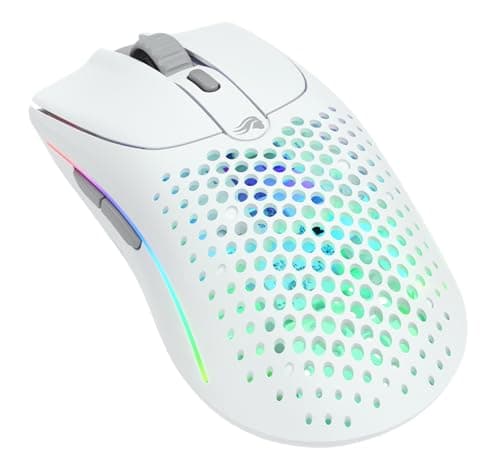
The Logitech G PRO X Superlight 2is the safe flagship — the trusted shape and weight of the competitive scene, minimalist by design. The Razer Viper V3 Pro is the ultralight tournament pick, even lighter, tuned hard for competitive FPS and stripped of everything that is not aiming. The Glorious Model O 2 Wireless is the lightweight all-rounder that undercuts both on price while keeping a genuinely fast, featherweight shape. The Logitech G502 Lightspeed is the opposite philosophy on purpose: heavy, button-laden, with a tilt wheel and tunable weights, for people who want an MMO-and-everything mouse without a cable. The Razer Viper V3 HyperSpeedis the value hero — real esports internals and optical switches in a budget, AA-powered body. And the Logitech G305 is the entry point: a flagship-family sensor and genuine LIGHTSPEED wireless for the least money of anything here, the reason nobody needs to buy a laggy wireless mouse ever again. If competitive FPS is specifically your game, our dedicated FPS mouse roundup narrows this list to the flick tools.
Two of the mice here are the flagship pair most competitive players shortlist, and they are separated by very little: Viper V3 Pro vs G PRO X Superlight 2 is the head-to-head if that is the decision you are stuck on.
How to buy a wireless gaming mouse
Stop worrying about latency — on the 2.4GHz dongle, it is a non-issue
This is the mindset shift the whole page is built on. A modern gaming mouse on its 2.4GHz dongle is, for every practical purpose, as fast as a wired mouse, which is why professionals compete on wireless. Use the dongle for anything competitive, treat Bluetooth as the casual couch option, and then forget the connection entirely and choose on the physical mouse. If you are still nervous, the pros settling the question for you is the strongest evidence there is.
Measure your hand, then pick the shape
Length from the base of your palm to the tip of your middle finger. Under about 17cm and you want a small mouse like the G305; over about 19cm and a larger shape like the G502 will suit you better; in between, most of these symmetrical shapes work. Then match the shape to your grip — palm grippers want a hump to fill the hand, claw and fingertip grippers want something flatter and lighter. This one decision does more for your aim than any upgrade on the page, and no spec can make it for you.
Choose weight by what you play, not by what is lowest
The featherweight race is real and, for flick-aim shooters, genuinely useful — a sub-60g mouse is easier to move precisely across a pad. But lightness is a tool for one job. For MMOs, strategy games, creative work or general use, a heavier mouse with more buttons is often the better instrument, and chasing the lowest weight there just costs you buttons you would have used. Buy light because you play shooters, not because the number is smaller.
Count the buttons you will actually bind
Two thumb buttons is plenty for most shooters and a lot of general use. A full button bank like the G502's is transformative for MMOs and productivity and pointless weight for an FPS player. Do not buy buttons as insurance — you will not grow into eleven of them — and do not dismiss them if your genre lives on keybinds. Match the button count to the games you spend your hours in.
Decide between rechargeable and a AA
Built-in rechargeable cells (the Superlight 2, Viper V3 Pro, Model O 2, G502) mean plugging in to charge and, in return, lower weight and better balance. A single AA (the G305 and Viper V3 HyperSpeed) means months of use and no charging habit, at the cost of a little weight and a slightly top-heavy feel. Neither is better in the abstract — it is a question of whether you would rather charge a mouse or swap a battery twice a year. One underrated point in the AA mice' favor: you can drop in a lighter lithium AA to shave grams, or keep a spare cell in a drawer so a flat mouse is a ten-second fix rather than a session cut short waiting on a cable, which is a kind of resilience the rechargeable flagships cannot match on a busy night.
Spend the savings on a good mousepad
Whatever you save by not buying up to the flagship, a large cloth mousepad will do more for your consistency than the gap between any two mice here. It is the least glamorous advice on the page and the most reliably true — a fast mouse on a slow, worn surface is a fast mouse you are fighting. Our mousepad picks are the cheapest upgrade to your aim you can make.
What not to pay for
DPI numbers above anything a human uses. Polling rates the marketing pushes into the thousands, which need a separate dongle and drain the battery for a difference you cannot feel. RGB. Weights you will never move and buttons you will never bind. Every one of these is a spec printed to separate one wireless mouse from another, not to help you play — the sensor is already solved, so buy the shape, the weight and the button count that fit you, and ignore the rest. And if you want the tighter budget version of this same argument, our mice under $100 page is where near-flagship wireless lives for less.