Skip to content
GEAREDGAMING

HUB 03 · Best Value

The Best Gaming Monitors Under $500

At this budget the compromises are gone and the choices begin. The question is no longer how much monitor you can afford -- it is which kind of monitor you actually want.

By Stephen V.Updated How we research
#ad

We earn a commission when you buy through our Amazon links, at no extra cost to you. It never affects our rankings, and we say so when the cheaper product is the better buy. How this works.

Buy the LG UltraGear 27GS93QE OLED. At the very top of this budget it delivers the one upgrade nothing cheaper can fake — per-pixel OLED black levels and near-instant motion at 240Hz. Once you have seen it, IPS looks broken. It eats the whole budget, and for most people it is worth it. If you would rather leave money in your pocket, the IPS LG 27GP850-B is the sensible high-refresh pick; if you want a mini-LED panel with real HDR, or a 4K desktop, or a wraparound ultrawide, this page has one of each.

What changes at this budget: the compromises end and the choices begin

On our under-$300 page, the job is to pick which single upgrade above a good 1440p panel you can afford. Under $500 that pressure lifts. You are no longer choosing what to give up; you are choosing what kind of monitor you want to own — and the panels on this page are genuinely different tools, not the same tool at different prices. The real fork is threefold: the panel technology (OLED versus IPS versus VA mini-LED), the resolution and shape (1440p versus 4K versus 21:9 ultrawide), and whether your graphics card can actually drive the one you pick. Get those three right and every monitor here is excellent. Get the GPU match wrong and even the best panel disappoints.

OLED versus IPS is the decision that matters most

This is the headline fork, and it is a real one. The 27GS93QE is OLED: every pixel makes its own light, so blacks are truly black, contrast is effectively infinite, and pixel response is so fast that motion looks clearer than any LCD can manage at the same refresh. It is the single biggest “wow” you can put on a desk for this money, and it is why it wins the page.

But be honest with yourself about two OLED caveats, because they are real. First, burn-in: OLED pixels can retain a faint ghost of static elements — a taskbar, a game HUD, a channel logo — after years of the same content sitting in the same place. Modern panels fight this with pixel-shifting and cleaning routines, and for mixed use it is a small risk, but if you leave a static desktop or the same HUD on screen for many hours every single day, it is a risk you are choosing to take. Second, full-screen brightness: an OLED does not get as blindingly bright across the whole panel as a good LCD, so a sun-blasted room is not its ideal home. If either of those describes you, the IPS 27GP850 sidesteps both problems, gets brighter, and leaves money in the budget for the rest of your setup — and that is exactly the trade it exists to offer.

Resolution and shape: 1440p, 4K or ultrawide

The other big fork is what shape and resolution of screen you actually want, and the answer depends entirely on what you play and what drives it.

  • 1440p, high refresh (27GS93QE, 27GP850, 27GR83Q). The sweet spot for competitive and fast-paced games. 27 inches at 1440p is crisp, the frame rates are attainable on a wide range of cards, and this is where OLED and the fastest refresh rates live. For most players this is the right shape, full stop.
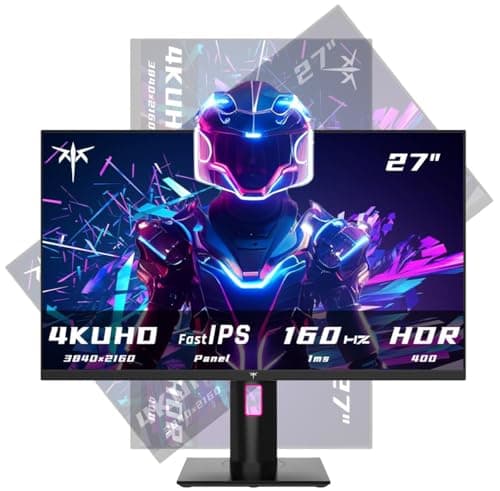
  • 4K (KTC 27″ 4K).The sharpest desktop and the best fit for single-player showcases, at a 27-inch size where 4K's pixel density really tells. The catch is severe: driving 4K at high frame rates demands a powerful, expensive graphics card, and on a mid-range GPU a 1440p panel will feel faster on the very same hardware. Buy 4K only if your card is genuinely up to it.
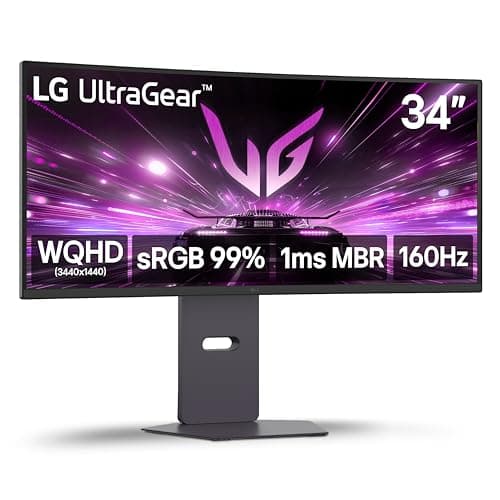
  • Ultrawide 21:9 (34G600A). The immersion pick. A 34-inch 3440x1440 curve wraps your periphery in a way a flat 27 cannot, and it gives you real extra desktop width for work too. But it is demanding to drive — more pixels than a 27-inch 1440p panel — and many competitive esports titles either letterbox or stretch at 21:9, where the extra width does nothing for your aim. It is superb for racing, sims and RPGs; a poor fit for a competitive-shooter main.

Real HDR versus the sticker, and the console question

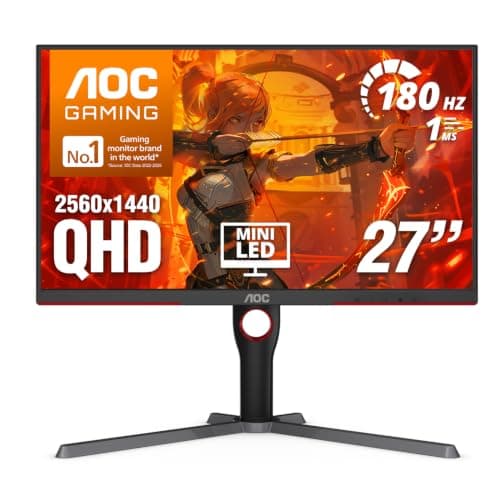
HDR is the most abused word on a monitor box, and this page has the one panel that earns it: the mini-LED AOC Q27G3XMN, whose backlight dims in zones behind a 1,000-nit peak to produce highlights that genuinely pop against blacks that stay black. That is real HDR. The IPS panels here carry HDR400 or nominal HDR10 badges that mean far less — better than nothing on the 27GR83Q, close to meaningless elsewhere — because without local dimming an HDR signal just displays no better than SDR. The trade on the AOC is that it is VA, so it brings VA's dark-transition smear, and it is not the panel for a competitive-shooter main. The OLED, of course, does HDR brilliantly by its own nature, which is another reason it tops the page.

One more practical split: if you also game on a PS5 or Xbox Series X, the 27GR83Q is the pick, because its HDMI 2.1 lets a current console run 1440p at 120Hz — something the HDMI 2.0 ports on the other panels here cannot deliver, capping a console far lower. If you only ever play on a PC over DisplayPort, that HDMI 2.1 is a feature you will never touch, and you should let one of the other panels win your money instead.

The GPU is still the monitor's hidden price tag

We say this on every monitor page because it is the mistake that costs the most, and it bites hardest up here where the panels are fastest and sharpest. A 240Hz OLED, a 4K panel or a 21:9 ultrawide is only worth its price if the graphics card behind it can feed it. Pair a demanding panel with a modest GPU and you get a slideshow at native settings, or a soft upscaled image if you drop the resolution to cope — either way, money spent on a number you never see. Our 144Hz vs 240Hz guide covers where the extra refresh actually helps, and our resolution explainer covers what each step up costs the GPU. Match the monitor to the card you own, not the card you wish you owned.

A useful gut-check: the panels here climb in GPU demand roughly in this order — 27-inch 1440p (the OLED, 27GP850 and 27GR83Q) asks the least, the 34-inch ultrawide sits above it, and 27-inch 4K asks the most of all. If you cannot say with confidence that your card clears the rung you are eyeing, drop down one and put the difference toward the graphics card. A 1440p panel driven hard looks and feels better than a 4K panel you have to run at half its frame rate, every single time.

The short answer

Quick picks

#ProductBest forScorePrice
01
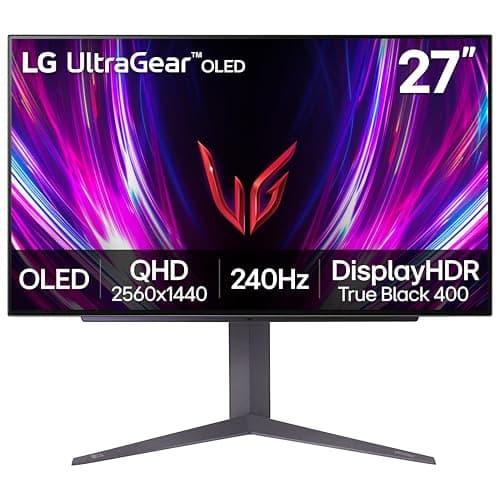
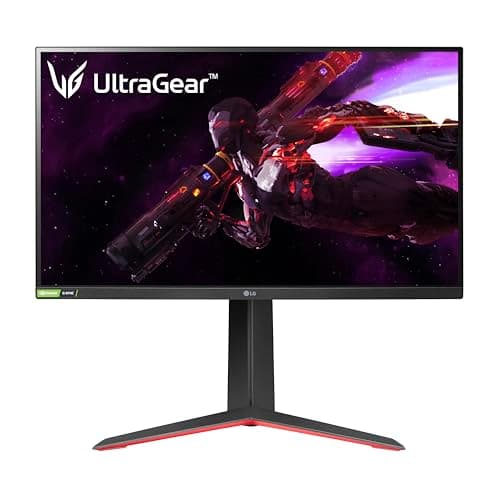
LG LG UltraGear 27GS93QE OLED
LG UltraGear 27GS93QE OLED

OLED at the very top of this budget. Once you've seen the black levels and the motion clarity, IPS looks broken.

Best in class
8.4
$499.99Amazon
02
LG LG UltraGear 27GP850-B
LG UltraGear 27GP850-B

The sensible high-refresh IPS pick. Fast, colour-accurate, and it leaves money in the budget for the rest of your setup.

Best sensible high-refresh
8.2
$359.99Amazon
03
LG LG UltraGear 34G600A
LG UltraGear 34G600A

The immersion pick. A 34-inch curved ultrawide turns racing, sim and single-player games into something a flat 27 can't do.

Best for immersion
7.8
$329.99Amazon
04
KTC KTC 27" 4K 160Hz
KTC 27" 4K 160Hz

The way into 4K high-refresh without a flagship badge tax. You pay for the panel, not the brand.

Best for 4K on a budget
7.0
$269.99Amazon
05
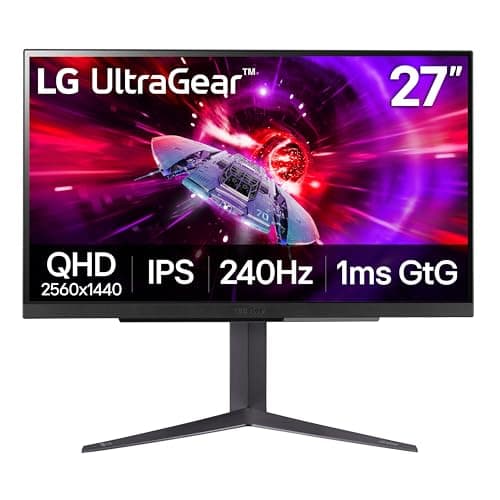
LG LG UltraGear 27GR83Q-B
LG UltraGear 27GR83Q-B

The do-it-all pick. 240Hz IPS for the PC, HDMI 2.1 for a current console, and a stand that does everything.

PS5 / Xbox + PC
8.4
$299.99Amazon
06
AOC AOC Q27G3XMN
AOC Q27G3XMN

The only monitor here with real HDR. A mini-LED backlight and a 1,000-nit peak give you HDR that actually does something.

Real HDR
7.8
$229.99Amazon

#ad · Live prices from the Amazon Product API, as of Jul 30, 2026. Where we have no verified live price, we show none — we would rather leave a gap than print a number that has rotted.

In detail

The picks, in full

01
LG LG UltraGear 27GS93QE OLED

Best in class

LG UltraGear 27GS93QE OLED

27" OLED2560x1440LG rates 240Hz / 0.03msHDR
8.4/10

OLED at the very top of this budget. Once you've seen the black levels and the motion clarity, IPS looks broken.

Panel quality
10
Build quality
8
Ergonomics
8
Features
9
Value
7

Pros

  • Per-pixel OLED black levels and colour that no IPS or VA panel on any cheaper page can approach
  • 240Hz with near-instant pixel response makes fast motion genuinely clearer, not just higher-numbered
  • The single biggest 'wow' upgrade you can make to a desk under $500

Cons

  • It eats the whole budget — there is nothing left for anything else
  • OLED carries a burn-in risk with static HUDs and taskbars over years of use; mind the care features
  • Full-screen brightness is lower than a bright LCD, so a sun-blasted room isn't ideal

Don't buy this if…

you leave static UI on screen for hours daily, or you play in a bright room. A high-refresh IPS like the 27GP850 sidesteps burn-in worry and gets brighter.

$499.99View on Amazon

$899.9944% off

Price as of Jul 30, 2026. Prices change — Amazon's is the one that counts.

#ad · we may earn a commission from this link to LG UltraGear 27GS93QE OLED

02
LG LG UltraGear 27GP850-B

Best sensible high-refresh

LG UltraGear 27GP850-B

27"2560x1440 Nano IPSLG rates 165Hz (180 OC) / 1msG-Sync compatible
8.2/10

The sensible high-refresh IPS pick. Fast, colour-accurate, and it leaves money in the budget for the rest of your setup.

Panel quality
8
Build quality
8
Ergonomics
8
Features
8
Value
9

Pros

  • Nano IPS colour and viewing angles with a genuinely fast response for an LCD
  • 165Hz (overclockable) with variable refresh, so competitive play stays smooth and tear-free
  • Costs well under the budget cap, freeing money for a mouse, headset or keyboard

Cons

  • IPS blacks are grey next to the OLED — in a dark room the difference is obvious
  • HDR is nominal; there's no meaningful local dimming
  • Nothing about it is exciting — it's the reliable choice, not the showpiece

Don't buy this if…

contrast and dark-room punch matter most to you. IPS can't match OLED blacks — if that's the priority, stretch to the 27GS93QE.

$359.99View on Amazon

Price as of Jul 30, 2026. Prices change — Amazon's is the one that counts.

#ad · we may earn a commission from this link to LG UltraGear 27GP850-B

03
LG LG UltraGear 34G600A

Best for immersion

LG UltraGear 34G600A

34" ultrawide curved3440x1440High refresh + VRR21:9
7.8/10

The immersion pick. A 34-inch curved ultrawide turns racing, sim and single-player games into something a flat 27 can't do.

Panel quality
8
Build quality
8
Ergonomics
7
Features
8
Value
8

Pros

  • The 21:9 curve wraps the periphery in a way that's genuinely more immersive for racing, sims and RPGs
  • 3440x1440 gives you real extra desktop width for multitasking, not just games
  • High refresh with variable refresh keeps the big canvas smooth

Cons

  • Ultrawide is demanding to drive — you need a stronger GPU than a 27-inch 1440p panel asks for
  • Competitive esports titles often letterbox or stretch at 21:9, and the extra width doesn't help your aim
  • It's physically wide; check your desk before buying

Don't buy this if…

you mainly play competitive shooters or have a modest GPU. Many esports games don't use 21:9 well, and the pixel count is heavier to run — a 27-inch 16:9 is the better fit.

$329.99View on Amazon

$399.9918% off

Price as of Jul 30, 2026. Prices change — Amazon's is the one that counts.

#ad · we may earn a commission from this link to LG UltraGear 34G600A

04
KTC KTC 27" 4K 160Hz

Best for 4K on a budget

KTC 27" 4K 160Hz

27" 4K UHD3840x2160 Fast IPSKTC rates up to 160HzHDR + FreeSync
7.0/10

The way into 4K high-refresh without a flagship badge tax. You pay for the panel, not the brand.

Panel quality
8
Build quality
6
Ergonomics
6
Features
7
Value
8

Pros

  • 4K sharpness on a 27-inch panel is a real desktop and single-player upgrade over 1440p
  • A fast IPS panel rated well past 60Hz, so it isn't just a pretty desktop monitor
  • Undercuts the big-brand 4K panels by a wide margin

Cons

  • Driving 4K at high frame rates demands a powerful, expensive GPU
  • A lesser-known brand means less predictable warranty and support than LG or Samsung
  • HDR and local dimming are basic at this price

Don't buy this if…

your GPU is mid-range. 4K at high refresh is genuinely hard to drive — a 1440p panel like the 27GP850 will feel faster on the same graphics card.

$269.99View on Amazon

$299.9910% off

Price as of Jul 30, 2026. Prices change — Amazon's is the one that counts.

#ad · we may earn a commission from this link to KTC 27" 4K 160Hz

05
LG LG UltraGear 27GR83Q-B

PS5 / Xbox + PC

LG UltraGear 27GR83Q-B

27"2560x1440 IPSLG rates 240Hz / 1msHDMI 2.1 · DisplayHDR 400
8.4/10

The do-it-all pick. 240Hz IPS for the PC, HDMI 2.1 for a current console, and a stand that does everything.

Panel quality
9
Build quality
8
Ergonomics
9
Features
9
Value
7

Pros

  • HDMI 2.1 is the real differentiator — a PS5 or Xbox Series X can run 1440p at 120Hz here, which none of the HDMI 2.0 monitors on this page can deliver
  • 240Hz IPS covers the competitive-PC side with no compromise
  • Full tilt/height/pivot stand and LG's better factory calibration

Cons

  • DisplayHDR 400 is entry-level HDR — better than a bare HDR10 sticker, but nowhere near the mini-LED AOC's real HDR
  • The most expensive monitor here, and part of that money buys HDMI 2.1 that a PC-only player on DisplayPort will never use

Don't buy this if…

you only ever game on a PC. The HDMI 2.1 headline is wasted over DisplayPort, and the AOC Q27G41ZE gives you the same 240Hz and sharpness for over a hundred dollars less.

$299.99View on Amazon

$499.9940% off

Price as of Jul 30, 2026. Prices change — Amazon's is the one that counts.

#ad · we may earn a commission from this link to LG UltraGear 27GR83Q-B

06
AOC AOC Q27G3XMN

Real HDR

AOC Q27G3XMN

27"2560x1440 VAMini-LED · HDR 1000AOC rates 180Hz / 1ms
7.8/10

The only monitor here with real HDR. A mini-LED backlight and a 1,000-nit peak give you HDR that actually does something.

Panel quality
9
Build quality
7
Ergonomics
6
Features
9
Value
8

Pros

  • Mini-LED local dimming with a DisplayHDR 1000 rating is genuine HDR — bright highlights that pop against blacks that stay black, which no edge-lit HDR10 panel here can manage
  • VA contrast plus mini-LED zones produces the deepest blacks on this page by a wide margin
  • 180Hz and Adaptive Sync, so it games well beyond the HDR party trick

Cons

  • Mini-LED blooming — a faint halo around bright objects on a dark background — is visible, as it is on every backlight near this price
  • One HDMI 2.0 and one DisplayPort only; a thin selection of inputs if you juggle several devices
  • VA smear on dark, fast transitions applies here too — it is not the panel for a competitive-shooter main

Don't buy this if…

you mostly play competitive shooters in SDR. You would be paying a premium for an HDR panel and VA response times you will not use — the fast IPS AOC Q27G41ZE serves that far better.

$229.99View on Amazon

$299.9923% off

Price as of Jul 30, 2026. Prices change — Amazon's is the one that counts.

#ad · we may earn a commission from this link to AOC Q27G3XMN

How to buy a gaming monitor under $500

Decide OLED or IPS before anything else

This is the fork that shapes the whole purchase. If you want the best image money can buy at this budget and you play a varied mix of games, the 27GS93QE OLED is the answer, and you accept its burn-in caution and slightly lower full-screen brightness as the price of that image. If you leave static UI on screen for hours every day, or you play in a bright room, or you want to spend less and put the rest toward a mouse, keyboard and headset, the IPS 27GP850 is the sensible choice and it is not a downgrade so much as a different set of priorities. Settle this first; everything else follows from it.

Pick the resolution your graphics card can actually feed

A 4K KTC panel and a 34-inch ultrawide 34G600A are both wonderful and both demanding, and a mid-range card will make either of them feel slow. Before you fall for the sharpest or the widest panel, be honest about your GPU: if it is strong, 4K or ultrawide reward it; if it is mid-range, a 27-inch 1440p panel like the 27GP850 or the OLED will feel faster and look better in motion on the very same hardware. The resolution is the hidden GPU bill, and it is easy to underestimate.

Take burn-in seriously, but in proportion

OLED burn-in is real and permanent when it happens, but it is a risk you manage, not a certainty. The panels ship with pixel-shifting and screen-refresh routines; use them, hide the taskbar, auto-dim static content, and vary what is on screen. For mixed gaming and media over normal hours, the risk is small and the reward is the best image on the page. For a machine that shows the same static desktop or the same HUD for many hours daily, the IPS pick genuinely is the wiser buy — this is the one place where the cheaper monitor can be the smarter one.

Only pay for HDR that has local dimming

Real HDR needs a backlight that can dim in zones — mini-LED, like the AOC Q27G3XMN, or the per-pixel control of OLED. Every other HDR badge on this page, from the 27GR83Q's HDR400 down, means the panel accepts an HDR signal rather than displaying one well. If HDR matters to you, insist on the mini-LED or the OLED and ignore the stickers on the rest. If it does not, do not let an HDR label add a dollar to what you pay.

Buy HDMI 2.1 only if a console is plugging in

The 27GR83Q's HDMI 2.1 is the reason to buy it — but only if you also game on a PS5 or Xbox Series X, which need it to run 1440p at 120Hz. Over the HDMI 2.0 ports on the other panels here, a console is capped far lower, so if you split your time between PC and current-gen console, this is the pick. If you are PC-only over DisplayPort, that HDMI 2.1 is a premium for a port you will never use, and one of the other panels is the better spend.

Match the shape to what you play

A 21:9 ultrawide like the 34G600A is transformative for racing, sims and single-player RPGs and a poor fit for competitive shooters that letterbox or stretch at that ratio. A 4K 27-inch panel is a desktop and single-player showcase that asks a lot of your GPU. A 27-inch 1440p — OLED or IPS — is the do-everything shape that suits competitive and casual play alike. Decide what you actually spend your hours on, then let that pick the shape, not the other way round.

Weigh the warranty against the last few dollars

Most panels here are LG, whose gaming-monitor support and RMA process are predictable. The KTC 4K panel undercuts the big brands by a wide margin, and that saving is real — but a lesser-known brand also means less certain warranty and support if a panel develops a fault or a stuck pixel. That is not a reason to avoid it; it is a reason to buy it with eyes open. If you value a no-argument replacement over the last stretch of saving, the branded panels earn their small premium. If you are comfortable with the trade, the KTC is the cheapest way into 4K high refresh on the page.

What not to pay for

HDR badges without local dimming. HDMI 2.1 you will never plug a console into. Overclocked refresh rates a step above the panel's real rating. Refresh or resolution your graphics card cannot actually feed. A lesser-known brand's panel if you value a predictable warranty over the last few dollars of saving. At this budget the panels are good enough that the mistakes are all about buying the wrong kind of monitor — so spend on the technology and shape you will use, and ignore the rest of the box.
How we picked

We do not run a testing lab

We researched published specifications, third-party lab measurements, manufacturer documentation and aggregated owner reviews, then scored each product against a published rubric. The scores are judgements from documented research — they are notmeasurements we took, because we do not have a lab and we are not going to pretend we do. Where a number came from someone else's lab, we name them and link them in Sources.

Questions

Frequently asked

What is the best gaming monitor under $500?
The LG UltraGear 27GS93QE OLED for most people — per-pixel black levels, effectively infinite contrast and 240Hz motion clarity that no LCD on any cheaper page can match. It eats the whole budget; if you want to spend less or avoid OLED burn-in worry, the IPS LG 27GP850-B is the sensible high-refresh pick, and the mini-LED AOC Q27G3XMN is the one to buy for real HDR.
Is an OLED gaming monitor worth it under $500?
For a varied gaming and media diet, yes — the 27GS93QE's contrast and motion clarity are the biggest single upgrade you can put on a desk at this budget. The caveats are real, though: OLED carries a burn-in risk with static HUDs and taskbars over years, and it does not get as bright full-screen as an LCD. If you show static content for hours daily or play in a bright room, a fast IPS like the 27GP850 is the wiser buy.
Should I buy 1440p, 4K or ultrawide?
1440p (the OLED, 27GP850 or 27GR83Q) is the sweet spot for competitive and fast games and the easiest to drive. 4K (the KTC) is the sharpest desktop and best for single-player, but it demands a powerful GPU. Ultrawide 21:9 (the 34G600A) is the most immersive for racing, sims and RPGs, but it is demanding and many esports titles do not use it well. Match the shape to what you play and what your card can feed.
Do I need HDMI 2.1 on a gaming monitor?
Only if you also game on a PS5 or Xbox Series X, which need HDMI 2.1 to run 1440p at 120Hz — the LG 27GR83Q is the pick there. Over the HDMI 2.0 ports on the other panels here a console is capped far lower. If you play only on a PC over DisplayPort, HDMI 2.1 is a feature you will never use, so do not pay a premium for it.
Which monitor here has real HDR?
The mini-LED AOC Q27G3XMN, whose zone-dimming backlight and 1,000-nit peak produce genuine HDR highlights against deep blacks — and the OLED, which does HDR brilliantly by its per-pixel nature. The IPS panels' HDR400 and HDR10 badges mean far less, because without local dimming an HDR signal displays no better than SDR. If HDR matters, choose the mini-LED or the OLED.

Keep reading

Receipts

Sources

We do not run a testing lab, and we do not pretend to. Where a measured number came from someone else's lab, we name them and link them. Where we could not verify something, we say so on the page rather than quietly leaving it out. Read our full method.