Skip to content
GEAREDGAMING

HUB 01 · Handhelds & Steam Deck

The Best Power Banks for Steam Deck

The whole job here is to charge the Deck while you are still playing it — and the cheap banks in your drawer cannot do that. The spec that decides it is wattage, not capacity.

By Stephen V.Updated How we research
#ad

We earn a commission when you buy through our Amazon links, at no extra cost to you. It never affects our rankings, and we say so when the cheaper product is the better buy. How this works.

Buy the Anker 737. Its 140W output is comfortably enough to charge the Steam Deck while you are still playing it — which is the one thing a handheld power bank is actually for, and the one thing most banks quietly cannot do. If you want the same charging ability in a flatter, bag-friendlier shape, the Baseus Blade 100W is the pick; if you just want a reliable everyday bank, the Anker 20,000mAh with the built-in cable is the sensible, cheaper answer.

The number that matters is watts, not milliamp-hours

Every power bank sells itself on capacity — the big mAh figure on the front. That number tells you how long a bank lasts. It tells you nothing about the thing that actually goes wrong with a handheld, which is how fast the bank can put charge back in while the Deck is draining it. That is a wattage question, and it is where the cheap banks fall down.

Here is the mechanism. Under a real gaming load the Steam Deck pulls a lot of power — enough that Valve ships it with a 45W USB-C charger. A power bank that can only deliver 18W or 30W over USB-C — which describes most phone banks — cannot keep up. Plug one in during a demanding game and the battery still goes down, just more slowly. You have not solved the problem; you have delayed it. To genuinely charge the Deck while you play, the bank needs to deliver at least that ~45W the Deck wants, with headroom to spare.

That is why the banks on this page cluster around 100W and above — the "laptop-class" PD figure. A 100W bank has so much headroom over the Deck's draw that it charges the handheld at full speed with power left over for a phone, and it is the same wattage that lets it double as a charger for an actual laptop or a ROG Ally, which is thirstier still. You are not buying 100W because the Deck needs 100W. You are buying it because a bank that can do 100W is one you will never have to think about.

Capacity is the second decision, and it is a trade against weight

Once the wattage is sorted, capacity is a straight trade-off with how much brick you are willing to carry. A 20,000mAh bank is roughly a full handheld recharge and a bit — plenty for a long day out, and light enough to forget in a bag. A 25,000mAh bank buys you closer to two charges for a genuine multi-day trip, at the cost of real weight and pocket space. Neither is "better"; they are different tools for different journeys. Work out whether you are packing for an afternoon or a weekend, then buy the capacity that matches — and no more, because every extra milliamp-hour is weight you carry whether you use it or not.

Before you buy the biggest one: airlines cap this.Lithium power banks are restricted to carry-on luggage and, in most of the world, to a capacity limit airlines actually enforce at the gate — the common ceiling is 100 watt-hours without special approval. The 20,000mAh and 25,000mAh banks here sit under that line, but larger banks can be refused, and a bank in a checked bag is not allowed at all. If you are buying this specifically to fly, check the exact watt-hour rating on the bank and your airline's policy before you pack it.

How to read a spec sheet for “charges while you play”

The claim you actually care about is buried, so here is how to find it. Skip the mAh headline and look for the USB-C Power Delivery output, quoted in watts. A bank that lists "PD 100W" on a USB-C port can hand the Deck far more than it draws under load, so the handheld charges while you game. A bank that only quotes an mAh number and a vague "fast charge" badge, with no PD wattage anywhere, is almost always a low-wattage phone bank in disguise — and it will lose the race against a Deck running a demanding game. The quick test when you are staring at a listing: if you cannot find a wattage figure attached to the USB-C output in a few seconds, the maker is hiding it because it is not the number you want, and you should move on to a bank that states it plainly.

There is a second subtlety once you are charging more than one thing. The wattage on the box is usually a total the bank can deliver across all its ports at once. Plug in a Deck and a phone together and that budget is shared, so each device gets less than the headline figure. This is exactly why the higher-wattage banks here — the 140W and 165W models — are worth their price for anyone who charges a handheld and a phone simultaneously: they have enough total output that splitting it still leaves the Deck with its full share. A 100W bank is plenty for the Deck alone; a bank you will run two devices off wants more headroom than that.

The catches that quietly cost you the wattage you paid for

You can buy the right bank and still not get its speed, because the wattage has to survive the whole chain from cell to Deck. The most common culprit is the cable. A high-wattage bank needs a USB-C cable rated for that current — an "e-marked" 100W cable for a 100W bank — and a thin freebie cable rated for a fraction of that will throttle the whole connection down to its own limit, no matter what the bank can do. If a genuinely capable bank charges slowly, suspect the cable before the bank.

The other quiet catch is the difference between a bank that passes power through and one that stalls when it gets warm. Charging at high wattage generates heat, and some cheaper banks step their output down aggressively to protect themselves, so the "100W" is a peak you see for a minute rather than a rate you hold for an hour. This is one of the reasons the established names — Anker especially — justify a premium over an unbranded bank with an identical spec on paper: the number they print is closer to the number they sustain. We cannot bench these ourselves, and we will not pretend to, but the reputation gap in this category is real and consistently documented in owner reviews.

The short answer

Quick picks

#ProductBest forScorePrice
01
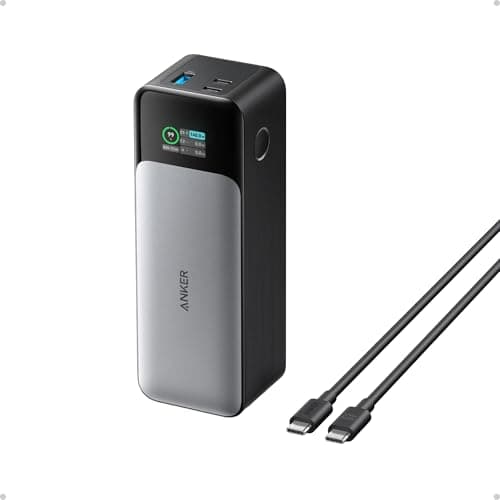
Anker Anker 737 Power Bank (140W, 24,000mAh)
Anker 737 Power Bank (140W, 24,000mAh)

The honest fix for handheld battery life: carry more battery.

Long flights and commutes
7.8
Check price →
02
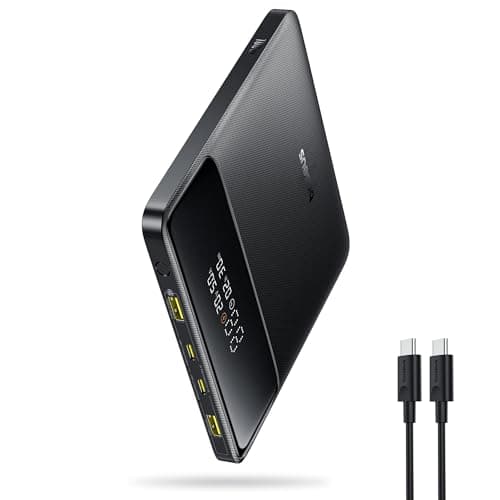
Baseus Baseus Blade 100W (20,000mAh)
Baseus Blade 100W (20,000mAh)

The flat, slab-shaped bank that fits a bag next to a handheld and pushes enough watts to charge it while you play.

Best shape for a bag
8.4
$59.99Amazon
03
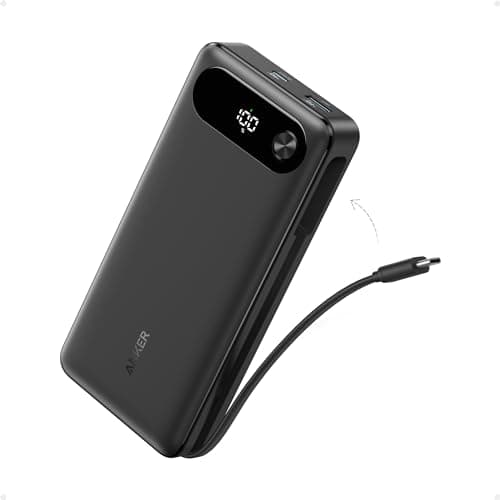
Anker Anker Power Bank (20,000mAh, built-in cable)
Anker Power Bank (20,000mAh, built-in cable)

The grab-and-go pick with the cable attached, so there's one fewer thing to forget. Anker's reliability at a fair price.

Best everyday carry
8.0
$59.98Amazon
04
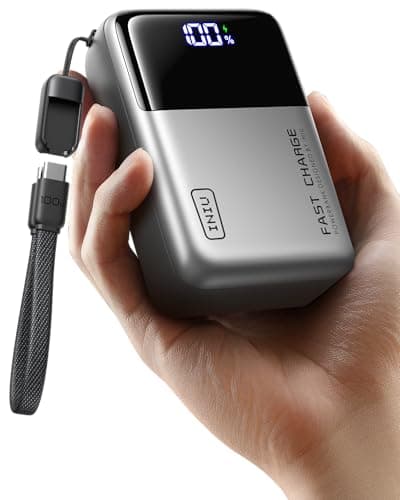
INIU INIU 25,000mAh 100W
INIU 25,000mAh 100W

More capacity and 100W output than the price suggests. The value pick when you want a big reserve without paying flagship money.

Best value high-capacity
7.6
$62.99Amazon
05
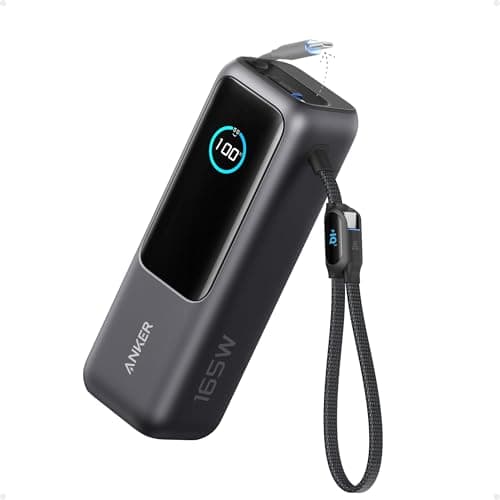
Anker Anker Laptop Power Bank (25,000mAh, 165W)
Anker Laptop Power Bank (25,000mAh, 165W)

The do-everything bank: enough capacity and enough watts to keep a handheld, a phone and even a gaming laptop going.

Best for a whole kit
8.0
$119.99Amazon

#ad · Live prices from the Amazon Product API, as of Jul 30, 2026. Where we have no verified live price, we show none — we would rather leave a gap than print a number that has rotted.

In detail

The picks, in full

01
Anker Anker 737 Power Bank (140W, 24,000mAh)

Long flights and commutes

Anker 737 Power Bank (140W, 24,000mAh)

24,000mAh140W output3 portsDigital display
7.8/10

The honest fix for handheld battery life: carry more battery.

Compatibility
10
Build quality
9
Performance
9
Portability
4
Value
7

Pros

  • 140W is enough to charge the Ally while you are still playing it — most banks are not
  • 24,000mAh is roughly a full recharge and change for a handheld
  • The display tells you the actual watts flowing, which is genuinely useful for diagnosing a weak cable

Cons

  • Heavy. This is a brick, and you will feel it in a bag
  • The most expensive item in this roundup by a distance
  • Airline rules cap you near this capacity — check before you fly

Don't buy this if…

you mostly play at home. This solves a problem you don't have, and it costs more than most of the other accessories combined.

Check price on Amazon →

No buyable offer at the last price check (Jul 30, 2026). We show nothing rather than a stale number.

#ad · we may earn a commission from this link to Anker 737 Power Bank (140W, 24,000mAh)

02
Baseus Baseus Blade 100W (20,000mAh)

Best shape for a bag

Baseus Blade 100W (20,000mAh)

20,000mAhUp to 100W USB-C PDSlim flat 'blade' bodyDual USB-C
8.4/10

The flat, slab-shaped bank that fits a bag next to a handheld and pushes enough watts to charge it while you play.

Compatibility
9
Build quality
8
Performance
8
Portability
9
Value
8

Pros

  • Its flat profile stacks neatly against a Steam Deck or laptop in a bag, unlike fat cylindrical banks
  • Up to 100W output charges a handheld at full speed even while you're playing
  • Two USB-C ports so a handheld and a phone top up together

Cons

  • 20,000mAh is a solid single charge, not a multi-day reserve
  • Air travel rules cap you near this capacity, so bigger isn't always allowed anyway
  • 100W is more than a phone needs — some of that capability is wasted on small devices

Don't buy this if…

you want maximum runtime above all. 20,000mAh is one strong charge — the Anker 25,000mAh banks hold more for long trips.

$59.99View on Amazon

$89.9933% off

Price as of Jul 30, 2026. Prices change — Amazon's is the one that counts.

#ad · we may earn a commission from this link to Baseus Blade 100W (20,000mAh)

03
Anker Anker Power Bank (20,000mAh, built-in cable)

Best everyday carry

Anker Power Bank (20,000mAh, built-in cable)

20,000mAhBuilt-in USB-C cableUSB-C PD fast chargeExtra USB-C + USB-A
8.0/10

The grab-and-go pick with the cable attached, so there's one fewer thing to forget. Anker's reliability at a fair price.

Compatibility
8
Build quality
9
Performance
7
Portability
8
Value
8

Pros

  • The built-in USB-C cable doubles as the carry strap — you can't leave the cable at home
  • Anker's charging reliability and safety record, which matters for an expensive handheld
  • Enough output to fast-charge a handheld, plus spare ports for phones

Cons

  • Its PD output is aimed at phones and handhelds, not high-wattage gaming laptops
  • The attached cable is a wear point you can't cheaply replace
  • A chunkier shape than a flat blade-style bank

Don't buy this if…

you need to charge a power-hungry gaming laptop. Its wattage suits handhelds and phones — a 100W+ bank like the Baseus Blade fits laptops better.

$59.98View on Amazon

$69.9914% off

Price as of Jul 30, 2026. Prices change — Amazon's is the one that counts.

#ad · we may earn a commission from this link to Anker Power Bank (20,000mAh, built-in cable)

04
INIU INIU 25,000mAh 100W

Best value high-capacity

INIU 25,000mAh 100W

25,000mAhUp to 100W USB-C PDMulti-portCompact for its capacity
7.6/10

More capacity and 100W output than the price suggests. The value pick when you want a big reserve without paying flagship money.

Compatibility
8
Build quality
7
Performance
8
Portability
6
Value
9

Pros

  • A big 25,000mAh reserve that covers a couple of full handheld charges
  • Up to 100W so it charges a handheld at full speed, not a trickle
  • Priced below the big-name banks with similar specs

Cons

  • A larger, heavier brick than a 20,000mAh bank — a pocket is out
  • INIU's brand support isn't as established as Anker's
  • Nudges the airline carry-on capacity ceiling, so check before you fly

Don't buy this if…

you want the smallest, lightest thing to carry. 25,000mAh is a brick — a 20,000mAh bank like the Baseus Blade is easier to pocket and travel with.

$62.99View on Amazon

$69.9910% off

Price as of Jul 30, 2026. Prices change — Amazon's is the one that counts.

#ad · we may earn a commission from this link to INIU 25,000mAh 100W

05
Anker Anker Laptop Power Bank (25,000mAh, 165W)

Best for a whole kit

Anker Laptop Power Bank (25,000mAh, 165W)

25,000mAhUp to 165W totalMultiple portsDigital display
8.0/10

The do-everything bank: enough capacity and enough watts to keep a handheld, a phone and even a gaming laptop going.

Compatibility
9
Build quality
9
Performance
9
Portability
6
Value
7

Pros

  • 165W total feeds a handheld and a gaming laptop at once, not just phones
  • A digital readout shows real remaining charge instead of four vague dots
  • Anker build quality and safety on a bank you'll trust with pricey gear

Cons

  • The priciest and heaviest bank here — it's a kit-bag item, not a pocket one
  • Its wattage is overkill if all you own is a handheld and a phone
  • Big enough that airline rules are worth double-checking

Don't buy this if…

all you charge is a Steam Deck and a phone. You're paying for laptop-grade wattage you won't use — the Baseus Blade or INIU cover handhelds for less.

$119.99View on Amazon

Price as of Jul 30, 2026. Prices change — Amazon's is the one that counts.

#ad · we may earn a commission from this link to Anker Laptop Power Bank (25,000mAh, 165W)

How to buy a Steam Deck power bank

Buy on wattage first — 100W is the number worth having

This is the whole decision, so make it first. A bank that can deliver 100W of USB-C Power Delivery has ample headroom over the Deck's ~45W draw, which means it charges the handheld at full speed even mid-game, tops a phone up alongside it, and stretches to a laptop or an Ally if you ever need it to. A 30W phone bank will slow the drain but not reverse it under load. If you are going to carry a second battery at all, carry one that actually charges faster than the Deck empties.

Then pick capacity by trip length, not by the biggest number

20,000mAh is one strong recharge and change — the right size for a commute, a flight or a day out, and the easiest to carry. 25,000mAh is the multi-day reserve, and it is a noticeably heavier brick. Do not default to the largest capacity on the shelf; the bank you leave at home because it is too heavy charges nothing. Match the reserve to the journey you actually take most often.

Shape decides whether it lives in your bag or your drawer

A flat, slab-shaped bank like the Baseus Blade stacks neatly against the Deck or a laptop in a backpack; a fat cylindrical bank rolls around and wastes space. If the bank travels with the Deck, the profile matters as much as the capacity — a slim body you actually pack beats a chunky one you leave behind. A built-in cable, as on the everyday Anker 20,000mAh, is the same idea applied to the cable you would otherwise forget.

Ports: two USB-C is the useful minimum

A single-port bank charges the Deck and nothing else. Two USB-C ports let the Deck and a phone top up together, which on a long trip is the difference between one dead device and none. It is a small thing that you notice the moment you need it.

Insist on USB-C PD, not a proprietary “fast charge”

The Steam Deck charges over standard USB-C Power Delivery, so that is the standard your bank must speak. Some banks headline a proprietary fast-charging mode that only reaches full speed with the maker's own phones, and falls back to a slower standard rate for everything else — including the Deck. A bank that clearly states its USB-C PD wattage is telling you the number that will actually apply to your handheld. If the listing hides the PD figure behind branded charging names, treat that as a warning, not a feature.

Bring a cable that can carry the watts

This is the cheap mistake that wastes an expensive bank. A 100W bank paired with a thin cable rated for a fraction of that will only ever deliver the cable's limit — the weakest link sets the speed. If you buy a high-wattage bank, use a USB-C cable rated for the same current (an e-marked 100W cable), and keep it with the bank. When a capable bank charges slowly, the cable is the first thing to check and usually the thing at fault.

Check the airline limit before you fly, every time

Repeating this because it strands people at security: power banks must go in carry-on, and there is a watt-hour ceiling — commonly 100Wh — above which you need airline approval or cannot bring the bank at all. The banks here are chosen to sit under that line, but rules vary by carrier and change, so confirm the watt-hour rating printed on the bank against your airline's current policy rather than assuming.

Buy around everything you charge, not just the Deck

The Deck alone is happy with a 100W bank, but you rarely carry a bank for one device. If a phone rides along, you want enough total output that sharing it still leaves the Deck its full share. If a laptop or a thirstier ROG Ally is in the bag, the 140W and 165W banks stop being overkill and start being the only ones that keep everything fed at once. Add up the devices you actually travel with and buy for the sum — a bank that charges the whole kit is worth more than a lighter one that forces you to take turns.

What not to pay for

Wireless charging pads built into a bank you will always cable to the Deck anyway. Enormous capacities that push past the airline limit for a handheld you recharge in an evening at home. "Fast charge" branding with no stated USB-C PD wattage behind it — if the listing will not tell you the watts, assume they are low. Spend on the PD figure and the shape; skip the rest.
How we picked

We do not run a testing lab

We researched published specifications, third-party lab measurements, manufacturer documentation and aggregated owner reviews, then scored each product against a published rubric. The scores are judgements from documented research — they are notmeasurements we took, because we do not have a lab and we are not going to pretend we do. Where a number came from someone else's lab, we name them and link them in Sources.

Questions

Frequently asked

What is the best power bank for the Steam Deck?
The Anker 737 for most people — its 140W output charges the Deck at full speed even while you are playing, and 24,000mAh is a full recharge and change. If you want the same charging ability in a flatter shape for a bag, the Baseus Blade 100W is the pick; for a cheaper everyday bank, the Anker 20,000mAh with the built-in cable is the sensible choice.
How many watts do I need to charge the Steam Deck while playing?
Enough to beat its draw under load. Valve ships the Deck with a 45W charger, so a bank that can deliver at least that — and ideally the 100W laptop-class figure for headroom — will actually add charge while you play. A typical 18W or 30W phone bank only slows the drain; it does not reverse it.
Does a bigger mAh power bank charge the Deck faster?
No. Capacity (mAh) sets how long the bank lasts, not how fast it charges. Charging speed is set by the USB-C Power Delivery wattage. A huge low-wattage bank still can't keep up with the Deck under load, while a smaller 100W bank can — so buy on watts first, then pick capacity for how long you need it to last.
Can I take a Steam Deck power bank on a plane?
In carry-on only, and up to a capacity limit — commonly 100 watt-hours without airline approval. The 20,000-25,000mAh banks here generally sit under that ceiling, but larger banks can be refused and none may travel in a checked bag. Check the watt-hour rating on the bank and your airline's policy before you fly.

Keep reading

Receipts

Sources

We do not run a testing lab, and we do not pretend to. Where a measured number came from someone else's lab, we name them and link them. Where we could not verify something, we say so on the page rather than quietly leaving it out. Read our full method.