Buy the SteelSeries QcK Large. It is the cloth pad the entire category is measured against — balanced, consistent, grippy underneath, and cheap enough that it ends the search for most people. If you want the edge that will not fray, step to the stitched Razer Gigantus V2; if you want your keyboard on the pad too, size up to a full desk mat. Those are the only real decisions here, and none of them is expensive.
The cheapest upgrade that most improves your aim
We say this on every mouse page and we will keep saying it: a large cloth pad costs very little and improves your consistency more than the difference between most of the mice we recommend. A good pad gives your sensor a uniform surface to track and your hand a predictable amount of friction, so the same flick lands the same way every time. That repeatability is the whole point — it is what “a better pad improved my aim” actually means. Once you have one, the return on spending more is small; getting the first good one is where nearly all the benefit lives.
Because the ceiling here is low and cheap, this page is less about finding the best pad and more about not overthinking it. Every option on this list is a good pad. The differences that remain — size, surface feel, edge, thickness — are about fit, not quality, and the right answer is the one that matches how you play and how big your desk is.
It is also worth being clear about what a pad will not do, so you spend on it with the right expectations. It will not raise your sensor's ceiling, add speed you can measure, or turn a poor mouse into a good one. What it does is remove a variable — an inconsistent, worn or too-small surface that quietly makes the same motion behave differently each time. That is a smaller promise than the marketing on the fancier pads implies, and it is the honest one. Buy for consistency and comfort, not for a performance number, and you will not be disappointed.
Size is the first decision, and it is really about your sensitivity
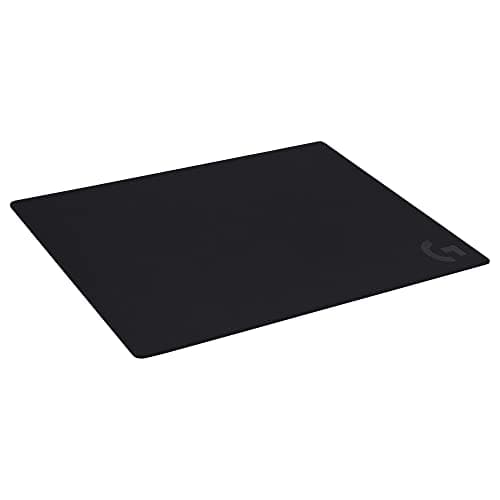
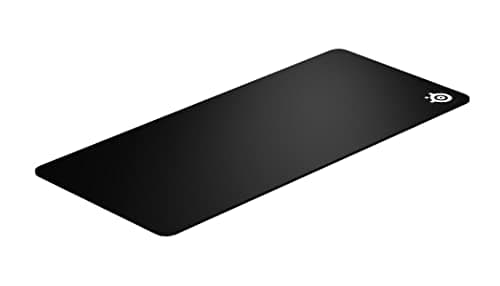
The single biggest split on this page is between a mouse-only pad and a full desk mat. A Large (the QcK Large, the Gigantus V2 Large, the G640) covers the area your mouse actually travels and keeps the desk tidy. An XXL desk mat (the QcK XXL, the Gigantus V2 XXL) stretches under the keyboard too, so the mouse and keyboard sit on one continuous, consistent surface.
Which you need comes down to sensitivity more than taste. Low-sensitivity players — the ones who swing the whole forearm to turn — run out of pad constantly on a Large, and for them the XXL is not a luxury, it is the thing that stops a flick dying halfway across the desk. High-sensitivity players who barely move the mouse get no benefit from all that surface and are better off with a Large on a small desk. Work out roughly how far your hand travels for a 180-degree turn, and let that pick the size. If you are shopping for a mouse at the same time, our mice under $50 and mice under $100 pages pair naturally with whatever you choose here.
Speed versus control: the surface, honestly
Cloth pads sit on a spectrum from fast to controlled. A faster, smoother surface lets the mouse glide with less effort, which suits large, flick-heavy movements. A more textured, control-leaning surface adds a little friction that helps you stop precisely on a target. The QcK Large sits in the balanced middle and suits almost everyone; the Razer Gigantus pads lean slightly toward control thanks to their textured weave; the Logitech G640 is the most deliberately controlled and planted of the group, which is why it is the pick for players who value a slower, more anchored feel.
Be honest with yourself about which you are. Most people do not need the fastest possible pad, and a control-leaning surface is more forgiving for aim. Only genuine flick-heavy, low-sensitivity players benefit clearly from chasing the slickest glide — and even they are choosing a preference, not buying performance you can measure.
Stitched versus unstitched edges
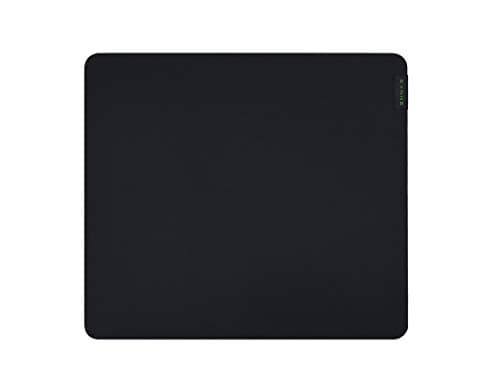
This is the one durability difference on the page. An unstitched pad — the QcK Large and QcK XXL — has a cut edge that can start to fray after heavy long-term use. A stitched pad — both Razer Gigantus sizes — wraps that border in thread so it resists fraying for years. The premium for stitching is tiny, and it is the single most sensible upgrade here: it fixes the one thing budget pads reliably get wrong. The QcK still wins overall on surface feel and sheer availability, but if you know you keep gear for a long time, the stitched Gigantus is the pad that will still look new when the QcK's edge is going.
Thickness and comfort
Thickness is a comfort feature, not a performance one. A thin pad keeps the mouse close to the desk and feels firm; a thicker, softer pad like the G640 is kinder to rest a wrist on over a long session and smooths over an uneven desk. It does not make you aim better. If your desk is flat and your wrist is fine, thickness barely registers; if you play long sessions with your wrist on the deck, a softer, thicker cloth is a small quality-of-life win worth having.
The base is what keeps a flick from turning into a slide
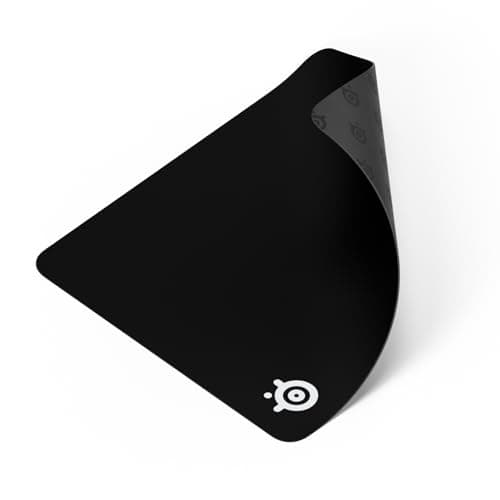
A detail that rarely gets mentioned until it goes wrong: the rubber underside matters as much as the cloth on top. A pad that shifts under a hard flick is worse than no pad at all, because your aim is now referenced to a surface that is quietly moving. Every option here — the QcK pads, both Gigantus sizes, the G640 — uses a grippy rubber base that stays planted, which is one of the reasons we stuck to established names rather than padding the list with cheaper unbranded mats. A slick, thin, migrating pad is the classic false economy in this category; it looks like the same product for less and undoes the one thing a pad is for.
Break-in, cleaning and how long a pad actually lasts
A new cloth pad often feels slightly grippier for the first few days and then settles as skin oils and use smooth the surface — that is normal, not a defect, and it is why a pad you dislike on day one is worth a week before you judge it. When glide starts to feel inconsistent months later, the cause is almost always a dirty surface rather than a worn one: cloth pads collect oil and dust, and that is what makes the mouse catch. A gentle wash with lukewarm water and mild soap, air-dried flat, restores most of the original feel and costs nothing.
Treated that way, a good cloth pad lasts years, and the only part that genuinely wears out is the edge — which is the entire argument for the stitched Gigantus pads if longevity is what you care about. It is worth saying plainly: this is a category where spending more, more often, is the wrong instinct. Buy one good pad in the right size, keep it clean, and you have solved the problem for a long time.
Before you replace a pad that feels slow, try washing it: skin oil in the weave changes the glide long before a pad looks dirty, and our how to clean a mousepad guide covers the ten-minute method and how to tell when a pad is genuinely worn out.
How to buy a mouse pad
Match the size to your sensitivity first, your desk second
Decide how far your hand actually travels before you look at anything else. If you play at low sensitivity and sweep the whole forearm, buy a full desk mat — the QcK XXL or Gigantus V2 XXL — because running out of pad mid-flick is the one thing that genuinely costs you a shot. If you play at high sensitivity and barely move, a Large is plenty and a desk mat is wasted surface. Only after the size is settled does the desk itself matter: measure the space a mat has to live on before you commit to an XXL.
Pick speed or control by the games you play, then stop worrying
For precise, tracking-heavy aim a control-leaning surface — the Gigantus pads or the G640 — helps you stop on target. For large, fast flicks a balanced or faster surface like the QcK is the easier ride. Most people are well served by the balanced middle, and the honest truth is that the gap between these surfaces is a preference you adapt to within a day, not a performance cliff. Do not agonize over it.
Stitched edges are worth the tiny premium
A stitched border is the cheapest insurance on this page against the one failure cloth pads actually suffer: a fraying edge. If you tend to keep gear for years, the stitched Razer Gigantus is the safer long-term buy; if you replace pads casually, the unstitched QcK is a slightly nicer surface and the fraying will never get the chance to matter. Either way, spend the couple of extra coins on stitching if the pad has to last.
Cloth beats hard pads for almost everyone
Every pad on this page is cloth, and that is deliberate. Cloth is forgiving, quiet, comfortable and cheap, and it suits the widest range of sensors and grips without drama. Hard and glass pads glide faster and are easier to wipe clean, but they are louder, harsher on mouse feet and far less forgiving of small aiming errors. For the overwhelming majority of players, a good cloth pad is the right answer, which is why we did not pad this list out with hard surfaces to look more thorough.
Thickness is comfort, not performance
A thicker pad like the G640 is a wrist-comfort upgrade and a way to even out a slightly warped desk — nothing more. It will not sharpen your aim. Choose thickness by how your wrist feels after a long session, not by any belief that a plush pad plays better, because it does not.
Check the base, and buy a name you know
The grippy rubber underside is the unglamorous half of a mouse pad, and it is where the cheapest options cut the corner that matters most. A pad that slides under a hard flick sabotages the exact thing you bought it for. Every pick here is from an established brand with a base that stays put, which is deliberate — this is one category where the small brand-name premium reliably buys you the part you cannot see doing its job.
Buy once, keep it clean, and don't upgrade for its own sake
A good cloth pad lasts years if you wash it occasionally with mild soap and water rather than replacing it the moment the glide feels off — inconsistent glide is nearly always dirt, not wear. Resist the urge to keep buying “better” pads; past the first good one, the returns are almost nil. Get the size and surface right, spend the tiny bit extra on a stitched edge if it has to last, and then leave it alone.
What not to pay for
RGB borders. “Esports” branding. Exotic hybrid coatings sold as a performance secret. Enormous claimed speed numbers that no pad can meaningfully quantify. A mouse pad is a solved problem at a low price — buy the right size with the surface you prefer and, ideally, a stitched edge, and put the money you saved toward the mouse or the monitor instead.