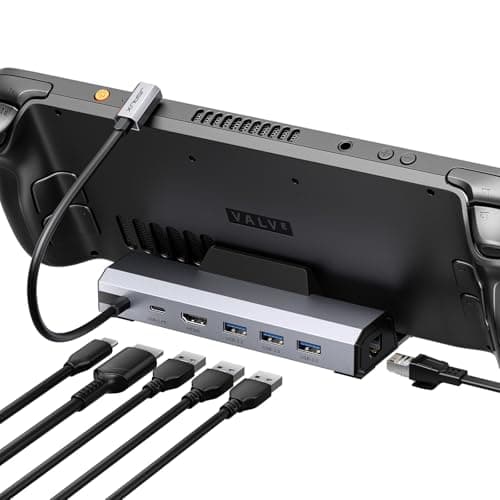
Top pick · Best Deck Dock
The one built for the job, with a stand that actually holds the Deck.
Price as of October 21, 2026. Prices change — Amazon's is the one that counts. #ad · we may earn a commission from this link to JSAUX Docking Station (4K@120Hz)
Start by asking whether you need a dock at all. A Steam Deck will output to a TV through almost any USB-C hub, and the cheapest one here costs less than a game. The dedicated docks are worth the premium for exactly two reasons: a cradle that holds the Deck upright, and an Ethernet port.
Of those two, only one affects how the thing performs. The cradle is convenience. Ethernet is the difference between a stable ping and blaming your teammates. If you dock to play single-player games on a big screen, buy the cheap hub and spend the difference on something else. If you dock to play online, get the dock with the network port.
We are aware that this framing costs us money — the expensive docks pay a larger commission than a $16 hub. It is still the right advice.
The short answer
#ad · Live prices from the Amazon Creators API, as of October 21, 2026. Where we have no verified live price, we show none — we would rather leave a gap than print a number that has rotted.
In detail
The default Steam Deck dock
JSAUX rates it 4K@120HzHDMI + DisplayPortGigabit EthernetIntegrated stand
The one built for the job, with a stand that actually holds the Deck.
- Compatibility
- 9
- Build quality
- 8
- Performance
- 9
- Portability
- 4
- Value
- 8
Pros
- +The cradle is designed around the Deck's shape — it doesn't tip when you unplug a cable
- +Ethernet on board, which is the single biggest reason to dock at all for online play
- +JSAUX ships firmware updates for it, which is unusual at this price
Cons
- −Bigger and heavier than a plain hub — this stays on your desk, it doesn't go in the bag
- −You are paying for the cradle; the ports alone can be had cheaper
Don't buy this if…
…you want something to travel with. This is a desk fixture. A pocketable hub does the same electrical job for less money and less bulk.
Spending the least
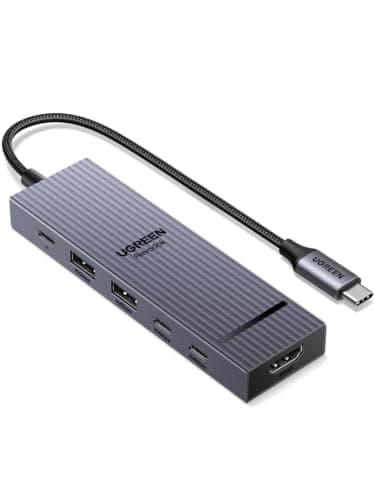
6-in-1UGREEN rates HDMI at 4K@60Hz10Gbps USB100W Power Delivery
The cheapest thing here that still does 4K60 and 100W. Hard to argue with.
- Compatibility
- 8
- Build quality
- 8
- Performance
- 8
- Portability
- 10
- Value
- 10
Pros
- +Costs a fraction of the purpose-built docks and covers the same core ports
- +10Gbps data ports, which is quicker than most hubs at any price
- +100W pass-through keeps the Deck charging under load
Cons
- −No Ethernet
- −Generic hub — nothing about it is Deck-aware, and there's no stand
Don't buy this if…
…you want one cable to handle display, power and network. This does two of the three.
Travel and hotel-TV duty
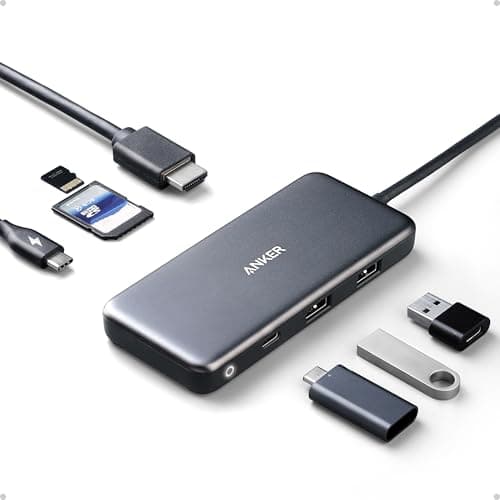
7-in-1Anker rates HDMI at 4K85W pass-through chargingSD + microSD reader
No cradle, no ethernet, no fuss — and it fits in a pocket.
- Compatibility
- 9
- Build quality
- 9
- Performance
- 7
- Portability
- 10
- Value
- 9
Pros
- +Small enough to live in the same bag pocket as the charger
- +Anker's build and RMA record is the best in this group
- +Doubles as a laptop hub, so it isn't single-purpose spend
Cons
- −No Ethernet — a real omission if you play anything competitive while docked
- −No stand, so the Deck sits on its back or against something
Don't buy this if…
…you need a wired network connection. That's the whole reason most people dock, and this hub simply doesn't have the port.
ROG Ally / Ally X owners
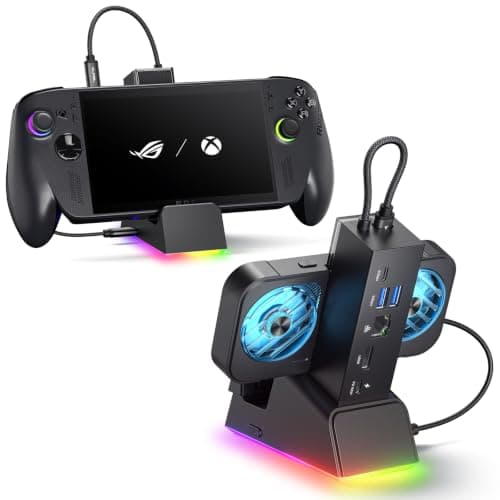
7-in-1Gigabit EthernetHDMIFits Ally X, Ally, Deck and Legion Go
The Ally-shaped one, and the only pick here with Ethernet in the cradle.
- Compatibility
- 10
- Build quality
- 8
- Performance
- 9
- Portability
- 5
- Value
- 7
Pros
- +The cradle geometry accounts for the Ally's thickness — it doesn't wobble
- +Ethernet, which the generic hubs in this list all skip
- +Cross-compatible with the Deck and Legion Go, so it survives a handheld upgrade
Cons
- −The most expensive dock we're recommending
- −Overkill if you only ever plug into a TV once a month
Don't buy this if…
…you already own a working USB-C hub. The Ally is not fussy about docks — a hub you own beats a dock you buy.
If it's the one that's in stock
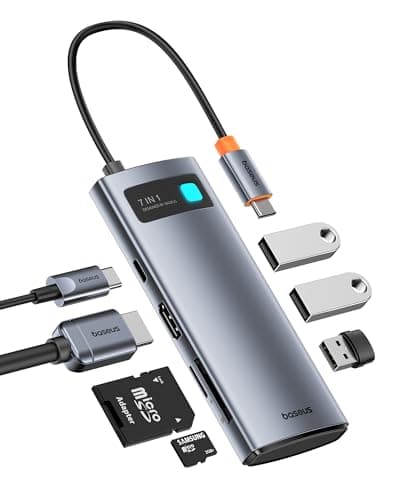
7-in-1Baseus rates HDMI at 4K@60HzUSB-C PDSD card reader
A middle option that doesn't clearly beat the two either side of it.
- Compatibility
- 8
- Build quality
- 8
- Performance
- 7
- Portability
- 9
- Value
- 6
Pros
- +Solid aluminum shell that sheds heat better than the plastic hubs
- +Port selection covers most of what a docked Deck needs
Cons
- −Priced above the UGREEN without doing anything the UGREEN can't
- −No Ethernet, again
Don't buy this if…
…the UGREEN is available. It does the same job for less, and we'd rather tell you that than pad this list.
What actually matters in a Steam Deck dock
Ethernet is the only performance feature
The Deck's Wi-Fi is fine, but a wired connection removes an entire class of problems — jitter, packet loss, a microwave in the next room. This is the one thing a generic hub cannot give you, and it is the only reason to pay dock money.
The refresh-rate claim is about your TV, not the dock
Docks advertise 4K@120Hz. The Deck's own screen is 800p/90Hz; the high-refresh output matters only when you connect to a display that can use it. Do not pay for 120Hz output if your TV is 60Hz — it is a spec that will never engage.
Power delivery: 45W is enough, more is wasted
The Deck ships with a 45W charger. A hub with 100W pass-through does not charge it faster — the device draws what it draws. High-wattage PD is useful if the same hub also has to feed a laptop.
The cradle is ergonomics, not electronics
A dedicated dock holds the Deck at a viewing angle and stops it sliding when you plug a cable in. That is genuinely nice. It is not worth double the money on its own — a kickstand case gets you most of that for less.
How we picked
We researched published specifications, third-party lab measurements, manufacturer documentation and aggregated owner reviews, then scored each product against a published rubric. The scores are judgments from documented research — they are not measurements we took, because we do not have a lab and we are not going to pretend we do. Where a number came from someone else's lab, we name them and link them in Sources.
Questions
Do I need a dock for my Steam Deck?+
No. Any decent USB-C hub with HDMI and power pass-through will drive a TV. A dedicated dock buys you a cradle and, on the better models, an Ethernet port. If you play online while docked, the Ethernet is worth it. Otherwise a hub is the honest answer.
Will any USB-C hub work with the Steam Deck?+
Almost always, yes. The Deck uses standard USB-C DisplayPort Alt Mode. The common failure is not compatibility but power: a hub without pass-through charging will run the battery down while you play.
Does a dock improve Steam Deck performance?+
Only through Ethernet, and only for online play. A dock does not increase frame rates or change how the Deck renders. Docked performance is identical to handheld performance at the same settings, aside from the display you are driving.
Can I use the same dock for a ROG Ally or Legion Go?+
Generally yes — they all use USB-C DisplayPort Alt Mode. The fit in a cradle is the issue, not the electronics. The JSAUX ROG Ally dock explicitly supports the Deck, Ally and Legion Go, which makes it the safest choice if you expect to change handheld.
Receipts
We do not run a testing lab, and we do not pretend to. Where a measured number came from someone else's lab, we name them and link them. Where we could not verify something, we say so on the page rather than quietly leaving it out. Read our full method.