If you buy only two things for a new Steam Deck, buy a tempered-glass screen protector and a hard case — they are cheap, they protect the two most expensive-to-fix parts, and there is no reason to wait. Everything else on this page is a genuine want rather than a need: a dock is optional but transforms the Deck into a living-room console, a microSD card adds storage (though not at the speed printed on the box), a power bank fixes the one real weakness of any handheld, and a grip case makes long sessions comfortable. We ranked one pick per category, and we will tell you which to skip. The Steam Deck is one of the better-value gaming devices you can buy, and the accessory market around it is enormous — most of it noise. The goal here is not to sell you six things; it is to sort the handful that earn their place from the pile that does not. Read the categories in the order below and you will have covered every real need without buying a single gadget you will leave in a drawer.
How we picked: one accessory per real need
We split Steam Deck ownership into the needs that actually come up — protecting the screen, protecting the whole device in a bag, playing on a TV, adding storage, staying charged away from a wall, and making the thing comfortable to hold — and picked the single best answer for each. No category appears twice, and nothing is here because it photographs well. Two of the six are things we think everyone should buy on day one; the other four are worth it for specific owners and pointless for others, and we say which is which rather than pretending they are all essential.
The honest headline is that a Steam Deck needs almost nothing to be great. Valve ships it ready to play. So treat this list as a menu, not a shopping cart: start with the cheap protective pair, then add only the pieces that match how you actually use the device.
Buy these two on day one: a screen protector and a case
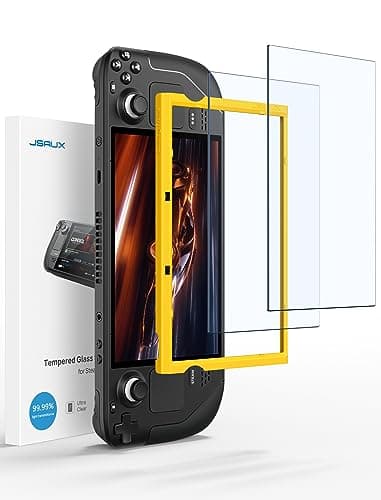
The JSAUX Tempered Glass (2-pack)is the accessory we would put in the box ourselves if we could. It is two sheets of 9H tempered glass for roughly the price of a coffee, and the reason it wins is not exotic: it is glass rather than film, so it feels like the original screen under a thumb, and there are two in the pack — which matters, because your first application will very likely trap a bubble or a speck of dust and you will want the spare. The catch is honest and small: there is no applicator frame, so alignment is on you, and it is glossy, so it does nothing about reflections. If you game outdoors or under a bright window, an anti-glare protector is the better call; our screen protector roundup lays out both options.
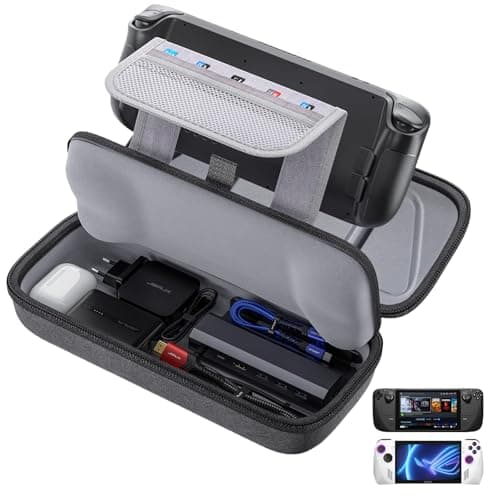
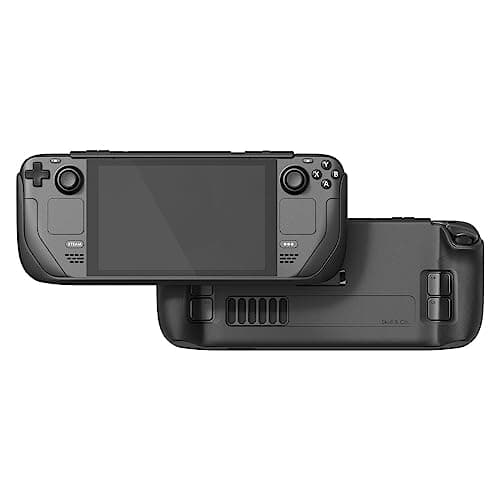
The JSAUX Carrying Case (Steam Deck / ROG Ally)is the other day-one buy. The Deck is a large, heavy handheld with exposed thumbsticks, and a hard shell is what stands between it and a knock in a bag. This one earns the pick because it is deep enough to swallow the Deck with a grip case already fitted — most cases are not — and its accessory pocket actually fits the 45W charging brick, not just the cable. It is also cross-compatible with the ROG Ally, so it is not wasted if you switch handhelds later. The zip is the cheapest-feeling part, and it is bulky in a small backpack, but for protecting the device in transit it is the safe answer. The one time to skip it is if you already have Valve's included case and only ever carry the Deck bare; the wider field is in our Steam Deck case roundup.
Together those two cost very little and cover the two most expensive things that can go wrong: a cracked screen and a cracked shell. That is why they are the pair we would buy first, before any of the more exciting accessories below.
The transformative optional: a dock
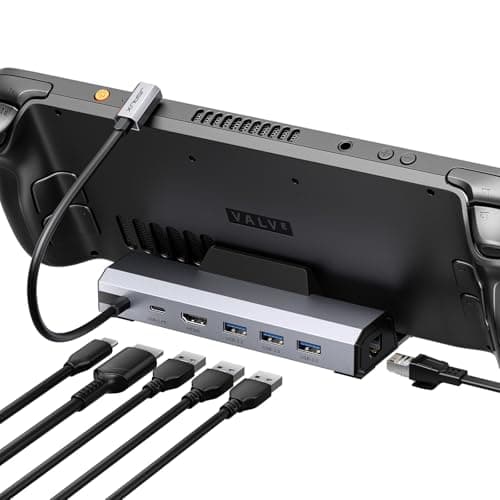
A dock is the accessory that changes what the Steam Deck is. Plugged into a TV, the Deck becomes a small living-room console, and the JSAUX Docking Station (4K@120Hz)is the one built for the job. Its cradle is designed around the Deck's shape, so it holds the device upright and does not tip over when you unplug a cable, and — the single biggest reason to choose a dock over a bare hub — it has Gigabit Ethernet on board for stable online play. JSAUX also ships firmware updates for it, which is unusual at this price. The trade-offs are real: it is bigger and heavier than a plain hub, so it lives on your desk rather than in your bag, and you are paying for the cradle when the ports alone can be had cheaper.
Here is the part most accessory lists will not tell you: you do not need a dedicated dock at all.Any decent USB-C hub with HDMI and power pass-through will drive a TV, because the Deck outputs video over standard USB-C DisplayPort Alt Mode. A dock buys you a cradle and, on the better models, that Ethernet port; a pocketable hub does the same electrical job for less money and packs for travel. So the dock is optional-but-transformative — genuinely great if the Deck lives by your TV, genuinely skippable if it does not. We walk through the whole docked-versus-hub decision in our how to connect a Steam Deck to a TV guide, and rank the field in the best Steam Deck docks roundup.
Storage: a microSD card, and why the box number lies
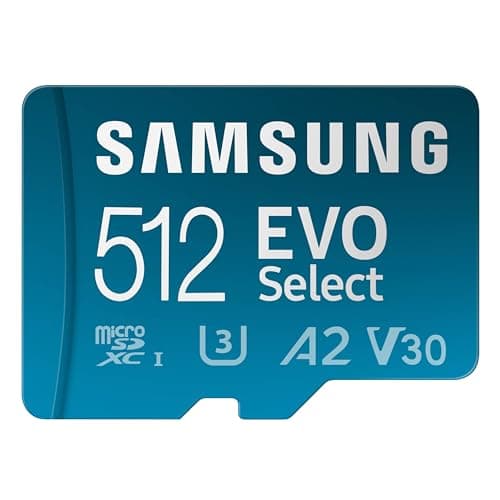
Modern games are enormous, and the Deck's internal storage fills faster than anyone expects. A microSD card is the no-risk way to fix that — no screwdriver, no warranty question — and the Samsung EVO Select microSDXC (512GB)is the one we would buy. It sits below the flagship cards on price while hitting the same practical ceiling inside a Deck, Samsung's endurance record in this category is genuinely good, and 512GB is the capacity most owners actually end up wanting. It is not A2-rated, so on paper its random-read is a notch below the pricier SanDisk Extreme, but the real-world gap in this slot is small.
The important, slightly counter-intuitive truth — the one that saves you money — is that the big speed number printed on a microSD card is unreachable in the Steam Deck. The Deck's slot is UHS-I, and the UHS-I bus tops out around 104MB/s regardless of what the card is rated for. So a card advertised at 190MB/s cannot go 190MB/s here; the slot caps it first. That means paying up for a headline-fast card buys you nothing inside a Deck — you want a reliable 512GB UHS-I card and no more. We explain exactly why in our Steam Deck storage guide, and rank the cards in the best SD cards for Steam Deckroundup. If you genuinely need faster-than-card storage for a huge library, that is the internal-SSD conversation instead — a far more advanced job we cover in our SSD install guide.
Power and comfort: a power bank and a grip case
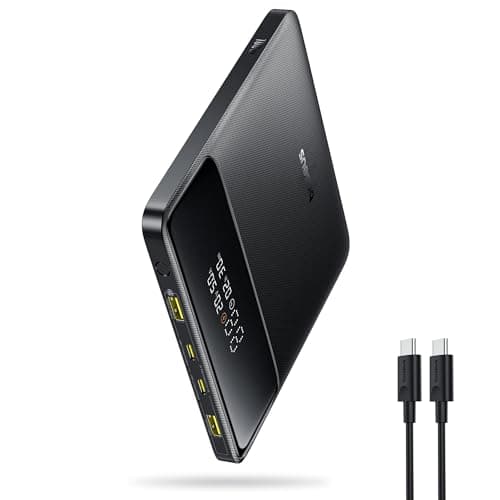
Battery life is the one real weakness every handheld shares, and a power bank is the fix. The Baseus Blade 100W (20,000mAh)is the pick because of its shape as much as its output: it is a flat, slab-shaped “blade” that stacks neatly against the Deck in a bag instead of rolling around like a fat cylinder, and it pushes up to 100W over USB-C, which is more than enough to charge the Deck at full speed even while you play rather than merely slow the drain. Two USB-C ports mean a handheld and a phone can top up together. Be realistic about capacity: 20,000mAh is one strong charge, not a multi-day reserve, and air-travel rules cap you near this size anyway. The wider field is in our best Steam Deck power banks page, and if you would rather spend the battery you have more wisely, our battery-life guide covers the settings that stretch a charge.
The Skull & Co. GripCase SDis the comfort pick, and it is worth being clear about what it is: a grip, not a carrying case. The Deck's back is fairly flat, and for larger hands that gets tiring over a long session. This TPU shell adds contoured, textured grips that genuinely fix that ergonomics problem, and because it stays on while you play, it also protects the Deck during the riskiest moment it faces — being held. It is cheap for what it does to comfort. The honest cons: it adds thickness, so it may not fit inside your existing hard case (check before buying both), and it is not drop protection in a bag — that is the hard case's job, not this one's. If your hands ache after an hour, it is one of the best-value upgrades here; if they do not, you can skip it.
What to skip, and the order to buy in
The accessories we deliberately left off are the ones that duplicate something you already have or solve a problem you do not have. A second microSD card before you have filled the first; a kickstand case if you never play tabletop; a travel dock anda desk dock; RGB skins and decorative add-ons — these pad a list without improving your experience. Buy for how you actually use the Deck, not for the setup you imagine.
- Everyone, day one: the screen protector and the hard case. Cheap, and they protect the two costliest failures.
- If storage is filling up:a 512GB UHS-I microSD card — and no faster, because the slot caps it.
- If the Deck lives by a TV: a dock with Ethernet. If it travels, a plain USB-C hub does the same job for less.
- If you play away from a wall: a flat, high-wattage power bank that charges while you play.
- If long sessions tire your hands:a grip case — but confirm it still fits your carry case.
That is the whole list, and it is deliberately short. Cover the cheap protective pair first, then add only the pieces that match your habits. If audio is next on your list, our best audio for the Steam Deck page picks up where this one stops. Every price on this page is pulled live and date-stamped, so the value calls above stay honest rather than drifting after launch.