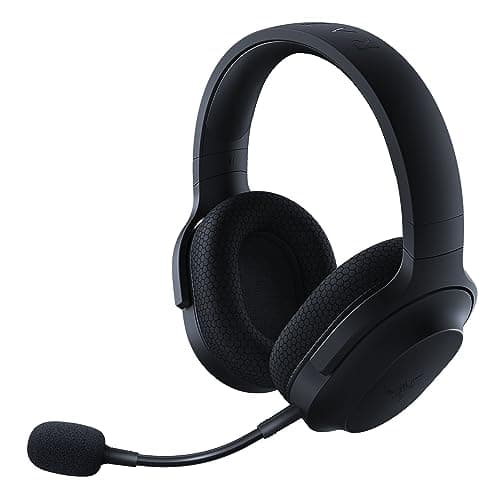
Top pick · Best Deck Audio
The USB-C dongle is the feature. It makes this the handheld headset.
Price as of October 21, 2026. Prices change — Amazon's is the one that counts. #ad · we may earn a commission from this link to Razer Barracuda X
On a handheld, the connector decides everything. A 2.4GHz dongle that is USB-C plugs straight into a Steam Deck or ROG Ally. A USB-A dongle needs an adapter dangling off the bottom of the device. And Bluetooth adds latency you will hear.
This page exists because nobody else writes it. Search for a Steam Deck headset and you will find general gaming-headset roundups with "works with Steam Deck" bolted on. But a handheld is not a PC: it has one USB-C port, that port is often occupied by a charger, and there is no motherboard jack to fall back on.
Your realistic options, in order:
- Wired 3.5mm. The Deck and the Ally both have a headphone jack. Zero latency, zero battery, zero fuss, and it leaves the USB-C port free for power. This is why an IEM is such a strong handheld choice — it is tiny, it isolates on a train, and it costs $23.
- A USB-C 2.4GHz dongle. Wireless with no meaningful latency. But it occupies the charging port, and the dongle protrudes from the device where it is easy to snap.
- Bluetooth. Works, keeps the port free, and adds latency. Fine for a slow single-player game, bad for anything competitive.
Note the tension in option 2: if you are on a long flight, you want to be charging and listening, and a single USB-C port cannot do both without a hub. That is a genuine limitation and it is the reason a wired IEM is our top recommendation for travel despite the wireless option being technically more impressive.
The short answer
#ad · Live prices from the Amazon Creators API, as of October 21, 2026. Where we have no verified live price, we show none — we would rather leave a gap than print a number that has rotted.
In detail
Steam Deck, ROG Ally, Switch and phones
USB-C 2.4GHz dongleBluetoothDetachable mic250g
The USB-C dongle is the feature. It makes this the handheld headset.
- Positional accuracy
- 7
- Footstep clarity
- 6
- Mic quality
- 7
- Comfort
- 8
- Value
- 8
Pros
- +The USB-C dongle plugs straight into a Steam Deck, an Ally or a Switch — no adapter, no Bluetooth latency
- +This is the cleanest answer to low-latency wireless audio on a handheld that exists
- +Also does Bluetooth for a phone, and 3.5mm as a fallback
Cons
- −The dongle sticks out of the handheld and is easy to snap in a bag
- −Sound is good, not exceptional, for the money
Don't buy this if…
…it's for a desktop PC only. On a desk, the Arctis Nova 7 is the better headset and the USB-C trick buys you nothing.
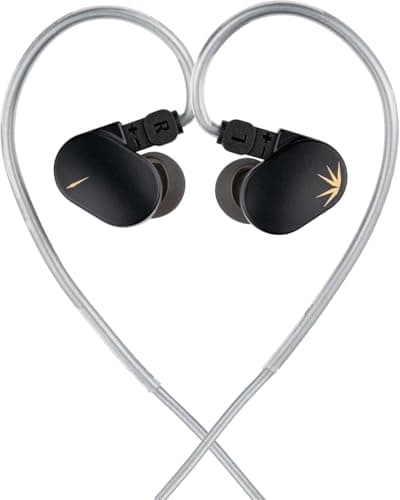
The best cheap IEM for gaming
Single dynamic driverDetachable cable3.5mmIn-ear
Absurd value. The cheapest thing here that a serious listener would defend.
- Positional accuracy
- 7
- Footstep clarity
- 8
- Mic quality
- 0
- Comfort
- 8
- Value
- 10
Pros
- +Tuned close to a neutral target, which is exactly what you want for hearing detail
- +Detachable cable at this price is almost unheard of — the usual failure point becomes a $5 fix
- +Isolates properly, so quiet cues survive a noisy room
Cons
- −No microphone in the box
- −In-ear fit is personal, and the stock tips will not suit everyone
Don't buy this if…
…you need a mic and don't want a second purchase. A cheap IEM plus a clip-on mic is two things to lose.
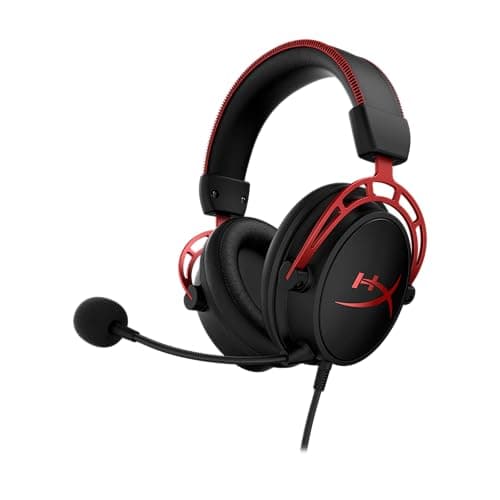
One thing that just works, on everything
Closed backDual-chamber driversDetachable mic3.5mm — works on anything
The default wired gaming headset, and the default for a reason.
- Positional accuracy
- 7
- Footstep clarity
- 7
- Mic quality
- 8
- Comfort
- 9
- Value
- 9
Pros
- +Plugs into a Deck, an Ally, a controller, a phone — no dongle, no software, no drivers
- +The memory-foam pads are the comfort benchmark at this price
- +Genuinely durable — the aluminum frame outlives the plastic competition
Cons
- −Closed back, so the soundstage is narrower than any open-back on this list
- −Bass-forward tuning can mask quiet detail if you don't EQ it
Don't buy this if…
…positional accuracy is the only thing you care about. A closed back is a structural handicap there, and an open-back pair plus a cheap mic beats it for the same money.
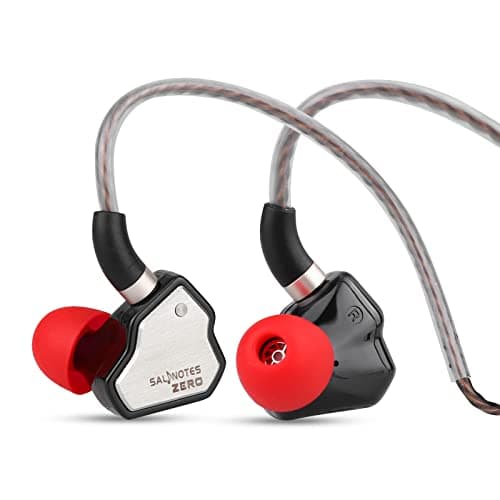
A neutral, detailed cheap IEM
10mm dynamic driverDetachable 2-pin3.5mmIn-ear
The other great cheap IEM. Pick on fit, not on spec.
- Positional accuracy
- 7
- Footstep clarity
- 8
- Mic quality
- 0
- Comfort
- 8
- Value
- 10
Pros
- +Neutral-bright tuning that pulls quiet detail forward
- +Metal nozzle and detachable cable — it will outlive its price
- +A genuine competitor to the CHU II; most people cannot pick between them blind
Cons
- −No mic
- −Bass-light — if you want the explosions to hit, this is not it
Don't buy this if…
…you want a fun, bassy sound. This is a scalpel, and it is deliberately not exciting.
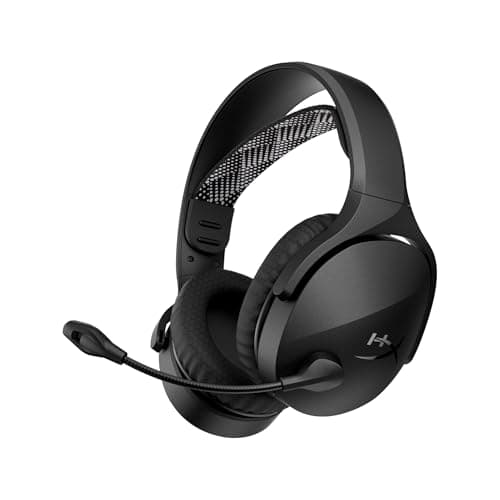
Cheapest real 2.4GHz wireless
2.4GHz dongle + Bluetooth 5.3USB-A receiverPC · PS5 · mobileDual wireless
The cheapest headset here with a real 2.4GHz dongle, and it carries Bluetooth alongside it.
- Positional accuracy
- 6
- Footstep clarity
- 6
- Mic quality
- 6
- Comfort
- 7
- Value
- 9
Pros
- +A dedicated 2.4GHz USB-A dongle at the bottom of the wireless price range — the connection that matters for game audio, rather than Bluetooth pretending to be it
- +Bluetooth 5.3 alongside the dongle, so a phone can stay connected while the dongle handles the game
- +HyperX support and warranty behind it, which is not a given at this price
Cons
- −HyperX publishes no weight for it, so we cannot tell you how it compares on clamp force or long-session comfort
- −The USB-A dongle is a problem on a laptop or handheld that only has USB-C
- −A budget wireless headset is still a budget headset: expect the drivers and the microphone to be the compromise
Don't buy this if…
…you need a wired fallback. Dongle-and-Bluetooth headsets in this bracket generally have no 3.5mm jack, so a flat battery ends the session — a wired set avoids that entirely.
Wireless earbuds you can actually game with
2.4GHz HyperSpeed dongleBluetoothTrue wirelessBuilt-in mics
True wireless with a low-latency dongle — the only kind worth gaming on.
- Positional accuracy
- 6
- Footstep clarity
- 6
- Mic quality
- 6
- Comfort
- 8
- Value
- 5
Pros
- +The 2.4GHz dongle sidesteps Bluetooth latency, which is the thing that makes normal earbuds unplayable
- +Genuinely pocketable — the only wireless option here that disappears into a jacket
- +Has a mic, unlike every wired IEM on this list
Cons
- −Costs four times a CHU II and sounds worse
- −Battery life is short next to any over-ear
- −The mic is fine for a call, mediocre for a team
Don't buy this if…
…sound quality is what you're buying. You are paying for the wireless convenience, and you're paying a lot for it.
The handheld audio rules
Check the dongle is USB-C, not USB-A
This one detail eliminates most gaming headsets from consideration. A USB-A dongle plus an adapter is a wobbly, snappable tower hanging off a device you hold in your hands. The Razer Barracuda X ships a USB-C dongle, which is why it leads this page.
Wired is genuinely the better travel answer
No battery to die on a flight, no port conflict with the charger, no dongle to lose. On a plane, a good IEM in a 3.5mm jack beats every wireless option here — and it costs a tenth as much.
Isolation matters more than soundstage here
You are using this on a train, a plane, a sofa with the TV on. In those environments the noise coming in is the problem, not the width of your soundstage. This inverts our usual open-back advice completely — never take an open-back headphone on a handheld.
Weight matters on a device you hold
A handheld session is often a couch or a commute, not a desk. A 350g headset on your head plus a 700g Deck in your hands adds up. The lighter picks here are lighter on purpose.
How we picked
We researched published specifications, third-party lab measurements, manufacturer documentation and aggregated owner reviews, then scored each product against a published rubric. The scores are judgments from documented research — they are not measurements we took, because we do not have a lab and we are not going to pretend we do. Where a number came from someone else's lab, we name them and link them in Sources.
Questions
What is the best headset for the Steam Deck?+
The Razer Barracuda X, if you want wireless — its 2.4GHz dongle is USB-C, so it plugs straight into the Deck with no adapter and no Bluetooth latency. For travel, a wired IEM like the Moondrop CHU II in the 3.5mm jack is better still, and far cheaper.
Can I use Bluetooth headphones with the Steam Deck?+
Yes, the Deck supports Bluetooth audio. The problem is latency — you will notice sound arriving after the picture. It is fine for a turn-based or story game, and poor for anything with reflexes in it.
Does the Steam Deck have a headphone jack?+
Yes, a standard 3.5mm jack, as does the ROG Ally. This is genuinely the best audio option on a handheld: no latency, no battery, and it leaves the USB-C port free for charging.
Can I charge my Steam Deck and use a USB-C headset at the same time?+
Not without a hub or dock — there is only one USB-C port. This is the main argument for using the 3.5mm jack on long sessions, and it is a real practical limitation of the wireless-dongle approach.
Receipts
We do not run a testing lab, and we do not pretend to. Where a measured number came from someone else's lab, we name them and link them. Where we could not verify something, we say so on the page rather than quietly leaving it out. Read our full method.