Top pick · Best Mouse Under $30
The end of the conversation for most people. Buy it and go play.
Price as of October 21, 2026. Prices change — Amazon's is the one that counts. #ad · we may earn a commission from this link to Logitech G203 LIGHTSYNC
Buy the Logitech G203. Under $30 buys a mouse with a sensor no human can out-aim, and the honest truth is that for most people this is the end of the conversation.
We publish a $50 list as well, and we want to be straight with you about the relationship between the two: the extra $20 buys you wireless, or a lighter chassis, or more buttons. It does not buy you a meaningfully better sensor, and it will not make you aim better.
Only four mice on this page. That is deliberate. At the time of the last price check, these were the ones genuinely under $30 that we would put our name to. We could pad the list to six with mice we do not rate — the page would look more authoritative and we would earn more. We would rather show you four.
Prices move, and these are close to the line. Every mouse here was under $30 at the last refresh, and the live price on each card is stamped with the date it was checked. If one has crept over $30 by the time you click, that is the live market — not a claim we made.
The short answer
#ad · Live prices from the Amazon Creators API, as of October 21, 2026. Where we have no verified live price, we show none — we would rather leave a gap than print a number that has rotted.
In detail
Almost everyone on a budget
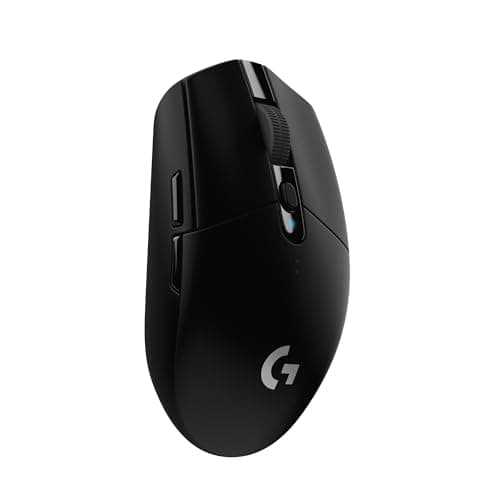
Logitech rates 8,000 DPIWired85g6 buttons
The end of the conversation for most people. Buy it and go play.
- Sensor quality
- 8
- Build quality
- 8
- Ergonomics
- 7
- Features
- 6
- Value
- 10
Pros
- +The sensor is more than good enough — you will not out-aim it, and neither will anyone reading this
- +Classic ambidextrous shape that suits the widest range of hands and grips
- +Logitech's build quality and warranty at the bottom of the market
Cons
- −The cable is stiff and it drags — a mouse bungee genuinely helps
- −Basic feet; an aftermarket set is a worthwhile few dollars
Don't buy this if…
…you have large hands and palm-grip. It is a small mouse and it will cramp you — the G502 or Basilisk V3 are the answer there.
Right-handed palm grip
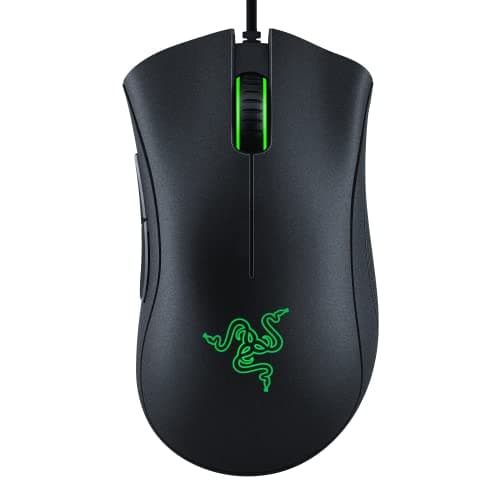
Razer rates 6,400 DPIWired96g5 buttons
The shape is the product. Twenty years of people agreeing it's the right one.
- Sensor quality
- 7
- Build quality
- 8
- Ergonomics
- 9
- Features
- 5
- Value
- 9
Pros
- +The DeathAdder hump is the most-copied mouse shape in existence, and this is the cheap way to own it
- +Excellent for palm-grip and larger hands, where the G203 falls down
- +Rubber side grips that survive sweaty hands
Cons
- −6,400 DPI is the lowest figure here — irrelevant in practice, but it's the spec people fixate on
- −Right-handed only
- −Heavier than the light-mouse crowd will accept
Don't buy this if…
…you claw- or fingertip-grip a small mouse. The whole point of this shape is filling a palm, and it does nothing for you otherwise.
Best cheap wireless mouse
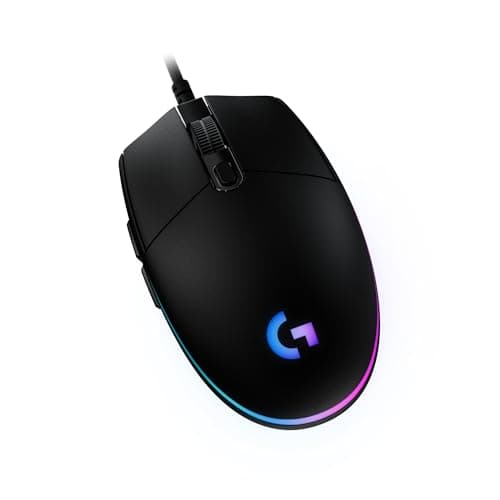
HERO sensorLIGHTSPEED 2.4GHz99g with batteryLogitech rates 250h
Wireless with a flagship-class sensor, powered by a AA battery. Still unbeaten.
- Sensor quality
- 9
- Build quality
- 8
- Ergonomics
- 7
- Features
- 8
- Value
- 10
Pros
- +The HERO sensor is the same family Logitech puts in mice costing five times as much — this is the single best value in gaming peripherals
- +LIGHTSPEED wireless is genuinely as fast as a cable; this is not a compromise
- +A single AA runs it for months, so there's no charging ritual
Cons
- −The AA battery makes it heavier and slightly unbalanced next to modern lightweight mice
- −No RGB, if that matters to you
- −Small — same hand-size caveat as the G203
Don't buy this if…
…you want a rechargeable mouse you never think about. This wants an AA, and if you'd rather plug in a cable, that's a real preference and this is the wrong mouse.
Cheapest wireless
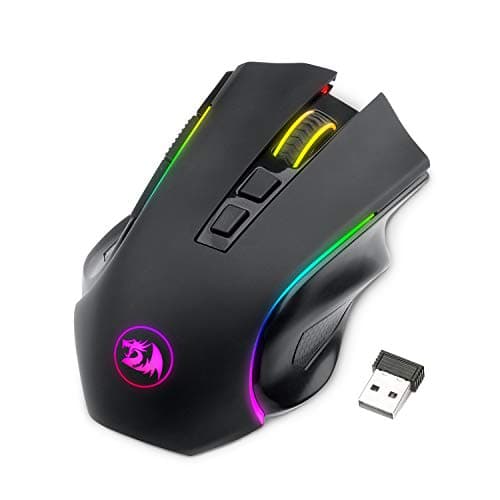
Tri-mode: 2.4G / BT / USB-CWirelessRGB7 buttons
Wireless, tri-mode, and cheaper than most wired mice. There is a catch.
- Sensor quality
- 5
- Build quality
- 5
- Ergonomics
- 6
- Features
- 8
- Value
- 8
Pros
- +Tri-mode wireless at a price where the competition is all wired
- +Genuinely useful if you switch between a PC, a laptop and a handheld
Cons
- −The sensor is the weakest here — it is fine for most games and it is not fine for competitive FPS
- −Software is poor
- −Build feels like the price
Don't buy this if…
…you play competitive shooters. Save up for the G305 instead — it's the same idea executed properly, and the sensor gap is the one that actually matters.
What $30 actually costs you
Not the sensor
This is the point worth internalizing. The optical sensors in these mice track accurately at any speed you can physically move your arm. There is no aiming advantage waiting for you at a higher price. Anyone who tells you otherwise is selling something.
The cable, usually
Budget mice come with stiff rubber cables that drag on the mousepad and tug at your hand mid-flick. This is the most noticeable compromise at this price — and a $5 mouse bungee eliminates it entirely. Buy one. It is the single best accessory purchase in gaming.
The feet
Cheap PTFE feet glide worse and wear faster. An aftermarket set costs a few dollars and transforms how a $25 mouse feels. Again: cheaper than upgrading the mouse, and a bigger improvement.
The shape options
At $30 you get one shape per model and no choice about it. The G203 is small; the DeathAdder Essential is a large right-handed palm shape. If neither suits your hand, that is the real limitation of this budget — not the electronics.
What we would not buy at any price
Unbranded RGB mice with impressive-sounding DPI figures. The DPI number is free to print and the sensor underneath it is frequently poor. Stick to the four brands here.
How we picked
We researched published specifications, third-party lab measurements, manufacturer documentation and aggregated owner reviews, then scored each product against a published rubric. The scores are judgments from documented research — they are not measurements we took, because we do not have a lab and we are not going to pretend we do. Where a number came from someone else's lab, we name them and link them in Sources.
Questions
What is the best gaming mouse under $30?+
The Logitech G203. Its sensor is more accurate than any human's aim, the ambidextrous shape suits the widest range of hands, and Logitech's build quality at this price is unmatched.
Are cheap gaming mice actually good?+
Yes, genuinely. Sensor technology got cheap, and modern budget mice track as accurately as flagships. What you give up is build quality, cable flexibility, weight and button count — not tracking performance.
Can I get a wireless gaming mouse under $30?+
Sometimes — the Logitech G305 hovers right around this line, and it is the best wireless mouse available anywhere near this budget. Check the live price on the card; it moves.
Is it worth spending more than $30 on a gaming mouse?+
Only for wireless, a lighter chassis, extra buttons, or a shape that suits your hand better. It is not worth it for the sensor, because the sensor at $25 is already better than you are.
Receipts
We do not run a testing lab, and we do not pretend to. Where a measured number came from someone else's lab, we name them and link them. Where we could not verify something, we say so on the page rather than quietly leaving it out. Read our full method.