Top pick · Best ROG Ally Accessory
Three sheets, low price, no thinking required.
Price as of October 21, 2026. Prices change — Amazon's is the one that counts. #ad · we may earn a commission from this link to amFilm Screen Protector for ROG Ally (3-pack)
Buy the screen protector on day one, the case when you first put it in a bag, and the dock only if you actually plan to play on a TV. The power bank is the one genuinely optional item here, and it is the one that solves the Ally's real weakness.
The ROG Ally is a Windows PC, which means it inherits Windows' appetite for battery. No accessory fixes that at the software level. The only honest answer is to carry more battery, and the 140W bank below is the version of that answer which can charge the Ally while you are still playing it — most power banks cannot.
Note the storage pick: the Ally's microSD slot, like the Steam Deck's, is a UHS-I slot, so the same 104MB/s bus ceiling applies. Do not buy an expensive UHS-II or Express card for it either.
The accessory that changes an Ally day the most is not on this page, because it needs its own ranking: a power bank with enough sustained output to charge the handheld while you are playing it. Our best ROG Ally power banks page covers the wattage figures that decide whether that works.
The short answer
#ad · Live prices from the Amazon Creators API, as of October 21, 2026. Where we have no verified live price, we show none — we would rather leave a gap than print a number that has rotted.
In detail
Every Ally owner, day one
3-packTempered glassROG Ally X / AllyCase friendly
Three sheets, low price, no thinking required.
- Compatibility
- 9
- Build quality
- 8
- Performance
- 8
- Portability
- 10
- Value
- 10
Pros
- +Three sheets means the inevitable botched application costs you nothing
- +The Ally's screen is glossy and scratches — this is the cheapest insurance on the list
Cons
- −No applicator frame
- −Glossy, so reflections are unchanged
Don't buy this if…
…you want anti-glare for outdoor play — this is not that product.
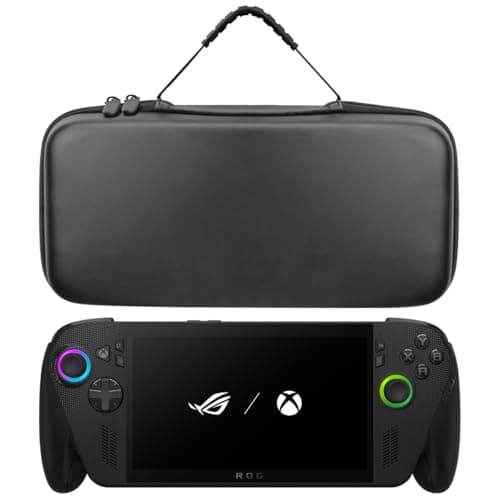
Getting the Ally out of the house safely
Hard shellDrop-proofAccessory pocketROG Ally X / Ally
Cheap hard-shell protection cut to the Ally's shape.
- Compatibility
- 9
- Build quality
- 7
- Performance
- 8
- Portability
- 8
- Value
- 9
Pros
- +Cut for the Ally specifically, so it doesn't rattle around inside
- +Costs a fraction of the branded cases
Cons
- −The pocket is tight — the 65W charger is a squeeze
- −Finish and zip quality are what you'd expect at the price
Don't buy this if…
…you carry the Ally with a grip case already on it. Measure first; this is cut close.
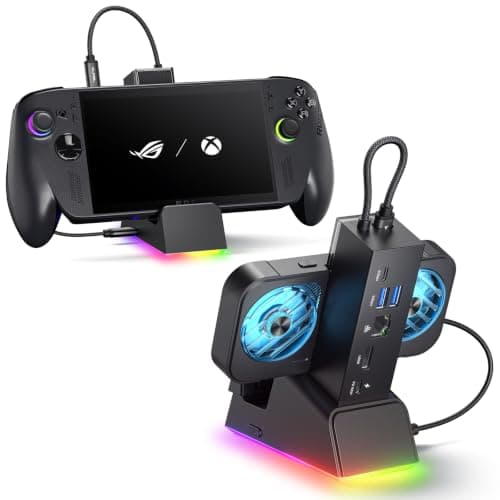
ROG Ally / Ally X owners
7-in-1Gigabit EthernetHDMIFits Ally X, Ally, Deck and Legion Go
The Ally-shaped one, and the only pick here with Ethernet in the cradle.
- Compatibility
- 10
- Build quality
- 8
- Performance
- 9
- Portability
- 5
- Value
- 7
Pros
- +The cradle geometry accounts for the Ally's thickness — it doesn't wobble
- +Ethernet, which the generic hubs in this list all skip
- +Cross-compatible with the Deck and Legion Go, so it survives a handheld upgrade
Cons
- −The most expensive dock we're recommending
- −Overkill if you only ever plug into a TV once a month
Don't buy this if…
…you already own a working USB-C hub. The Ally is not fussy about docks — a hub you own beats a dock you buy.
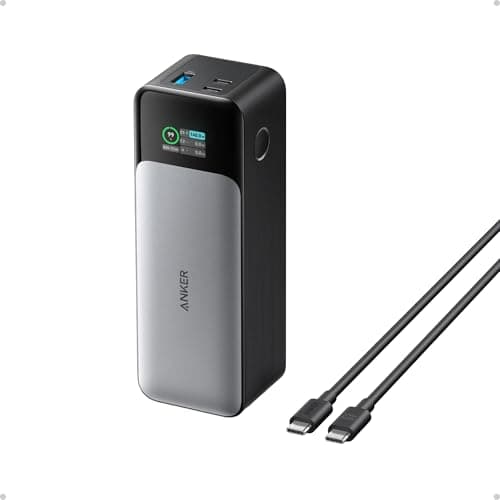
Long flights and commutes
24,000mAh140W output3 portsDigital display
The honest fix for handheld battery life: carry more battery.
- Compatibility
- 10
- Build quality
- 9
- Performance
- 9
- Portability
- 4
- Value
- 7
Pros
- +140W is enough to charge the Ally while you are still playing it — most banks are not
- +24,000mAh is roughly a full recharge and change for a handheld
- +The display tells you the actual watts flowing, which is genuinely useful for diagnosing a weak cable
Cons
- −Heavy. This is a brick, and you will feel it in a bag
- −The most expensive item in this roundup by a distance
- −Airline rules cap you near this capacity — check before you fly
Don't buy this if…
…you mostly play at home. This solves a problem you don't have, and it costs more than most of the other accessories combined.
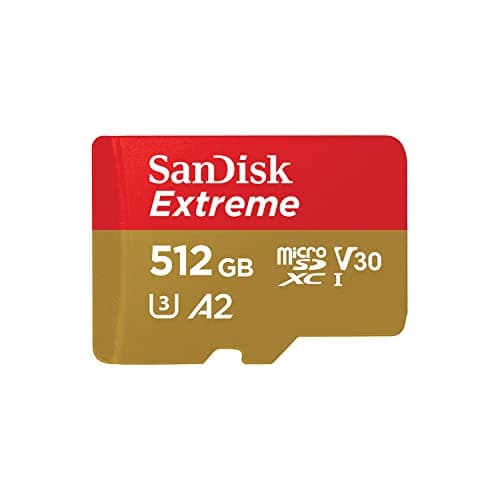
Most people, most of the time
512GBUHS-IA2 · U3 · V30C10
The A2 rating is the part that matters, and this is the safe default.
- Compatibility
- 10
- Build quality
- 9
- Performance
- 8
- Portability
- 10
- Value
- 7
Pros
- +A2 rating targets random I/O, which is what actually loads a game
- +The bus, not the card, is the limit here — so you are not paying for headroom you can't use
- +SanDisk's warranty and RMA process is the least painful in the category
Cons
- −Costs meaningfully more than a UHS-I card that would perform near-identically in this slot
- −The headline sequential speed on the box is unreachable in a Steam Deck
Don't buy this if…
…you are buying it for the big sequential number printed on the card. In a Steam Deck that number is unreachable — the slot caps out first. Buy the cheaper Ultra and put the difference toward games.
Buy in this order
1. Screen protector — day one, no thinking required
The Ally's screen is glossy and scratches. A 3-pack of tempered glass costs less than a sandwich and removes the entire problem. There is no argument for delaying this.
2. Case — the moment it leaves the house
Unlike the Steam Deck, the ROG Ally does not include a carrying case in the box. If it travels at all, this is not optional.
3. Dock — only if you play on a TV
Same logic as the Steam Deck dock question: a generic USB-C hub will drive a display perfectly well, and the reason to pay for a real dock is the Ethernet port and the cradle. If you never dock, skip it entirely.
4. Power bank — if battery life is the thing that annoys you
This is expensive and heavy, and for a lot of people it is the wrong purchase. It is the right one if you take the Ally on flights or long commutes, where the alternative is a dead handheld an hour in.
What we would not buy
A cooling fan attachment. The Ally throttles on its power budget, not primarily on external airflow, and we could not verify any meaningful, repeatable frame-rate gain from clip-on coolers — so we are not going to recommend one to earn a commission.
How we picked
We researched published specifications, third-party lab measurements, manufacturer documentation and aggregated owner reviews, then scored each product against a published rubric. The scores are judgments from documented research — they are not measurements we took, because we do not have a lab and we are not going to pretend we do. Where a number came from someone else's lab, we name them and link them in Sources.
Questions
Does the ROG Ally come with a case?+
No. Unlike the Steam Deck, which includes a carrying case, the ROG Ally ships without one. If the device is going to travel, a case is a genuine necessity rather than an upsell.
What SD card should I use in a ROG Ally?+
A good UHS-I card, A2-rated if possible. The Ally's slot is UHS-I, so the same ~104MB/s bus ceiling that limits the Steam Deck applies — a UHS-II or microSD Express card cannot use its extra speed here either.
Can I improve ROG Ally battery life?+
Not meaningfully through accessories. Lowering the TDP and capping the frame rate in Armoury Crate helps most. Beyond that, the only real fix is carrying more battery — which is why a high-wattage power bank is on this list and a cooling fan is not.
Do Steam Deck accessories work with the ROG Ally?+
Docks and hubs usually do, since both use standard USB-C DisplayPort Alt Mode. Cases and screen protectors do not — the two devices are different shapes and sizes. Buy those Ally-specific.
Receipts
We do not run a testing lab, and we do not pretend to. Where a measured number came from someone else's lab, we name them and link them. Where we could not verify something, we say so on the page rather than quietly leaving it out. Read our full method.