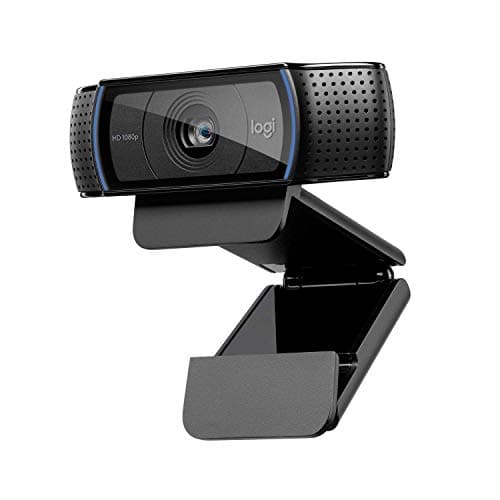
Buy the Logitech C920. It has been the default streaming webcam for a decade, it works the instant you plug it in, and in decent light it looks perfectly good on a 1080p stream. If you are building a serious channel and want a visible step up, the Elgato Facecam MK.2 is the sweet spot — smooth 1080p60 with real manual control — and only heavy croppers need the 4K Logitech Brio. But before you spend anything, understand the one thing that will change how you look more than any camera on this page: the light.
The light in front of you matters more than the camera behind the lens
This is the truth the whole category is quiet about, because you cannot put it in a headline spec. A webcam is a small sensor in a small body, and small sensors live or die on how much light reaches them. Give a cheap camera good, soft, front-on light and it looks clean and flattering. Give an expensive camera a dim room lit by the monitor and the ceiling bulb behind you, and it produces a noisy, grainy, backlit mess — and no amount of resolution rescues it.
You can watch this happen in the spec sheets. Almost every camera here lists “low light” as a weak point or leans on the phrase “in good light” in its own marketing. That is not a coincidence; it is the physics of a small sensor. So the first upgrade for anyone unhappy with how they look on stream is not a new camera — it is a light. A single soft key light placed in front of you, slightly above eye level, does more for your image than doubling the price of the webcam. Buy the camera you can afford, then spend the next money on lighting the room, not on more megapixels.
1080p30 vs 1080p60 vs 4K: what the resolution numbers actually buy
The spec that gets top billing is resolution, and it is the one worth the most skepticism. Here is what each tier really gives you.
- 1080p at 30fps (the C920) is a perfectly sharp, perfectly acceptable stream image in good light. Its limitation is motion: at 30fps, quick head movement or a lively hand gesture looks a touch juddery. For a talking-head stream where you mostly sit still, you may never care.
- 1080p at 60fps(the Facecam MK.2 and the budget NexiGo N660P; the Kiyo V2 X captures at a high frame rate too) is the streamer's sweet spot. The doubled frame rate makes movement smooth and lively, which reads as “professional” far more than extra resolution does. If you are picking one thing to spend on above the C920, spend it here, not on pixels.
- Higher-than-1080p and 4K (the Kiyo V2 X captures above 1080p; the Brio is full 4K) gives you more pixels than a 1080p stream can send. That sounds like more, and in one specific case it is: cropping. But in the common case, it is pixels you capture and then throw away.
When 4K is genuinely wasted — which is most of the time
Here is the part the box will not tell you: the overwhelming majority of streams output at 1080p. That is what the platforms are built around, what most viewers watch at, and what your upload bandwidth and encoder are tuned for. If your stream goes out at 1080p, a 4K camera captures four times the pixels and then discards three-quarters of them on the way to the viewer. You paid for resolution the audience never receives.
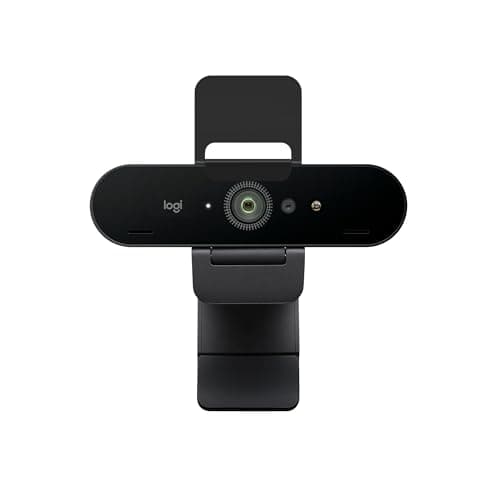
There is exactly one situation where the extra pixels earn their keep: cropping and zooming.If you frame a tight head-and-shoulders shot by cropping into a wider capture, a 4K sensor gives you room to crop in and still land on a sharp 1080p result, where a native 1080p camera would go soft. Streamers who reframe heavily, or who want the option to punch in without losing detail, get real value from the Brio's 4K. Everyone else is buying headroom they will never use — and paying a premium for it, plus more USB bandwidth and more CPU to handle the heavier capture. If you only ever output a fixed 1080p shot, the Facecam MK.2 gives you the better 1080p image for less than the 4K camera you would down-sample anyway.
Privacy shutters, and the small features that actually matter on camera
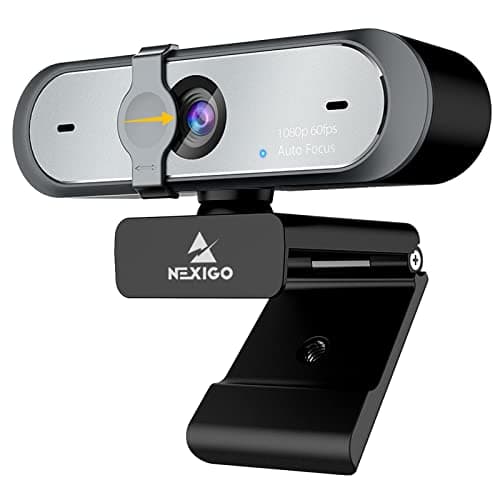
Once you are past resolution, the features that make a daily difference are unglamorous. The biggest is the one the old default cameras never had: a physical privacy shutter.A camera that is always plugged in and pointed at you is a camera you want to be able to physically close when you are not live. The NexiGo N660P has a real shutter built in; the C920 does not, which is the main thing a decade of default status has left behind it. It is a small mechanical flap and it buys a real peace of mind that a software “off” toggle does not.
The other quiet differentiator is software. Elgato's Camera Hub and Razer's Synapse let you take manual control of exposure, white balance and framing instead of leaving the camera to auto-adjust mid-stream — which is what causes that distracting flicker as the image hunts for the right brightness when a bright game scene loads behind you. Locking those settings by hand is how a stream looks consistent. It is also another install to manage, and the C920's appeal is partly that it needs none of that to just work. Match the amount of software you want to manage to how much control you actually intend to use.
Your webcam is not your microphone, and viewers forgive the wrong one
Here is a hard truth about which nobody selling cameras is enthusiastic: an audience will tolerate a mediocre picture far longer than it will tolerate bad sound. A slightly soft or grainy image is a minor annoyance; hollow, echoey, distant audio makes a stream genuinely unpleasant to sit through, and it is the single most common reason a casual viewer clicks away. If your budget is finite — and it always is — the order of operations is light first, then microphone, then camera.
Every webcam here has a built-in microphone, and every one of those microphones is a fallback, not a feature. They sit far from your mouth, up on the monitor, pointed at the whole room, which is exactly the recipe for the thin, roomy sound you are trying to avoid. Treat the webcam mics as a way to get started, not as your audio solution. A cheap dedicated microphone placed close to you — a USB condenser on a desk arm, or even a headset boom — will do more for how professional your stream feels than any resolution upgrade on this page, for less money than the gap between the cheapest and the most expensive camera. Buy the camera for the picture, and plan a separate microphone for the sound, because the two jobs are not the same job and no webcam does both well.
Where each camera here fits
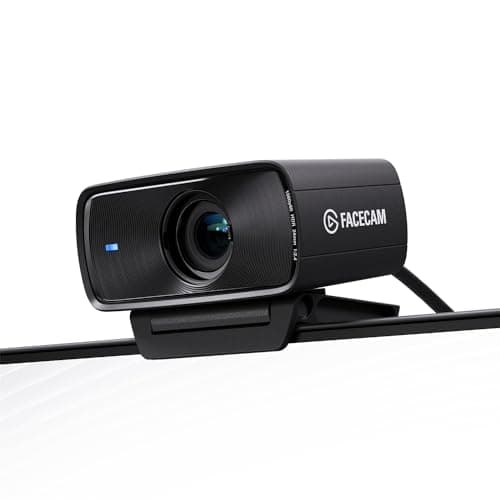
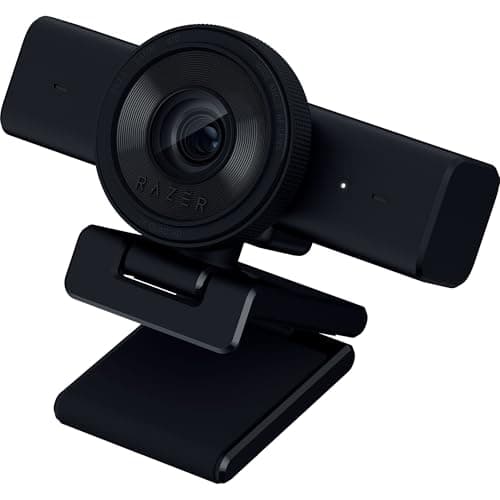
The Logitech C920 is the no-brainer default: cheap, universal, plug-and-play, and good enough in decent light that most people never need more. The Elgato Facecam MK.2is the serious streamer's pick — 1080p60, HDR, a real glass lens and deep software control, the clearest image step up short of 4K. The NexiGo N660Pis the budget pick, and it puts its money where this page says it should — 1080p at 60fps, autofocus and a sliding cover on the lens, rather than resolution you would down-sample. The Razer Kiyo V2 X captures above 1080p for people who want extra sharpness and crop room without going full 4K. And the Logitech Briois the 4K option — overkill for a 1080p stream, exactly right for anyone who crops hard or wants the most future-proof sensor here.
How to buy a webcam for streaming
Budget for a light before you budget up the camera
If you take one thing from this page, take this: a soft key light in front of you improves your image more than any resolution upgrade. Decide your camera budget, then, if there is money to move, move it from a pricier camera to a light rather than the other way round. A C920 in good light beats a 4K camera in a dim, backlit room every single time, and it is not close.
Prioritize 60fps over 4K
Smooth motion reads as “professional” on a stream far more than extra pixels do, and it survives the trip to the viewer where 4K does not. If you are choosing between a 4K/30 camera and a crisp 1080p/60 one for the same money, take the 60fps unless you specifically need to crop. The Facecam MK.2 is the clean expression of this: 1080p60 done properly beats 4K you will down-sample.
Only pay for 4K if you crop, zoom or reframe
4K earns its price in exactly one scenario — capturing wide and cropping into a tight, sharp 1080p frame, or punching in without going soft. If that is how you compose your shot, the Brio is worth it. If you set a fixed 1080p frame and leave it, 4K is pixels you capture and discard, plus extra USB and CPU load for nothing. Be honest about which streamer you are.
Insist on a privacy shutter if the camera lives on your monitor
A webcam that is permanently plugged in and aimed at you should have a physical way to close the lens. A software toggle is not the same reassurance as a mechanical flap. The NexiGo N660P builds one in; if you buy a camera without one, a stick-on shutter is a couple of dollars well spent.
Decide how much software you want to run
Manual control over exposure and white balance is what stops a stream flickering as scenes change behind you, and Camera Hub or Synapse give you that. But every one of those is an app to install, update and occasionally fight. If you value dead-simple plug-and-play over fine control, the C920 is honest about being exactly that. Match the software overhead to how much tuning you will actually do.
Sort your background and framing — they are free
No camera fixes a cluttered, blown-out window behind you or a shot framed up your nose. Put the brightest light source in front of you rather than behind, set the camera at or slightly above eye level, and tidy what the lens can see. These cost nothing and do more than a tier of resolution. When you are done, a clean desk surface in shot reads better than an expensive camera pointed at chaos.
What not to pay for
4K you will only ever output at 1080p. Onboard “AI” auto-framing you will turn off within a week because it drifts. Built-in effects you would rather do in your streaming software. Ring lights bolted to the camera, which light you flatly and from the wrong distance — a separate key light is better. As everywhere on this hub, the specs with top billing on the box change your result the least. Spend on light, on frame rate, and on a shutter, and ignore the megapixel race.