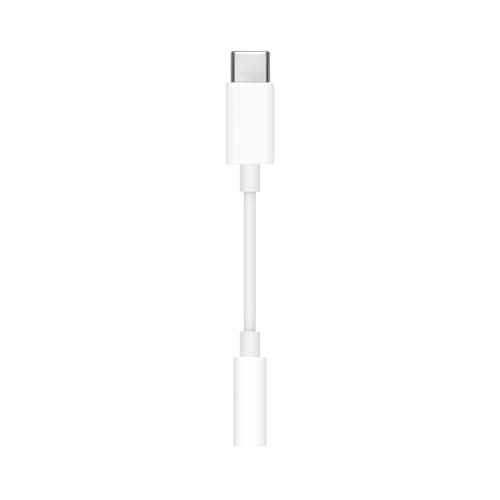
A DAC fixes two problems and no others: a motherboard jack that adds audible noise, and headphones your PC cannot drive loud enough or cleanly enough. If neither of those describes you, every box on this page is a lateral move, and we would rather you learned that here than after the money left your account. The honest starting point is the plain USB-C adapter ranked third — it tests for the first problem completely, and if it fixes things you are done.
Your PC already has a DAC. Every device that plays sound does, because a digital-to-analog converter is just the circuit that turns the numbers in an audio file into the voltage that moves a speaker. Your motherboard has one. Your monitor has one. The USB headset you may already own has one inside the earcup. “Buying a DAC” is never about adding a missing component; it is about replacing one you already have with a better-isolated or more-powerful one.
That distinction is the whole reason this page exists, because it changes the question from “which DAC is best?” to “is the one I already have actually failing, and how?” Our do you need a DAC for gaming guide is the long version of that argument; this page is the shopping list for the people whose answer turned out to be yes.
The two problems, and how to test for each one free
Both tests take about two minutes and cost nothing. Run them before you read the picks.
Problem one: a noisy analog jack. The symptoms are specific. A faint hiss under quiet scenes. A high-pitched whine that changes pitch when you scroll a page or move the mouse. A buzz that appears when the GPU loads up. Clicks when a USB device connects. All of those are electrical interference getting into the analog audio section of a board that sits inches away from a graphics card, and no amount of software fixes it.
The test: plug the same headphones into something that is not your PC — a phone, a handheld, a games console. If the noise vanishes, the jack is the problem and you want a DAC that lives outside the case, on USB. Any DAC on this page fixes this, including the cheapest one, because moving the analog conversion away from the motherboard is the entire mechanism. That is also why we rank the Apple adapter third rather than burying it: for this problem specifically, the cheapest dongle on this page and the most expensive amplifier on it do the same job.
Problem two: headphones your PC cannot drive. The symptoms are different and people routinely confuse them with the first set. Volume at 100% is only just loud enough. Bass sounds thin and loose where reviews said it was tight. The sound gets harsh rather than louder as you raise the volume. Those are power symptoms, and the fix is amplification, not isolation.
The test: look up your headphones' impedance and sensitivity — RTINGSmeasures both for most models rather than reprinting the box. If you are at 32Ω and reasonably sensitive, which describes essentially every gaming headset made, your PC already drives them fine and more power will do nothing audible. If you are at 250Ω or above, or you own a planar magnetic, power is your problem and only the bigger boxes here solve it. Our headphone impedance and amps explained guide shows how to read those two numbers together, because impedance alone is misleading.
If you own a gaming headset, read this part first
A specific and very common mismatch: most of the people searching for a gaming DAC own a gaming headset, and most DACs are built for headphones. A headset is two devices — a pair of headphones and a microphone — sharing one plug. A DAC is one device: a headphone output.
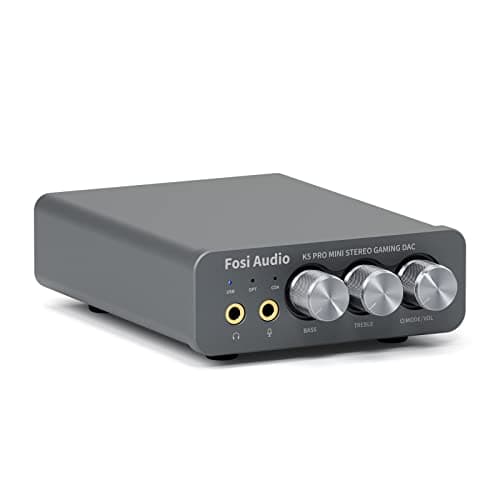
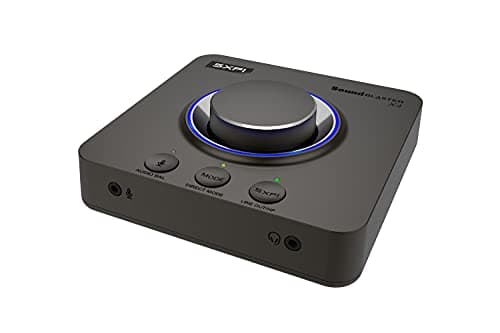
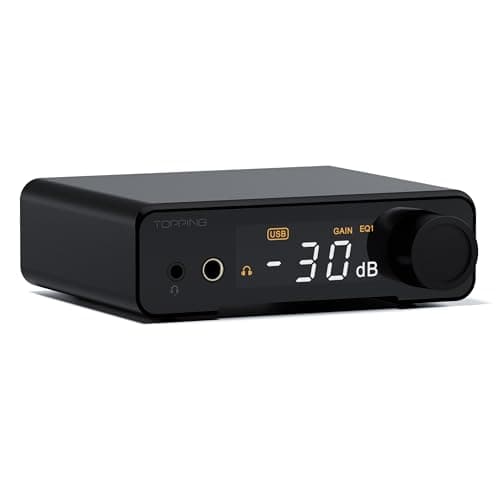
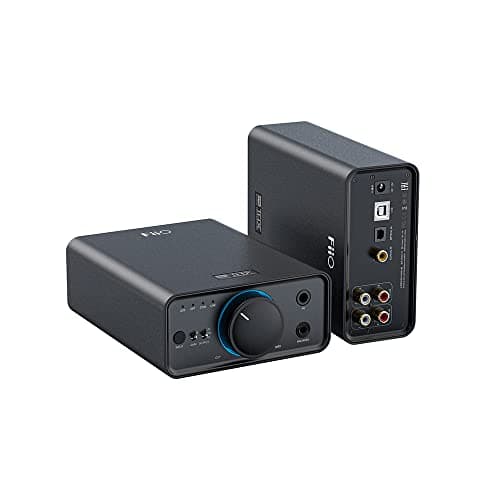
So if you buy the FiiO K11 or the FiiO K7 for a headset, you get a better headphone path and your microphone still has to go into the motherboard, which is the part that was picking up noise in the first place. Three boxes on this page avoid that: the Fosi Audio K5 Pro and the Creative Sound Blaster X4 both have 3.5mm microphone inputs, and the TOPPING DX1 II has a TRRS jack that takes a combo-plug headset whole. If you use a headset and a DAC is meant to clean up your voice as well as your game audio, those are the three to look at and the others are the wrong tool.
There is a fourth option worth naming because it is often the cheapest: a USB headset or a USB microphone already has its own converter and does not touch the motherboard's analog section at all. Our USB vs 3.5mm gaming headset guide covers that trade, and best gaming headsets for mic quality ranks the headsets whose microphones are good enough that an external box is not the upgrade you need.
What a DAC will not do for your gaming
Three claims attach themselves to this category and none of them survive contact with how the hardware works. They are worth stating plainly because they sell a lot of boxes.
- It will not give you an advantage in competitive shooters.Footstep positioning comes from the game engine's audio mix and from your headphones' imaging, and it arrives at the DAC already decided. A cleaner conversion of an already-mixed stereo signal does not add spatial information that was not in the signal. Our footstep audio explained guide covers where that information actually comes from, and best gaming headsets for footsteps ranks the hardware that genuinely changes it.
- Virtual surround is a separate thing, and it is not automatically good. The Creative X4 is the only box here built around it. Surround processing takes a stereo or multichannel signal and applies head-related transfer functions to fake direction, and for cinematic immersion a lot of people like it. For locating a single footstep it often blurs the cue it is meant to sharpen. Our virtual surround vs stereo guide is blunt about which to use when, and it is worth reading before you pay for the feature.
- It will not reduce your input lag.A USB DAC adds a small, fixed processing delay rather than removing one. If audio feels out of sync with what is on screen, that is almost always a wireless link or a display pipeline issue — our wireless headset latency explained guide covers where the delay really lives.
What a DAC genuinely does, when one of the two problems applies, is remove a layer of grot you had learned to ignore. People describe it as a clarity increase. What it usually is, is the absence of a noise floor that had been masking quiet detail the whole time. That is a real improvement and it is worth the money — to the people who had the problem.
Specs that matter here, and specs that do not
Product pages in this category are dense with numbers, and the ratio of useful to decorative is poor. Three numbers are worth your attention.
Output power at a stated impedance.Always read it as a pair: “1,000 mW at 16Ω” and “80 mW at 300Ω” can be the same device, and the second figure is the one that tells you whether it drives a demanding headphone. Every power figure on this page is quoted with its load for exactly that reason.
Output impedance.Low is better, and under about 1Ω is where you want to be. A high output impedance interacts with sensitive multi-driver IEMs and audibly changes their frequency response — which is the actual reason some cheap dongles sound bad with in-ears, and why the Apple adapter's 0.9Ω figure is more relevant to its sound than its price suggests. If you game on IEMs, our best gaming earbuds and IEMs page covers which ones are sensitive enough for this to matter.
Inputs, in the plural. This is the specification people under-weight and then regret. A USB-only box serves a PC. A box with optical or coaxial in also serves a PS5, an Xbox or a Switch, which means one unit for the whole desk instead of swapping cables. The FiiO K11, the FiiO K7, the Fosi K5 Pro and the TOPPING DX1 II all have digital inputs beyond USB; the dongles do not.
What does not matter for gaming: the maximum sample rate. DSD256, 384kHz, 32-bit — game audio is mixed and output at 48kHz, and voice chat lower than that. A 96kHz cap, like the Fosi K5 Pro's USB input, costs you nothing in a game and only shows up if you also want hi-res music files through the same box. Chip names are similarly decorative: the engineering around the chip decides the result, which is why we point to Audio Science Review for measured performance rather than inferring quality from a part number.
How to choose between these seven
Start with the two tests above, because they can end the decision entirely. Noise only, and 32Ω headphones? Buy the Apple adapter, stop, and spend the rest on something that changes how you play.
If you want a permanent desktop fix and your headphones are normal, the FiiO K11is the sensible default — power you will not outgrow, digital inputs for a console, and a balanced output waiting if you upgrade headphones later. If your headset's microphone needs to come out of the motherboard too, the Fosi Audio K5 Pro does both halves for less, with a sample-rate cap that will never affect a game.
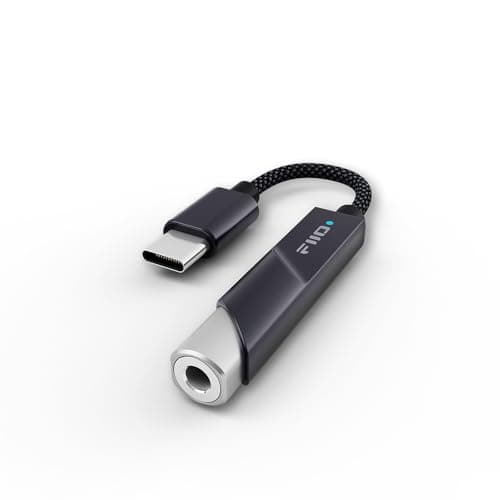
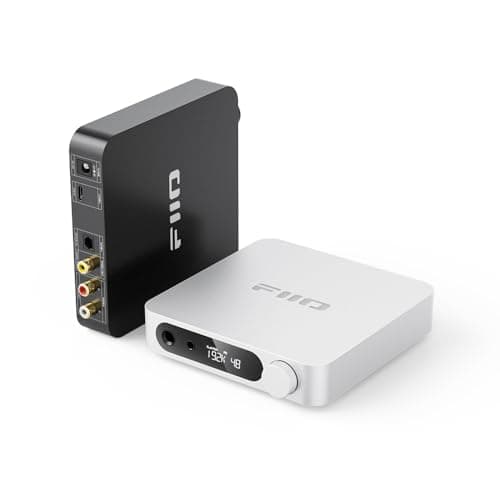
If you move between a desk, a handheld and a phone, the FiiO KA11is the dongle with actual power behind it rather than a bare adapter — and it is the pick for a Steam Deck specifically, which our best audio for Steam Deck page covers in more depth.
If the features are the point — surround modes, a mic chain with processing, knobs you can reach without alt-tabbing — the Creative Sound Blaster X4 is the only box here designed around them. If a console is the primary device, or you want an EQ curve that follows the hardware rather than living in a Windows app, the TOPPING DX1 II is the one with optical in and out and a 10-band EQ onboard.
And if you own 250Ω-plus open-back headphones, the FiiO K7 is the only unit here that drives them with authority rather than merely loudly. That is a small group of people, which is why it is last and not first. If you are heading in that direction, our best open-back headphones for gaming page is the other half of that purchase, and best gaming headsets for PC is where to look if you would rather solve the whole thing with one device instead of two.
One last practical note that saves a lot of confused troubleshooting: after you plug any of these in, Windows does not always switch to it, and games sometimes hold on to the old output until they are restarted. Set the new unit as the default playback device — and, if it has a mic input, the default recording device — in the Windows sound settings before you conclude anything about how it sounds. Microsoft Support documents where those settings live.