A fighting game uses almost none of a modern controller. The analog sticks go mostly unused, the triggers do nothing the face buttons could not do, and the rumble is irrelevant. What the genre hammers is the d-pad and four to six face buttons, thousands of times per session, with precise timing. That is why the ranking on this page looks nothing like our general best controllers for PC list: the features that win there barely register here.
The d-pad is the whole product
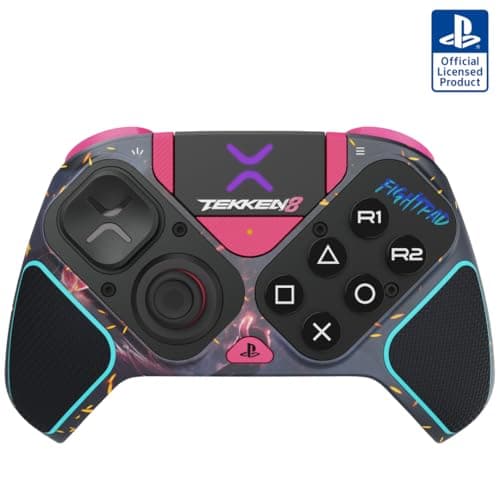
A d-pad comes in two broad constructions. A one-piece cross pivots on a single central point, so the whole cross rocks as one part. Four separate buttons — the style Sony has used since the original PlayStation — press independently.
The difference matters because of what fighting game inputs demand. A quarter-circle motion is a continuous roll from down to forward, and a half-circle is a roll across three or more directions. A pivoting cross rolls cleanly because your thumb never leaves the plate. Separate buttons require your thumb to lift and land, which is where dropped inputs come from.
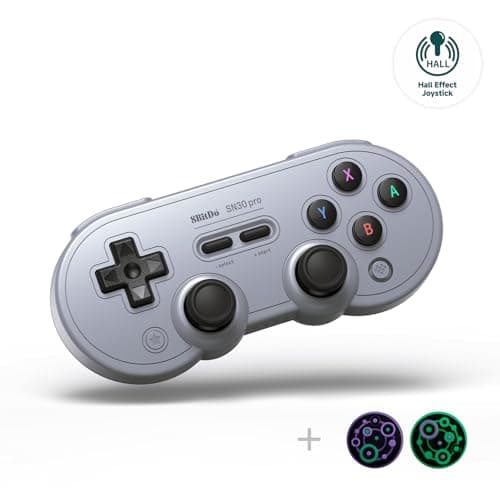
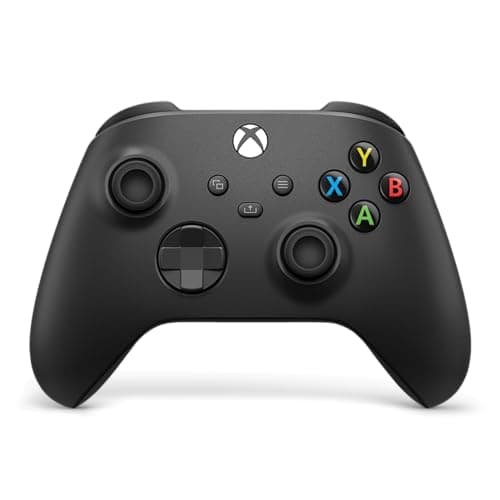
That is the mechanism behind the SNES-pad reputation and the reason the 8BitDo SN30 Pro is on this page at a fraction of the price of the specialists. It is also why the Xbox pad holds up well here: its d-pad is a one-piece dish with a pronounced cross, and it rolls far better than its price suggests.
Face buttons: travel and actuation
Most controllers use rubber-dome membrane contacts under the face buttons. They are cheap, quiet and slightly mushy, and the press has to travel a few millimeters before it registers.
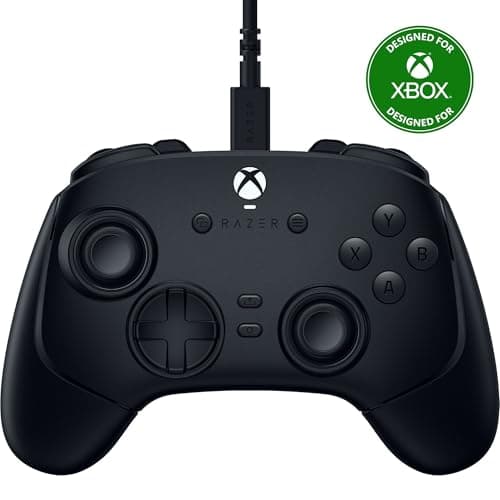
Tournament-oriented pads replace them with short-travel tactile or microswitch mechanisms, which is what Razer markets as mecha-tactile. The practical difference is not latency — it is consistency. A shallow switch with a defined actuation point gives you the same input for the same press every time, and a mushy membrane does not, particularly on the fourth and fifth press of a fast string. If you have ever dropped the last hit of a combo and blamed yourself, the button is at least a candidate.
Wired, and why the scene insists on it
Fighting games are the genre most sensitive to input lag, because the defensive window for a reversal or a block is measured in a couple of frames — around 33 milliseconds at 60 frames per second. Modern 2.4GHz wireless adds very little, and Bluetooth adds considerably more.
Tournaments require wired controllers anyway, for reliability rather than latency: a dongle can drop, a battery can die mid-set, and neither is an acceptable risk on a stream. If you are playing online at home, wireless is fine — use the 2.4GHz dongle rather than Bluetooth, and read our wired vs wireless controller guide for the numbers. If you ever intend to enter anything, buy the wired pad and avoid the question.
What about arcade sticks and leverless pads?
They are a real category and we do not rank them, because nothing in our registry covers them honestly. A stick or a leverless “hitbox” layout replaces the d-pad with either a lever on a microswitch gate or four directional buttons, both with far shorter actuation travel than any pad. At the top level, almost everyone uses one.
For everyone else, a good pad is not holding you back, and plenty of strong players compete on one. The sensible order of operations is to play on a pad you trust, find out whether you actually enjoy the genre enough to practice motions daily, and only then spend $200 on a stick.
Remapping and back buttons
Three of these four pads can be remapped, and it matters more in this genre than in most. Fighting games assign up to six attack buttons, and the default mapping puts two of them on shoulder buttons where your fingers also have to manage a block or a drive input. Moving a heavy attack to a rear paddle frees a finger.
Our controller remapping guide covers the software route on PC and console, and what back buttons do explains why pros use them. The 8BitDo pad is configured through 8BitDo’s own software; the Razer and Victrix pads have on-pad profile switching.
How we ranked these
Scores are judgments from documented research — published manufacturer specifications, independent reviews, and owner reports on d-pad behavior — not our own lab measurements. We have not run a frame-latency rig on these pads, and our methodology page says so in those words. Nothing on this page is ranked on a tournament result or a claim that we tested combos on it, because we did not.
Choosing between these four
Start with the platform. PlayStation fighting games need a PlayStation-licensed pad for full compatibility, which is the Victrix here. PC and Xbox players should start with the Razer. Switch and retro libraries point at the 8BitDo.
Buy wired if you are at all competitive. It removes the battery and dongle failure modes and it is required at events. If you only play casually online, 2.4GHz wireless is fine and Bluetooth is the one to avoid.
Look at the d-pad construction in the product photos. One plate that pivots in the middle is what you want. Four distinctly separated buttons will cost you inputs on rolling motions no matter how good the rest of the controller is.
Do not buy a stick first. Spend a month on a good pad. If you are still practicing motions daily after that, the stick upgrade will mean something; if you are not, you saved $200.