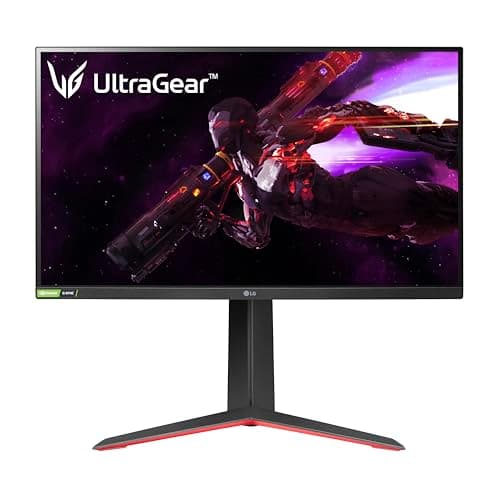
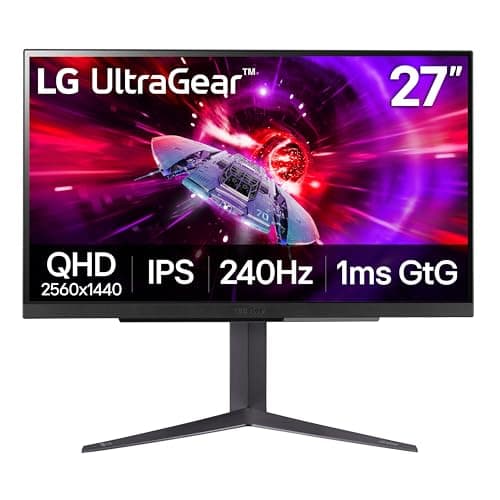
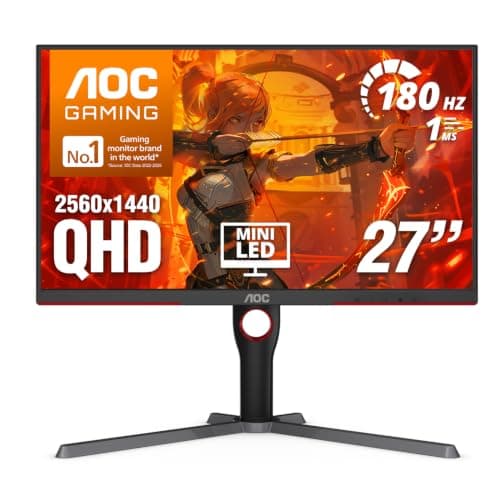
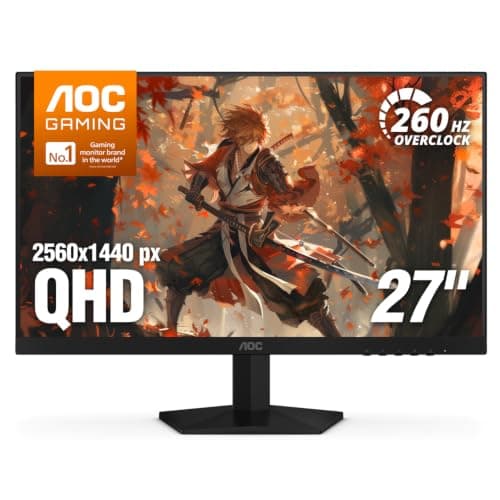
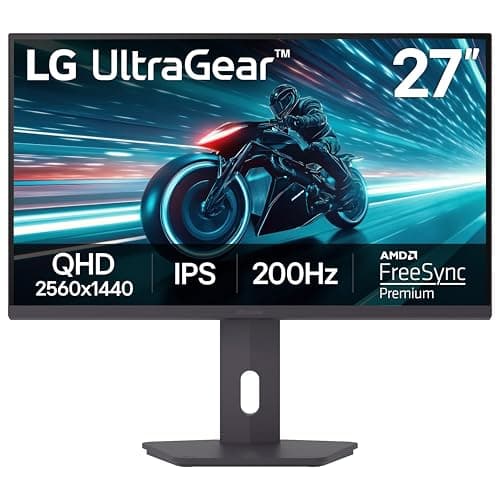
If you want one 27-inch monitor and no homework, buy the LG UltraGear 27GS75Q. It is 27-inch, 1440p, IPS, 180Hz, and it has a stand that actually adjusts — the complete package at a price that leaves money for the rest of your setup. Spend up only if you have a specific reason: a console on the desk, a hunger for the most frames, real HDR, or the best image money can buy. 27 inches is the default gaming-monitor size, and it is the size we point most people to. At 27 inches the natural resolution is 1440p (QHD, 2560×1440): 1080p stretched this wide starts to look soft, while native 4K is expensive to buy and far more expensive to feed frames to. That is why every panel on this page is 27-inch QHD. Because the size and the resolution are settled, the decision that remains is the interesting one — panel type, refresh rate and HDR — and that is exactly how we have ranked them.
Why 27 inches is the size to buy
Screen size is the first thing you notice and the last thing you should over-think. A 27-inch panel sits in the sweet spot for a normal desk: it fills your view at a typical arm's-length seating distance without forcing you to swing your head to track the edges, the way a 32-inch or an ultrawide can. It is also the size the whole gaming-monitor market is built around, which means the best value, the widest choice and the newest panels tend to land here first. If you are weighing a bigger, more enveloping screen instead, our ultrawide monitors guide lays out what the extra width gives and costs you — but for most people, on most desks, 27 inches is the right answer.
Size and resolution go hand in hand through a number called pixel density (PPI). 1440p spread over 27 inches lands around 109 pixels per inch, which is the point where the image looks genuinely crisp at normal viewing distance without demanding the graphics card that native 4K quietly requires. Put 1080p on a 27-inch screen and the same content looks a little grainy up close; push to 4K and you gain sharpness but roughly double the pixel load again, which is real work your GPU does every frame. We unpack that trade-off in our resolution guide, but the short version is that 27-inch 1440p is the balance point, which is why the whole field below shares it.
With size and resolution fixed, three things separate these six
Because every monitor here is the same size and the same resolution, sharpness is not what sets them apart. Three things do, and getting them right matters far more than the model name on the bezel.
- Panel type— IPS, VA or OLED — decides how color, viewing angle, motion and black level look. It is the single biggest lever on image quality.
- Refresh rate— how many frames per second the panel can show — sets how smooth and responsive fast motion feels, but only up to the point your graphics card can actually feed it.
- HDR— whether the panel can show a genuinely brighter, higher-contrast image — is the spec most often faked on a box. Only one monitor here does real HDR, and it is worth understanding why.
Panel type is the decision that actually matters
At a fixed size and resolution, the panel technology is what you are really choosing between, and each type is a different set of trade-offs.
IPScovers four of the six here — the 27GS75Q, the 27GP850, the 27GR83Q and the AOC Q27G41ZE. IPS gives you accurate color, wide viewing angles and fast, clean motion. Its one real weakness is black level: in a dark room the blacks glow slightly gray, because the backlight behind them never fully switches off. For most people in most rooms, a good IPS is the safe, no-regrets default.
VAshows up on the mini-LED AOC Q27G3XMN, and it is chosen there for its contrast: VA blacks look genuinely black, which is the foundation of that monitor's real-HDR trick. The cost of VA is slower dark-scene pixel transitions, which can show up as smearing in fast, dark motion — our IPS vs VA guide covers exactly why that contrast comes at the price of motion clarity.
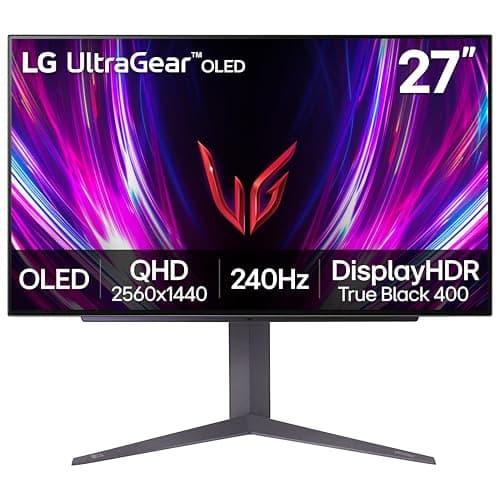
OLEDis the 27GS93QE. It lights every pixel individually and switches each fully off for black, so contrast is effectively per-pixel and motion is near-instant. It is the best image on the page by a distance — and the most expensive, with a burn-in risk to manage over years of static HUDs and taskbars. Our OLED vs IPS guide explains what that per-pixel image is really worth against a fast IPS.
If you want to know how panel type shows up in real motion rather than on a spec sheet, the honest reference is measured data. Independent reviewers like RTINGS and Blur Busters publish response-time, overshoot and HDR-brightness numbers that we do not take ourselves, because we do not run a lab. Where a measured figure decides the call, that is who we point you to.
HDR: only one panel here truly delivers it
HDR is the most abused word on a monitor box. Several panels here carry an HDR badge, but a badge is not the same as the hardware that makes HDR look like anything. The Q27G3XMN is the exception, and the reason it earns its ranking: it uses a mini-LED backlight with local dimming and a DisplayHDR 1000 rating, so bright highlights genuinely pop against blacks that stay black. Nothing else on this page can do that. The 27GR83Q's DisplayHDR 400 is a step up from a bare sticker but is still entry-level, and the HDR labels on the 27GS75Q, 27GP850 and Q27G41ZE are nominal — there is no meaningful local dimming, so treat those as excellent SDR monitors that happen to accept an HDR signal. The OLED delivers HDR a different way, through per-pixel light control rather than a backlight. If HDR is on your list, our HDR guide explains which tiers are real and which are marketing, and the standards behind the labels come from VESA.
Refresh rate and the console question
Every panel here is high-refresh, which is the point — the jump from 60Hz to 144Hz-plus is the single most-felt upgrade in gaming, as we explain in the 60Hz vs 144Hz guide. Above that the returns taper. 165Hz to 180Hz (the 27GP850 and 27GS75Q) is a comfortable, easy-to-drive sweet spot for the average build; 240Hz (the 27GR83Q, the Q27G41ZE and the OLED) rewards a strong graphics card and competitive shooters, where the extra frames translate into lower latency and clearer motion. Raw Hz is only half of motion clarity, though — response time is the other half, which is why a fast IPS can look cleaner than a slow VA at a higher number. Our 144Hz vs 240Hz guide and response-time explainer unpack that pairing.
One spec matters a great deal if a console shares your desk: the HDMI version. Only the 27GR83Q here has HDMI 2.1, which is what lets a PS5 or Xbox Series X run 1440p at 120Hz. Every other panel is HDMI 2.0, which caps a current console at 60Hz on this resolution even though the panel itself runs far faster from a PC over DisplayPort. If you only ever game on a PC, that HDMI 2.1 is money spent on a port you will never use; if a console is in the mix, it is the one feature that changes the recommendation. Whichever you pick, turn on its variable refresh rate (G-SYNC Compatible or FreeSync) to kill tearing without input lag — our G-SYNC vs FreeSync guide explains why the flavor matters less than people think.
How the ranking shakes out
The 27GS75Qtakes the top spot because it is the most complete package for the money: 1440p IPS, 180Hz, and — unusually at this price — a properly adjustable tilt, height and pivot stand that cheaper panels almost always drop first. It is certified for both G-SYNC Compatible and FreeSync, so variable refresh works whatever card you run. The honest cons are small: the HDR10 badge is nominal with no local dimming, and the headline 200Hz is an overclock, so you are really buying a very good 180Hz panel. Do not buy it if your graphics card is entry-level — 1440p at 180Hz is a lot of pixels to feed, and a weaker card will leave most of those frames on the table.
The 27GP850is the sensible step to the side: a Nano IPS panel with excellent color and viewing angles, 165Hz (overclockable to 180Hz), and a price that sits well under the others, freeing money for a mouse, headset or keyboard. It is the reliable choice rather than the showpiece — its IPS blacks are gray next to the OLED, and its HDR is nominal — but for a fast, accurate, no-drama screen it is hard to fault. If dark-room contrast is your priority, it is the wrong pick and you should stretch to the OLED.
The 27GR83Qearns its place for a specific buyer: it pairs 240Hz IPS for the PC with HDMI 2.1 for a PS5 or Xbox Series X, so it is the do-it-all screen when a console shares the desk. Its DisplayHDR 400 is entry-level HDR, better than a bare sticker but nowhere near the AOC mini-LED, and it is the most expensive of the LCDs here — part of that money buys HDMI 2.1 that a PC-only player on DisplayPort will never touch. If you only game on a PC, skip it: the Q27G41ZE gives you the same 240Hz and sharpness for meaningfully less.
The Q27G3XMNis the outlier and the connoisseur's pick: the only monitor here with real HDR, thanks to its mini-LED backlight and DisplayHDR 1000 rating. Its VA contrast plus mini-LED zones produce the deepest blacks on the page by a wide margin, and it still games well at 180Hz beyond the HDR party trick. Be clear-eyed about the trade-offs: mini-LED blooming (a faint halo around bright objects on a dark background) is visible as it is on every backlight near this price, it has only one HDMI 2.0 and one DisplayPort, and VA smear on dark, fast transitions means it is not the panel for a competitive-shooter main. Buy it for immersive, HDR-forward single-player games; skip it if you live in SDR shooters.
The Q27G41ZEis the frames-per-dollar pick: 240Hz and 1440p together for the least money on the page, with a 0.3ms rated response, G-SYNC Compatible support and an unusually generous three-year zero-bright-dot warranty. The honest cons are firm — its “HDR Ready” label means it accepts an HDR signal, not that it shows real HDR, so treat it as an SDR monitor; it is HDMI 2.0 only, so 240Hz is DisplayPort-only and a console is capped at 60Hz; and 240Hz at 1440p is a heavy GPU ask that most cards will not sustain in modern titles. If you play story-driven or graphically heavy games, that refresh rate is dead weight and a 180Hz panel with a better stand is the smarter buy.
The 27GS93QE OLEDsits last only because it is the priciest, not because it is the weakest — on pure image quality it is the best on the page. Its per-pixel blacks and color go beyond anything an IPS or VA panel here can approach, and 240Hz with near-instant pixel response makes fast motion genuinely clearer rather than merely higher-numbered. It is the single biggest “wow” upgrade you can make to a desk in this class. The catches are real: it eats the whole budget, it carries a burn-in risk with static HUDs and taskbars over years of use, and its full-screen brightness is lower than a bright LCD, so a sun-blasted room is not ideal. If you leave static UI on screen for hours daily or game in bright light, a high-refresh IPS like the 27GP850 sidesteps that worry and gets brighter.
Match the monitor to your graphics card, not your wish list
The one mistake to avoid is buying more refresh rate than your PC can feed. A 240Hz panel driven at 90fps is not doing anything a 165Hz panel would not have done for less money. Be honest about the frame rates your graphics card actually hits in the games you play, and buy the refresh rate that matches — then spend the difference on panel quality, a better stand, or real HDR, which you will notice every day. Since every panel here is 27-inch 1440p, you can shop this list purely on panel type, refresh rate and HDR and land on the right screen. If you would rather browse the same class of panel framed a different way, our best 1440p monitors page lines the field up by resolution, the best 240Hz monitors page filters for pure speed, and if you decide the sharper image is worth the graphics-card tax, the best 4K monitors are the next rung up. If what you actually want is a bigger screen rather than a faster one, read best 32-inch gaming monitorsfirst — 1440p stretched to 32 inches drops to roughly 93 pixels per inch against about 109 here, and that softness is the main reason people send a big monitor back. Our GPU requirements for 1440p 144Hz guide is the companion to the paragraph above: it has a ten-minute method for finding out what your card really delivers.