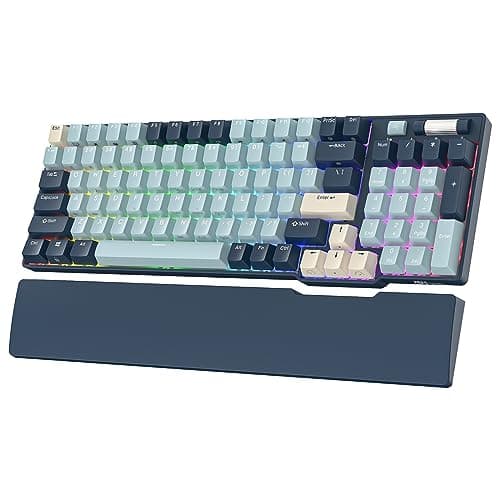
If you want one hot-swappable board and no deliberation, buy the RK ROYAL KLUDGE RK96. Its sockets take new switches by hand, it keeps the number pad in a 96% layout, and it connects three ways — Bluetooth, 2.4GHz and USB-C — for the price of a plain wired board. It is the most keyboard per dollar here, and it rewards tinkering without punishing you for not. A hot-swappable keyboard is simply one whose switches sit in sockets rather than being soldered to the circuit board, so you can pull a switch out with a cheap tool and press a different one in — no soldering iron, no risk of cooking the board, no throwing the whole keyboard away because the feel got old. The six boards below all do this; what separates them is size, switch compatibility and whether they also cut the cable.
What hot-swap actually is, in plain terms
On a normal mechanical keyboard, each switch is soldered permanently onto the circuit board at the factory. That is fine until a switch wears out, develops chatter, or simply stops feeling the way you want — at which point fixing or changing it means a soldering iron and some nerve, and for most people means buying a new keyboard. A hot-swap board replaces the soldered joint with a small spring-loaded socket for every switch. Changing the feel of the entire keyboard becomes a rainy-afternoon job with a plastic puller: lift each switch out, push each new one in until it clicks, done. The board keeps working; only the switches change. Our hot-swappable keyboards explained guide walks the whole process with pictures.
The reason this matters beyond convenience is that switch feel is the most personal thing about a keyboard, and it is the one thing you cannot reliably judge from a spec sheet. A hot-swap board turns that from a permanent gamble into a setting you can revisit — try linears for gaming, swap to tactiles for a week of typing, keep whichever wins. If you are still learning the switch families, our keyboard switch types explained guide covers linear, tactile and clicky, and our optical vs mechanical switches guide covers the one compatibility gotcha most people miss.
3-pin versus 5-pin, without the jargon
The one thing to understand before you buy switches for a hot-swap board is the pin count. A mechanical switch has two metal contact legs that carry the signal, and either two or three plastic legs that steady it in the housing. A 3-pin switch has the two contacts plus a single central plastic post; a 5-pinswitch adds two extra plastic legs for a more stable seat. Almost every hot-swap socket in this class accepts both, because those two extra plastic legs can be clipped off with nail clippers in seconds if a socket only has room for three. In practice that means you are rarely locked out of a switch by its pin count — but it is worth checking a board's sockets and, if you are clipping legs, doing it carefully, because a bent contact leg is the usual way a hand-swap goes wrong. It is a small piece of knowledge that saves a lot of confusion at the parts stage.
Why hot-swap future-proofs a board
A soldered keyboard has a fixed lifespan tied to its worst switch: when one starts to fail, the whole board is effectively finished for anyone without a soldering station. A hot-swap board decouples the two. The expensive parts — the case, the plate, the circuit board, the wireless radio — outlive the cheap, replaceable switches, so a single failed switch is a coin-sized fix rather than a reason to shop. It also means the board can follow your taste as it changes over years: the same chassis can feel like a smooth gaming board today and a bump-tactile typing board next year. That is the honest argument for spending on a hot-swap chassis even when the stock switches are ordinary — you are buying the platform, and the platform is the part that lasts. When you do open one up, our how to clean a mechanical keyboard guide is the natural companion, because the switches being out is exactly when a deep clean is easiest.
Hot-swap comes in every size
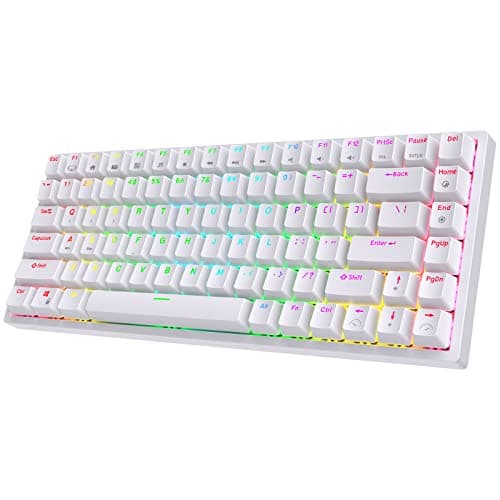
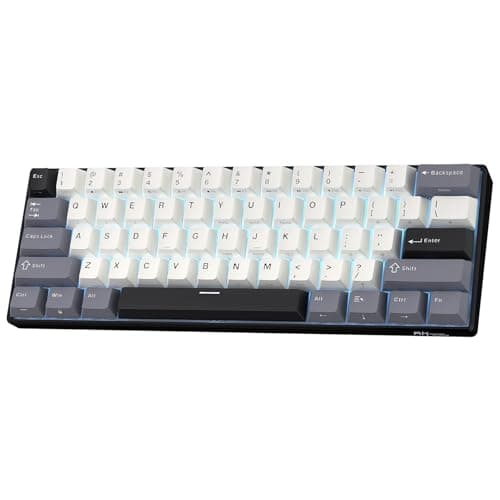
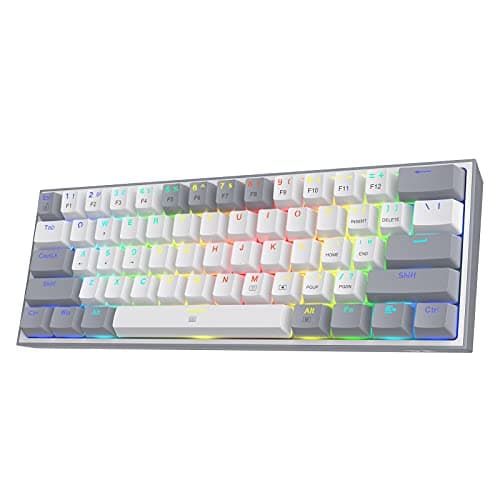
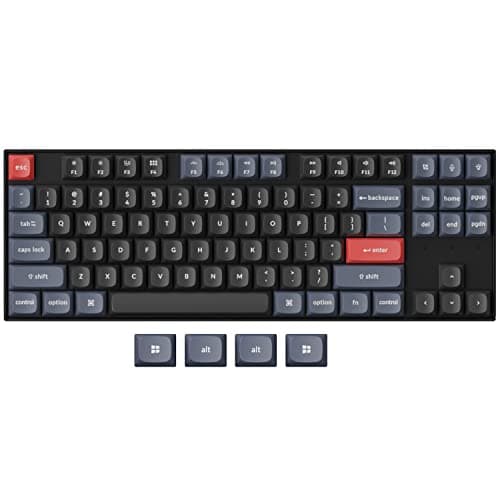
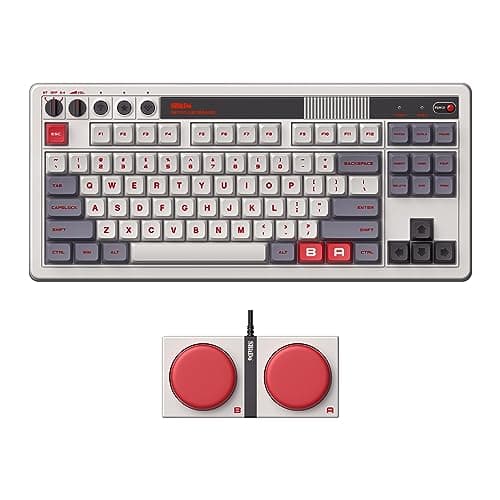
Hot-swap is not tied to one layout, and the boards here deliberately span the range so you can pick the footprint first. The Royal Kludge RK96 is a 96% layout: it keeps a full number pad while still trimming more mouse room than a full-size board, the pick if you need the numpad for work or MMO keybinds — the trade is a crowded layout that puts some keys tight against each other and takes an adjustment period. The Keychron K8 Pro and the 8BitDo Retro Mechanical are TKL boards, dropping only the numpad for a balanced footprint. The RK84 is a 75% board, tighter still, keeping the arrows and function row in a compact block. And the RK61 Wireless and the Redragon K617 Fizz are 60%boards — the smallest, freeing the most desk for low-sensitivity aim, at the honest cost of no arrow keys, no function row and no navigation cluster, all of which move onto a hidden Fn layer that takes real getting used to. Our keyboard sizes explained guide maps the whole ladder, and the best TKL gaming keyboards page focuses on the middle of it.
Wireless is on the menu too
Several of these boards prove you do not have to choose between hot-swap and cutting the cable. The RK96, the RK84 and the RK61 Wirelessare all triple-mode — Bluetooth, a low-latency 2.4GHz dongle and USB-C — which is unusually generous at their price, and the 8BitDo Retro Mechanical adds a 2.4GHz dongle alongside Bluetooth and wired. The Keychron K8 Pro offers Bluetooth and wired, with the honest caveat that it has no dedicated 2.4GHz dongle, so committed competitive players will want the cable. The Redragon K617 Fizz is wired-only, which is part of why it is the cheapest way onto this page. If wireless is a priority, weigh it against feel using our best wireless gaming keyboards page.
What to reach for once you own the sockets
A hot-swap board is the start of a small, cheap hobby, and the good news is that every next step is reversible. The obvious one is a set of switches in a different feel — a pack of tactiles to try against your stock linears costs little and installs in an afternoon. Beyond switches, a set of PBT keycaps is the upgrade that most changes how a budget board looks and wears, since the stock ABS caps on boards like the RK61 Wireless and the K617 Fizz will eventually go shiny. If a stabilizer rattles under the spacebar, a little tuning quietens it, and with the switches already lifted out there is no better moment to do it. None of this is required — the board works perfectly as bought — but the entire reason to choose hot-swap is that these doors stay open when your taste or your fingers change.
One compatibility note is worth repeating before you buy replacement switches: check whether a board's sockets are for mechanical or opticalswitches. Most hot-swap boards in this class, including the ones here, take standard mechanical switches, but some optical boards use a different socket that only accepts the maker's own optical switches — drop a mechanical switch into one of those and it simply will not register. Our optical vs mechanical switches guide spells out the difference so you buy the right parts the first time and never wonder why a perfectly good switch seems dead.
Hot-swap is not free of downsides worth naming, either. The sockets add a little to the price over an otherwise identical soldered board, and on the cheapest boards a socket can loosen if you swap switches carelessly or far too often — seat each switch straight, with its legs unbent, and you will not meet that problem. If you know for certain you will never open the board, a good soldered keyboard can feel marginally more solid for the money, because none of the budget went into sockets you never use. For most people, though, the option to change the feel later is worth that small premium many times over — it is the difference between a keyboard you replace and one you keep.
How the ranking shakes out
The Royal Kludge RK96takes the top spot as the most board per dollar: a 96% hot-swap layout that keeps the number pad, triple-mode wireless and even a wrist rest, for the price of a plain wired keyboard. You accept a crowded layout, mediocre stock switches and stabilizers, and rough configuration software — and hot-swap is precisely the feature that lets you fix the first of those. The Keychron K8 Pro is the more refined platform of the two, with PBT keycaps and firmware-level QMK/VIA remapping, for roughly half as much again. The RK84 is the compact-value option, hot-swap and triple-mode in a 75% body, with the same average stock parts that the whole point of hot-swap invites you to replace.
The RK61 Wirelessis the pick for the smallest possible hot-swap board that is still wireless — triple-mode connectivity in a 60% footprint — provided you accept losing the arrows, F-row and navigation cluster to an Fn layer. The Redragon K617 Fizz is the cheapest hot-swap entry here, a wired 60% board that proves sockets do not have to be expensive; its drawbacks are the same 60% compromise, average stock parts and a plasticky build that make it a platform rather than a premium object. And the 8BitDo Retro Mechanicalis the characterful pick: a hot-swap, triple-mode TKL with retro styling and programmable Super Buttons, whose one real caveat is that the loud look is the entire appeal — wrong board for a restrained desk. For the broader field, our best mechanical keyboards page ranks hot-swap and soldered boards together.
Picking your hot-swap board
Start with size, because it is the decision you cannot change later. If you need a number pad, the RK96 is the board. If you want the balanced middle, the RK84 is the 75% pick that is actually in stock, with the K8 Pro (to tune and keep for years) and the 8BitDo (for character) as the true-TKL options whenever they return. If you want the most mouse room and do not mind an Fn layer, the RK61 Wireless is the wireless 60% and the K617 Fizzthe cheapest 60%. Then let the switch worry go: on any of these, the stock switches are a starting point you can change by hand whenever the mood or your fingers demand it — which is the whole reason to buy hot-swap in the first place. If you are still deciding whether mechanical is even the right call, our do you need a mechanical keyboard for gaming guide answers it plainly.
Hot-swap sockets matter most when one board has to do two different jobs, which is why the boards here also lead our best keyboards for gaming and typing ranking — a reversible switch choice is the cheapest way to fix a compromise.