Skip to content
GEAREDGAMING

HUB 03 · Best Value

The Best Gaming Monitors for FPS Games

A 24-inch 1080p screen at a high refresh rate is the competitive standard, and it is also the cheap option. That is a rare and convenient alignment.

By Stephen V.Updated How we research
#ad

We earn a commission when you buy through our Amazon links, at no extra cost to you. It never affects our rankings, and we say so when the cheaper product is the better buy. How this works.

Top pick · Best Monitor for FPS

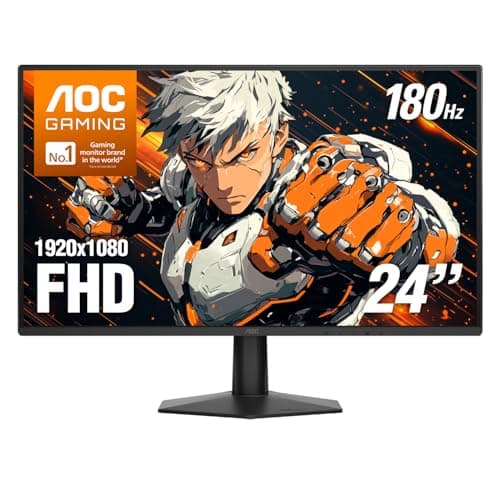
AOC AOC 24G51F2

AOC 24G51F2

8.0/10

The one to buy. 24in, 1080p, Fast IPS, 180Hz — the competitive-gaming standard, cheap.

Price as of October 21, 2026. Prices change — Amazon's is the one that counts. #ad · we may earn a commission from this link to AOC 24G51F2

Verdict

The short version

For FPS games, the monitor to buy is the AOC 24G51F2 — a 24-inch 1080p Fast IPS panel AOC rates at 180Hz with a 0.5ms MPRT. That combination is the competitive standard, and it is the cheapest screen here. It is the pick for anyone who plays shooters seriously on a mid-range graphics card and wants the whole playfield inside their field of view without moving their eyes.

The reason is not snobbery about resolution — it is frame rate and eye travel. A high refresh rate only helps if your GPU produces frames to fill it, and 1080p is the resolution that lets a normal graphics card produce 180–240 of them in a modern shooter. A 24-inch panel also keeps the edges of the screen in your peripheral vision from a normal desk distance, which is the actual argument esports players make for the size. If your card is strong and you want sharpness too, the AOC Q27G41ZE is 1440p at a rated 240Hz for the least money we have found. If budget is not the constraint, the LG 27GS93QE OLED has the cleanest motion of anything here. The ASUS TUF VG249Q1Ais the backstop pick if you want a familiar brand and ASUS's ELMB backlight strobing.

Compare

Specs and prices at a glance

#ProductKey specsBest forPrice
01AOC 24G51F2

AOC

  • 24"
  • 1920x1080 Fast IPS
  • AOC rates 180Hz / 0.5ms MPRT
  • Adaptive Sync
The best all-round pick$105.15 on Amazon →
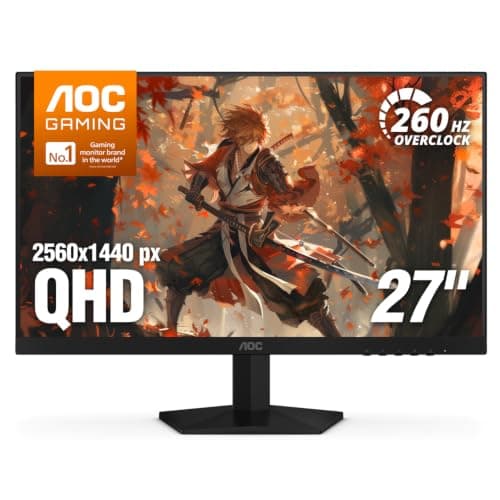
02AOC Q27G41ZE

AOC

  • 27"
  • 2560x1440 IPS
  • AOC rates 240Hz (OC 260Hz) / 0.3ms
  • Adaptive Sync
Competitive play / most Hz$159.99 on Amazon →
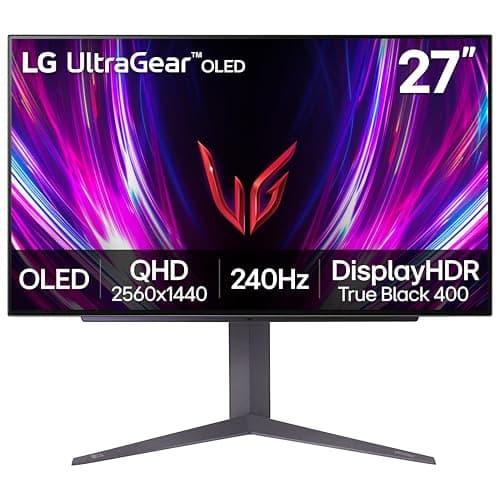
03LG UltraGear 27GS93QE OLED

LG

  • 27" OLED
  • 2560x1440
  • LG rates 240Hz / 0.03ms
  • HDR
Best in class$568.17 on Amazon →
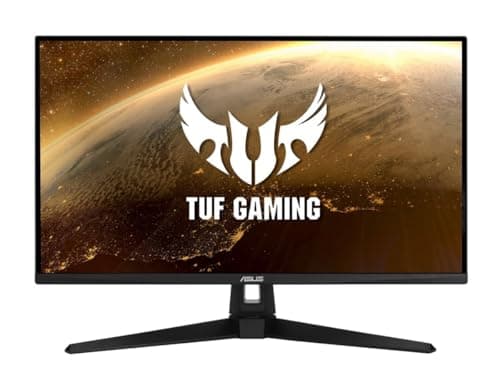
04ASUS TUF Gaming VG249Q1A

ASUS

  • 24"
  • 1080p IPS
  • ASUS rates 165Hz
  • ELMB
If you want the ASUS name$189.00 on Amazon →

#ad · Specs as published by the manufacturer or the Amazon listing. Live prices from the Amazon Creators API, as of October 21, 2026. Where we have no verified live price we show none, rather than print a number that has rotted.

The best FPS monitor is small, fast and not especially sharp. A 24-inch 1080p panel at 180Hz or more will serve a competitive player better than a 32-inch 4K screen costing five times as much, and that is not a budget compromise — it is the configuration the people who play for money chose. Everything below is an explanation of why, and when it stops being true.

Three specs decide whether a monitor is good for shooters, and only one of them is the number on the box. Refresh rate sets the ceiling on how often the image can change. Response time decides whether each of those changes is actually finished before the next one arrives. And screen size decides how far your eyes have to travel to see a target at the edge of the frame. Resolution, HDR, curve, speaker quality and stand design are all real features, and none of them makes you hit more shots.

Refresh rate: the number only counts if your GPU can feed it

A 240Hz panel shows 240 distinct images a second only if something is producing 240 images a second. If your graphics card delivers 110fps in the game you play, a 240Hz monitor spends most of its time repeating frames and you have bought a number rather than a benefit. The honest sequence is: find out what frame rate you actually get, then buy a panel slightly above it.

This is the single reason 1080p persists in competitive play. Dropping from 1440p to 1080p is roughly a 44% reduction in the pixels the GPU has to draw, and that reduction converts almost directly into frames. Valve's own hardware survey has shown 1080p as the most common primary resolution on PC for years, and the reason is the same arithmetic. Our GPU requirements for 1440p 144Hz guide works through the figures if you want to check your own card before committing to a resolution.

The jumps are also not linear in benefit. 60Hz to 144Hz is transformative and everyone sees it. 144Hz to 240Hz is a real but much smaller improvement, measurable in the research Blur Busters publishes on motion persistence, and noticeable mostly in fast flick aim. 240Hz to 360Hz is a specialist purchase. Our is 240Hz worth it page covers where that curve flattens.

Response time: the spec that decides whether high Hz is real

Refresh rate is how often the panel is asked to change. Response time is how long each pixel takes to finish changing. If a pixel needs 8ms to go from dark to light and a new frame arrives every 4.2ms, the pixel never arrives at the right color — you see a smear trailing behind moving objects, and the 240Hz you paid for is partly fiction.

Manufacturer response figures are measured under conditions the manufacturer chose, so they are claims rather than measurements. This is where RTINGS' lab measurements are worth more than any spec sheet: they publish real transition times per panel. The short version by technology: OLED is effectively instant, Fast IPS is good, standard IPS is acceptable, and VA is the one to avoid for shooters because its dark transitions are slow in exactly the scenes where you are hunting for movement in shadow. Our monitor response time and IPS vs VA guides go deeper on both.

Size: why 24 inches is not a budget decision

At a typical 60–70cm viewing distance, a 24-inch screen sits almost entirely inside the zone your eyes resolve without moving. A 27-inch screen does not quite, and a 32-inch screen definitely does not — you move your eyes or your head to check the corners, and in a shooter that is a real cost measured in fractions of a second.

There is a second effect that gets less attention: pixel density. 1440p on a 27-inch panel is about 109 pixels per inch; 1080p on a 24-inch panel is about 92. That is why 1080p looks acceptable at 24 inches and soft at 27. If you want 1080p, buy 24 inches. If you want 27 inches, buy 1440p. Those are the two combinations that work, and our what size monitor for gaming guide has the full ladder.

What you can ignore for FPS

HDR.Almost every monitor under $300 that says “HDR Ready” means it accepts an HDR signal, not that it can display one. The DisplayHDR criteria published by VESA make the tiers explicit, and the entry tier is not a meaningful HDR experience. In competitive play you will probably turn it off anyway, because it darkens shadows you are trying to see into.

Curve. A curve helps immersion on a big screen and does nothing for aim. On a 24-inch panel it is irrelevant.

Adaptive sync, sort of. G-SYNC Compatible and FreeSync both eliminate tearing without the input-lag penalty of V-Sync, and NVIDIA and AMD both document the behaviour. It is genuinely worth having and it is on every monitor here, so it is not a differentiator. Our G-SYNC vs FreeSync guide explains which badge matters on which card.

So which one

If your graphics card is mid-range and shooters are the priority: the 24-inch 180Hz AOC, and spend the difference on a mouse or a keyboard that suits FPS. If your card is strong and you also play things that are not shooters: the 1440p 240Hz AOC. If you want the best motion clarity available and the budget reaches: the OLED. The ASUS is the one to buy if the brand matters to you, and we say so honestly — it is 165Hz where the cheaper AOC is 180Hz.

Two adjacent pages are worth reading before you buy: our best 1080p gaming monitors page has a wider field at 24 inches, and best 240Hz gaming monitors covers the high-refresh end in full. If a console shares the desk, best gaming monitor for PS5 is the page with the HDMI 2.1 requirement in it.
The short answer

Quick picks

#ProductBest forScorePrice
01
AOC AOC 24G51F2
AOC 24G51F2

The one to buy. 24in, 1080p, Fast IPS, 180Hz — the competitive-gaming standard, cheap.

The best all-round pick
8.0
$105.15 on Amazon →
02
AOC AOC Q27G41ZE
AOC Q27G41ZE

240Hz and 1440p together for under $200 — the most frames per dollar on the page, if your GPU can feed them.

Competitive play / most Hz
7.4
$159.99 on Amazon →
03
LG LG UltraGear 27GS93QE OLED
LG UltraGear 27GS93QE OLED

OLED at the very top of this budget. Once you've seen the black levels and the motion clarity, IPS looks broken.

Best in class
8.4
$568.17 on Amazon →
04
ASUS ASUS TUF Gaming VG249Q1A
ASUS TUF Gaming VG249Q1A

A known-good panel at the top of the budget. Being outclassed by cheaper options.

If you want the ASUS name
7.4
$189.00 on Amazon →

#ad · Live prices from the Amazon Creators API, as of October 21, 2026. Where we have no verified live price, we show none — we would rather leave a gap than print a number that has rotted.

In detail

The picks, in full

01
AOC AOC 24G51F2

The best all-round pick

AOC 24G51F2

24"1920x1080 Fast IPSAOC rates 180Hz / 0.5ms MPRTAdaptive Sync
8.0/10

The one to buy. 24in, 1080p, Fast IPS, 180Hz — the competitive-gaming standard, cheap.

Panel quality
8
Build quality
8
Ergonomics
6
Features
8
Value
10

Pros

  • Fast IPS at 180Hz for close to VA money — you get the color and the viewing angles without paying the usual premium
  • 24in/1080p is the size and resolution competitive players actually use, and it is not a compromise
  • DisplayPort 1.4 and HDMI 2.0 both carry the full 180Hz, and AOC backs the panel with a three-year zero-bright-dot warranty

Cons

  • 1080p on a 24in panel is not sharp by modern standards — you will see pixels
  • IPS contrast is mediocre; blacks are gray in a dark room
  • The slim stand tilts only — no height adjustment, no swivel, no pivot, so raising it means a VESA arm

Don't buy this if…

…you mostly play story games in the dark. IPS blacks will disappoint you — the KOORUI's VA panel is the better tool for that, and it costs about the same.

$105.15View on Amazon

Price as of October 21, 2026. Prices change — Amazon's is the one that counts.

#ad · we may earn a commission from this link to AOC 24G51F2

02
AOC AOC Q27G41ZE

Competitive play / most Hz

AOC Q27G41ZE

27"2560x1440 IPSAOC rates 240Hz (OC 260Hz) / 0.3msAdaptive Sync
7.4/10

240Hz and 1440p together for under $200 — the most frames per dollar on the page, if your GPU can feed them.

Panel quality
8
Build quality
7
Ergonomics
5
Features
8
Value
9

Pros

  • 240Hz on an IPS 1440p panel at this price would have cost flagship money two years ago
  • G-SYNC Compatible with a 0.3ms rated response, aimed squarely at fast shooters
  • AOC's 3-year zero-bright-dot panel warranty is unusually generous for the money

Cons

  • 'HDR Ready' means it accepts an HDR signal, not that it displays real HDR — treat it as an SDR monitor
  • Only HDMI 2.0, so 240Hz is DisplayPort-only and a PS5 / Series X is capped at 60Hz on this screen
  • 240Hz at 1440p is a heavy GPU ask — you need frames in the 200s to use it, and most cards will not hit that in modern titles

Don't buy this if…

…you play story-driven or graphically heavy games. The 240Hz is dead weight unless you are pushing competitive shooters at very high frame rates — you would get a better stand and the same sharpness from a 180Hz panel instead.

$159.99View on Amazon

Price as of October 21, 2026. Prices change — Amazon's is the one that counts.

#ad · we may earn a commission from this link to AOC Q27G41ZE

03
LG LG UltraGear 27GS93QE OLED

Best in class

LG UltraGear 27GS93QE OLED

27" OLED2560x1440LG rates 240Hz / 0.03msHDR
8.4/10

OLED at the very top of this budget. Once you've seen the black levels and the motion clarity, IPS looks broken.

Panel quality
10
Build quality
8
Ergonomics
8
Features
9
Value
7

Pros

  • Per-pixel OLED black levels and color that no IPS or VA panel on any cheaper page can approach
  • 240Hz with near-instant pixel response makes fast motion genuinely clearer, not just higher-numbered
  • The single biggest 'wow' upgrade you can make to a desk under $500

Cons

  • It eats the whole budget — there is nothing left for anything else
  • OLED carries a burn-in risk with static HUDs and taskbars over years of use; mind the care features
  • Full-screen brightness is lower than a bright LCD, so a sun-blasted room isn't ideal

Don't buy this if…

…you leave static UI on screen for hours daily, or you play in a bright room. A high-refresh IPS like the 27GP850 sidesteps burn-in worry and gets brighter.

$568.17View on Amazon

$899.9937% off

Price as of October 21, 2026. Prices change — Amazon's is the one that counts.

#ad · we may earn a commission from this link to LG UltraGear 27GS93QE OLED

04
ASUS ASUS TUF Gaming VG249Q1A

If you want the ASUS name

ASUS TUF Gaming VG249Q1A

24"1080p IPSASUS rates 165HzELMB
7.4/10

A known-good panel at the top of the budget. Being outclassed by cheaper options.

Panel quality
8
Build quality
8
Ergonomics
7
Features
8
Value
6

Pros

  • ASUS's ELMB backlight strobing genuinely reduces motion blur, and few budget monitors have it
  • Reliable panel with a long track record

Cons

  • 165Hz where cheaper monitors here do 180Hz
  • The most expensive 1080p option on this page, and it is not the best one

Don't buy this if…

…you're optimizing for value. The AOC 24G51F2 is faster and cheaper, and the GIGABYTE gives you 1440p for less. This is here for completeness, not because we'd pick it.

$189.00View on Amazon

Price as of October 21, 2026. Prices change — Amazon's is the one that counts.

#ad · we may earn a commission from this link to ASUS TUF Gaming VG249Q1A

How we picked

We do not run a testing lab

We researched published specifications, third-party lab measurements, manufacturer documentation and aggregated owner reviews, then scored each product against a published rubric. The scores are judgments from documented research — they are not measurements we took, because we do not have a lab and we are not going to pretend we do. Where a number came from someone else's lab, we name them and link them in Sources.

Questions

Frequently asked

What is the best monitor size for FPS games?
24 inches, at a normal desk distance. It keeps the whole frame inside the area your eyes resolve without moving, which is the reason competitive players use that size rather than a bigger one. 27 inches is a reasonable compromise if you also want the screen for other things; above that you are moving your eyes to check the corners.
Is 1080p or 1440p better for FPS?
1080p, if your graphics card is mid-range, because the lower pixel count converts into higher frame rates and a high refresh rate is the thing that actually helps you. 1440p is better if your card can still hit 200fps-plus at that resolution. Match the resolution to the frames your card produces, not to the number that sounds more modern.
Is 240Hz worth it for FPS games?
Only if your GPU produces frame rates near 240. The improvement from 144Hz to 240Hz is real but much smaller than the improvement from 60Hz to 144Hz, and it is mostly visible in fast flick aim. If your card delivers 110fps, a 180Hz panel costs less and gives up nothing you were going to use.
Does response time matter more than refresh rate?
They matter together. Refresh rate is how often the panel is asked to change; response time is whether each pixel finishes changing before the next frame arrives. A slow panel at 240Hz still smears. Treat manufacturer response figures as claims and check a lab measurement like RTINGS for the specific model.
Should I avoid VA panels for shooters?
Generally yes. VA gives you better contrast than IPS, but its dark-to-light transitions are slow, which produces smearing in exactly the dim scenes where you are trying to spot movement. For single-player and racing games VA contrast is a genuine advantage; for competitive FPS, Fast IPS or OLED is the better tool.

Keep reading

Receipts

Sources

We do not run a testing lab, and we do not pretend to. Where a measured number came from someone else's lab, we name them and link them. Where we could not verify something, we say so on the page rather than quietly leaving it out. Read our full method.