Skip to content
GEAREDGAMING

HUB 03 · Best Value

The Best Wireless Controllers

Cutting the cable trades a little latency and a charging habit for freedom at the couch. Here is the field, ranked by how it connects, what its sticks are made of, and which machines it actually speaks to.

By Stephen V.Updated How we research
#ad

We earn a commission when you buy through our Amazon links, at no extra cost to you. It never affects our rankings, and we say so when the cheaper product is the better buy. How this works.

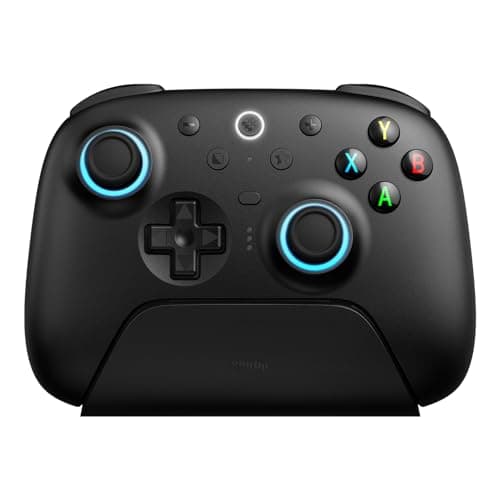
If you want one wireless pad and no deliberation, buy the 8BitDo Ultimate 2. It connects over a low-latency 2.4GHz dongle or Bluetooth, its sticks are hall-effect so they resist the drift that eventually ends most wireless pads, and it arrives with a charging dock and genuine remap software — the parts you normally pay flagship money for, at the price of an ordinary controller. “Wireless” sounds like a single feature, but on a controller it is really a bundle of quiet trade-offs: how the pad connects, how it is powered, how long its sticks survive, and which machines will actually talk to it. The six pads below are all wireless; what separates them is which of those trade-offs each one makes well, and which it quietly makes badly.

What “wireless” actually means on a controller

Strip away the marketing and a modern pad connects over one of two radios, and the choice matters more than most buyers realise. The first is a dedicated 2.4GHz dongle: a small USB receiver you plug into the machine, which gives the closest thing to a wired connection without the wire. It is the lowest-latency wireless option here, the one competitive players reach for, and its cost is a USB port plus a little dongle you can lose. The second is Bluetooth: no receiver to carry, it pairs straight to phones, tablets, handhelds and laptops, and it is the most convenient link by far — but latency runs a touch higher and pairing can be fussier than a dongle that just works the instant it is seated.

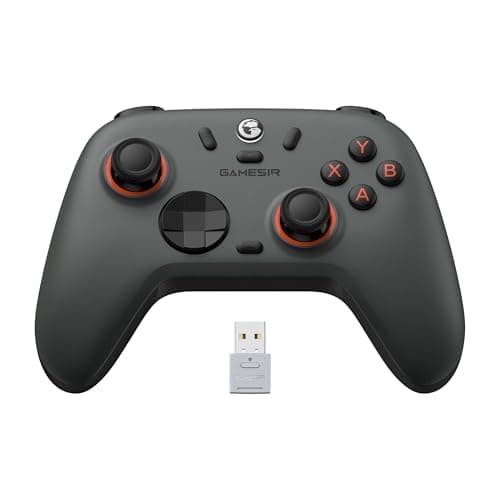
Several pads here refuse to make you choose. The 8BitDo Ultimate 2 and the GameSir Nova Lite 2 carry both a 2.4GHz dongle and Bluetooth, so you run the dongle at the desk and Bluetooth on the sofa. The Xbox Wireless Controller pairs over Microsoft's own Xbox Wireless protocol as well as Bluetooth, while the DualSense and the PowerA Enhanced Wireless are Bluetooth pads. None of this is a deal-breaker on its own; it just decides how the controller fits into your particular set of machines. If you are weighing the cable against the convenience more broadly, our wired vs wireless controller guide lays out exactly what the wire still does better, and where it no longer matters.

Hall-effect sticks are the real durability story

The single most common way a controller dies is not a cracked shell or a worn grip — it is stick drift, where a joystick registers movement you are not making. On a conventional pad the culprit is the thumbstick module itself: it uses potentiometers, small physical contacts that wear against a resistive track every time you move the stick, and over months that wear turns into a false, crawling input. Hall-effect sticks avoid the whole failure mode by reading a magnetic field instead of a physical contact, so there is nothing to grind down. That is why we keep pointing drift-worried buyers at them, and why the winner here uses them.

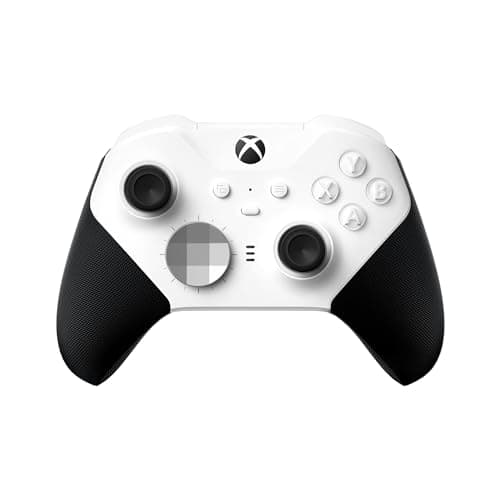
In this field, the 8BitDo Ultimate 2 and the GameSir Nova Lite 2 are the hall-effect pads, which is a large part of why the value picks are also the durable ones. The Xbox Wireless Controller and the PowerA Enhanced Wireless both use conventional potentiometer sticks, so they carry the usual long-term drift risk — a genuine mark against otherwise excellent pads. Even the premium Xbox Elite Series 2 Core, for all its adjustable-tension sticks, is built on conventional stick technology rather than hall-effect. If this is the trade-off you care about most, read our hall-effect vs potentiometer sticks guide, the best hall-effect controllers page, and, if you are already living with drift, our how to fix controller stick drift walkthrough.

Compatibility: the pad has to speak your platform's language

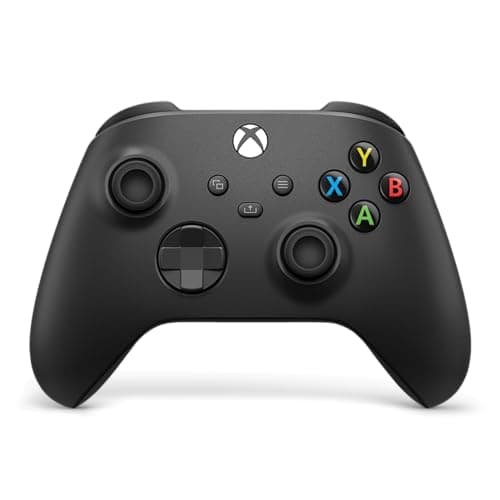
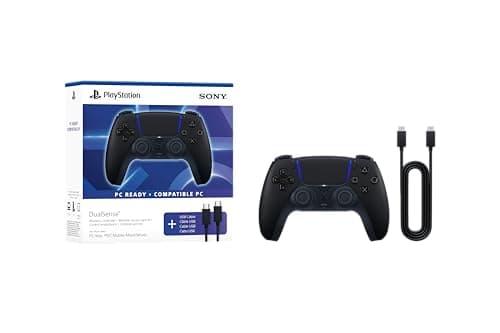
A wireless controller is only as good as the machines that recognise it, and this is where the picks diverge hardest. The Xbox Wireless Controlleris the default on PC because Windows is effectively built around it — it is the pad most games expect, and the one launchers and Game Pass titles identify without a fuss. The DualSenseis at its best on a PS5, where its haptics and adaptive triggers come alive; on a PC those signature features only fire in a limited set of titles and usually want a wired link or Steam's DualSense support to work at all, and not every launcher sees the pad natively. That is the honest catch behind an otherwise superb controller.

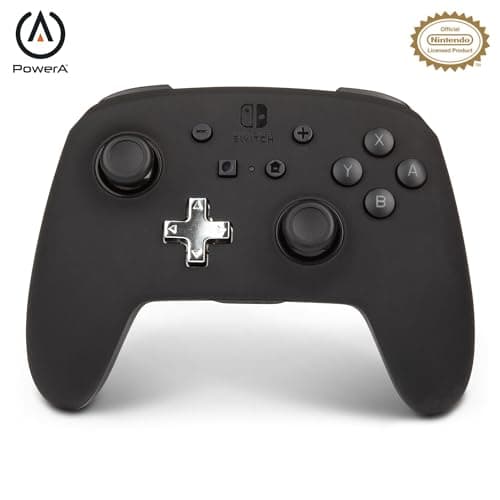
The 8BitDo Ultimate 2is a PC, Android and Steam pad — deliberately so — and it is not licensed for Xbox consoles, so if a current Xbox is your main machine it is the wrong buy no matter how good the value is. The GameSir Nova Lite 2 spreads across PC, mobile and handhelds, while the PowerA Enhanced Wireless is an officially licensed Switch and Switch 2 pad. On PC, most of this is smoothed over by Steam Input, which can remap almost any controller into something a game understands; Microsoft's Xbox Support and PlayStation both document their own pads' pairing and features. We break the platforms out on our best controllers for PC, best controllers for Xbox and best controllers for Switch pages, and if you are pairing to a Switch specifically, our how to connect a controller to a Switch guide walks the steps.

Rechargeable, dock or AA — how the pad keeps its charge

Power is the trade-off buyers forget until the pad dies mid-session. The Xbox Wireless Controllerships with disposable AA batteries rather than a built-in cell, which is a real running cost and a genuine mark against it — the built-in-battery convenience everyone else includes is a paid add-on here. The counter-argument is that AA cells let you swap a fresh pair in seconds and keep playing, where a built-in battery that runs flat means reaching for a cable. The DualSense, the Nova Lite 2 and the Elite Series 2 Core all carry rechargeable batteries, and the 8BitDo Ultimate 2 goes one better with a charging dock, so it lives on the desk permanently topped up rather than plugged into a wire. If a pad of yours has stopped taking a charge, our how to fix a controller that will not charge guide covers the usual causes before you write it off.

The extras that separate a good pad from a great one

Beyond the radio and the sticks, a handful of quieter features decide how a controller actually feels across a long session. Back paddles and button remapping are the biggest: the Elite Series 2 Core is built around a paddle-ready back, and the 8BitDo Ultimate 2 and GameSir Nova Lite 2 add back-paddle mapping through their software, which lets you jump or reload without lifting a thumb off the stick. If you have never set that up, our how to remap controller buttons guide walks it through. The d-pad matters more than its size suggests for anything 2D or menu-heavy, and the grip texture and shell shape decide whether hour three is comfortable or a chore — this is where the first-party Xbox pad and the DualSense pull clearly ahead of the budget shells. A 3.5mm headset jack in the pad itself, present on the Xbox and DualSense, is the small convenience you only notice the moment it is gone.

One feature worth understanding before you tune anything is the deadzone— the small central area where stick movement is deliberately ignored, so a resting thumb does not drift the camera. A pad with hall-effect sticks and decent software lets you shrink that deadzone with confidence, because those sticks are not going to develop the false input a wide deadzone exists to hide. Our what is controller deadzone guide explains why a smaller deadzone feels more immediate, and why you can only safely run one on sticks that stay accurate over time. It is the kind of adjustment that turns a merely fine pad into one that feels like an extension of your hand.

It is also worth being realistic about wireless latency itself. For the overwhelming majority of players, in the overwhelming majority of games, neither a good 2.4GHz dongle nor modern Bluetooth adds a delay you can actually feel — the difference is real on a lab bench and invisible on the sofa. The players who should insist on the dongle are those competing at a level where a hair of consistency changes outcomes; everyone else can pick on convenience and platform without guilt. Buying the most expensive pad here purely to shave off latency you will never perceive is the one upgrade on this page that is easy to talk yourself into and hard to justify.

How the ranking shakes out

The 8BitDo Ultimate 2takes the top spot because it refuses to compromise where it counts: dual 2.4GHz and Bluetooth connectivity, hall-effect sticks and triggers that shrug off drift, a charging dock, and remap software deep enough to add back-paddle mapping and tune stick curves — all for roughly the price of a plain pad. Its honest limit is compatibility: it will not pair with an Xbox console, and the software takes a little learning. The Xbox Wireless Controller is the sensible default for anyone whose life is mostly PC or Xbox, because nothing is recognised more painlessly and the trigger and bumper feel is still the benchmark — you just accept the AA batteries and the conventional sticks that can eventually drift.

The DualSense earns its place for the single-player player: in the handful of PC games that support them, its haptics and adaptive triggers are a step nothing else here can match, and it is a lovely pad everywhere else. Its catch is that those headline features stay dormant outside their supported titles, and it is not seen natively by every launcher. The GameSir Nova Lite 2 is the budget hall-effect pick — it gives up shell polish and long-term software support, not the parts that stop drift — and it is the pad to buy when the money is tight but you still refuse conventional sticks. The Xbox Elite Series 2 Coreis the premium option: adjustable stick tension, hair-trigger locks and a paddle-ready back, with the honest warning that the “Core” ships without the paddle set, that the Series 2 line has a documented reliability history, and that most players never touch the features that justify the price. And the PowerA Enhanced Wireless is the licensed budget-wireless answer for a Switch, adding mappable back buttons the first-party pad lacks, as long as you accept its conventional sticks and functional-rather-than-premium build.

Match the pad to where you play, not to the spec list

The mistake to avoid is buying features your platform will never light up. A DualSense on a PC that only plays competitive shooters wastes its best trick; an 8BitDo Ultimate 2 bought for an Xbox will not pair at all. Decide where you actually game first, then pick the pad that speaks that machine fluently and makes the durability and power trade-offs you can live with. If your budget is the constraint rather than the platform, our best controllers under $50 page lines the same class up by price, and if drift is your one fear, the best hall-effect controllers and best 8BitDo controllers pages go deeper on the pads built to outlast it. Still unsure what matters? Our how to choose a gaming controller guide and our how to remap controller buttons walkthrough cover the decisions the spec sheet hides.
The short answer

Quick picks

#ProductBest forScorePrice
01
8BitDo 8BitDo Ultimate 2 Wireless
8BitDo Ultimate 2 Wireless

Hall-effect sticks and triggers, a charging dock, and deep remapping for roughly the price of a plain Xbox pad. The value pick that isn't a compromise.

Best value overall
8.2
$59.99Amazon
02
Microsoft Xbox Wireless Controller
Xbox Wireless Controller

The default answer, and it earns it. Nothing pairs to a PC more painlessly, and the trigger and bumper feel is still the one to beat.

Best for most people
8.4
$49.09Amazon
03
Sony Sony DualSense Wireless Controller
Sony DualSense Wireless Controller

In the handful of PC games that support them, its haptics and adaptive triggers are a step up nothing else here can match. Everywhere else, it's a very good ordinary pad.

Best for single-player
7.8
$74.00Amazon
04
GameSir GameSir Nova Lite 2
GameSir Nova Lite 2

Hall-effect sticks and triggers for the price of a cheap wired pad. It gives up polish, not the parts that stop drift.

Best on a tight budget
7.4
$25.99Amazon
05
Microsoft Xbox Elite Series 2 Core
Xbox Elite Series 2 Core

The most capable pad on this page and the worst value on it. Worth it only if you will genuinely use the paddles and hair-triggers — most people won't.

Best for paddles & pros
8.0
$139.00Amazon
06
PowerA PowerA Enhanced Wireless (Switch)
PowerA Enhanced Wireless (Switch)

The budget wireless pick: an officially-licensed Switch pad with mappable back buttons for well under the price of a first-party Pro Controller.

Best budget wireless
7.2
$47.99Amazon

#ad · Live prices from the Amazon Product API, as of Jul 31, 2026. Where we have no verified live price, we show none — we would rather leave a gap than print a number that has rotted.

In detail

The picks, in full

01
8BitDo 8BitDo Ultimate 2 Wireless

Best value overall

8BitDo Ultimate 2 Wireless

2.4GHz · Bluetooth · USB-CHall-effect sticks + triggersCharging dockRemap software
8.2/10

Hall-effect sticks and triggers, a charging dock, and deep remapping for roughly the price of a plain Xbox pad. The value pick that isn't a compromise.

Build quality
7
Ergonomics
8
Features
9
Compatibility
8
Value
9

Pros

  • Hall-effect sticks and triggers resist the drift that eventually kills most pads — the feature you normally pay flagship money for
  • Includes a low-latency 2.4GHz dongle and a charging dock, so it lives on your desk fully topped up
  • 8BitDo's Ultimate Software remaps every button, adds back-paddle mapping and lets you tune stick and trigger curves

Cons

  • Not licensed for Xbox consoles — this is a PC, Android and Steam controller only
  • The software and the physical mode switching take a little learning versus a plug-and-play first-party pad
  • Shell and face-button feel is a small step below a genuine Xbox controller

Don't buy this if…

you need it to work on an Xbox console. It is not licensed for Xbox and will not pair with one — buy the first-party Xbox Wireless Controller for that.

$59.99View on Amazon

Price as of Jul 31, 2026. Prices change — Amazon's is the one that counts.

#ad · we may earn a commission from this link to 8BitDo Ultimate 2 Wireless

02
Microsoft Xbox Wireless Controller

Best for most people

Xbox Wireless Controller

Bluetooth · USB-C · Xbox WirelessAA batteriesTextured gripsNative Windows support
8.4/10

The default answer, and it earns it. Nothing pairs to a PC more painlessly, and the trigger and bumper feel is still the one to beat.

Build quality
8
Ergonomics
9
Features
7
Compatibility
10
Value
8

Pros

  • Every launcher and Game Pass title recognises it instantly — it is the controller Windows is built around
  • Textured triggers and grips, a hybrid d-pad, and a 3.5mm headset jack in the pad itself
  • The largest parts, mod and replacement ecosystem of anything here — a thumbstick or shell is a cheap fix, not a new controller

Cons

  • Ships with AA batteries, not a rechargeable pack — the built-in-battery convenience is a paid add-on
  • Uses conventional potentiometer sticks, which are the ones that eventually develop drift
  • Bluetooth pairing is occasionally fussier than the dedicated Xbox Wireless USB adapter

Don't buy this if…

you want drift-proof Hall-effect sticks or a rechargeable battery in the box. The Xbox pad uses conventional sticks and AA cells; the 8BitDo Ultimate 2 gives you both for similar money.

$49.09View on Amazon

Price as of Jul 31, 2026. Prices change — Amazon's is the one that counts.

#ad · we may earn a commission from this link to Xbox Wireless Controller

03
Sony Sony DualSense Wireless Controller

Best for single-player

Sony DualSense Wireless Controller

Bluetooth · USB-CHaptics + adaptive triggersBuilt-in rechargeableBuilt-in mic
7.8/10

In the handful of PC games that support them, its haptics and adaptive triggers are a step up nothing else here can match. Everywhere else, it's a very good ordinary pad.

Build quality
8
Ergonomics
9
Features
9
Compatibility
6
Value
7

Pros

  • Haptic feedback and adaptive triggers are unique in the category and genuinely excellent in the games that use them
  • Built-in rechargeable battery, a headset jack and a built-in microphone
  • A comfortable symmetrical shape a lot of players simply prefer to the offset Xbox layout

Cons

  • The haptics and adaptive triggers only fire in a limited set of PC titles, and usually need a wired USB connection or Steam's DualSense support to work at all
  • Not recognised natively by every launcher the way an Xbox pad is — some games need Steam Input or a remapper to see it correctly
  • Battery life is middling next to the Xbox pad on AA cells

Don't buy this if…

you mostly play launchers and competitive titles that only speak 'Xbox.' Outside its supported showcase games the DualSense's headline features go unused, and an Xbox pad is the more universally compatible choice.

$74.00View on Amazon

Price as of Jul 31, 2026. Prices change — Amazon's is the one that counts.

#ad · we may earn a commission from this link to Sony DualSense Wireless Controller

04
GameSir GameSir Nova Lite 2

Best on a tight budget

GameSir Nova Lite 2

2.4GHz · Bluetooth · USB-CHall-effect sticks + triggersBuilt-in rechargeableMulti-platform
7.4/10

Hall-effect sticks and triggers for the price of a cheap wired pad. It gives up polish, not the parts that stop drift.

Build quality
6
Ergonomics
7
Features
8
Compatibility
7
Value
9

Pros

  • Hall-effect sticks and triggers at a genuinely budget price — drift resistance you normally pay double for
  • 2.4GHz dongle, Bluetooth and wired all supported, so it slots into a PC, phone or handheld
  • Built-in rechargeable battery rather than disposables

Cons

  • The lighter shell and buttons feel every bit as cheap as the price — this is where the money was saved
  • Smaller-brand software and long-term support don't match Microsoft, Sony or 8BitDo
  • Face buttons and triggers lack the crispness of the pricier pads here

Don't buy this if…

build feel matters to you as much as function. The Nova Lite 2's internals punch above its price but its shell does not — if you want something that feels premium in the hand, step up to the 8BitDo Ultimate 2.

$25.99View on Amazon

$29.9913% off

Price as of Jul 31, 2026. Prices change — Amazon's is the one that counts.

#ad · we may earn a commission from this link to GameSir Nova Lite 2

05
Microsoft Xbox Elite Series 2 Core

Best for paddles & pros

Xbox Elite Series 2 Core

Bluetooth · USB-C · Xbox WirelessBuilt-in rechargeableAdjustable-tension sticksHair-trigger locks
8.0/10

The most capable pad on this page and the worst value on it. Worth it only if you will genuinely use the paddles and hair-triggers — most people won't.

Build quality
7
Ergonomics
9
Features
10
Compatibility
9
Value
5

Pros

  • Adjustable-tension thumbsticks, shorter hair-trigger locks and a wrap-around rubberised grip that a standard pad can't match
  • Built-in rechargeable battery and on-controller profile switching for swapping button maps mid-game
  • The most premium in-hand feel of anything here — genuinely a tier above in materials

Cons

  • The 'Core' ships WITHOUT the paddle set, extra sticks and carry case — you buy those separately, pushing the real cost higher still
  • The Series 2 line carries a well-documented history of bumper and reliability complaints
  • It costs two to three times a standard Xbox Wireless Controller for gains most players never touch

Don't buy this if…

you won't actually remap and use the back paddles. Without them you are paying flagship money for a heavier standard controller — the plain Xbox Wireless Controller does the same core job for a fraction of the price.

$139.00View on Amazon

$149.997% off

Price as of Jul 31, 2026. Prices change — Amazon's is the one that counts.

#ad · we may earn a commission from this link to Xbox Elite Series 2 Core

06
PowerA PowerA Enhanced Wireless (Switch)

Best budget wireless

PowerA Enhanced Wireless (Switch)

Bluetooth wirelessSwitch / Switch 2 licensedTwo mappable back buttonsMotion controls
7.2/10

The budget wireless pick: an officially-licensed Switch pad with mappable back buttons for well under the price of a first-party Pro Controller.

Build quality
6
Ergonomics
7
Features
8
Compatibility
7
Value
8

Pros

  • Officially licensed and wireless over Bluetooth, listed for both Switch and Switch 2
  • Two mappable advanced buttons on the back — a feature the first-party Pro Controller does not include
  • Costs clearly less than a Nintendo Pro Controller while covering the same core job

Cons

  • Uses conventional potentiometer sticks, so it carries the usual long-term drift risk
  • No HD rumble refinement or the build polish of a first-party pad
  • Battery life and feel are functional rather than premium

Don't buy this if…

you want drift-proof sticks or the most durable option. Its conventional sticks can develop drift — the Hall-effect 8BitDo Ultimate 2 is the longer-lasting choice.

$47.99View on Amazon

$69.9931% off

Price as of Jul 31, 2026. Prices change — Amazon's is the one that counts.

#ad · we may earn a commission from this link to PowerA Enhanced Wireless (Switch)

How we picked

We do not run a testing lab

We researched published specifications, third-party lab measurements, manufacturer documentation and aggregated owner reviews, then scored each product against a published rubric. The scores are judgements from documented research — they are notmeasurements we took, because we do not have a lab and we are not going to pretend we do. Where a number came from someone else's lab, we name them and link them in Sources.

Questions

Frequently asked

Is a 2.4GHz dongle or Bluetooth better for a wireless controller?
A 2.4GHz dongle gives the lowest latency and the closest feel to a wired connection, which is why competitive players prefer it — the cost is a USB port and a small receiver you could misplace. Bluetooth is the more convenient link, pairing straight to phones, tablets and handhelds with nothing to carry, at the price of slightly higher latency and occasionally fussier pairing. Pads like the 8BitDo Ultimate 2 include both, so you are not forced to choose.
Do hall-effect sticks really stop controller drift?
They remove the most common cause of it. Conventional sticks use potentiometers — physical contacts that wear over time and eventually register movement you are not making. Hall-effect sticks read a magnetic field instead, so there is no contact to wear down, which is why they resist the drift that ends most pads. The 8BitDo Ultimate 2 and GameSir Nova Lite 2 here use them; the Xbox and PowerA pads use conventional sticks.
Does the Xbox Wireless Controller come with a rechargeable battery?
No — it ships with disposable AA batteries rather than a built-in rechargeable pack, so the convenience of a sealed battery is a paid add-on. The upside is that you can swap fresh cells in seconds instead of reaching for a cable. If you would rather never buy batteries, the DualSense, the GameSir Nova Lite 2 and the 8BitDo Ultimate 2 (which also includes a charging dock) all carry built-in rechargeable batteries.
Will a wireless controller work on both PC and console?
It depends on the pad. The Xbox Wireless Controller is native on PC and Xbox; the DualSense is best on a PS5 and works on PC with some features gated. The 8BitDo Ultimate 2 covers PC, Android and Steam but is not licensed for Xbox consoles, and the PowerA Enhanced Wireless is a licensed Switch pad. On a PC, Steam Input can remap almost any of them into something a game understands. Check the specific machines you own before buying.

Keep reading

Receipts

Sources

We do not run a testing lab, and we do not pretend to. Where a measured number came from someone else's lab, we name them and link them. Where we could not verify something, we say so on the page rather than quietly leaving it out. Read our full method.