A gaming chair is decided by five published numbers: the seat height range, the seat depth, the backrest height, how (or whether) the lumbar support adjusts, and what the base is made of. Styling, brand, RGB, carbon-fibre-look vinyl and the word “ergonomic” on the listing tell you nothing. Check those five against your own body and your own desk, and most of the market eliminates itself.
It is worth saying plainly what this category is. Most racing-style chairs under $200 are the same chassis from the same few factories with different covers: a bucket seat, a high back, two strap-on pillows, a gas lift and a five-star base. That is not a scandal — the formula works, and some of them are good value. It does mean the differences that matter are dimensional rather than brand-level.
1. Seat height range — the one most people skip
The target posture, per OSHA's workstation guidance, is feet flat on the floor, thighs roughly parallel to it, knees near 90 degrees, and elbows at about desk height. Which seat height achieves that depends on your lower-leg length and your desk height, and those are the two numbers nobody measures before ordering a chair.
A listed range of “17–21 in” is a chair that can serve a wide span of people. A single number, or a 2-inch range, is a chair that fits a narrower one. If you are much taller or shorter than average this is the first spec to read, and our best gaming chairs for tall people page is the one that filters on it.
One trap: if your desk is too high, raising the chair to reach it lifts your feet off the floor, and a footrest is then a genuine fix rather than a gimmick. If your desk is too low, no chair solves it.
2. Seat depth — the comfort spec nobody lists prominently
You want two to three fingers of clearance between the front edge of the seat and the back of your knee. Too shallow and your thighs hang unsupported, which puts load on your lower back. Too deep and the seat edge presses into the back of your knee, which is uncomfortable within an hour and restricts circulation over an evening.
Seat dimensions come from anthropometric averages, so a mass-market chair fits the middle of the distribution well and the edges poorly. Measure from the back of your knee to your backside while seated, compare it with the listed seat depth, and you will know before the box arrives.
3. Lumbar support — a pillow is not support
“Lumbar support” on a listing means one of two very different things. The good version is a built-in block in the backrest that adjusts up and down and in and out, so it can be positioned at the inward curve of your lumbar spine specifically. The weak version is a cushion on an elastic strap, which starts in roughly the right place and slides as you move.
This is the single biggest quality divide in the category, and it is the reason a mesh ergonomic office chair frequently beats a racing-style gaming chair at the same price. The Mayo Clinic's guidance on back pain is clear that supported lower-back curvature and regular movement are what matter — and no chair is a treatment. If you are shopping because your back already hurts, our best gaming chairs for back pain page is the right starting point, and a clinician is a better one.
4. Armrests — 1D, 2D, 3D, 4D, and what actually matters
The marketing counts axes of adjustment. The one that matters is height, because elbow height relative to your desk is what decides whether your shoulders carry the weight of your arms all evening. Width adjustment helps if you are broad or narrow; pivot helps if you use a mouse at an angle; depth is the least important.
Watch for linkage armrests, which travel with the backrest as you recline. They sound sophisticated, and the trade is that they usually cannot be set independently for height. If your desk is tall, that is a worse chair for you regardless of how it moves.
5. The base and the weight rating — read them together
A weight capacity is a structural statement about the gas lift, the base and the frame, not a statement about you. The component that fails first on a budget chair carrying real load is the five-star base, which is why a steel or aluminium base is worth more than 50 lb of extra headroom on a nylon one.
BIFMA is the industry body whose seating durability and stability tests the better manufacturers cite. A listing that references a real test programme is making a claim you can check; a listing that references nothing is making one you cannot. Either way, buy with headroom rather than at the limit.
Material: mesh, fabric or PU leather
Mesh breathes, which is the difference you notice in hour four rather than hour one, and it transmits more of the frame so the seat feels firmer. Fabric breathes nearly as well, feels softer, and stains where the others wipe clean. PU leather wipes clean, looks like the product photos, traps heat, and cracks or peels after a few years of use. There is no best answer; there is a right answer for how warm your room is and how long your sessions are.
The honest alternative: buy an office chair
If the chair is for eight hours of desk work plus gaming, an ergonomic office chair at the same price will usually give you better lumbar adjustment, better airflow and better armrests than a racing-style chair, because it is not spending part of its budget on the aesthetic. The thing you give up is recline: a racing chair that lists 170 degrees lies almost flat, and no mesh office chair does that. If controller sessions reclined are a real part of how you play, that is a genuine reason to choose the racing-style chair rather than a concession.
Four chairs that pass this test, and who each is for
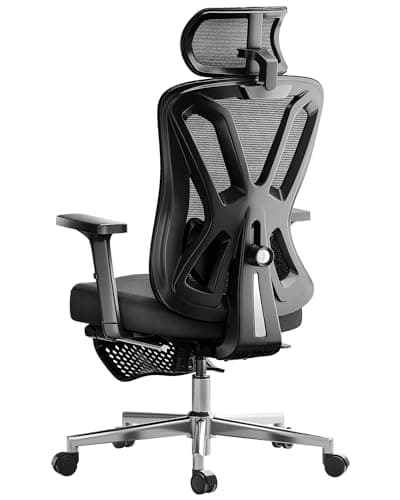
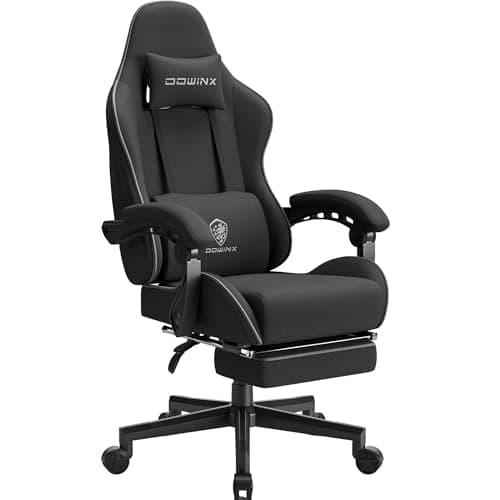
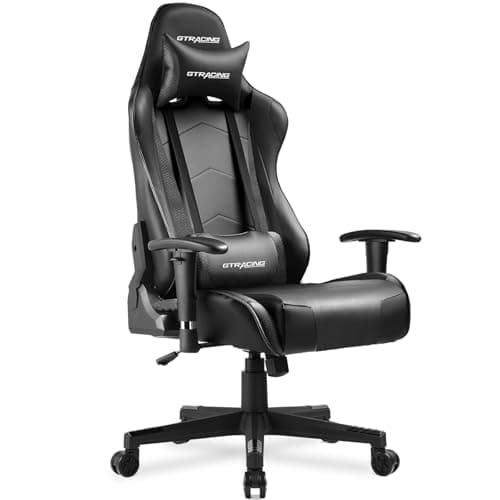
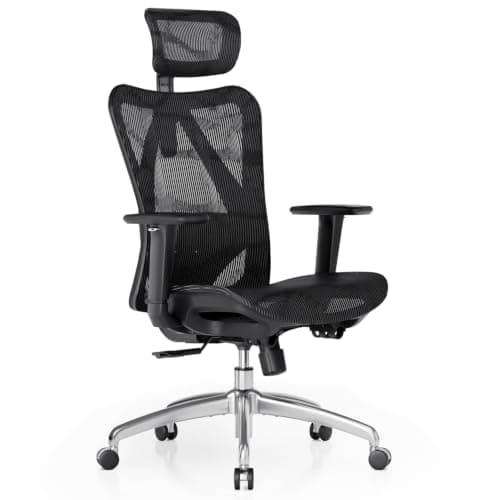
With the five specs in hand, the shortlist is short. These four are the ones from our under-$200 roundup that each win a distinct case: the mesh ergonomic chair with two-axis lumbar adjustment for long desk days; the mesh chair that also reclines to a listed 135 degrees with a footrest if you want both postures; the fabric pocket-spring chair if seat comfort in a warm room is what you care about; and the racing-style chair with a near-flat recline if the lean-back posture is the point.
Figures quoted here and on the cards below are the manufacturers' own published ratings, not measurements we took — and several of these chairs list different dimensions across colour variants, so confirm on the exact listing. If you are building a desk from scratch, our desk setup and cable management guide covers the geometry around the chair, and how to build a gaming setup covers the order to buy things in.
If you already own a chair and it is uncomfortable, start with the adjustments rather than the catalogue — our making a gaming chair more comfortable guide covers the order to set them in, and which faults mean the chair is genuinely finished.