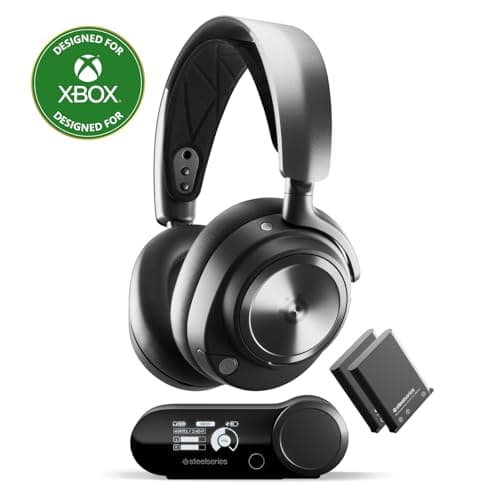
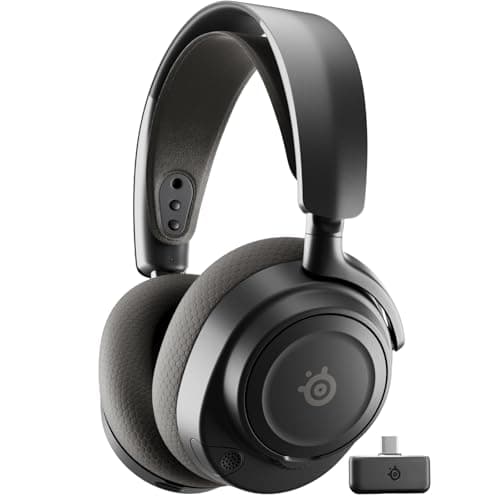
Buy the SteelSeries Arctis Nova 7. It is the best "Bluetooth gaming headset" for most people because it does the thing that phrase actually implies — one headset that pairs with your PC, your phone and your Switch — while running a low-latency 2.4GHz link and Bluetooth at the same time, so the game never has to go through Bluetooth at all.
"Best Bluetooth gaming headset" is a slightly loaded search, and it is worth being honest about why. If you take it literally — a headset that sends your game audio over Bluetooth and nothing else — the honest answer is that you should not buy one for anything with a gunshot in it. Standard Bluetooth audio adds enough latency that you hear the shot a beat after you see the muzzle flash, and in a competitive game that lag is a real handicap. We say the same thing on our wireless roundup, and it has not changed.
So this page is not a list of Bluetooth-only headsets. It is a ranking of the headsets that add Bluetooth as a secondradio, on top of a proper 2.4GHz dongle. That is what almost everyone typing "Bluetooth gaming headset" is really after: they do not want to hand-tune a codec, they want one pair of headphones that works on the gaming PC and answers a phone call and pairs with the Nintendo Switch on the train — without owning three headsets and a bag of dongles.
Ranked that way, the pecking order is about how gracefully a headset juggles those two radios, how many of your devices it actually reaches, and — because Bluetooth pairs are usually the headsets you carry around — how long the battery lasts and how little it weighs. The best of them, at the top of this list, do the rarest trick of all: game audio on the dongle and a Discord or phone call over Bluetooth, both in your ears at once.
How to buy a Bluetooth gaming headset without the latency trap
Bluetooth alone is a latency problem
The reason we do not simply hand you the cheapest Bluetooth headphones is codec latency. The universal Bluetooth codecs — SBC and AAC — add somewhere in the region of a fifth of a second of delay between the console and your ear. For a podcast that is invisible. For a first-person shooter it is the difference between reacting to a footstep and reacting to the death screen. There are lower-latency codecs (aptX Low Latency, and the newer LC3), but they are rare on gaming headsets and need matching support on both ends, so we do not lean on them. Treat Bluetooth as the radio for everything except the twitch game.
So buy dual-wireless, not Bluetooth-only
Every pick on this page pairs Bluetooth with a dedicated 2.4GHz dongle. The dongle is what your game runs on — it is effectively latency-free — and Bluetooth is what your phone, tablet or Switch runs on. You are not choosing between low latency and multi-device; you are buying a headset that gives you both and lets each device use the radio that suits it. That single idea is the whole reason this list is ordered the way it is.
Simultaneous vs. toggle — the spec that separates the tiers
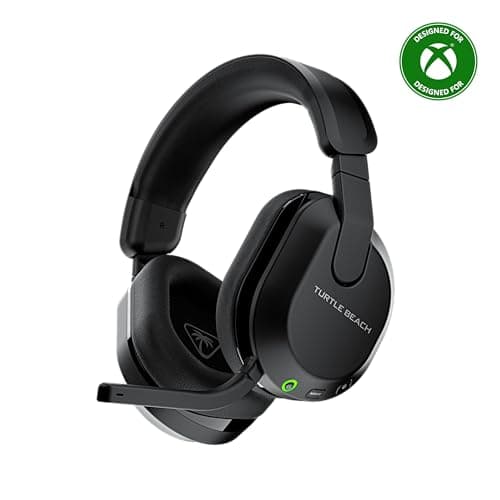
This is the most important line to read on the box, and almost nobody explains it. Some headsets — the two SteelSeries Arctis picks here — mix both radios at the same time: your game comes in on the 2.4GHz dongle while a phone call or Discord plays over Bluetooth, layered together. Others — the Turtle Beach Stealth 600 is the honest example — support both radios but only one at a time, with a button to switch. Both are "Bluetooth gaming headsets." Only the first kind lets you hear a teammate on your phone without dropping out of the game, and that is worth real money if you actually do it.
Check that your devices even accept Bluetooth audio
Here is the caveat the marketing never volunteers: the PlayStation 5 and Xbox do not accept a generic Bluetooth headset for audio. Xbox has no Bluetooth audio at all, and the PS5 only pairs Bluetooth for a narrow set of licensed devices. On those consoles you use the 2.4GHz USB dongle, not Bluetooth — which is exactly why every headset here ships one. The Nintendo Switch didgain Bluetooth audio in a 2022 system update, so it pairs directly; phones, tablets, laptops and the Steam Deck all take Bluetooth without fuss. Know which bucket your hardware is in before you assume "Bluetooth" solves it.
USB-C dongles are the handheld unlock
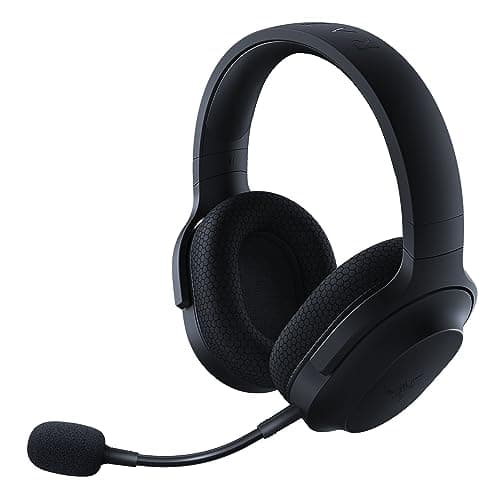
If a Steam Deck, an ROG Ally or a Switch is part of the plan, the shape of the dongle matters as much as the radios. A headset whose 2.4GHz dongle is USB-C — like the Razer Barracuda X's — plugs straight into a handheld with no adapter and no Bluetooth lag, and you keep Bluetooth free for the phone in your other pocket. A USB-A dongle needs an adapter dangling off the device. Our handheld audio page is where that detail decides everything.
Battery and weight, because these are the ones you carry
A Bluetooth headset is usually the one that leaves the desk, so the boring numbers earn their keep. Above roughly 30 hours, battery stops being something you think about — but a headset rated at 80 hours like the Stealth 600 genuinely changes the relationship, because you charge it about as often as you remember your own birthday. Weight matters for the same reason — the lighter the headset, the less you notice it on a long trip — so it is worth checking whether a maker publishes one at all. Neither number makes a headset sound better, so do not let a spec sheet talk you up a tier you do not need.