Skip to content
GEAREDGAMING

HUB 03 · Best Value

The Best Gaming Monitors Under $400

This is the most interesting rung on the monitor ladder: the first price where 4K high-refresh and real local dimming are both on the table. You cannot have both, so this page is about choosing.

By Stephen V.Updated How we research
#ad

We earn a commission when you buy through our Amazon links, at no extra cost to you. It never affects our rankings, and we say so when the cheaper product is the better buy. How this works.

Top pick · Best Under $400

Acer Acer Nitro VG270K V4

Acer Nitro VG270K V4

7.8/10

4K at 160Hz from a brand with a real warranty, for what the no-name panels charge.

Price as of October 21, 2026. Prices change — Amazon's is the one that counts. #ad · we may earn a commission from this link to Acer Nitro VG270K V4

Verdict

The short version

Buy the Acer Nitro VG270K V4 — a 27-inch 4K IPS panel Acer rates at 160Hz, from a brand whose warranty process actually works. It is the pick because it delivers the one thing this budget newly makes possible — 4K sharpness without a 60Hz refresh ceiling — and it does it without the no-name support risk the rest of the cheap 4K bracket carries. It is the right buy for someone with a current mid-to-upper graphics card who wants one monitor for competitive play and for everything else.

If your graphics card is mid-range, buy the LG UltraGear 27GP850-B instead. 4K is four times the pixels of 1080p, and a card that cannot feed it will make an expensive monitor feel slow; the 27GP850 is 1440p Nano IPS at a rated 165Hz and will produce higher frame rates on the same hardware. The TITAN ARMY P275MV Plusis the pick if HDR is the goal — 4K and a mini-LED backlight in one panel — with the caveat that it is the least-known brand here. The Cooler Master Tempest GP27Q is the mini-LED choice for a desk with a console and a laptop permanently attached, and the KTC 27-inch 4K is the cheapest route to 4K high refresh if you accept a smaller brand.

Compare

Specs and prices at a glance

#ProductKey specsBest forPrice
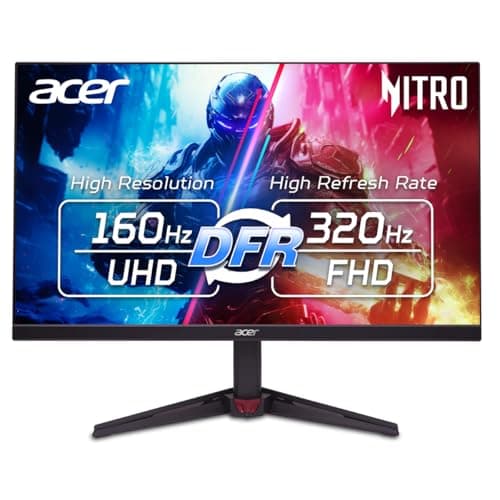
01Acer Nitro VG270K V4

Acer

  • 27" 4K UHD
  • 3840x2160 IPS
  • Acer rates 160Hz
  • Dual-mode 320Hz at lower res
Best big-brand 4K on a budget$269.99 on Amazon →
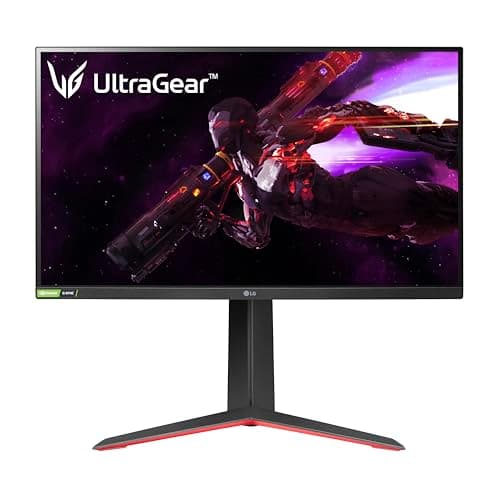
02LG UltraGear 27GP850-B

LG

  • 27"
  • 2560x1440 Nano IPS
  • LG rates 165Hz (180 OC) / 1ms
  • G-Sync compatible
Best sensible high-refresh$339.99 on Amazon →
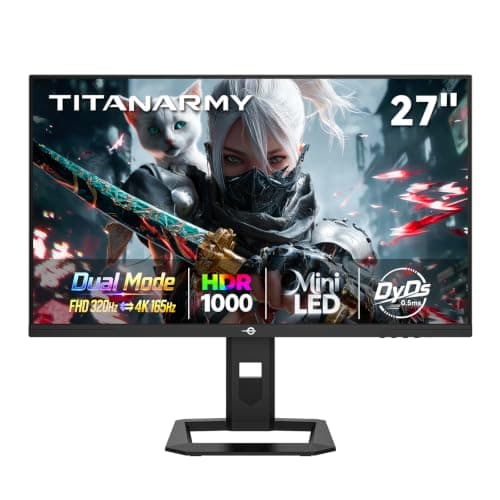
03TITAN ARMY P275MV Plus (4K Mini-LED)

TITAN ARMY

  • 27"
  • 3840x2160 Mini-LED
  • HDR 1000 (rated)
  • TITAN ARMY rates 160Hz · 1080p 320Hz dual mode
Best 4K HDR valueCheck Price on Amazon →

No buyable offer at last check

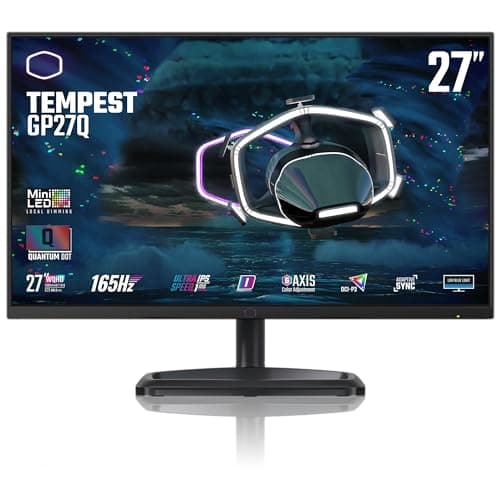
04Cooler Master Tempest GP27Q

Cooler Master

  • 27"
  • 2560x1440 IPS
  • Mini-LED · HDR 1000 (rated)
  • Cooler Master rates 165Hz
Best mini-LED for a multi-device desk$289.95 on Amazon →
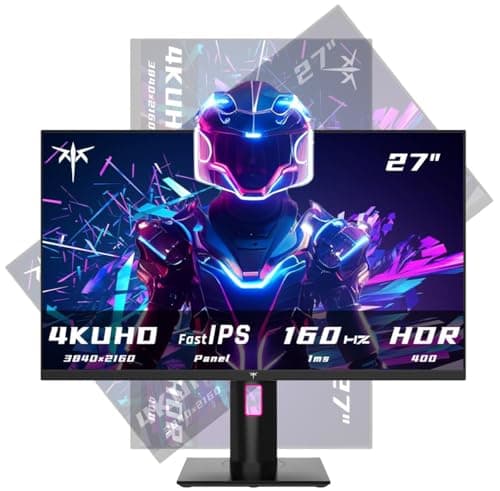
05KTC 27" 4K 160Hz

KTC

  • 27" 4K UHD
  • 3840x2160 Fast IPS
  • KTC rates up to 160Hz
  • HDR + FreeSync
Best for 4K on a budget$254.98 on Amazon →

#ad · Specs as published by the manufacturer or the Amazon listing. Live prices from the Amazon Creators API, as of October 21, 2026. Where we have no verified live price we show none, rather than print a number that has rotted.

Under $400 is the first rung on the monitor ladder where the question stops being “which 1440p panel” and becomes a genuine fork: 4K at high refresh, or mini-LED HDR, or more speed at 1440p. All three are now reachable at this price. None of them is reachable together. That fork is what this page is about, because picking the wrong branch for your graphics card is the most common way to waste $400 on a monitor.

If your budget is firmer than your preferences, our best monitors under $300 page is the rung below this one, and best monitors under $500 is the rung above, where entry-level OLED starts to appear.

What $400 buys that $300 does not

At $300 the sensible answer is a 1440p IPS panel at 165Hz or more, and everything in that bracket is a variation on the same recipe. Cross $300 and two genuinely different products appear.

The first is 4K at high refresh. A 27-inch 4K panel is about 163 pixels per inch against roughly 109 for 27-inch 1440p — pixel density is simple arithmetic, and the jump is visible on text and on distant detail in games. Until recently a 4K panel that could also run at 160Hz cost double this budget.

The second is mini-LED local dimming. A mini-LED backlight splits the illumination behind the panel into hundreds of independently-dimmable zones, so a dark scene can actually be dark instead of gray. That is the mechanism behind every “HDR 1000” claim in this bracket. Our is HDR worth it guide is the longer version of why the certification tier matters more than the headline number.

The graphics card is the real constraint

4K is 8.3 million pixels per frame. 1440p is 3.7 million. Driving 4K at 160Hz is therefore roughly 2.25 times the work of driving 1440p at the same refresh rate, and no monitor purchase changes that. Valve’s hardware survey shows the most common cards in use are mid-range parts, and a mid-range card at 4K in a modern title will land nowhere near 160 frames per second.

Both NVIDIA and AMD offer upscaling that renders at a lower internal resolution and reconstructs to 4K, which is a real and usable answer — but it is a reason to buy 4K with your eyes open, not a reason to ignore the arithmetic. The honest test is simple: look at the frame rate you get today at your current resolution, halve it if you are moving from 1440p to 4K, and decide whether you would be happy with that number. Our GPU requirements guide walks through the method with the pixel maths spelled out.

Dual mode: the feature to read the small print on

Two panels on this page advertise a second, much higher refresh rate — 320Hz on the Acer and on the TITAN ARMY. Both figures are real, and neither is available at the panel’s native resolution. Dual mode works by driving a subset of the pixels: you trade 4K for 1080p and get the higher rate. That is a legitimately useful switch if you play a competitive shooter one night and a story game the next, and it is also the most commonly misread specification in this bracket. Treat the headline number as a 1080p number, because that is what it is.

Whether the extra refresh rate is worth anything to you is a separate question our 144Hz vs 240Hz comparison answers using the persistence research from Blur Busters.

Panel type at this budget

Everything here is IPS, and that is not an accident. Under $400 you can have IPS viewing angles and color, or you can have VA contrast, and IPS is the better default for a monitor sitting an arm’s length from your face. OLED — which solves contrast outright — starts above this budget; see best OLED gaming monitors if that is where you are heading, and OLED vs IPS for the trade.

The mini-LED panels here are IPS with a better backlight, which is the cheapest honest route to dark-room contrast while staying on LCD. They are also heavier and deeper than a normal 27-inch monitor, because the backlight assembly takes real space — worth knowing if you planned to put one on a monitor arm.

How we ranked these

Scores are judgments from documented research — published manufacturer specifications, independent lab measurements from RTINGS where a given panel has been tested, and owner reports — not our own lab measurements. We do not have a lab, and our methodology pagesays so in those words. Every HDR figure quoted on a listing in this bracket is the manufacturer’s own rating unless it carries a VESA DisplayHDR tier, and we flag that on each pick rather than repeating the claim as fact.

The short answer

Quick picks

#ProductBest forScorePrice
01
Acer Acer Nitro VG270K V4
Acer Nitro VG270K V4

4K at 160Hz from a brand with a real warranty, for what the no-name panels charge.

Best big-brand 4K on a budget
7.8
$269.99 on Amazon →
02
LG LG UltraGear 27GP850-B
LG UltraGear 27GP850-B

The sensible high-refresh IPS pick. Fast, color-accurate, and it leaves money in the budget for the rest of your setup.

Best sensible high-refresh
8.2
$339.99 on Amazon →
03
TITAN ARMY TITAN ARMY P275MV Plus (4K Mini-LED)
TITAN ARMY P275MV Plus (4K Mini-LED)

4K and mini-LED together for well under OLED money. The cheapest way onto this page without dropping to 1440p.

Best 4K HDR value
7.4
Check Price on Amazon →

No buyable offer at last check

04
Cooler Master Cooler Master Tempest GP27Q
Cooler Master Tempest GP27Q

The best-connected mini-LED here: two HDMI, DisplayPort and USB-C on a panel that takes HDR seriously.

Best mini-LED for a multi-device desk
7.6
$289.95 on Amazon →
05
KTC KTC 27" 4K 160Hz
KTC 27" 4K 160Hz

The way into 4K high-refresh without a flagship badge tax. You pay for the panel, not the brand.

Best for 4K on a budget
7.0
$254.98 on Amazon →

#ad · Live prices from the Amazon Creators API, as of October 21, 2026. Where we have no verified live price, we show none — we would rather leave a gap than print a number that has rotted.

In detail

The picks, in full

01
Acer Acer Nitro VG270K V4

Best big-brand 4K on a budget

Acer Nitro VG270K V4

27" 4K UHD3840x2160 IPSAcer rates 160HzDual-mode 320Hz at lower res
7.8/10

4K at 160Hz from a brand with a real warranty, for what the no-name panels charge.

Panel quality
8
Build quality
7
Ergonomics
7
Features
8
Value
9

Pros

  • 4K at a rated 160Hz on a 27-inch IPS panel, which is the sharpest pixel density on this page
  • A dual-mode switch trades resolution for a much higher rated refresh rate, so one panel covers a cinematic night and a competitive one
  • Acer's support and RMA process is predictable in a category where the bargain panels often are not

Cons

  • Driving 4K at high frame rates needs a strong, expensive graphics card — the monitor is the cheap part
  • Acer does not state a DisplayHDR tier on this listing, so treat its HDR as nominal rather than real
  • Dual-mode is a resolution downgrade in disguise: the 320Hz figure is not available at 4K

Don't buy this if…

…your graphics card is mid-range. 4K at high refresh is hard to drive, and a 1440p panel will feel considerably faster on the same GPU.

$269.99View on Amazon

$349.9923% off

Price as of October 21, 2026. Prices change — Amazon's is the one that counts.

#ad · we may earn a commission from this link to Acer Nitro VG270K V4

02
LG LG UltraGear 27GP850-B

Best sensible high-refresh

LG UltraGear 27GP850-B

27"2560x1440 Nano IPSLG rates 165Hz (180 OC) / 1msG-Sync compatible
8.2/10

The sensible high-refresh IPS pick. Fast, color-accurate, and it leaves money in the budget for the rest of your setup.

Panel quality
8
Build quality
8
Ergonomics
8
Features
8
Value
9

Pros

  • Nano IPS color and viewing angles with a genuinely fast response for an LCD
  • 165Hz (overclockable) with variable refresh, so competitive play stays smooth and tear-free
  • Costs well under the budget cap, freeing money for a mouse, headset or keyboard

Cons

  • IPS blacks are gray next to the OLED — in a dark room the difference is obvious
  • HDR is nominal; there's no meaningful local dimming
  • Nothing about it is exciting — it's the reliable choice, not the showpiece

Don't buy this if…

…contrast and dark-room punch matter most to you. IPS can't match OLED blacks — if that's the priority, stretch to the 27GS93QE.

$339.99View on Amazon

$359.996% off

Price as of October 21, 2026. Prices change — Amazon's is the one that counts.

#ad · we may earn a commission from this link to LG UltraGear 27GP850-B

03
TITAN ARMY TITAN ARMY P275MV Plus (4K Mini-LED)

Best 4K HDR value

TITAN ARMY P275MV Plus (4K Mini-LED)

27"3840x2160 Mini-LEDHDR 1000 (rated)TITAN ARMY rates 160Hz · 1080p 320Hz dual mode
7.4/10

4K and mini-LED together for well under OLED money. The cheapest way onto this page without dropping to 1440p.

Panel quality
8
Build quality
6
Ergonomics
6
Features
9
Value
8

Pros

  • 4K resolution and a mini-LED backlight in the same panel, a combination that normally starts several hundred dollars higher
  • A dual-mode switch drops it to 1080p at a much higher rated refresh rate, so one monitor covers a cinematic single-player night and a competitive one
  • 65W USB-C power delivery, which means a laptop can drive it and charge from one cable

Cons

  • The least-known brand on this page by some distance — support, firmware and panel-lottery risk are all real considerations
  • 4K at 160Hz demands a serious graphics card before you see either number, and HDR adds to that load
  • Every HDR figure here is the manufacturer's own rating; there is no independent lab measurement we could point you to

Don't buy this if…

…brand support matters to you, or your graphics card cannot comfortably drive 4K. A 1440p mini-LED from an established brand is the safer buy and will run far better on a mid-range GPU.

Check price on Amazon →

No buyable offer at the last price check (October 21, 2026). We show nothing rather than a stale number.

#ad · we may earn a commission from this link to TITAN ARMY P275MV Plus (4K Mini-LED)

04
Cooler Master Cooler Master Tempest GP27Q

Best mini-LED for a multi-device desk

Cooler Master Tempest GP27Q

27"2560x1440 IPSMini-LED · HDR 1000 (rated)Cooler Master rates 165Hz
7.6/10

The best-connected mini-LED here: two HDMI, DisplayPort and USB-C on a panel that takes HDR seriously.

Panel quality
8
Build quality
8
Ergonomics
7
Features
8
Value
7

Pros

  • Two HDMI 2.0 inputs plus DisplayPort 1.4 and USB-C — enough to leave a console and a laptop permanently plugged in alongside the PC
  • Quantum-dot layer on top of the mini-LED backlight, which is what lets it cover the wider color gamut HDR content actually carries
  • A known, established brand with a real warranty behind it, which is not a given in the budget mini-LED bracket

Cons

  • 165Hz is the lowest refresh rate on this page — fine for most players, a step down if you came for the HDR and the speed
  • HDMI 2.0 rather than 2.1, so a modern console will not drive it at its full refresh rate
  • Physically deep and heavy for a 27-inch monitor because of the backlight assembly

Don't buy this if…

…you are buying it to pair with a PS5 or Xbox Series X. The HDMI 2.0 inputs cap what a current console can send it, and a monitor with HDMI 2.1 is the right answer for that job.

$289.95View on Amazon

Price as of October 21, 2026. Prices change — Amazon's is the one that counts.

#ad · we may earn a commission from this link to Cooler Master Tempest GP27Q

05
KTC KTC 27" 4K 160Hz

Best for 4K on a budget

KTC 27" 4K 160Hz

27" 4K UHD3840x2160 Fast IPSKTC rates up to 160HzHDR + FreeSync
7.0/10

The way into 4K high-refresh without a flagship badge tax. You pay for the panel, not the brand.

Panel quality
8
Build quality
6
Ergonomics
6
Features
7
Value
8

Pros

  • 4K sharpness on a 27-inch panel is a real desktop and single-player upgrade over 1440p
  • A fast IPS panel rated well past 60Hz, so it isn't just a pretty desktop monitor
  • Undercuts the big-brand 4K panels by a wide margin

Cons

  • Driving 4K at high frame rates demands a powerful, expensive GPU
  • A lesser-known brand means less predictable warranty and support than LG or Samsung
  • HDR and local dimming are basic at this price

Don't buy this if…

…your GPU is mid-range. 4K at high refresh is genuinely hard to drive — a 1440p panel like the 27GP850 will feel faster on the same graphics card.

$254.98View on Amazon

$299.9915% off

Price as of October 21, 2026. Prices change — Amazon's is the one that counts.

#ad · we may earn a commission from this link to KTC 27" 4K 160Hz

Buying checklist for this budget

Start with your graphics card, not the panel. If your current card gives you frame rates you are happy with at 1440p, going to 4K will roughly halve them. If that is unacceptable, buy the 1440p panel and spend the difference elsewhere.

Decide whether HDR is a real requirement. If you mostly play competitive shooters in a lit room, local dimming buys you very little and refresh rate buys you more. If you play story games in a dark room, mini-LED is the most noticeable upgrade available at this price.

Check connectivity against your actual desk. A console needs HDMI 2.1 to run at its best, and a laptop is far happier on a monitor with USB-C power delivery. Two of the panels here are built around those cases and the rest are not. Our HDMI vs DisplayPort guide covers which cable carries what.

Budget for the stand. The less-known brands in this bracket save money on the stand before they save it on the panel. If the stand does not adjust height you will need a monitor arm, and that is another $30 to $80 on top of the price you just compared.
How we picked

We do not run a testing lab

We researched published specifications, third-party lab measurements, manufacturer documentation and aggregated owner reviews, then scored each product against a published rubric. The scores are judgments from documented research — they are not measurements we took, because we do not have a lab and we are not going to pretend we do. Where a number came from someone else's lab, we name them and link them in Sources.

Questions

Frequently asked

What is the best gaming monitor under $400?
The Acer Nitro VG270K V4 — a 27-inch 4K IPS panel rated at 160Hz from a brand with a real warranty. It delivers the thing this budget newly makes possible, which is 4K sharpness without a 60Hz refresh ceiling. If your graphics card is mid-range, the 1440p LG UltraGear 27GP850-B is the better buy because it will produce far higher frame rates on the same hardware.
Is 4K at 160Hz worth it under $400?
Only if your graphics card can feed it. 4K is 8.3 million pixels per frame against 3.7 million at 1440p, so the same card produces roughly half the frame rate. With upscaling enabled it is very usable on an upper-mid-range card; on an older or entry-level card you will be running at 60 to 80 frames per second and paying for refresh you never see.
Is mini-LED better than OLED for gaming?
No, but it is much cheaper and it cannot burn in. Mini-LED gets you most of the way to dark-room contrast by dimming hundreds of backlight zones independently; OLED switches individual pixels off and wins outright on blacks. Under $400 the choice is mini-LED or nothing, because OLED panels start above this budget.
What does dual mode mean on a gaming monitor?
It means the monitor can run at its native resolution and refresh rate, or switch to a lower resolution at a much higher refresh rate. The headline figure — 320Hz on two panels here — is a 1080p figure, not a 4K one. It is a genuinely useful switch, but read it as two modes rather than one specification.
Should I buy a 27-inch or a 32-inch monitor at this price?
At under $400, 27-inch. A 32-inch panel at this budget means dropping to 1440p on a screen large enough that the lower pixel density is visible, or accepting a weaker panel to fund the extra size. Our best 32-inch monitors page covers what changes once you do have the budget for the bigger screen.

Keep reading

Receipts

Sources

We do not run a testing lab, and we do not pretend to. Where a measured number came from someone else's lab, we name them and link them. Where we could not verify something, we say so on the page rather than quietly leaving it out. Read our full method.