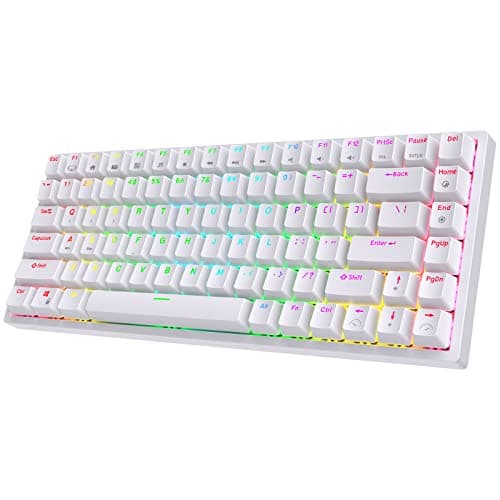
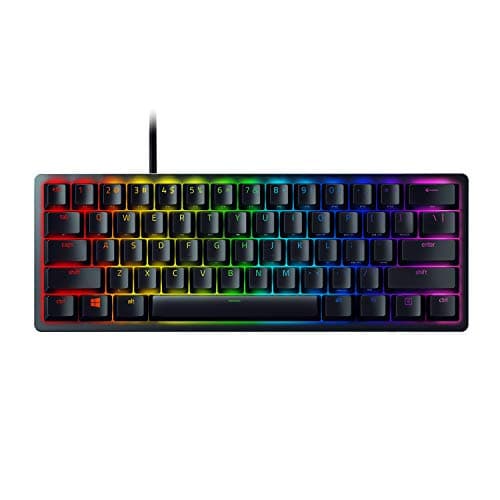
Buy the Razer Huntsman Mini if you game on it. Optical switches have no metal contact to bounce, so they cannot develop the chatter that eventually afflicts mechanical switches, and the 60% footprint hands a third of your desk back to your mouse arm. If the board also has to do spreadsheets, buy the RK84 and take the 75% layout instead.
A 60% keyboard deletes the number pad, the function row, the navigation cluster and the arrow keys, leaving roughly 61 keys and a footprint about two-thirds the width of a full-size board. Everything removed still exists — it moves to a function layer you hold a key to reach, the same idea documented in the QMK firmware project. Whether that is a brilliant trade or an annoying one is entirely a question of what you do with the keyboard, and the honest answer is that it is both, for different people.
Why 60% is a gaming layout specifically
The reason is low-sensitivity aim. A competitive shooter player at 400 DPI with a low in-game sensitivity sweeps the mouse across a wide arc for a 180-degree turn, and the thing in the way of that arc is the right-hand end of the keyboard. Remove it and the mouse has room; angle the board and there is more still. This is not a marginal effect — it is the single most common reason competitive players use small boards, and it is why our mousepad sizing guide and this page are really about the same problem from two directions.
The second reason is that WASD, the modifiers and the number row — everything a shooter uses — all survive the cut intact. A 60% board loses nothing a shooter needs. It loses a great deal of what a spreadsheet needs, which is the whole tension.
The honest test before you buy one
Spend a day noticing how often you use the arrow keys, Delete, Home, End, Page Up and Page Down, and the F-keys. Not guessing — noticing. Most people are surprised in one direction or the other.
If the answer is “almost never, I game on this”, a 60% board will be a straightforward upgrade and you will adapt to the function layer in a week. If the answer involves writing, coding, editing or spreadsheets, be realistic: holding Fn to press an arrow key is fine occasionally and genuinely irritating as a constant. The failure mode is not that you cannot do it, it is that you resent it by Wednesday.
There is a middle option that solves this for most people, and it is why we put a 75% board on a page about 60% boards. A 75% layout keeps the arrows and the function row in a compressed block and still removes the number pad, which is where most of the width went anyway. Our keyboard sizes explained guide has the full ladder from 60% to full-size with the key counts, and best TKL gaming keyboards covers the next size up if 75% is still too compressed.
What to look for in the board itself
Switch type, and whether you can change it.Linear switches (smooth, no bump) are the usual gaming preference; tactile switches have a bump you can feel at the actuation point and are generally better for typing. Optical switches, as on the Huntsman Mini, use a light beam instead of a metal contact, which removes debounce delay and the chatter fault entirely. Hot-swap sockets — on three of the four boards here — let you pull a switch out and push a different one in with no soldering, which turns a cheap board into a platform. Our keyboard switch types explained and optical vs mechanical switches guides are the longer versions.
Keycap material.PBT resists the shine that ABS develops where your fingers land. At this size you are touching a smaller number of keys more often, so it matters slightly more than usual — PBT vs ABS keycaps has the detail.
Stabilizers.The parts under the longer keys — space, shift, enter. On budget boards they rattle. It is fixable with lubricant and twenty minutes, and if you are not going to do that, buy the board with better ones rather than planning to.
Connection.Wired is one less thing to think about and is what most competitive players still use. Triple-mode wireless — Bluetooth, 2.4GHz and USB-C — is genuinely useful if the same board serves a laptop or a tablet. See wired vs wireless gaming keyboard. RTINGS measures keyboard latency independently if you want numbers rather than opinions.
How to choose between these four
If this is a gaming keyboard and the budget allows, buy the Razer Huntsman Mini. Optical switches, an aluminum top plate and PBT caps make it the best-built board here, and Razer publishes the switch specifications if you want to check them. It is wired, which for this use is a feature.
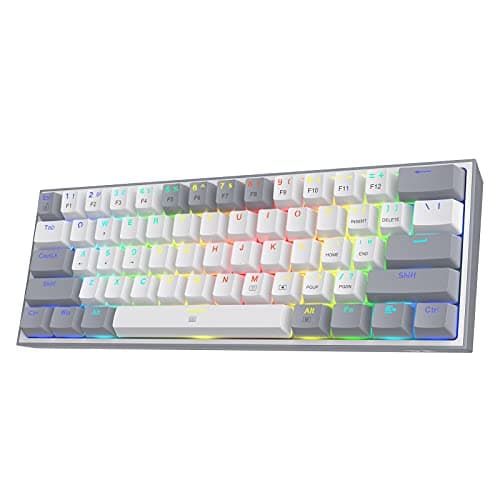
If you want wireless without spending much, the RK61 is triple-mode, hot-swappable and mechanical for a price that undercuts most wired boards. Budget a little time for the stabilizers. If you want the cheapest entry, the Redragon K617 Fizz has the same hot-swap trick for less, with a detachable USB-C cable and per-key RGB; it is a platform rather than a finished object, which is the point.
And if you read the honest test above and flinched, buy the RK84. 75% keeps the arrows and the function row, adds triple-mode wireless and hot-swap sockets, and still clears most of the desk. It is on this page because for a meaningful share of people searching for a 60% board, it is the better purchase. If you want to go the other way and keep the number pad, best mechanical keyboards covers the full range, and best hot-swappable keyboards focuses on the boards you can rebuild.