The honest starting point is that most people do not need a DAC, and we would rather say so than sell you one. If you use a USB gaming headset, it already has a converter inside it and adding another one downstream does nothing. If you use 32-ohm headphones on a modern desktop with decent onboard audio and you are not hearing hiss, interference or distortion at the volume you use, your problem is not the converter.
The cases where an external unit genuinely fixes something are specific: a noisy laptop jack where you can hear the system working, a jack too weak to drive high-impedance headphones to a useful volume, interference that changes when you move the mouse, or a desk where you want a physical volume knob and a headphone jack at hand height rather than behind a tower. Our do-you-need-a-DAC guide is the full version of that test, and it will talk about half of readers out of a purchase.
Under $100, the converter is not the variable
This is the part the hobby gets wrong. Digital-to-analog conversion is a solved problem at this price: the measured distortion and noise of a modern twenty-dollar converter chip is already below the threshold of human hearing, and a hundred-dollar unit is not audibly cleaner than a thirty-dollar one. Nobody has ever reliably picked one out of the other in a blind test at matched volume.
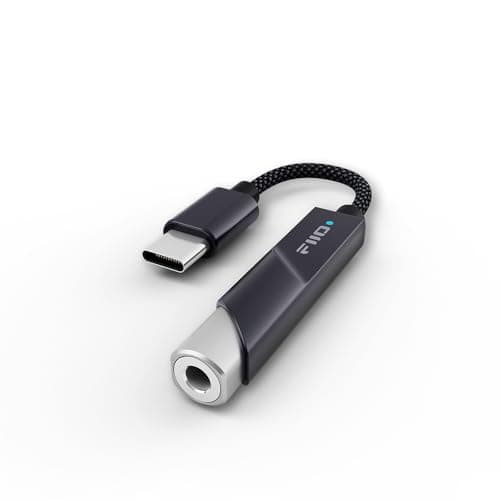
So ignore the DAC chip name and the headline sample rates. 384kHz and DSD256 support, which the KA11 lists, are real specifications of real engineering; they are also irrelevant to game audio and music streaming, both of which top out well below them. What actually differs between these three is power, output impedance, and what sockets they have.
Power, and the only arithmetic that matters
Headphones need voltage to reach a given volume, and how much depends on their sensitivity and impedance. A 32-ohm gaming headset is easy to drive and almost anything will do it. A 250-ohm studio headphone — and several of the headphones we rank are exactly that — needs considerably more, and a weak source will reach only a modest volume before it starts clipping, which sounds like distortion rather than quietness.
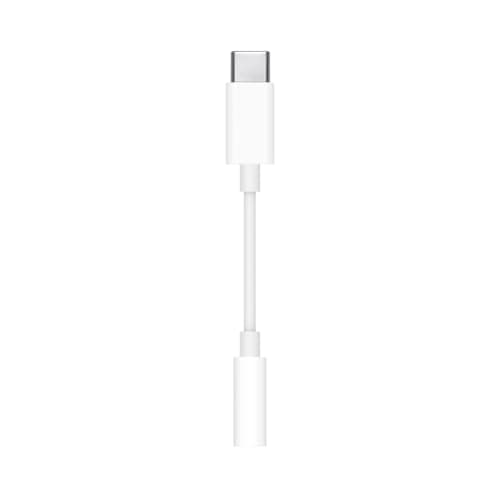
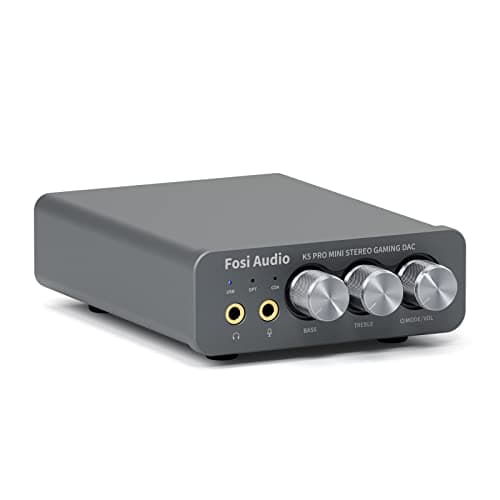
That is the gap between the picks here. Fosi rates the K5 Pro at 1,000 mW into 16 ohms; FiiO rates the KA11 at 200 mW into 32 ohms; the Apple adapter is designed for phone headphones and does not publish a comparable figure. If you own 250-ohm headphones, buy the desktop unit. Our impedance and amps explainer has the sums, and our open-back roundup flags which headphones actually need the extra voltage.
Output impedance, and the rule of eight
The specification nobody checks, and the one that changes sound audibly. A source’s output impedance should be roughly an eighth of the headphone’s impedance or lower; above that, the frequency response of a multi-driver or low-impedance headphone starts to shift, which usually shows up as loose, bloated bass.
This is why the nine-dollar Apple adapter is on this page. At roughly 0.9 ohms it satisfies the rule comfortably for anything from a 16-ohm earbud upward, which many laptop and monitor headphone jacks do not. If you use in-ear monitors, this spec matters more to you than every other number on the table — our gaming earbuds roundup covers that pairing.
The microphone problem, which is the real decision
Almost every guide to cheap DACs forgets that gaming headsets have microphones. A standard headphone output has nowhere for a mic to go, so plugging a single-cable headset into a typical dongle gets you audio out and no voice at all. People discover this after the box is open.
There are three ways out. Use a unit with a dedicated microphone input — which the K5 Pro has, and which is the single biggest reason it leads this page. Keep the mic on a separate port, which works if you use headphones plus a desk microphone rather than a headset. Or use a USB microphone and leave the headset mic unplugged, which is what we would do if streaming quality mattered — see our gaming microphone roundup.
What a DAC will not do
It will not give you positional audio. Surround processing happens in software before the signal reaches a converter, so a DAC cannot add or improve it — our virtual surround versus stereo guide covers what actually moves footstep accuracy. It will not fix a bad headphone: a converter is transparent, and transparency applied to a muddy driver gives you a clearer view of a muddy driver.
And it will not reduce input latency. If your audio is out of sync with your game, the cause is buffering or a wireless link, not conversion. Our wireless latency explainer covers where the delay actually comes from. Buy one of these because your jack hisses, your headphones need volume, or you want a knob on your desk — all three are good reasons, and none of them are magic.
Which one, by what you plug into it.
A single-cable gaming headset with a boom mic: the Fosi Audio K5 Pro. The 3.5mm microphone input is the feature that makes this work at all.
High-impedance studio headphones: the K5 Pro again, at a rated 1,000 mW into 16 ohms. Dongles will reach a usable volume and then run out of headroom.
A laptop, a handheld, or a bag: the FiiO KA11. An 8.5-gram dongle with a rated 200 mW into 32 ohms covers far more headphones than its size suggests.
You just want a clean jack for under ten dollars: the Apple USB-C to 3.5 mm adapter. Low output impedance, no hiss, no drivers, nothing to configure.
You use a USB headset: none of them. The converter is already inside the headset and a second one adds nothing.