Skip to content
GEAREDGAMING

HUB 03 · Best Value

Logitech G502 Alternatives

The G502 has sold in enormous numbers for three specific reasons: eleven buttons, a scroll wheel that unlocks and spins, and a right-hand shell built for a palm grip. Each of those can now be had lighter, cheaper, or wireless.

By Stephen V.Updated How we research
#ad

We earn a commission when you buy through our Amazon links, at no extra cost to you. It never affects our rankings, and we say so when the cheaper product is the better buy. How this works.

Top pick · Best G502 Alternative

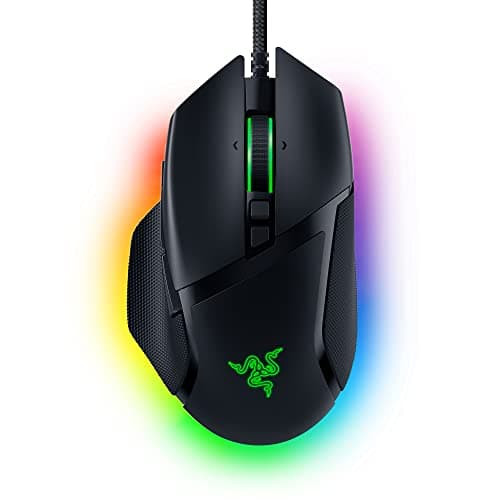
Razer Razer Basilisk V3

Razer Basilisk V3

8.8/10

The feature-rich one. The free-spin wheel is the bit you'll actually miss elsewhere.

Price as of November 7, 2026. Prices change — Amazon's is the one that counts. #ad · we may earn a commission from this link to Razer Basilisk V3

Verdict

The short version

The closest alternative is the Razer Basilisk V3: eleven buttons, a free-spinning scroll wheel, a right-hand ergonomic shell, and Razer lists it at 101 grams — lighter than the G502 HERO’s 121. It is the pick for the buyer who wanted a G502 for the controls rather than the badge: it covers the same jobs, the wheel does the same unlockable spin, and it usually costs less. Wired, like the original.

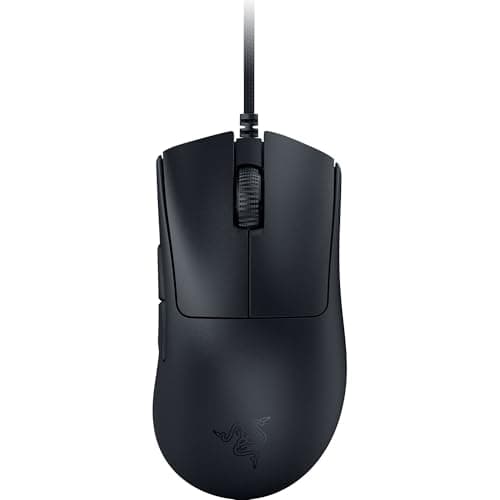
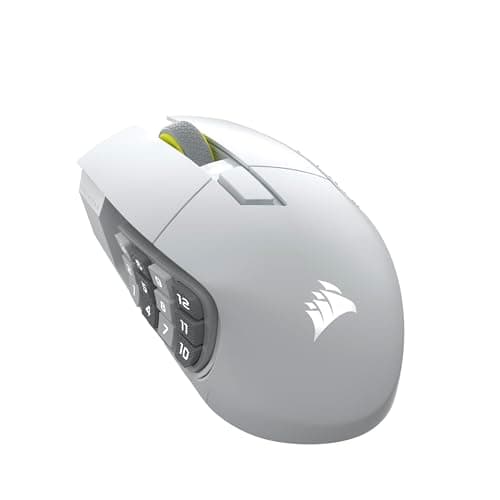
The budget pick is the Redragon M602 Griffin — the cheapest mouse here, tri-mode wireless, with seven buttons. It does not replace eleven buttons and we will not pretend it does. Between those, the Glorious Model D 2 Wirelessis the one to take if the G502’s weight was the problem — Glorious lists it at 66 grams in the same right-hand ergonomic family — the Corsair Scimitar Elite Wireless SE is the upgrade for anyone who wanted more buttons rather than fewer, with a 12-key side slider, and the Razer DeathAdder V3 is the lighter wired ergonomic pick if you can live with fewer thumb controls.

Compare

Specs and prices at a glance

#ProductKey specsBest forPrice
01Razer Basilisk V3

Razer

  • 26K DPI sensor
  • Wired
  • 101g
  • 11 buttons
  • Free-spin scroll
MMO, MOBA and big hands$41.99 on Amazon →
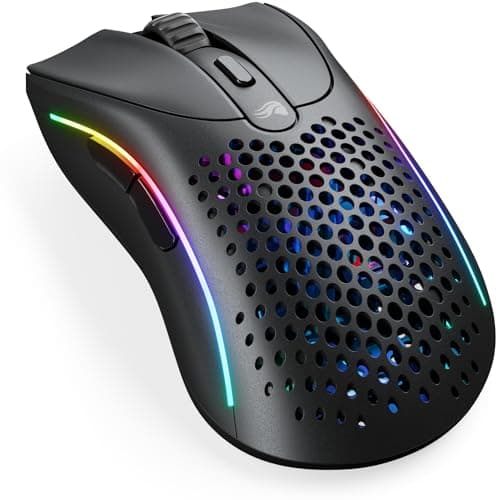
02Glorious Model D 2 Wireless

Glorious

  • 127 x 67 x 43 mm
  • 66 g
  • BAMF 2.0 · 26K DPI
  • 2.4GHz + Bluetooth 5.2
Large hands, wireless, light$43.69 on Amazon →
03Corsair Scimitar Elite Wireless SE

Corsair

  • 119 x 73 x 42 mm
  • 114 g
  • 16 buttons · 12-key slider
  • MARKSMAN S 33K · SLIPSTREAM
MMOs and macro-heavy games$99.99 on Amazon →
04Razer DeathAdder V3

Razer

  • Wired USB
  • ~59g
  • Ergonomic right-hand shape
  • Optical switches
Best ergonomic value$63.98 on Amazon →
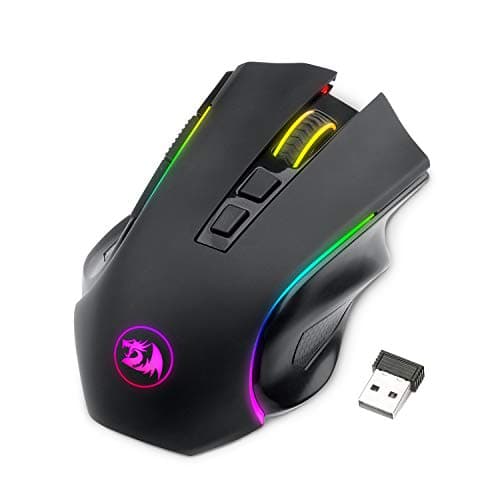
05Redragon M602 Griffin

Redragon

  • Tri-mode: 2.4G / BT / USB-C
  • Wireless
  • RGB
  • 7 buttons
Cheapest wireless$29.99 on Amazon →

#ad · Specs as published by the manufacturer or the Amazon listing. Live prices from the Amazon Creators API, as of November 7, 2026. Where we have no verified live price we show none, rather than print a number that has rotted.

Start with what the G502 is actually known for, because that is what an alternative has to cover. Logitech lists the G502 HERO as a wired, 121-gram mouse with eleven programmable buttons, tunable weights and a tilting scroll wheel that can be unlocked to free-spin. The G502 X and the wireless G502 Lightspeed are the same idea in newer shells. Its reputation rests on three things: the button count, the free-spin wheel, and a right-hand ergonomic shape that suits palm grips and larger hands.

It is a genuinely good mouse and it stays in our main mouse roundupon merit. The weakness people actually run into is weight: 121 grams is heavy by modern standards, and the mice that have arrived since do the same jobs with a third less mass. Every price here is pulled live from Amazon and stamped with the date we retrieved it. We do not run a testing lab and never claim to — our methodology page states exactly what our scores are and are not.

Matching it on buttons

Eleven buttons sounds like a gimmick until you have mapped them. Two thumb buttons for abilities, a sniper button for a temporary sensitivity drop, wheel tilt for weapon swap, and a DPI shift for vehicles or scoped aim — that is a real workflow for MMOs, MOBAs and sim games.

The Basilisk V3 matches the count and the free-spin wheel directly. The Scimitar Elite Wireless SE goes further with a 12-key slider under the thumb, which is the right answer for anyone whose reason for owning a G502 was hotbars rather than shooters — our MMO mouse roundup covers that category properly. Going the other way, the DeathAdder V3 and the Model D 2 both trade buttons for weight, and that is the central trade on this page.

Matching it on the free-spin wheel

The G502’s wheel is its least-copied feature. A ratcheted wheel clicks through discrete steps; an unlocked free-spin wheel coasts, which is genuinely useful for long inventories, long documents and long weapon wheels. Mechanically it is a rotary encoder with a clutch, and it is also one of the parts most likely to eventually develop phantom scrolling — which is true of almost every scroll wheel and covered in our scroll wheel repair guide.

Of the picks here, the Basilisk V3 is the one with a comparable free-spin mechanism. If the wheel is the specific reason you are reading this page, that is your answer and the rest of the list is a compromise.

Matching it on shape, and losing the weight

The G502 shell is a right-hand ergonomic hump with a pronounced thumb rest. That shape suits palm and claw grips and medium-to-large hands; it does not suit a fingertip grip, and left-handed players are out of luck entirely.

Three picks here are in the same shape family. The Model D 2 Wireless is the standout for anyone whose complaint was mass — Glorious lists it at 66 grams, roughly half the G502 HERO, with 2.4GHz and Bluetooth. The DeathAdder V3 is the famous ergonomic hump at around 59 grams, wired and cheaper. Both will feel startlingly light for the first hour and then feel correct. If you have large hands, read our big-hands roundup before committing, because lighter mice are often smaller mice.

Tunable weights, honestly

The G502 ships with small weights you can add to the chassis. In practice almost nobody adds them, and the feature exists mostly as a legacy of an era when heavy mice were considered more controllable. The modern consensus went the other way: lower mass means less effort per movement and less fatigue over a long session, with no accuracy cost. Our lightweight vs heavy mice guide covers where that consensus is well supported and where it is just fashion.

One last point in the G502’s favour. If you have used one for years and your muscle memory lives in that shell, the right move may be to buy another one. Shape familiarity is worth real money, and every alternative on this page asks you to relearn something.

The short answer

Quick picks

#ProductBest forScorePrice
01
Razer Razer Basilisk V3
Razer Basilisk V3

The feature-rich one. The free-spin wheel is the bit you'll actually miss elsewhere.

MMO, MOBA and big hands
8.8
$41.99 on Amazon →
02
Glorious Glorious Model D 2 Wireless
Glorious Model D 2 Wireless

A full-size ergonomic shell at 66 g, wireless. That combination is the thing almost nobody sells — big-hand mice are normally heavy ones.

Large hands, wireless, light
8.2
$43.69 on Amazon →
03
Corsair Corsair Scimitar Elite Wireless SE
Corsair Scimitar Elite Wireless SE

The MMO exception. Shorter than everything else here, but the thumb cluster slides to meet a long thumb instead of asking it to curl under.

MMOs and macro-heavy games
8.2
$99.99 on Amazon →
04
Razer Razer DeathAdder V3
Razer DeathAdder V3

The famous DeathAdder ergonomic hump, now genuinely light and wired-cheap. The comfortable pick that doesn't cost flagship money.

Best ergonomic value
8.2
$63.98 on Amazon →
05
Redragon Redragon M602 Griffin
Redragon M602 Griffin

Wireless, tri-mode, and cheaper than most wired mice. There is a catch.

Cheapest wireless
6.4
$29.99 on Amazon →

#ad · Live prices from the Amazon Creators API, as of November 7, 2026. Where we have no verified live price, we show none — we would rather leave a gap than print a number that has rotted.

In detail

The picks, in full

01
Razer Razer Basilisk V3

MMO, MOBA and big hands

Razer Basilisk V3

26K DPI sensorWired101g11 buttonsFree-spin scroll
8.8/10

The feature-rich one. The free-spin wheel is the bit you'll actually miss elsewhere.

Sensor quality
9
Build quality
8
Ergonomics
9
Features
10
Value
8

Pros

  • Eleven programmable buttons, which is a genuine advantage in MMOs and MOBAs
  • The tilt-and-free-spin scroll wheel is excellent and rare at this price
  • A big, comfortable, properly-supported shape for large hands

Cons

  • Heavy at 101g — you will feel it against a 77g mouse in a flick-aim game
  • Razer Synapse is required for the good bits

Don't buy this if…

…you play competitive FPS. The weight and the button clutter both work against you there — the G305 or Rival 3 are better tools for that job.

$41.99View on Amazon

$69.9940% off

Price as of November 7, 2026. Prices change — Amazon's is the one that counts.

#ad · we may earn a commission from this link to Razer Basilisk V3

02
Glorious Glorious Model D 2 Wireless

Large hands, wireless, light

Glorious Model D 2 Wireless

127 x 67 x 43 mm66 gBAMF 2.0 · 26K DPI2.4GHz + Bluetooth 5.2
8.2/10

A full-size ergonomic shell at 66 g, wireless. That combination is the thing almost nobody sells — big-hand mice are normally heavy ones.

Sensor quality
9
Build quality
8
Ergonomics
9
Features
7
Value
8

Pros

  • A 127 mm shell with a genuine ergonomic hump at 66 g. Large-hand mice are normally 100 g and up, and this is the rare one that is not
  • Glorious lists 110 hours on 2.4GHz and up to 210 on Bluetooth, so this is not a mouse you charge every night
  • 80-million-click rated switches and a 26,000 DPI BAMF 2.0 sensor — nothing about the internals is a budget compromise

Cons

  • Polling tops out at 1,000 Hz. The competitive flagships offer 4K and 8K polling and this does not
  • Six programmable buttons: plenty for a shooter, short for an MMO
  • Right-handed only, and the shell is tuned for palm and relaxed-claw grips rather than fingertip

Don't buy this if…

…you specifically want the lowest-latency wireless link for ranked play. 1,000 Hz polling is enough for almost everyone, but if 4K or 8K polling is the reason you are shopping, this is not the mouse.

$43.69View on Amazon

Price as of November 7, 2026. Prices change — Amazon's is the one that counts.

#ad · we may earn a commission from this link to Glorious Model D 2 Wireless

03
Corsair Corsair Scimitar Elite Wireless SE

MMOs and macro-heavy games

Corsair Scimitar Elite Wireless SE

119 x 73 x 42 mm114 g16 buttons · 12-key sliderMARKSMAN S 33K · SLIPSTREAM
8.2/10

The MMO exception. Shorter than everything else here, but the thumb cluster slides to meet a long thumb instead of asking it to curl under.

Sensor quality
9
Build quality
8
Ergonomics
7
Features
10
Value
7

Pros

  • The Key Slider moves the whole 12-button side cluster along the mouse — the only mechanism on this page that adapts a button layout to a long thumb instead of the other way round
  • 16 buttons total behind a 33K-rated MARKSMAN S sensor, so the macro pad does not come at the cost of tracking
  • Corsair rates it at up to 150 hours on SLIPSTREAM wireless, which is a long time for a mouse with this much going on

Cons

  • At a listed 119 mm it is the shortest mouse on this page. It is wide rather than long, so a very long palm will still hang off the back
  • 114 g is heavy by current standards, and the mass sits under the thumb cluster rather than centrally
  • That 12-key cluster is superb in an MMO and genuinely in the way in a shooter — you will hit one by accident

Don't buy this if…

…your main game is a shooter. The side cluster that makes this mouse worth buying for MMOs becomes a liability when the only thumb buttons you want are two you can find without looking.

$99.99View on Amazon

$139.9929% off

Price as of November 7, 2026. Prices change — Amazon's is the one that counts.

#ad · we may earn a commission from this link to Corsair Scimitar Elite Wireless SE

04
Razer Razer DeathAdder V3

Best ergonomic value

Razer DeathAdder V3

Wired USB~59gErgonomic right-hand shapeOptical switches
8.2/10

The famous DeathAdder ergonomic hump, now genuinely light and wired-cheap. The comfortable pick that doesn't cost flagship money.

Sensor quality
9
Build quality
8
Ergonomics
9
Features
6
Value
9

Pros

  • The DeathAdder shape is one of the most universally comfortable right-handed humps ever made
  • Far lighter than older DeathAdders, so comfort no longer costs you speed
  • Optical main switches that can't develop the double-click fault that kills mechanical ones

Cons

  • Wired only at this price; the wireless Pro version is a big step up in cost
  • A right-hand ergonomic shape, so it's no use to left-handers
  • Only two side buttons — it's a shooter/ergonomic mouse, not an MMO one

Don't buy this if…

…you want a flat, ambidextrous shape or extra macro buttons. This is a right-handed ergonomic hump — the Model O 2 (ambidextrous) or G502 X (buttons) fit those needs.

$63.98View on Amazon

$69.999% off

Price as of November 7, 2026. Prices change — Amazon's is the one that counts.

#ad · we may earn a commission from this link to Razer DeathAdder V3

05
Redragon Redragon M602 Griffin

Cheapest wireless

Redragon M602 Griffin

Tri-mode: 2.4G / BT / USB-CWirelessRGB7 buttons
6.4/10

Wireless, tri-mode, and cheaper than most wired mice. There is a catch.

Sensor quality
5
Build quality
5
Ergonomics
6
Features
8
Value
8

Pros

  • Tri-mode wireless at a price where the competition is all wired
  • Genuinely useful if you switch between a PC, a laptop and a handheld

Cons

  • The sensor is the weakest here — it is fine for most games and it is not fine for competitive FPS
  • Software is poor
  • Build feels like the price

Don't buy this if…

…you play competitive shooters. Save up for the G305 instead — it's the same idea executed properly, and the sensor gap is the one that actually matters.

$29.99View on Amazon

Price as of November 7, 2026. Prices change — Amazon's is the one that counts.

#ad · we may earn a commission from this link to Redragon M602 Griffin

Which alternative, by what you wanted from the G502.

You wanted the buttons and the wheel: the Basilisk V3. Closest match, wired, usually cheaper.

You wanted the shape without the weight: the Glorious Model D 2 Wireless, at roughly half the mass.

You wanted even more buttons: the Corsair Scimitar Elite Wireless SE, with a 12-key thumb slider.

You wanted an ergonomic shape and will trade buttons for lightness: the DeathAdder V3.

You wanted to spend as little as possible: the Redragon M602 Griffin, with the honest caveat that it has fewer buttons and a cheaper shell than anything else here.
How we picked

We do not run a testing lab

We researched published specifications, third-party lab measurements, manufacturer documentation and aggregated owner reviews, then scored each product against a published rubric. The scores are judgments from documented research — they are not measurements we took, because we do not have a lab and we are not going to pretend we do. Where a number came from someone else's lab, we name them and link them in Sources.

Questions

Frequently asked

What is the closest alternative to the Logitech G502?
The Razer Basilisk V3. It matches the eleven-button layout and the free-spinning scroll wheel, keeps the right-hand ergonomic shape, and Razer lists it at 101 grams against the G502 HERO’s 121. It is also typically cheaper. Like the original, it is wired.
Is the G502 too heavy?
At 121 grams for the HERO version, it is heavy by current standards — plenty of modern ergonomic mice land between 60 and 70 grams. Weight is not an accuracy problem; it is a fatigue problem over long sessions. If your wrist aches after three hours, that is the variable to change first.
Is there a wireless G502 alternative?
Yes. The Glorious Model D 2 Wireless covers the ergonomic shape at a far lower weight with 2.4GHz and Bluetooth, and the Corsair Scimitar Elite Wireless SE covers the button-heavy case wirelessly with a 12-key side slider. Logitech also sells the G502 Lightspeed if you want the original shell without a cable.
Do I need eleven buttons on a gaming mouse?
Only if you can name what goes on them. For MMOs, MOBAs and sim games, extra thumb controls are genuinely faster than reaching across a keyboard. For shooters, two thumb buttons is usually the whole requirement, and the weight saved by dropping the rest is worth more than the buttons.

Keep reading

Receipts

Sources

We do not run a testing lab, and we do not pretend to. Where a measured number came from someone else's lab, we name them and link them. Where we could not verify something, we say so on the page rather than quietly leaving it out. Read our full method.