Skip to content
GEAREDGAMING

HUB 03 · Best Value

The Best Gaming Monitors Under $1000

This is the budget where OLED becomes affordable and the trade-offs invert: the question stops being how much refresh rate you can get and becomes how much resolution your graphics card can actually feed.

By Stephen V.Updated How we research
#ad

We earn a commission when you buy through our Amazon links, at no extra cost to you. It never affects our rankings, and we say so when the cheaper product is the better buy. How this works.

Top pick · Best Gaming Monitor Under $1000

MSI MSI MPG 271QRX QD-OLED

MSI MPG 271QRX QD-OLED

8.4/10

Per-pixel black levels and 360Hz on the same panel. This is where HDR stops being a feature and starts being the reason you bought the monitor.

Price as of November 7, 2026. Prices change — Amazon's is the one that counts. #ad · we may earn a commission from this link to MSI MPG 271QRX QD-OLED

Verdict

The short version

Buy the MSI MPG 271QRX QD-OLED — a 27-inch 1440p QD-OLED panel MSI rates at 360Hz with DisplayHDR True Black 400 certification. It takes the top slot because it is the pick that does not ask you to choose: per-pixel black levels and OLED motion clarity for single-player games, and a refresh ceiling high enough that competitive players have nothing to complain about. At 1440p, a current mid-to-high-end GPU can actually get near that ceiling, which is the part people forget when they shop by resolution.

The budget pick is the KOORUI 27-inch mini-LED — the cheapest monitor on this page, and the cheapest one here with a rated HDR 1000 mini-LED backlight at 200Hz. It is the answer if you want HDR that is actually bright without OLED money. Beyond those two: the LG UltraGear 27GS93QE is the 240Hz OLED to take if the MSI is out of stock, the MSI MPG 321URX is the best image here and needs the biggest graphics card, the LG 34G600A is the curved ultrawide for racing and sim players, and the LG 27GP850 is the sensible Nano IPS pick that leaves most of the budget for the rest of the setup.

Compare

Specs and prices at a glance

#ProductKey specsBest forPrice
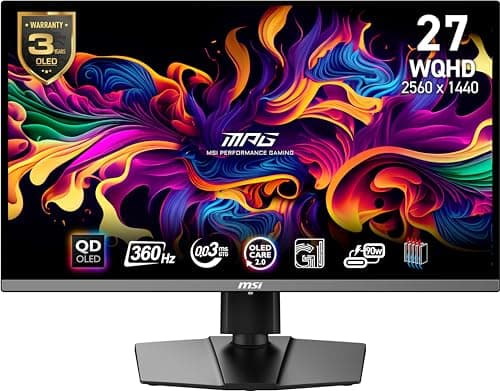
01MSI MPG 271QRX QD-OLED

MSI

  • 27"
  • 2560x1440 QD-OLED
  • DisplayHDR True Black 400
  • MSI rates 360Hz / 0.03ms
Best OLED HDR at 1440p$579.00 on Amazon →
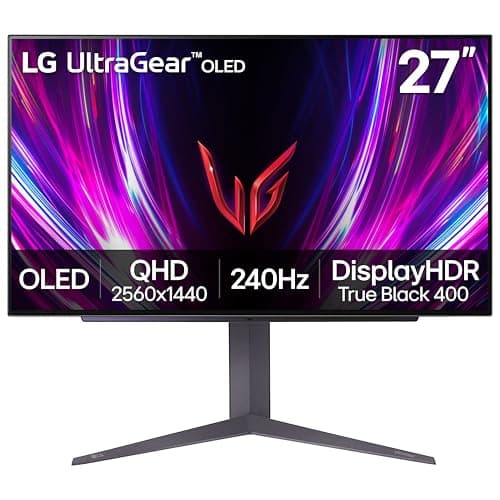
02LG UltraGear 27GS93QE OLED

LG

  • 27" OLED
  • 2560x1440
  • LG rates 240Hz / 0.03ms
  • HDR
Best in class$544.99 on Amazon →
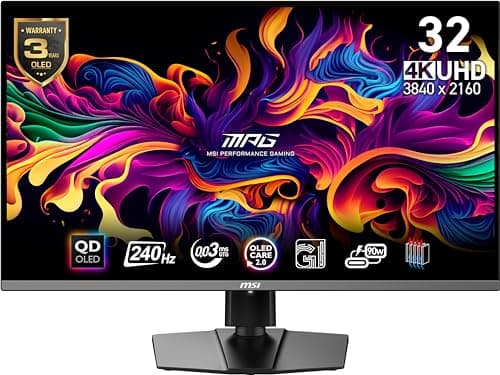
03MSI MPG 321URX QD-OLED (4K)

MSI

  • 32"
  • 3840x2160 QD-OLED
  • DisplayHDR True Black 400
  • MSI rates 240Hz / 0.03ms
Best HDR image overall$754.45 on Amazon →
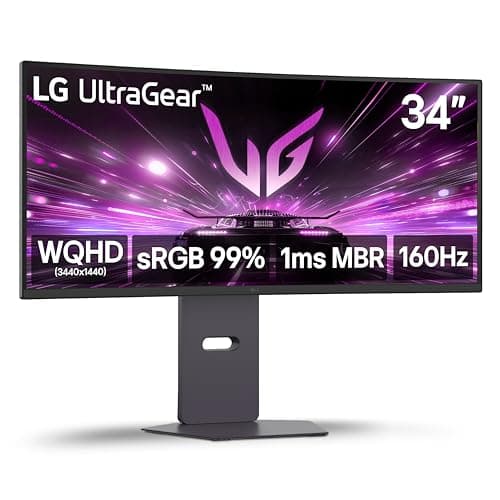
04LG UltraGear 34G600A

LG

  • 34" ultrawide curved
  • 3440x1440
  • High refresh + VRR
  • 21:9
Best for immersion$368.99 on Amazon →
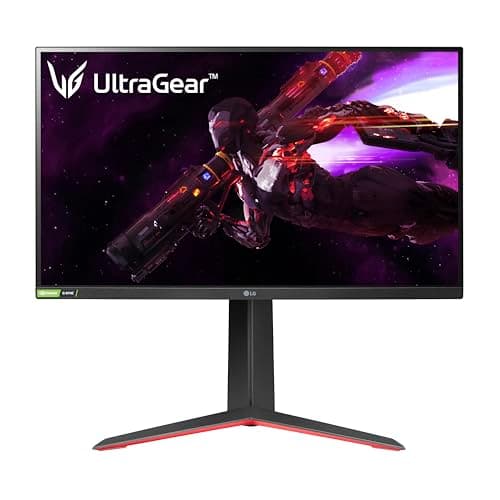
05LG UltraGear 27GP850-B

LG

  • 27"
  • 2560x1440 Nano IPS
  • LG rates 165Hz (180 OC) / 1ms
  • G-Sync compatible
Best sensible high-refresh$359.99 on Amazon →
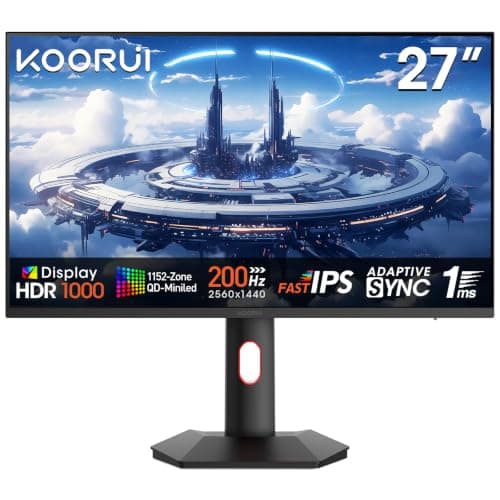
06KOORUI 27in Mini-LED (QHD 200Hz)

KOORUI

  • 27"
  • 2560x1440 IPS
  • Mini-LED · HDR 1000 (rated)
  • KOORUI rates 200Hz / 1ms
Best mini-LED for refresh rate$259.99 on Amazon →

#ad · Specs as published by the manufacturer or the Amazon listing. Live prices from the Amazon Creators API, as of November 7, 2026. Where we have no verified live price we show none, rather than print a number that has rotted.

Every price on this page was under $1000 as of the date stamped on the table, and most of them were well under it. That is the real story of this bracket: it used to be the premium tier, and it is now the tier where OLED is normal. What has not changed is the constraint on the other side of the cable. A $900 4K 240Hz panel attached to a mid-range GPU is a $900 panel running at 60fps, and no spec on the box fixes that.

Every price here is pulled live from Amazon and stamped with the date we retrieved it. We do not run a testing lab and never claim to — our methodology page states exactly what our scores are and are not.

Match the resolution to the graphics card, not the budget

This is the one decision that will make or break the purchase. 1440p at high refresh is the sweet spot for current mid-to-high-end cards: demanding titles clear triple-digit frame rates at sensible settings, and competitive shooters go far higher. 4K at high refresh is roughly double the pixel workload, and in heavy games it is a GPU problem rather than a monitor problem.

So the honest advice is boring: if your graphics card is mid-range, buy the best 1440p panel in this bracket and keep the change. If you have a flagship card, 4K OLED is the better image and the 321URX is the pick. Our 1440p vs 4K guide has the frame-rate maths, and what GPU you need for 1440p 144Hz covers the hardware side.

OLED versus mini-LED, honestly

OLED lights each pixel individually, so black is genuinely black and there is no halo around bright objects. It also has near-instant pixel response, which is why OLED motion looks cleaner than an LCD at the same refresh rate. The costs are real: lower full-screen brightness than a good mini-LED, a visible risk of permanent image retention from static elements over years, and text that can look slightly fringed because of the subpixel layout.

Mini-LED splits an LCD backlight into hundreds of zones. You get far higher sustained brightness, no burn-in risk and normal text, at the cost of blooming — a faint glow around bright things on dark backgrounds — and slower pixel transitions. If you game in a bright room, do desktop work on the same screen for eight hours a day, or simply do not want to think about burn-in, mini-LED is the rational choice. Our OLED burn-in guide covers what the actual risk looks like and how the panels mitigate it.

What the HDR badges mean

HDR claims on monitors are close to meaningless without a certification tier behind them. VESA publishes criteria: DisplayHDR True Black 400 is the tier written for emissive panels and requires extremely low black levels, which is why both QD-OLED picks carry it. A rated HDR 1000 figure on a mini-LED describes peak brightness in a small window, which is the measurement that matters for highlights. A panel advertising “HDR support” with no tier at all is telling you it accepts an HDR signal, not that it can show one.

One setting people miss: HDR has to be enabled in Windows as well as on the monitor, and many panels need a specific HDR picture mode before local dimming engages. A monitor judged on its out-of-box SDR mode is being judged on half its hardware — our HDR roundup goes deeper.

Cables, ports and the thing that quietly breaks

At these resolutions and refresh rates, the connection is part of the spec. DisplayPort with Display Stream Compression is what carries 4K at 240Hz or 1440p at 360Hz down a single cable; use the cable in the box rather than a spare, because an older passive DisplayPort cable will happily negotiate a lower refresh rate and never tell you. On HDMI, you want 2.1 for 4K at 120Hz from a console.

If you are buying for a console rather than a PC, most of this page is the wrong shopping list — a PS5 or Xbox Series X cares about HDMI 2.1 and 120Hz, not about 360Hz. Start with gaming monitors for PS5 instead.

The short answer

Quick picks

#ProductBest forScorePrice
01
MSI MSI MPG 271QRX QD-OLED
MSI MPG 271QRX QD-OLED

Per-pixel black levels and 360Hz on the same panel. This is where HDR stops being a feature and starts being the reason you bought the monitor.

Best OLED HDR at 1440p
8.4
$579.00 on Amazon →
02
LG LG UltraGear 27GS93QE OLED
LG UltraGear 27GS93QE OLED

OLED at the very top of this budget. Once you've seen the black levels and the motion clarity, IPS looks broken.

Best in class
8.4
$544.99 on Amazon →
03
MSI MSI MPG 321URX QD-OLED (4K)
MSI MPG 321URX QD-OLED (4K)

The best HDR image on this page, and the one that needs the biggest graphics card behind it.

Best HDR image overall
8.4
$754.45 on Amazon →
04
LG LG UltraGear 34G600A
LG UltraGear 34G600A

The immersion pick. A 34-inch curved ultrawide turns racing, sim and single-player games into something a flat 27 can't do.

Best for immersion
7.8
$368.99 on Amazon →
05
LG LG UltraGear 27GP850-B
LG UltraGear 27GP850-B

The sensible high-refresh IPS pick. Fast, color-accurate, and it leaves money in the budget for the rest of your setup.

Best sensible high-refresh
8.2
$359.99 on Amazon →
06
KOORUI KOORUI 27in Mini-LED (QHD 200Hz)
KOORUI 27in Mini-LED (QHD 200Hz)

Mini-LED and 200Hz in the same budget panel. The one to take if you want real HDR without giving up refresh rate.

Best mini-LED for refresh rate
7.4
$259.99 on Amazon →

#ad · Live prices from the Amazon Creators API, as of November 7, 2026. Where we have no verified live price, we show none — we would rather leave a gap than print a number that has rotted.

In detail

The picks, in full

01
MSI MSI MPG 271QRX QD-OLED

Best OLED HDR at 1440p

MSI MPG 271QRX QD-OLED

27"2560x1440 QD-OLEDDisplayHDR True Black 400MSI rates 360Hz / 0.03ms
8.4/10

Per-pixel black levels and 360Hz on the same panel. This is where HDR stops being a feature and starts being the reason you bought the monitor.

Panel quality
10
Build quality
8
Ergonomics
8
Features
9
Value
7

Pros

  • OLED controls light at every individual pixel, so there are no dimming zones to bloom and no halo around a bright object on black — the failure mode every mini-LED on this page has
  • 0.03ms rated response and 360Hz make it a genuine competitive panel as well as an HDR one, which the mini-LEDs above are not
  • USB-C alongside HDMI and DisplayPort, with height and tilt adjustment as standard

Cons

  • OLED peak brightness on a full white screen is much lower than a mini-LED, so it is the weaker choice in a bright, sunlit room
  • Burn-in remains the honest long-term risk with static game HUDs and desktop taskbars, mitigated by panel-care features rather than eliminated
  • Costs more than double the cheapest real-HDR panel on this page

Don't buy this if…

…your desk faces a window or you leave a static HUD or spreadsheet on screen for hours a day. Those are the two conditions OLED handles worst, and a mini-LED avoids both.

$579.00View on Amazon

$629.998% off

Price as of November 7, 2026. Prices change — Amazon's is the one that counts.

#ad · we may earn a commission from this link to MSI MPG 271QRX QD-OLED

02
LG LG UltraGear 27GS93QE OLED

Best in class

LG UltraGear 27GS93QE OLED

27" OLED2560x1440LG rates 240Hz / 0.03msHDR
8.4/10

OLED at the very top of this budget. Once you've seen the black levels and the motion clarity, IPS looks broken.

Panel quality
10
Build quality
8
Ergonomics
8
Features
9
Value
7

Pros

  • Per-pixel OLED black levels and color that no IPS or VA panel on any cheaper page can approach
  • 240Hz with near-instant pixel response makes fast motion genuinely clearer, not just higher-numbered
  • The single biggest 'wow' upgrade you can make to a desk under $500

Cons

  • It eats the whole budget — there is nothing left for anything else
  • OLED carries a burn-in risk with static HUDs and taskbars over years of use; mind the care features
  • Full-screen brightness is lower than a bright LCD, so a sun-blasted room isn't ideal

Don't buy this if…

…you leave static UI on screen for hours daily, or you play in a bright room. A high-refresh IPS like the 27GP850 sidesteps burn-in worry and gets brighter.

$544.99View on Amazon

$899.9939% off

Price as of November 7, 2026. Prices change — Amazon's is the one that counts.

#ad · we may earn a commission from this link to LG UltraGear 27GS93QE OLED

03
MSI MSI MPG 321URX QD-OLED (4K)

Best HDR image overall

MSI MPG 321URX QD-OLED (4K)

32"3840x2160 QD-OLEDDisplayHDR True Black 400MSI rates 240Hz / 0.03ms
8.4/10

The best HDR image on this page, and the one that needs the biggest graphics card behind it.

Panel quality
10
Build quality
9
Ergonomics
8
Features
9
Value
6

Pros

  • 4K at 32 inches on a QD-OLED panel is the most convincing HDR you can put on a desk short of a television
  • 240Hz with a 0.03ms rated response, so nothing about the speed is compromised to get the image
  • 90W USB-C means a laptop runs and charges from a single cable, which is unusual at this size

Cons

  • The most expensive monitor on this page, by a wide margin over the mini-LEDs
  • 4K at 240Hz is a graphics-card requirement more than a monitor feature; most cards will not come close to feeding it in modern titles
  • Same OLED caveats as the 271QRX: lower full-screen brightness than mini-LED, and burn-in is a managed risk rather than a solved one

Don't buy this if…

…your graphics card cannot drive 4K at high frame rates. You would be paying flagship money to run the panel below its capability — the 1440p 271QRX gives you the same panel technology at a resolution your GPU can actually feed.

$754.45View on Amazon

Price as of November 7, 2026. Prices change — Amazon's is the one that counts.

#ad · we may earn a commission from this link to MSI MPG 321URX QD-OLED (4K)

04
LG LG UltraGear 34G600A

Best for immersion

LG UltraGear 34G600A

34" ultrawide curved3440x1440High refresh + VRR21:9
7.8/10

The immersion pick. A 34-inch curved ultrawide turns racing, sim and single-player games into something a flat 27 can't do.

Panel quality
8
Build quality
8
Ergonomics
7
Features
8
Value
8

Pros

  • The 21:9 curve wraps the periphery in a way that's genuinely more immersive for racing, sims and RPGs
  • 3440x1440 gives you real extra desktop width for multitasking, not just games
  • High refresh with variable refresh keeps the big canvas smooth

Cons

  • Ultrawide is demanding to drive — you need a stronger GPU than a 27-inch 1440p panel asks for
  • Competitive esports titles often letterbox or stretch at 21:9, and the extra width doesn't help your aim
  • It's physically wide; check your desk before buying

Don't buy this if…

…you mainly play competitive shooters or have a modest GPU. Many esports games don't use 21:9 well, and the pixel count is heavier to run — a 27-inch 16:9 is the better fit.

$368.99View on Amazon

$399.998% off

Price as of November 7, 2026. Prices change — Amazon's is the one that counts.

#ad · we may earn a commission from this link to LG UltraGear 34G600A

05
LG LG UltraGear 27GP850-B

Best sensible high-refresh

LG UltraGear 27GP850-B

27"2560x1440 Nano IPSLG rates 165Hz (180 OC) / 1msG-Sync compatible
8.2/10

The sensible high-refresh IPS pick. Fast, color-accurate, and it leaves money in the budget for the rest of your setup.

Panel quality
8
Build quality
8
Ergonomics
8
Features
8
Value
9

Pros

  • Nano IPS color and viewing angles with a genuinely fast response for an LCD
  • 165Hz (overclockable) with variable refresh, so competitive play stays smooth and tear-free
  • Costs well under the budget cap, freeing money for a mouse, headset or keyboard

Cons

  • IPS blacks are gray next to the OLED — in a dark room the difference is obvious
  • HDR is nominal; there's no meaningful local dimming
  • Nothing about it is exciting — it's the reliable choice, not the showpiece

Don't buy this if…

…contrast and dark-room punch matter most to you. IPS can't match OLED blacks — if that's the priority, stretch to the 27GS93QE.

$359.99View on Amazon

Price as of November 7, 2026. Prices change — Amazon's is the one that counts.

#ad · we may earn a commission from this link to LG UltraGear 27GP850-B

06
KOORUI KOORUI 27in Mini-LED (QHD 200Hz)

Best mini-LED for refresh rate

KOORUI 27in Mini-LED (QHD 200Hz)

27"2560x1440 IPSMini-LED · HDR 1000 (rated)KOORUI rates 200Hz / 1ms
7.4/10

Mini-LED and 200Hz in the same budget panel. The one to take if you want real HDR without giving up refresh rate.

Panel quality
8
Build quality
6
Ergonomics
6
Features
8
Value
9

Pros

  • Mini-LED backlight at a price where almost everything else is edge-lit, which is the difference between HDR that does something and an HDR badge
  • IPS rather than VA, so viewing angles and dark-scene smearing are better behaved than on the cheaper mini-LED options
  • 200Hz is higher than most mini-LED panels near this price, so it is not an HDR panel you have to compromise on for gaming

Cons

  • IPS black levels are weaker than VA before the dimming zones engage, so blooming around bright objects is more visible
  • A less established brand than AOC or Cooler Master, with a correspondingly thinner support and RMA record
  • The HDR 1000 figure is the manufacturer's rating, not something we or an independent lab measured

Don't buy this if…

…you want the deepest possible blacks from an LCD. IPS is the wrong panel technology for that regardless of the backlight — the VA-based AOC Q27G3XMN goes darker, and an OLED goes darker still.

$259.99View on Amazon

$299.9913% off

Price as of November 7, 2026. Prices change — Amazon's is the one that counts.

#ad · we may earn a commission from this link to KOORUI 27in Mini-LED (QHD 200Hz)

How to spend this budget in the right order.

1. Check your GPU first. It sets the resolution. Mid-range card means 1440p; flagship card means 4K is on the table.

2. Pick the panel technology by room and usage. Dark room, mostly games, want the best image: OLED. Bright room, long desktop hours, no interest in burn-in anxiety: mini-LED.

3. Only then look at refresh rate. Past roughly 240Hz the gains are small and very hard to see; a panel you can actually saturate beats a bigger number you cannot.

4. Leave money for the rest of the desk. A $300 monitor plus a good headset and a mouse that fits your hand will beat a $900 monitor with neither, every time.
How we picked

We do not run a testing lab

We researched published specifications, third-party lab measurements, manufacturer documentation and aggregated owner reviews, then scored each product against a published rubric. The scores are judgments from documented research — they are not measurements we took, because we do not have a lab and we are not going to pretend we do. Where a number came from someone else's lab, we name them and link them in Sources.

Questions

Frequently asked

Is a $1000 gaming monitor worth it?
It is worth it if your graphics card can feed it and your room suits the panel. In this bracket the money buys OLED black levels, high refresh at 1440p, or 4K at high refresh — all genuine upgrades. It is not worth it if the GPU behind it cannot hold frame rates near the panel ceiling, in which case a cheaper monitor plus a GPU upgrade is the better spend.
Should I buy 1440p 360Hz or 4K 240Hz at this budget?
1440p at very high refresh if you play competitively or your card is mid-range; 4K if you play cinematic single-player games and have a flagship GPU. Very few setups can genuinely drive 4K at 240Hz in demanding titles, and a panel running far below its ceiling is money spent on a number.
Is OLED burn-in still a problem for a gaming monitor?
The risk is real but manageable, and modern panels fight it with pixel shifting, logo dimming and automatic refresh cycles. The exposure comes from static bright elements shown for thousands of hours — a taskbar, a HUD, a news ticker. If your screen spends eight hours a day showing the same spreadsheet, mini-LED is the safer buy.
Are these monitors actually under $1000?
Every price on this page is pulled live from Amazon and date-stamped rather than typed once and left to go stale. All six picks were under $1000 as of the date shown; monitor prices move constantly, so check the live figure on each before you buy.

Keep reading

Receipts

Sources

We do not run a testing lab, and we do not pretend to. Where a measured number came from someone else's lab, we name them and link them. Where we could not verify something, we say so on the page rather than quietly leaving it out. Read our full method.