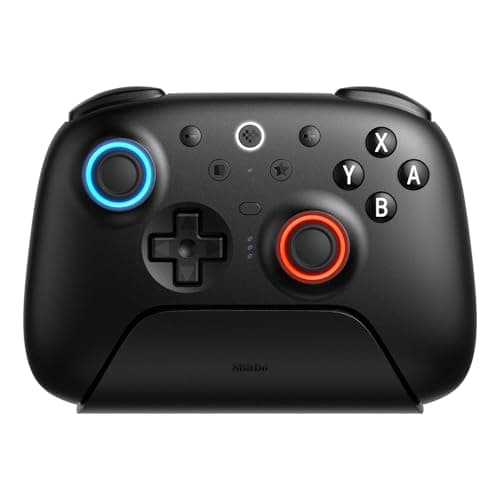
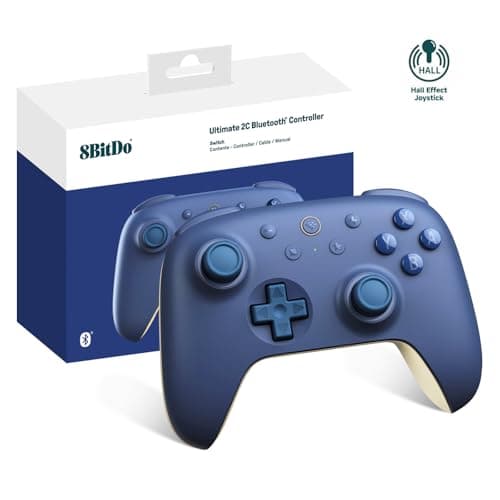
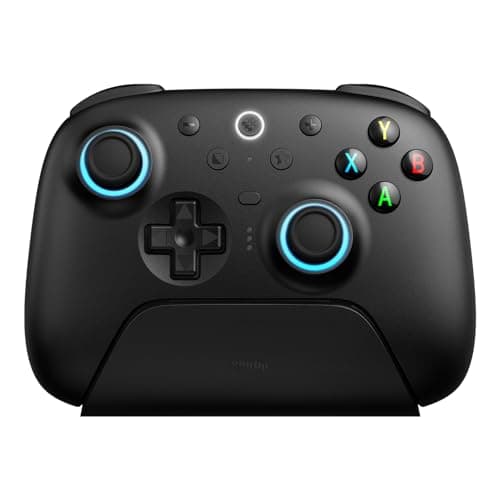
If you want one 8BitDo controller, buy the Ultimate 2 Wireless. It packs Hall-effect sticks and triggers, a low-latency 2.4GHz dongle, a charging dock and deep remapping software for roughly the price of a plain first-party pad — the value pick that is not a compromise. But 8BitDo makes four genuinely different controllers, and the right one depends entirely on what you play and, just as importantly, what you play it on. One caveat up front, because it decides everything: none of these pads is licensed for Xbox consoles. 8BitDo has spent years becoming the brand enthusiasts recommend when someone wants flagship features without flagship pricing. The reason is a consistent recipe: drift-resistant Hall-effect sticks, thorough remapping software, and build quality that punches above the price. What changes from model to model is the platform support and the physical design — and getting those two right is the whole job of this page.
What 8BitDo does better than the big brands
Three things run through the lineup and explain why these pads keep winning value comparisons.
- Hall-effect sticks.Most controllers use potentiometer sticks that wear over time and eventually “drift” — registering movement you did not make. Hall-effect sticks use magnetic sensors with no physical contact to wear out, which resists that failure. It is the durability feature you normally pay flagship money for, and 8BitDo puts it on pads that cost a fraction of the price. Our Hall-effect vs potentiometer guide explains exactly how and why it resists drift.
- Remapping software.8BitDo's Ultimate Software lets you remap every button, add back-paddle mapping and tune stick and trigger response curves — the kind of control normally reserved for pads that cost two or three times as much.
- Value.Put those together and you get controllers that give up polish in small ways — face-button feel, shell materials — but not the parts that actually matter for durability and control.
The Xbox caveat, stated plainly
This is the single most important thing to understand before you buy, so here it is without hedging: no 8BitDo controller on this page is licensed for Xbox consoles. They will not pair with an Xbox Series X, Series S or Xbox One. That is not a flaw in these specific pads; it is how Microsoft licenses console controllers, and 8BitDo simply is not part of that program for these models. What they dosupport is PC, and depending on the model, Android, Steam and Nintendo Switch. If you specifically need a controller that works on an Xbox console, none of these is your pad — buy a first-party Xbox Wireless Controller or an officially licensed alternative from our controllers for PC page instead. Everywhere else, 8BitDo is one of the best values going.
The platform map
Because platform support is where these pads differ most, here is the quick version before the picks:
- Ultimate 2 Wireless— PC, Android and Steam, over 2.4GHz dongle, Bluetooth or USB-C. Not for Xbox or PlayStation consoles.
- Pro 2— sold as a Switch pad first, and connects to a PC in X-input mode over Bluetooth or USB-C. Not an Xbox-console pad.
- Ultimate 2 Bluetooth (Switch)— Nintendo Switch and Switch 2 over Bluetooth, and doubles as a 2.4GHz PC controller. Not for Xbox consoles.
- Ultimate 2C— PC and Android only, over its 2.4GHz dongle or wired. No Bluetooth on the base model, and not licensed for Xbox or PlayStation.
Valve's Steam Input layer is worth knowing about here: on PC it can read almost any controller and remap it per game, which is part of why 8BitDo pads slot so cleanly into a Steam library. For the Switch models, check current compatibility against Nintendo's official accessory information, and the full platform detail for any model lives on 8BitDo's own product pages.
Wired, dongle or Bluetooth: how you connect matters
How a controller connects is not a footnote — it decides latency and where you can use the pad, and the three connection types across this lineup are not equal for gaming. A 2.4GHz dongle is a small USB receiver that gives a low-latency wireless link close to wired, which is why the Ultimate 2, the Ultimate 2 Bluetooth (on PC) and the Ultimate 2C all include one for the desk. Bluetoothis the most convenient and the most universal — it is how the Pro 2 and the Ultimate 2 Bluetooth reach a Switch — but it carries slightly more latency than a dongle, which most players never notice outside twitch shooters. Wired USB-Cis the lowest-latency option of all and the fallback every model here supports. The practical takeaway: for competitive PC play, prefer the 2.4GHz dongle or a cable; for a Switch or casual sessions, Bluetooth is fine. It is worth checking which connections a given model has before you buy, because the budget Ultimate 2C drops Bluetooth entirely — it is dongle or wired only.
The remapping software, and its learning curve
The feature that most justifies buying 8BitDo over a plain first-party pad is the Ultimate Software. On the Ultimate 2 and Ultimate 2 Bluetooth it remaps every button, assigns the back paddles, and lets you tune stick and trigger response curves and dead zones — the kind of deep control that first-party pads reserve for their most expensive models. The Pro 2 offers remapping and profile switching too, while the budget Ultimate 2C keeps its remapping shallower. The honest catch is that this power comes with a learning curve: between the software and the physical mode switches these pads use to change platforms, there is more to understand than with a controller that simply pairs and plays. If you want a set-and-forget pad and will never touch a profile, that complexity is friction you do not need, and a first-party controller is the simpler choice. If you like tuning your gear, it is exactly the reason to buy 8BitDo in the first place.
Where 8BitDo saves money, and where it does not
Value this good always comes from choosing where to economize, and 8BitDo is honest about it once you know where to look. The savings show up in the shell and face-button feel: across the lineup, the plastics and the click of the buttons sit a small step below a genuine first-party Xbox or Switch pad, and you can feel it side by side. What 8BitDo does not cut is the part that decides how long a controller lasts and how well it plays — the Hall-effect sticks that resist drift, the included 2.4GHz dongle and charging dock on the flagship models, and the remapping depth. That is the trade in a sentence: you give up a little polish in the hand, not the internals that matter. For most players that is a bargain; if a premium in-hand feel is what you value above all, it is the one honest reason to look at a pricier first-party pad instead.
The picks
The Ultimate 2 Wirelessis the flagship and the default recommendation. It has Hall-effect on both the sticks and the triggers — the drift-proof parts — plus a low-latency 2.4GHz dongle and a charging dock, so it lives on your desk fully topped up. The Ultimate Software handles remapping, back paddles and stick and trigger curves. The honest cons: it is not licensed for Xbox consoles, so it is a PC, Android and Steam controller; the software and physical mode-switching take a little learning versus a plug-and-play first-party pad; and the shell and face-button feel are a small step below a genuine Xbox controller. Do not buy it if you need it to work on an Xbox console — it will not pair with one.
The Pro 2is the specialist, and for the right player it is untouchable: it has one of the best d-pads on any modern controller, which is why it is the standing favorite for 2D platformers, fighting games and emulation. It pairs that with Hall-effect sticks, two back buttons and on-the-fly profile switching, and connects to a PC in X-input mode over Bluetooth or USB-C. The trade-offs are about form and reach: the compact, retro-styled shell is less comfortable than a full-size Xbox pad on long AAA sessions and for large hands, it is marketed for Switch first so you flip a physical mode switch to X for PC rather than plugging in and going, and there is no 2.4GHz dongle in the box — it is Bluetooth or wired. If your library is mostly 3D, first-person and AAA, the Pro 2's magic is wasted; a full-size pad or the Ultimate 2 is the more comfortable tool.
The Ultimate 2 Bluetooth (Switch)is the pick if a Nintendo Switch is your main machine. It is listed for both the Switch and the Switch 2 over Bluetooth and doubles as a 2.4GHz PC controller, and it brings the flagship kit with it: Hall-effect sticks and triggers, a charging dock and the same Ultimate Software for remapping, back paddles and stick and trigger tuning. The honest cons: the software and mode switching take a little learning versus a plug-and-play first-party Pro Controller, the face-button and shell feel is a small step below Nintendo's own pad, and gyro aim is not guaranteed on every title the way a first-party pad promises, so check the games you care about. If you just want the simplest, guaranteed-compatible Switch option and never plan to remap, the first-party Pro Controller is the zero-thought pick; this one rewards players who want Hall-effect durability and control. Our controllers for Switch page has the wider field.
The Ultimate 2C is the budget entry, and it is the cheapest honest way to buy a controller that will not drift. It puts Hall-effect sticks on a genuinely inexpensive pad, where almost every rival at the price still uses drift-prone potentiometers, and it includes a low-latency 2.4GHz dongle rather than leaning on Bluetooth. It is PC and Android only. The catches are what the budget buys: there is no Bluetooth on the base model, so it is 2.4GHz dongle or wired; it is not licensed for Xbox or PlayStation; and you get basic rumble with no back buttons and less app-level remapping depth than the flagship. If you need Bluetooth or console support, step up to the standard Ultimate 2; if you just want cheap, reliable, drift-resistant sticks for a PC, this is the one.
Which one for whom
Treat it as four clear lanes. For a do-everything PC and Android pad, the Ultimate 2 Wirelessis the pick — full features, Hall-effect sticks and triggers, dongle and dock. For 2D, fighting games and emulation, the Pro 2 and its exceptional d-pad win outright. For a Nintendo Switch as your main platform, the Ultimate 2 Bluetooth brings flagship durability to the console that needs drift resistance most. And on a tight budget, the Ultimate 2Cis the cheapest way to get Hall-effect sticks that resist drift. Across all four, the through-line is the same: 8BitDo gives up polish, not the parts that matter. The one thing none of them does is work on an Xbox console — keep that front of mind, and this is one of the best-value controller lineups you can buy. If you want to see how these pads stack up against every other brand, our best Hall-effect controllers and best controllers for PC roundups place them in the wider field, and our how to choose a controller guide walks through the decision from scratch.
The retro-shaped pads here have one modern competitive use, and it is not nostalgia: the one-piece cross d-pad is the right shape for rolling fighting-game motions. Our best controllers for fighting games page explains the mechanism and ranks the alternatives.