Skip to content
GEAREDGAMING

HUB 02 · Gaming Audio

What Is Mic Monitoring?

If you have ever been told you are shouting on voice chat, this is the setting you were missing. Telephone engineers solved this problem a century ago and called it sidetone.

By Stephen V.Updated How we research
#ad

We earn a commission when you buy through our Amazon links, at no extra cost to you. It never affects our rankings, and we say so when the cheaper product is the better buy. How this works.

Mic monitoring — properly called sidetone — feeds a small amount of your own microphone signal back into your own earcups in real time, so you can hear yourself talk. It exists because a sealed headset blocks the sound of your own voice, and people who cannot hear themselves unconsciously get louder. Turn it on, set it low, and you will stop shouting at your friends.

This is not a gaming invention. Sidetone has been deliberately engineered into telephones for over a century, for exactly this reason: a handset that gave the caller silence in their own ear made them shout and made the call feel dead. Gaming headsets rediscovered the problem the moment they started sealing ears properly.

Why a sealed headset makes you shout

When you speak without headphones, you hear your own voice two ways: through the air, and through bone conduction in your skull. Your brain uses the combined level to regulate how hard you push. Put on a closed-back headset with decent isolation and you remove most of the airborne path, so the version of your voice you hear gets much quieter — and your brain compensates by raising your actual volume. This is the Lombard effect: people speak louder when they cannot hear themselves well, without noticing they are doing it.

That is why the symptom is so consistent: your teammates say you are shouting, your family asks why you are yelling at the computer, and you genuinely feel like you are speaking normally. The fix is not discipline, it is feeding the missing signal back.

It follows that the better the isolation, the more you need it. A well-sealing closed headset or an in-ear monitor needs sidetone far more than an open-back headphone does — one of the quiet advantages of open-back designs covered in our open-back vs closed-back guide. It also explains why active noise cancelling makes the problem worse, as our noise cancelling vs noise isolating guide gets into.

How to turn it on: it depends on your connection

There are two completely different answers, and knowing which applies to you saves a lot of searching.

USB or wireless headsets.The headset is a digital audio device with its own processing, so sidetone can be mixed inside the headset or its dongle with essentially no delay. This is where it belongs, and it is why vendor software exists: SteelSeries, Logitech G and HyperX each ship a desktop app — documented by SteelSeries, Logitech G and HyperX respectively — where the control usually lives under a name like sidetone, mic monitoring or mic volume in your ear. On a console the equivalent setting is in the system audio menu rather than an app.

Analogue 3.5mm headsets. A 3.5mm TRRS connection carries your mic to the PC and the PC's output back; the headset itself has no electronics to mix anything. So sidetone has to be created on the computer. In Windows, that is the per-device “listen to this device” option on your microphone in the sound control panel — Microsoft documents the sound settings where it lives. Be aware that this route adds the PC's audio processing delay, so it can be slightly echoey where a hardware implementation is not.

A third route, if you already run streaming software: create a monitor output in your audio mixer. That gives you the most control and is the most work. Our microphone setup guide covers the surrounding routing.

How loud to set it

Low. The goal is not to hear yourself clearly; it is to hear yourself just enough that your brain stops compensating. Set it to the quietest level at which you are aware of your own voice and then leave it there.

Too loud produces three problems. You become distracted by your own voice, which is genuinely unpleasant over a long session. You start under-projecting, which is the opposite failure and makes you hard to hear. And a loud sidetone on an analogue setup can feed back into the microphone, producing the howl our mic echo guide is about.

What mic monitoring does not do

This is where the term gets misused, so it is worth being precise. Sidetone is a monitoring feature. It changes nothing about what other people hear.

  • It does not improve your mic quality.Your voice sounds the same to your team with it on or off. If they say you sound thin or distant, that is mic position or gain — see how to fix a quiet mic.
  • It does not reduce background noise. It can help you noticeyour fan or your keyboard, which is useful, but the reduction itself is a separate job — how to reduce mic background noise is that page.
  • It is not the same as hearing an echo of yourself in a call.That is almost always someone else's speakers being picked up by their microphone, or a stray “stereo mix” setting. Platform input and output settings — the ones Discord documents — are the first place to look.
  • It will not fix a crackle or a dropout. Those are connection or driver faults; our headset crackling guide covers them.

Buying for it: which headsets give you the control

The practical rule from the section above is the buying rule too. A headset that connects digitally — USB, USB-C or a 2.4GHz dongle — can implement sidetone in hardware and expose it in its own software or on a base station, with no added delay. An analogue-only headset leaves you depending on Windows to do it, which works and is slightly worse.

So if hearing yourself matters to you, buy a digital connection. The four below are the digitally-connected headsets we recommend elsewhere on the site, in ascending order of what they give you: a wireless all-rounder with a USB-C dongle, a wireless headset with a serious detachable boom mic, a wired headset that offers USB-C, USB-A and 3.5mm so you can choose, and a flagship whose base station puts the controls on a physical dial. Check the current vendor app or manual for the exact control name on the model you buy — these move between software versions, and we are not going to claim a menu path we have not seen on your firmware.

The wider fields are on best wireless gaming headsets, best wired gaming headsets and best gaming headsets for mic quality, and USB vs 3.5mm is the guide that covers the connection choice in full.
The short answer

Quick picks

#ProductBest forScorePrice
01
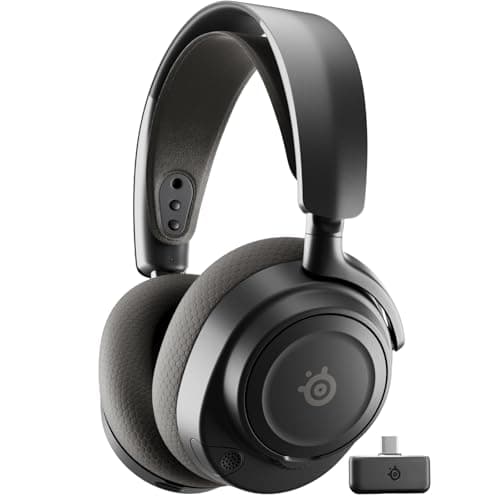
SteelSeries SteelSeries Arctis Nova 7 (Gen 2)
SteelSeries Arctis Nova 7 (Gen 2)

The wireless headset most people should actually buy.

The best wireless all-rounder
8.0
$184.99 on Amazon →
02
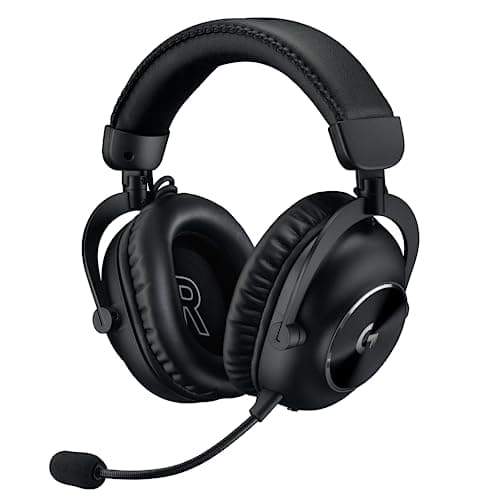
Logitech G Logitech G PRO X 2 LIGHTSPEED
Logitech G PRO X 2 LIGHTSPEED

Graphene drivers, esports pedigree, and a price that assumes you care about both.

Wireless with a serious mic
7.6
$229.99 on Amazon →
03
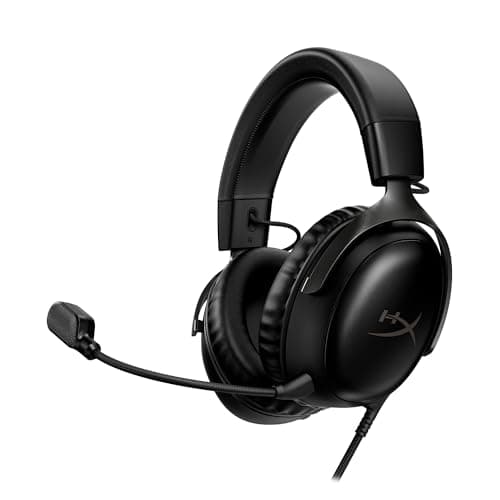
HyperX HyperX Cloud III
HyperX Cloud III

The Cloud formula updated: angled 53mm drivers, thick memory foam, and three ways to plug it in.

Best all-round wired pick
8.2
$69.99 on Amazon →
04
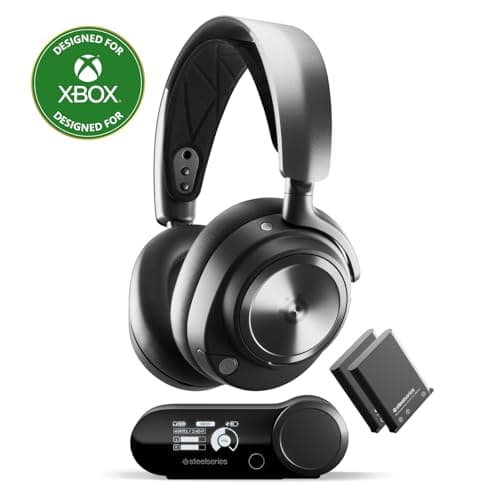
SteelSeries SteelSeries Arctis Nova Pro Wireless
SteelSeries Arctis Nova Pro Wireless

The one with everything. Whether you need everything is a different question.

Buy-once, no-compromises wireless
7.6
$294.50 on Amazon →

#ad · Live prices from the Amazon Creators API, as of October 21, 2026. Where we have no verified live price, we show none — we would rather leave a gap than print a number that has rotted.

In detail

The picks, in full

01
SteelSeries SteelSeries Arctis Nova 7 (Gen 2)

The best wireless all-rounder

SteelSeries Arctis Nova 7 (Gen 2)

2.4GHz + BluetoothSimultaneous dual audioRetractable micUSB-C dongle
8.0/10

The wireless headset most people should actually buy.

Positional accuracy
7
Footstep clarity
7
Mic quality
8
Comfort
9
Value
9

Pros

  • Does the important 90% of the Nova Pro at a fraction of the price
  • Simultaneous 2.4GHz + Bluetooth is genuinely useful and rare at this price
  • The USB-C dongle plugs straight into a Steam Deck or an Ally

Cons

  • No hot-swap battery, so a dead headset means a cable
  • Closed back — the usual staging ceiling

Don't buy this if…

…you want the widest possible soundstage. This is a very good closed-back headset, and a closed-back headset is still the wrong tool for that job.

$184.99View on Amazon

$199.998% off

Price as of October 21, 2026. Prices change — Amazon's is the one that counts.

#ad · we may earn a commission from this link to SteelSeries Arctis Nova 7 (Gen 2)

02
Logitech G Logitech G PRO X 2 LIGHTSPEED

Wireless with a serious mic

Logitech G PRO X 2 LIGHTSPEED

Wireless LIGHTSPEED + BTGraphene driversDetachable boomLogitech rates 50h battery
7.6/10

Graphene drivers, esports pedigree, and a price that assumes you care about both.

Positional accuracy
8
Footstep clarity
7
Mic quality
9
Comfort
8
Value
6

Pros

  • Battery life is long enough that you stop thinking about it
  • The detachable boom mic is among the best on any wireless headset
  • Memory foam and leatherette/velour options both in the box

Cons

  • Expensive, and the graphene drivers are a smaller upgrade than the marketing implies
  • Closed back — same structural staging ceiling as the rest

Don't buy this if…

…your budget is the constraint. The Arctis Nova 7 does the same job for less and you will not hear the difference in a firefight.

$229.99View on Amazon

$279.9918% off

Price as of October 21, 2026. Prices change — Amazon's is the one that counts.

#ad · we may earn a commission from this link to Logitech G PRO X 2 LIGHTSPEED

03
HyperX HyperX Cloud III

Best all-round wired pick

HyperX Cloud III

USB-C · USB-A · 3.5mmAngled 53mm driversMemory-foam cushions10mm mic
8.2/10

The Cloud formula updated: angled 53mm drivers, thick memory foam, and three ways to plug it in.

Positional accuracy
8
Footstep clarity
8
Mic quality
8
Comfort
9
Value
8

Pros

  • Thick memory-foam cushions and a wide earcup opening — the Cloud line's long-standing comfort advantage
  • Three connection options in one box covers PC, PS5, Xbox and handhelds without adapters
  • Angled drivers aim the sound at the ear rather than straight across it

Cons

  • Wired only — there is no wireless version of this exact model
  • The USB spatial audio is PC-focused; on console you are using plain 3.5mm
  • The angled drivers and thicker pads are a real but incremental upgrade on the older Cloud Alpha — not a reason to replace one you already own

Don't buy this if…

…you want wireless. This is a cable headset in every configuration, and the Arctis Nova 5 is the equivalent-comfort wireless answer.

$69.99View on Amazon

$99.9930% off

Price as of October 21, 2026. Prices change — Amazon's is the one that counts.

#ad · we may earn a commission from this link to HyperX Cloud III

04
SteelSeries SteelSeries Arctis Nova Pro Wireless

Buy-once, no-compromises wireless

SteelSeries Arctis Nova Pro Wireless

Wireless 2.4GHz + BTHot-swap dual batteryANCBase station with parametric EQ
7.6/10

The one with everything. Whether you need everything is a different question.

Positional accuracy
8
Footstep clarity
7
Mic quality
9
Comfort
9
Value
5

Pros

  • The hot-swap battery system means it is never out of charge — the second cell sits charging in the base
  • The base station's parametric EQ is a real tool, not a marketing slider
  • Simultaneous 2.4GHz and Bluetooth, so game audio and a phone call coexist

Cons

  • Extremely expensive — several times the cost of headsets that get you most of the way
  • Closed back, so it still cannot match an open-back for raw staging
  • The feature list is doing a lot of the selling here

Don't buy this if…

…you're buying it to hear footsteps better. A $90 open-back will out-locate this, and we'd rather lose the sale than let you spend four times as much for worse imaging.

$294.50View on Amazon

$379.9922% off

Price as of October 21, 2026. Prices change — Amazon's is the one that counts.

#ad · we may earn a commission from this link to SteelSeries Arctis Nova Pro Wireless

How we picked

We do not run a testing lab

We researched published specifications, third-party lab measurements, manufacturer documentation and aggregated owner reviews, then scored each product against a published rubric. The scores are judgments from documented research — they are not measurements we took, because we do not have a lab and we are not going to pretend we do. Where a number came from someone else's lab, we name them and link them in Sources.

Questions

Frequently asked

What is mic monitoring on a gaming headset?
It is your own microphone signal fed back into your own earcups in real time, so you can hear yourself speak. The proper name is sidetone, and it exists because a sealed headset blocks the airborne sound of your own voice, which makes people unconsciously shout.
Should mic monitoring be on or off?
On, and quiet, if you use a well-sealing closed headset and people tell you that you are loud. Set it to the lowest level at which you are aware of your own voice. Too loud is distracting, makes you under-project, and on an analogue setup can feed back into the microphone.
Does mic monitoring affect how I sound to other people?
No. It changes only what you hear in your own ears. If teammates say you sound quiet, thin or distant, that is microphone position or input gain, not sidetone.
How do I enable mic monitoring on a 3.5mm headset?
On the PC rather than the headset, because an analogue headset has no electronics to mix the signal. In Windows, use the per-device "listen to this device" option on your microphone in the sound control panel. It works, but adds the PC's processing delay, so it can sound slightly echoey compared with a USB or wireless headset doing it in hardware.
Why can I hear an echo of my own voice on voice chat?
That is usually not sidetone. It is normally someone else's speakers being picked up by their microphone and sent back to you, or a stray "stereo mix" input on your own machine. Check the input and output devices in your voice app first.

Keep reading

Receipts

Sources

We do not run a testing lab, and we do not pretend to. Where a measured number came from someone else's lab, we name them and link them. Where we could not verify something, we say so on the page rather than quietly leaving it out. Read our full method.