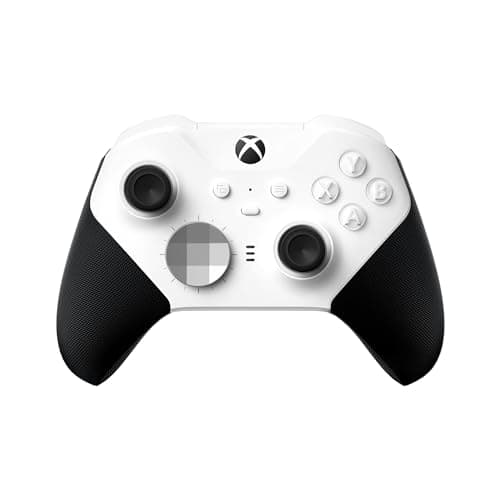
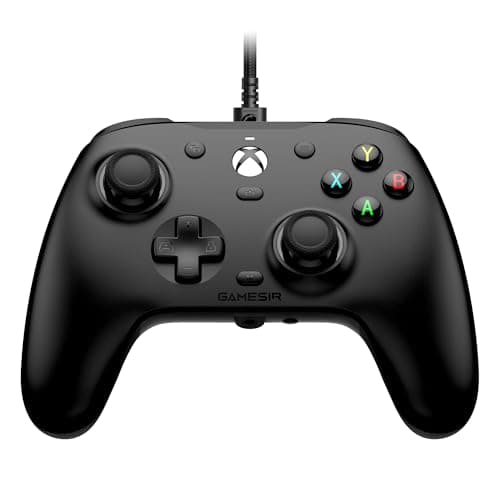
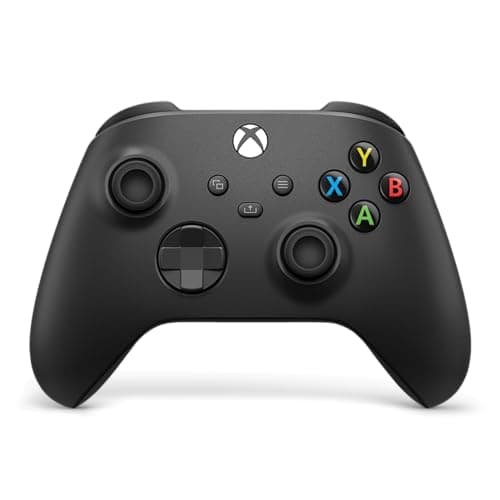
Buy the Xbox Wireless Controller. It is the pad the console is built around, it pairs and updates without a fight, and its trigger and bumper feel is still the one every other controller is measured against. For most Xbox owners the decision ends here. If you want drift-proof sticks and are happy with a cable, the GameSir G7 HE is the value standout; if you will genuinely use back paddles, the Elite Series 2 Core is the premium option.
On Xbox, “officially licensed” is the first rule, not a nicety
This is the one place an Xbox controller page differs completely from a PC controller page, and it is the most important thing to understand before you spend a penny. On PC, almost any modern pad works — an Xbox pad, a PlayStation pad, an 8BitDo, a GameSir, over Bluetooth or a dongle or a cable. On an Xbox console, that is not true.The Series X and Series S check for an authentication chip that Microsoft only puts in officially licensed controllers. Plug in a random third-party pad without that license — even an excellent one that works flawlessly on PC — and after a short grace period the console flashes a message and disconnects it. It is not a driver problem you can work around; it is a hardware handshake, and there is no software fix.
That is why every controller on this page is officially licensed for Xbox: the first-party Xbox Wireless Controller and Elite Series 2 Core from Microsoft, and the licensed GameSir G7 HE and two PowerA pads. The lesson is simple and it saves the most common expensive mistake in the category: on Xbox, do not buy on features first. Confirm the pad is officially licensed for Xbox, then compare the features. A cheaper unlicensed controller is not a bargain on a console — it is a paperweight.
The stick sensor is the spec that decides your next two years
Nearly every controller failure people complain about is the same one: stick drift — the character walks on its own, the camera creeps, the aim pulls to one side. It is not bad luck. Most pads, including the standard Xbox Wireless Controller and both PowerA controllers here, use potentiometer sticks: a physical wiper dragging across a resistive strip. That strip wears, dust works into it, and the reading at center stops being zero. On a potentiometer stick, drift is not an if; it is a when.
Hall-effectsticks fix it at the source. They read the stick's position with a magnetic sensor that never physically touches anything, so there is no wiper and nothing to wear out. On this page, the GameSir G7 HE uses Hall-effect on both the sticks and the triggers — the drift-prone parts, made drift-proof, on an officially licensed Xbox pad. That is the single best reason to look past the first-party controllers. We are not telling you to skip the Xbox Wireless Controller over it; first-party sticks last years for most people, and everything else about that pad is excellent. But if you game daily, or you have already binned a controller to drift, Hall effect is the honest reason to spend your money on the G7 HE. Our how to fix controller stick drift guide covers what to do if a pad you already own has started wandering.
Wireless or wired, and what you give up either way
Only the two Microsoft pads here are wireless; the GameSir and both PowerA controllers are wired only. For a console played from the couch, wireless is a real convenience — but it is a convenience, not a performance advantage. A wired pad has no latency penalty you will feel, never needs charging or batteries, and costs less for the same features. The trade is the cable across the living room, and whether that bothers you is a genuine personal call rather than a technical one.
There is one dated wrinkle worth pricing in: the standard Xbox Wireless Controller ships with AA batteriesrather than a built-in rechargeable pack. It is not a dealbreaker — rechargeable AAs or a first-party battery pack fix it cheaply — but factor that small extra cost in when you compare it against the Elite Series 2 Core (built-in rechargeable) or the wired pads (no batteries at all). The wired controllers sidestep the whole question.
Back buttons and paddles: pay for them only if you will use them
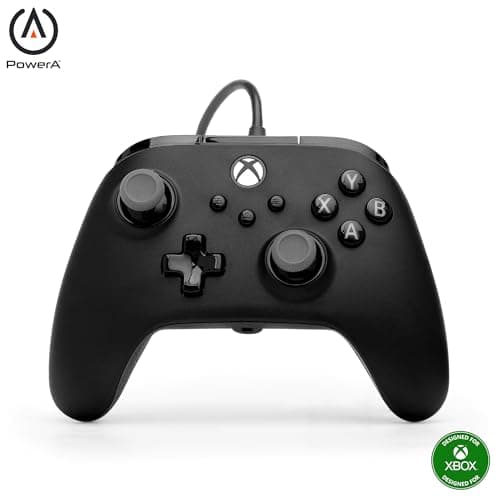
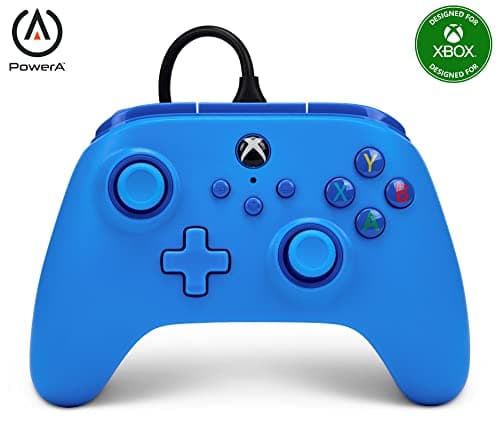
Extra rear inputs let you jump, crouch or reload without lifting a thumb off the stick, and in the right hands they are a real edge. Three pads here offer them, at three very different prices. The Elite Series 2 Coreis the premium option, with adjustable-tension sticks, hair-trigger locks and a wrap-around grip — but note the word “Core”: it ships without the paddle set, so you buy those separately, which pushes the real cost higher still. The PowerA Advantage Plusgives you mappable back buttons on a licensed wired pad for a fraction of an Elite's price, which for most people who just want back buttons is the smarter buy. The plain PowerA Wiredkeeps none of that and is simply the cheapest licensed Xbox pad worth owning — a fine spare, a second pad for local co-op, or a kid's controller that is not a tragedy if it breaks.
The honest rule is the same one we apply to every premium peripheral: back paddles are only worth paying for if you will actually remap them and build the muscle memory to use them. If you will not, you are paying two or three times the price of a standard pad for a heavier version of the same thing. Buy up the range only when you will use what the extra money buys.
So rank on these four things
- Licensed for Xbox.The gate everything else sits behind — all five here clear it, an unlicensed pad does not.
- Stick technology. Hall-effect (the GameSir G7 HE) versus conventional potentiometer (the Xbox pads and both PowerA controllers). This is the drift decision.
- Wireless or wired, and how it is powered. Wireless couch freedom and AA batteries on the standard Xbox pad; a built-in rechargeable on the Elite; no batteries at all on the three wired pads.
- Back buttons and extras.Adjustable premium feel on the Elite, budget mappable buttons on the PowerA Advantage Plus, nothing extra on the plain PowerA — match it to what you actually play.
How to actually pick an Xbox controller
Confirm it is officially licensed before anything else
This is the step people skip and regret. On an Xbox console, an unlicensed controller stops working after a brief grace period, no matter how good it is — the console rejects it at the hardware level. Before you compare a single feature, make sure the pad is officially licensed for Xbox Series X|S. Every controller on this page is; plenty of cheaper third-party pads sold for “Xbox” are only licensed for PC and will not survive on the console. When in doubt, buy first-party or one of the clearly licensed partners here.
Weigh the drift risk against how much you play
If you game a couple of hours a week, the conventional sticks in the standard Xbox Wireless Controller will very likely outlast your interest in it, and it is the easy call. If you game daily, or you have already thrown out a pad to drift, the Hall-effect sticks and triggers on the GameSir G7 HE are the difference between a controller that lasts and one that becomes landfill on a schedule. Buy the sensor technology that matches your hours, not the one that matches the marketing.
Choose wireless for the couch, wired for value
Wireless is a genuine comfort win in a living room, and the two Microsoft pads deliver it. But a wired controller has no latency you will feel, never runs flat mid-session, and costs less for the same features — which is exactly why the best-value pick here, the G7 HE, is wired. Decide honestly whether a cable across the room actually bothers you before you pay the wireless premium.
Factor batteries into the standard pad's price
The one genuinely dated thing about the standard Xbox Wireless Controller is that it ships on AA batteries. It is cheap to solve with rechargeable AAs or a battery pack, but it is a real recurring cost the other pads here do not have — the Elite has a built-in rechargeable and the wired controllers need nothing. Add the cost of a battery solution to the standard pad when you compare it against the rest.
Do not over-buy the premium pad
The Elite Series 2 Core is the best-feeling controller on this page, and for most people it is still the wrong purchase. Its paddles, adjustable sticks and hair-trigger locks are advantages only if you will map them and build the habits to use them — and remember the Core ships without the paddles, so the real price is higher than the sticker. If you just want back buttons, the PowerA Advantage Plus gives you mappable ones for far less. Buy the Elite only if you will genuinely exploit what it does that a standard pad cannot.
Buy a plain pad when a plain pad is the job
Not every purchase needs to be the best controller you can afford. If you need a second pad for local co-op, a spare for guests, or a first controller for a kid, the plain PowerA Wired is a licensed, perfectly good Xbox pad that costs little and will not be a loss if it gets dropped or worn out. It is the honest answer to “I just need another controller,” and there is no shame in it.
Check the small conveniences you will actually touch
Beyond the headline decisions, a couple of small features get used every single session. Every pad on this page has a 3.5mm headset jackin the controller itself, which is worth more than it sounds — it means a plain wired headset plugs straight into your hand with no dongle and no base station, and it works the same on the console and on a PC. The two PowerA pads also use a detachable USB cable, so a chewed or snagged cable is a cheap replacement rather than a dead controller. These are not reasons to choose a pad on their own, but when two controllers are otherwise close, the one with the jack you use and the cable you can replace is the one that stays useful longer.
What not to pay for
RGB lighting. “Pro” branding with no paddles or Hall-effect sticks behind it. Turbo-fire buttons you will never bind. Sky-high polling-rate claims a console will never expose. And above all, a cheaper unlicensed controller — on Xbox that is not a saving, it is a pad that stops working. Spend on the license first, then the stick sensor, then the one extra your games actually use, and ignore the rest.