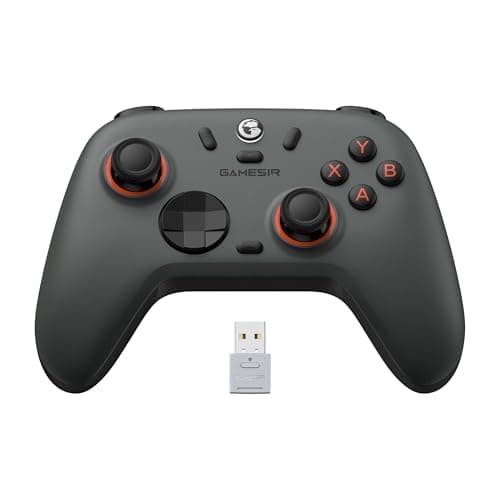
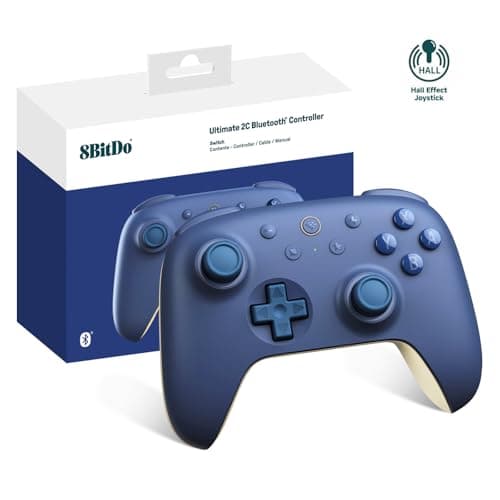
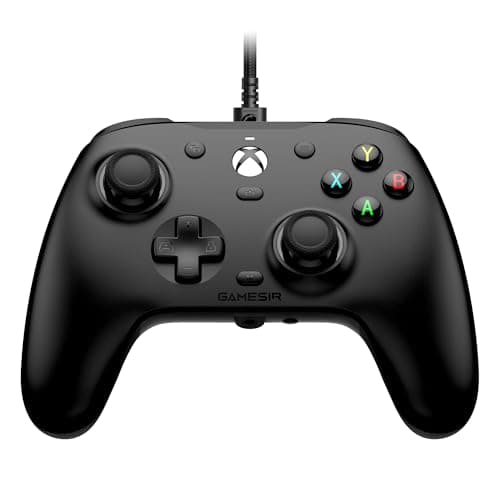
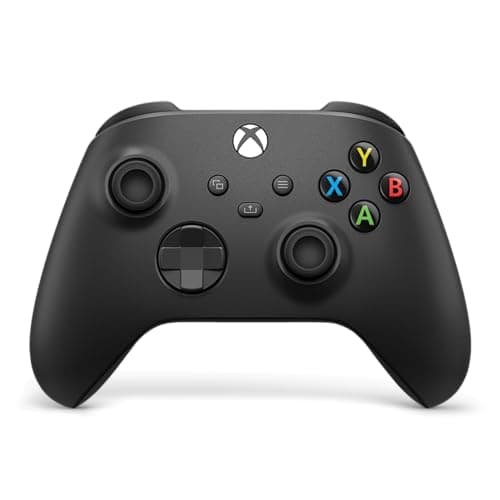
Buy the Xbox Wireless Controller. Under $50 it is still the pad that pairs to Windows without a fight, that every launcher and Game Pass title recognizes the instant you plug it in, and whose trigger and bumper feel nothing else on this page quite matches. But the more interesting thing that happened under $50 is what the challengers now include as standard: drift-proof Hall-effect sticks, the single upgrade the first-party pad at this price still refuses to give you. If you have ever thrown out a controller because a stick started walking on its own, that is the reason to look past the obvious default.
Under $50, the decision is which of two bargains you want
A few years ago a controller under $50 meant one thing: a plain Xbox pad, or a compromise. That is no longer the market. Today the same budget buys either the do-everything Xbox controller — the one Windows itself is built around — or a challenger from 8BitDo or GameSir that spends its money on the internals instead of the badge, and hands you Hall-effect sticks the Xbox pad does not have.
So the question at this price is not “can I afford a good controller.” You can, several times over. The question is which trade you are willing to make: the frictionless compatibility and premium feel of the first-party pad, or the drift-proof sticks and rechargeable batteries of the challengers. Every controller here makes exactly one such trade, and they are not the same trade — which is exactly why a single “best” pick is the wrong way to shop this category.
The one spec that decides your next two years: the stick sensor
Nearly every controller complaint you will ever read is the same complaint: stick drift. The character walks by itself, the camera creeps, the aim pulls to one side. It is not bad luck. Most conventional pads — including the standard Xbox controller — use potentiometer sticks, which read position with a physical wiper dragging across a resistive strip. That strip wears, dust works into it, and the reading at the center stops being zero. On a potentiometer stick, drift is not an if; it is a when.
Hall-effectsticks solve it at the source. They read the stick's position with a magnetic sensor that never physically touches anything, so there is no wiper and nothing to wear out. That is the single biggest reason to look past the first-party pad at this price: the GameSir Nova Lite 2, the 8BitDo Ultimate 2C, the 8BitDo Pro 2 and the GameSir G7 HE on this page all use Hall-effect sticks, and the Xbox pad does not. If you have already binned a controller to a wandering stick — or you play enough hours a week that you eventually will — that is the feature you were actually shopping for, even if nobody sold it to you that way. If a stick has already started to drift on a pad you own, our stick-drift fix guide walks through what you can do before you replace it.
We are not telling you to skip the Xbox pad over this. First-party sticks last years for most people, and everything else about the Xbox controller — the feel, the compatibility, the enormous parts and replacement ecosystem — is genuinely excellent. But if you play a lot, or you have been burned before, Hall effect is the honest reason to spend your money somewhere other than the default.
So rank on these four things instead
- Stick technology. Hall-effect (Nova Lite 2, Ultimate 2C, Pro 2, G7 HE) versus conventional potentiometer (Xbox). This is the drift decision above, and for anyone who plays daily it is the one that matters most.
- Wired or wireless, and how. A low-latency 2.4GHz dongle is effectively as fast as a cable; Bluetooth trades a sliver of latency for convenience; a wired pad removes the last doubt and never needs charging. Which of the three a controller offers is a real difference under $50.
- Platform compatibility. An officially licensed pad works on the console it is licensed for with zero fuss; an unlicensed PC controller does not pair with an Xbox at all. This is the specification people get wrong most often at this price.
- D-pad quality. For 3D and first-person games the sticks carry you; for 2D platformers, fighting games and emulation the d-pad is the whole experience. A great one (the Pro 2) and a merely adequate one are different tools, not better and worse versions of the same thing.
Platform compatibility is the trap in the cheap-controller aisle
This is where a good price turns into a returned parcel. The GameSir G7 HE is officially licensed for Xbox, so it simply works on an Xbox Series X|S and on Windows with no workarounds. The 8BitDo and GameSir wireless pads here are not licensed for Xbox consoles — they are excellent PC, Android and handheld controllers, and they will not pair with an Xbox at all. The 8BitDo Pro 2 adds another wrinkle: it is marketed for Nintendo Switch first, so on a PC you flip its physical mode switch to X-input rather than plugging in and going. None of that is a fault; it is just the thing to get right before you buy, because a controller that is perfect for one platform can be useless on another. Decide what you are plugging it into first, then let that narrow the list.
If a handheld is part of the picture, the same logic applies — a dongle-or-wired PC pad is a natural fit for a docked Steam Deck or an Ally, and we cover that specific case on our best Steam Deck controller page. For a full-size desktop setup, the wider field lives on our best PC controller roundup.
Wired or wireless? Under $50 it is mostly about charging, not lag
Modern 2.4GHz dongle wireless is fast enough that you will not feel the difference from a cable in anything short of a frame-perfect fighting game, so the practical question at this price is less about latency and more about power and connection type. The Nova Lite 2 covers all three routes — 2.4GHz dongle, Bluetooth and USB-C — and carries a built-in rechargeable battery. The Ultimate 2C includes the low-latency dongle but skips Bluetooth. The Pro 2 is Bluetooth or wired with no dongle in the box. The G7 HE is wired only — which sounds like a downside until you remember a cable never goes flat, never adds latency and never needs a dongle port. And the Xbox pad ships with AA batteries rather than a rechargeable pack, which is the one genuinely dated thing about it: budget a set of rechargeable AAs into its price when you compare.
The Xbox pad's quieter advantages don't fit on a spec sheet
It is easy to read this page and conclude the Xbox controller is the boring, beaten default. It is not. The things that keep it at the top are the ones a feature list never captures. Its trigger and bumper feel is still the reference the whole category is measured against. It carries a 3.5mm headset jack in the pad itself, so any wired headset plugs straight in. And it has, by a wide margin, the largest parts, mod and replacement ecosystem of anything here — a worn thumbstick or a cracked shell is a cheap fix rather than a reason to buy a new controller, which quietly extends its useful life past what its potentiometer sticks might suggest.
That is the honest counterweight to the Hall-effect argument. The challengers win on the stick sensor and the rechargeable battery; the Xbox pad wins on feel, compatibility and repairability. Neither list is wrong, and which one decides your purchase depends entirely on whether you are the sort of player who wears sticks out — or the sort who just wants the pad every game already expects you to be holding.
How to actually pick one under $50
Start from the platforms you play on, not the spec sheet
Compatibility is the one mistake you cannot fix after the box is open, so settle it first. If you game on an Xbox console as well as a PC, you want a licensed pad — the G7 HE or the first-party Xbox controller — because the unlicensed challengers will not pair with the console at all. If you are purely on PC, Android or a handheld, the whole field opens up and you can chase the sticks and the d-pad instead. Get this right and everything else is preference; get it wrong and no feature list will save the purchase.
Weigh the drift risk against how much you play
If you game a couple of hours a week, a conventional potentiometer pad will very likely outlast your interest in it, and the Xbox controller is the easy, comfortable call. If you game daily, or you have already retired one controller to a drifting stick, the Hall-effect sticks on the Nova Lite 2, Ultimate 2C, Pro 2 or G7 HE are the difference between a pad that keeps working and one that becomes landfill on a schedule. The heavier you play, the more that single spec is worth paying for.
For 2D, fighting games and emulation, the d-pad is the whole decision
A stick moves a character in a 3D world; a d-pad calls out a quarter-circle in a fighting game or a pixel-perfect step in a platformer. Those are different jobs, and a controller that is superb at one can be merely fine at the other. The 8BitDo Pro 2 exists because of its d-pad, and if your hours go into 2D games, retro libraries or emulation it is the pick here despite its compact, Switch-first shell. If your library is mostly modern 3D and first-person games, that same shell is less comfortable on long sessions than a full-size pad, and you should let the sticks decide instead.
Wired is not a downgrade at this price
A cable has an image problem it does not deserve. On the G7 HE it means Hall-effect sticks and triggers on a licensed Xbox pad with no battery to manage, no dongle to lose and no latency to argue about — which, if you play at a desk, is arguably the cleanest deal on this page. Wireless mainly buys you the freedom to sit back from the screen. If you never do, a wired controller sidesteps charging entirely and often gives you more controller for the money.
Match the extras to your genre, then stop paying
Back buttons, swappable faceplates and remapping software are real advantages only if you will actually use them. Competitive players who will map paddles into their muscle memory get genuine value from the G7 HE's and Pro 2's back buttons; everyone else is paying for a heavier pad with the same core function. Buy the extra your genre needs — a great d-pad for 2D, Hall-effect for the drift-prone, a licensed connection for a console — and ignore the ones you will never touch.
What not to pay for
RGB lighting. “Pro” branding with no Hall-effect sticks or paddles behind it. Turbo-fire buttons you will bind once and forget. Sky-high polling-rate claims that Bluetooth cannot actually deliver. As with every category on this hub, the specs that get top billing on the box are usually the ones that change your experience the least. Spend on the stick sensor, the connection type and the one extra your genre truly needs, and let the rest go.
Factor the battery solution into the Xbox pad's real price
The standard Xbox controller ships with AA batteries rather than a built-in rechargeable pack, and that is its one genuinely dated trait. It is not a dealbreaker — a set of rechargeable AAs or a first-party battery pack fixes it cheaply — but it is a small extra cost the challengers do not carry, because the Nova Lite 2 and Ultimate 2C recharge over USB out of the box. When you are comparing the Xbox pad against a rechargeable Hall-effect controller at a similar price, add the cost of a battery solution to the Xbox side of the ledger so the comparison is honest.