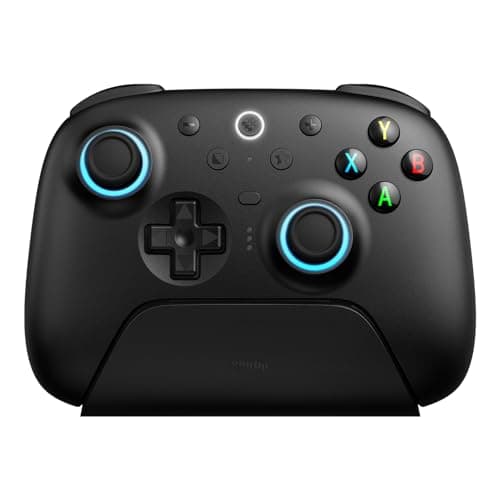
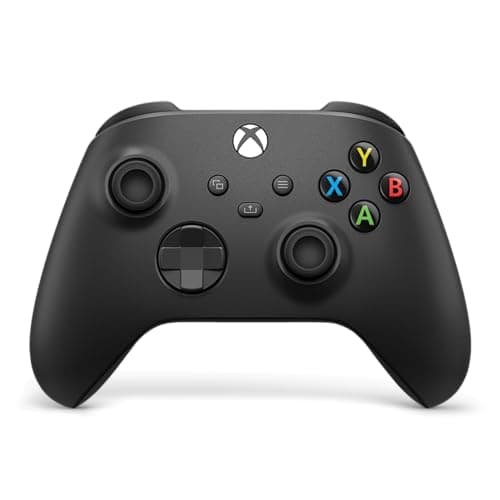
Buy the Xbox Wireless Controller. It pairs to the Steam Deck over the Deck's own built-in Bluetooth in a few seconds, SteamOS treats it as the pad it was designed around, and the trigger and bumper feel is still the best in the category. If the thing you dread is stick drift, spend a little more on the 8BitDo Ultimate 2, which gives you Hall-effect sticks and a charging dock for roughly the price of the plain Xbox pad.
Why a docked Deck needs a controller at all
This is the one piece of context every other "best Steam Deck controller" page skips. Handheld, the Deck does not need a controller — it is one, with the best trackpads on any gaming device attached. The problem only appears the instant you put the Deck in a dock and sit back on the sofa. Now the sticks, the pads and the buttons are three meters away on a shelf, and the game on your TV has nothing to talk to.
So the controller you buy for a Steam Deck is really a controller for docked play, and that changes what matters. You are not choosing a pad to hold for twenty minutes on a train; you are choosing the one you will hold for a full evening in front of a screen. Comfort over hours, a stick that will not wander mid-game, and a connection that survives the couch are the things that decide it — not the button count on the box.
The Deck has Bluetooth built in, and that quietly changes the pairing math
Valve's own tech specs list the Deck with Bluetooth 5.0, and SteamOS pairs a controller from the Settings menu the same way a phone pairs headphones. That has a practical consequence worth understanding before you spend anything:
- A Bluetooth controller needs no dongle and no free USB port.It talks straight to the Deck's radio. The Xbox pad, the DualSense and the 8BitDo Pro 2 all connect this way, which means the Deck can sit in a bare hub with every port doing something else.
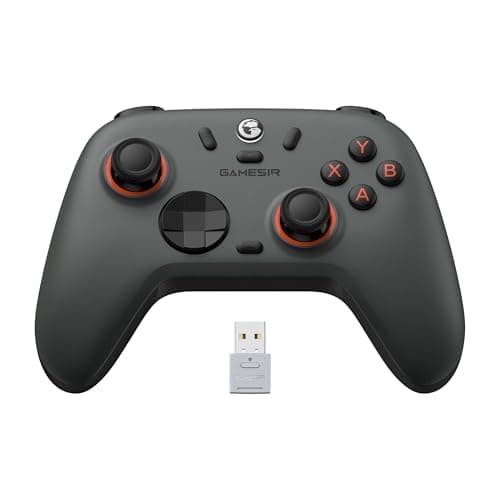
- A 2.4GHz dongle needs a USB port to live in. The low-latency USB receivers that ship with the 8BitDo Ultimate 2 and the GameSir Nova Lite 2 are excellent — genuinely as fast as a cable — but the dongle has to plug in somewhere. Docked, that means one of the USB ports on your dock or hub. Count your ports before you assume it is free.
None of this makes a dongle controller a bad choice — the 2.4GHz link is the one to use for anything twitchy, and a decent dock has ports to spare. It just means the "how does it connect" question has a real answer on a Deck, where on a desktop PC it barely matters.
The one spec that decides the next two years: the stick sensor
Nearly every controller people throw away dies the same death: stick drift — the camera creeps, the character walks on its own, the aim pulls to one side with your thumb off the stick. It is not bad luck. Most pads, including the standard Xbox and DualSense controllers, use potentiometer sticks: a physical wiper dragging across a resistive strip. The strip wears, dust works into it, and the resting reading stops being a clean zero. On a potentiometer stick, drift is not an if; it is a when.
Hall-effect sticks read position with a magnetic sensor that never physically touches anything, so there is no wiper to wear out. That is the single best reason to look past the first-party pads: the 8BitDo Ultimate 2, the GameSir Nova Lite 2 and the 8BitDo Pro 2 on this page all use Hall-effect sticks, and the Xbox and DualSense pads do not. If you have ever binned a controller because a stick started wandering, that is the feature you were actually shopping for — even if nobody sold it to you in those words.
We are not telling you to skip the Xbox pad over this. First-party sticks last years for most people, and everything else about the Xbox controller — the recognition, the ergonomics, the parts ecosystem — is excellent. But if you play a lot, or you have been burned before, Hall effect is the honest reason to spend your money somewhere other than the obvious default.
So rank on these four things instead
- How it connects to a docked Deck. Bluetooth (Xbox, DualSense, Pro 2) needs no port; a 2.4GHz dongle (Ultimate 2, Nova Lite 2) needs one free on your dock but gives the tightest latency. Pick around the dock you own.
- Stick technology. Hall-effect (Ultimate 2, Nova Lite 2, Pro 2) versus conventional potentiometer (Xbox, DualSense). This is the drift decision above, and it is the one that determines whether you are buying this pad again in two years.
- Comfort over a full evening. A docked session is a long one. A full-size shell (Xbox, Ultimate 2) is easier on big hands across three hours than the compact, retro-shaped Pro 2, however good that pad is at what it does.
- How it is powered.The standard Xbox pad ships with AA batteries; the Ultimate 2, Nova Lite 2 and DualSense charge over USB-C, and the Ultimate 2's dock means it is never flat when you sit down.
What SteamOS quietly does for you that a bare PC does not
A lot of the "does this controller work" anxiety that surrounds PC pads simply evaporates on a Steam Deck, because SteamOS sits in front of every game with Steam Input, its own controller layer. Steam Input takes whatever pad you have paired — Xbox, PlayStation, 8BitDo, GameSir — and presents it to the game as a controller the game already understands. That means a DualSense, which on a raw Windows machine sometimes needs a remapper before a game reads it correctly, is far less fussy here: SteamOS translates it for you. It also means you can remap any button, build per-game control schemes, and see the correct on-screen button prompts for the pad in your hands rather than generic ones.
The practical upshot is that on a Deck the "how cleanly is it recognized" worry — the one that makes the Xbox pad the safe default on Windows — is smaller than it looks. All five pads here pair and work. What is left to actually decide between them is the physical stuff SteamOS cannot change for you: the sticks, the shell, the battery and the way it connects. That is genuinely freeing, because it lets you buy on feel and durability rather than on a compatibility fear that no longer really applies.
Wired, dongle or Bluetooth, and one pad or two
For a single-player evening on the sofa, Bluetooth is the right answer nine times out of ten: nothing plugs into your dock, and SteamOS pairs it in seconds. Keep a USB-C cable within reach anyway, because a wired connection both eliminates the last of the latency and charges the pad while you play — useful on the one controller here that ships without a built-in battery. If you are playing something genuinely competitive on the big screen, favor the 2.4GHz dongle and accept that it will occupy a USB port on your hub for the evening.
And if the reason you are docking is couch multiplayer, remember you will need two pads, not one — and that SteamOS will happily mix them, so a first-party Xbox controller for player one and a cheaper Hall-effect GameSir for player two is a perfectly sensible split. There is no rule that both players need the same pad, and buying one flagship and one budget controller is often the smarter use of the money than two mid-range ones.
Whichever pad you choose, the pairing process is not quite the same as it is on a PC. Our how to connect a controller to a Steam Deck guide covers Bluetooth, the dock and the per-game controller layouts.
How to actually pick one
Match the connection to the dock you already have
Because the Deck has Bluetooth on board, a Bluetooth pad is the lowest-friction choice: nothing plugs in, every port on your hub stays free, and SteamOS pairs it from a menu. If competitive, frame-sensitive play is your thing, the 2.4GHz dongle on the 8BitDo Ultimate 2 or GameSir Nova Lite 2 shaves off the last sliver of Bluetooth latency — just make sure your dock has a spare USB-A or USB-C slot to park the receiver in, because on a Deck that dongle has nowhere else to go.
Hall-effect if you play a lot; first-party sticks are fine if you don't
Weigh the drift risk against your hours. A couple of evenings a week, and a first-party potentiometer pad will almost certainly outlast your interest in it — the Xbox controller is the easy call. Daily play, or a graveyard of drifted controllers behind you, and the Hall-effect sticks on the Ultimate 2 or Nova Lite 2 are the difference between a pad that lasts and one that becomes landfill on a schedule. This is the same argument we make about pads on the best PC controllers page, because a docked Deck is, functionally, a small PC on your TV.
Comfort is a spec you can only feel
The 8BitDo Pro 2 has arguably the best d-pad here and is the standing favorite for 2D, fighting and emulated games — but its compact, retro-styled shell is less comfortable than a full-size Xbox pad across a long AAA session, especially for large hands. Match the shape to what you play on the big screen. If that is mostly 3D and first-person, a full-size pad wins; if it is a shelf of platformers and fighters, the Pro 2's d-pad earns its place despite the smaller body.
Batteries matter more than they sound
The standard Xbox pad's AA cells are the one genuinely dated thing about it. It is not a dealbreaker — rechargeable AAs or a first-party pack fix it cheaply — but every Hall-effect pad here charges over USB-C out of the box, and the Ultimate 2's charging dock means it is topped up every time you reach for it. Factor the cost of a battery solution into the Xbox pad's price when you compare, because a controller that is flat when you sit down is a controller you are not using.
The DualSense is a special case, and it needs a cable
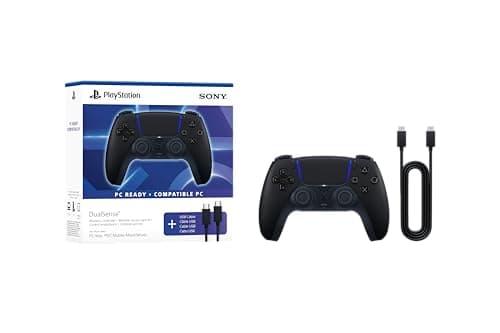
In the handful of PC and SteamOS titles that support them, the DualSense's haptics and adaptive triggers are a genuine step up nothing else here can match. But those features generally need a wired USB connection to fire fully, and on a Deck docked across the room a cable to the controller is awkward. Buy the DualSense for its showcase games and plan to plug in; buy something else if you want to sit back untethered.
What not to pay for
RGB lighting. “Pro” branding with no paddles or Hall-effect sticks behind it. Turbo buttons you will bind once and forget. Sky-high polling-rate claims Bluetooth cannot actually deliver anyway. As everywhere on this site, the specs that get top billing on the box are usually the ones that change your evening the least — spend on the stick sensor, the comfort and the connection that suits your dock, and ignore the rest.