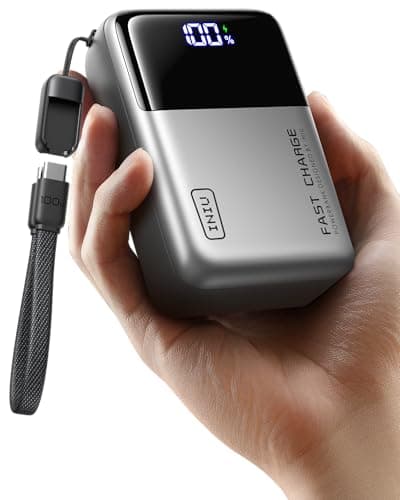
If you want one power bank for a ROG Ally and no further homework, buy the INIU 25,000mAh 100W. It puts a big-capacity cell behind high-wattage, laptop-class USB-C Power Delivery and more than one port — the precise combination that lets it feed an Ally while you are actually playing rather than merely slow the drain to a crawl — and it manages that for less than the flagship banks charge. Every device on this page charges over USB-C, but the Ally is not a phone, and treating it like one is exactly how people end up with a bank that barely keeps pace. The reason this category trips buyers up is that two different numbers both look like “the spec that matters,” and only one of them decides whether the bank keeps you in the game.
Below is the field, ranked on both of those numbers, with a plain warning about the one rule that will get a bank confiscated at an airport if you ignore it. The ROG Ally and Ally X charge over USB-C Power Delivery, they draw much more than a phone, and the Ally X carries a larger internal battery than the original Ally — three facts that between them decide the whole purchase.
Why a power bank is the Ally's honest fix
The ROG Ally and Ally X are small Windows gaming PCs, and they carry a Windows PC's appetite for power. That is not a defect you can patch away; it is the cost of running desktop games on a device you can hold. You can trim it — lower the TDP, cap the frame rate, dim the screen — and you should, but there is a floor, and on a long flight or a cross-country train you will hit it. When you do, there are only two real answers: a wall socket, or more battery in the bag. At cruising altitude the socket is not guaranteed, so the bank is the fix.
We say “honest” because the other accessories sold to solve the same problem mostly do not. A clip-on cooling fan does not add runtime. A lighter case does not add runtime. The only thing that genuinely extends how long you can play away from a socket is something that carries more energy, and that is a power bank. We would rather point you at the thing that works than the thing with the better product photo.
Capacity and wattage are two different numbers
Here is the confusion at the heart of the category. A power bank has a capacity — roughly, how much energy it stores, and therefore how many times it can refill the handheld before it is itself flat. It also has an output wattage — how fast it can push that energy out, and therefore whether it can keep up with a device that is draining quickly. These are independent. A bank can be enormous and slow, or modest and fast, and the two failure modes feel completely different in your hands.
Get the capacity wrong and the bank runs out sooner than you wanted, but it works fine while it lasts. Get the wattage wrong and something more maddening happens: the bank is plugged in, the light is on, and the Ally's battery is stillfalling — just more slowly — because the bank cannot deliver power as fast as a game at full load consumes it. That is the trap. A phone-grade bank that tops your handset up beautifully can be almost useless bolted to an Ally under load, and the packaging will not warn you, because for a phone it is genuinely fine.
So the rule for a handheld is simple: buy for wattage first, then capacity. A high-wattage bank with modest capacity will still keep you playing; a huge bank with weak output will watch the battery drain and call it charging.
USB-C Power Delivery, and why the Ally is picky about it
The Ally and Ally X both charge over USB-C using the USB Power Delivery standard — the same negotiation your laptop uses, not the low-power trickle a basic phone cable manages. When you plug a bank in, the two devices talk and agree a power profile. If the bank can offer a profile in the class the Ally's own charger uses, the handheld will draw hard from it. If the bank can only offer phone-class profiles, the Ally takes what little it can and the rest of your battery does the work.
The practical takeaway needs no math: match the bank's PD output to the class of the charger that came with your Ally. A bank built for laptops speaks the Ally's language; a bank built for phones does not, no matter how large its cell. That is why every winner on this page is a high-wattage, laptop-class bank rather than simply the biggest number of milliamp-hours we could find. The ASUS ROG product pages list the charger each model ships with, and matching that class is the whole game.
One more wrinkle worth knowing: the cable matters too. A high-wattage bank paired with a thin, cheap USB-C cable that is not rated for the current will quietly throttle back to something safe, and you will blame the bank. Use a cable rated for the wattage you are asking for — ideally the one in the box.
Charging while you play versus topping up between sessions
Be honest with yourself about which of these two things you actually need, because they point at different banks.
- Charging while you play.You want the battery to hold steady, or even climb, while a demanding game runs at load. This is the hard job, and it is entirely a wattage question. Only a bank that can deliver power in the Ally's charger class can do it; anything less merely slows the fall. The INIU, the Baseus Blade and the two big Anker banks are here for this.
- Topping up between sessions.You are not playing while charging — the Ally is asleep in a bag, or resting on a tray table between levels, and you just want it full again before the next go. This is the easier job, and capacity matters more than raw speed. Almost any decent PD bank does it; the only question is how many refills it holds.
Most people think they need the first and mostly do the second. If you rarely play with the bank actually attached, you can weight your choice toward capacity and pocketability and worry less about peak wattage. If you genuinely game plugged in — on a plane, on a coach, at a desk with no free socket — wattage is non-negotiable and you buy from the top of this list.
The Ally X holds more battery than the original Ally
If you are choosing a bank to suit a specific handheld, note that the Ally X carries a larger internal battery than the first-generation Ally. That cuts both ways. The larger cell means the Ally X lasts longer on its own, so a mid-size bank goes further — but it also means a full recharge from empty asks more of the bank, so if your plan is “refill it completely, twice, on a long-haul flight,” you want capacity to spare. Our ROG Ally X vs ROG Ally guide lays out the battery difference in full; for power-bank purposes, the short version is that the bigger the internal battery you are feeding, the more you will appreciate a bank with headroom.
The airline rule nobody warns you about
This is the section most power-bank roundups skip, and it is the one that can cost you the bank you just bought. Lithium-ion power banks are allowed in cabin baggage only, never in the hold, and airlines cap the size you may carry by watt-hours (Wh), not by the milliamp-hour figure printed on the front. The common threshold is around 100 watt-hours without special permission, with a limited allowance above that only if the airline agrees in advance.
The awkward part is that the large-capacity banks that make the best handheld companions sit close to that limit precisely because they are large, and most of the banks on this page are in that upper bracket. So before you fly, do two things. Read the watt-hour rating printed on the bank itself — reputable banks print it on the casing — and check your specific airline's stated limit. The TSA and your carrier publish the current rules, and a two-minute check at home beats a confiscation at security. We are not going to quote a watt-hour figure for any individual bank here, because the number that matters is the one printed on your unit and the one your airline enforces — not one we typed.
How the five picks rank
The INIU 25,000mAh 100Wwins because it hits the combination this category is actually about: a big-capacity cell, high-wattage laptop-class PD, and more than one port, at a price that undercuts the famous names. It has enough in reserve to refill an Ally more than once and enough output to feed it while you play — the two jobs at once. Its honest weakness is that a big cell is a big brick: this is not a pocket item, and INIU's support network is not as established as Anker's. If you want one bank and one recommendation, though, it is this.
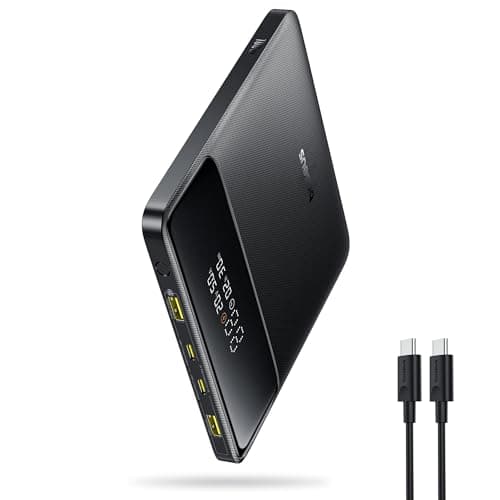
The Baseus Blade 100W is the pick if a bag, not a pocket, is where this lives and slimness matters. Its flat, slab-shaped body stacks against a handheld or a laptop the way a fat cylinder never will, and it still pushes high-wattage PD, so it charges under load rather than trickling. The trade is capacity: it holds a strong single charge rather than a multi-day reserve, which makes it the daypack pick more than the long-haul-expedition one.
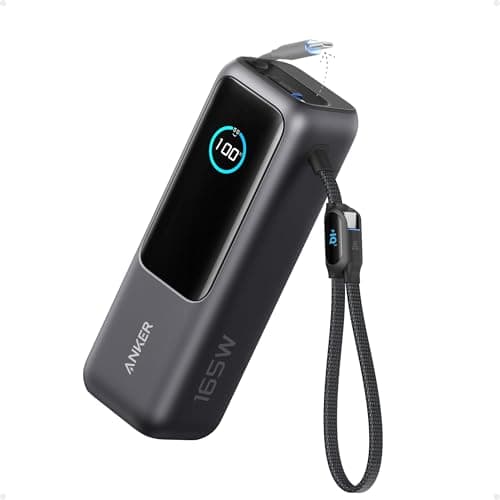
The Anker 25,000mAh 165W is the one to buy if the Ally is not the only thing you are charging. It carries the highest total-output headroom here and a digital display that shows real remaining charge instead of four vague dots, so it can keep a handheld and a laptop alive at once. That is also its catch: if all you own is a handheld and a phone, you are paying for laptop-grade wattage you will not use, and it is the heaviest thing on the page.
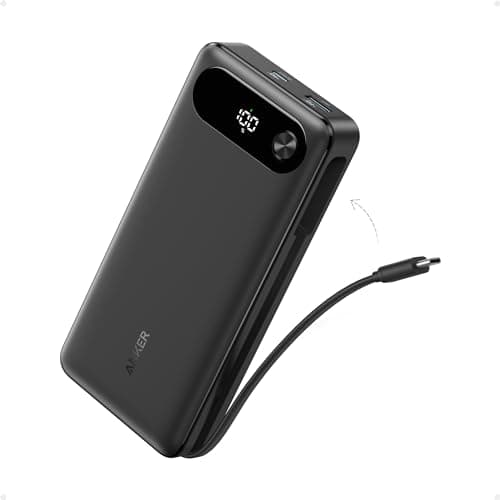
The Anker 20,000mAh with the built-in cableis the convenient everyday pick. The cable is attached, so it doubles as a carry strap and there is one fewer thing to leave at home, and it fast-charges over PD with spare ports for phones. Its output is aimed at handhelds and phones rather than power-hungry gaming laptops, and the fixed cable is a wear point you cannot cheaply replace — but for grab-and-go, the all-in-one design is genuinely nice to live with.
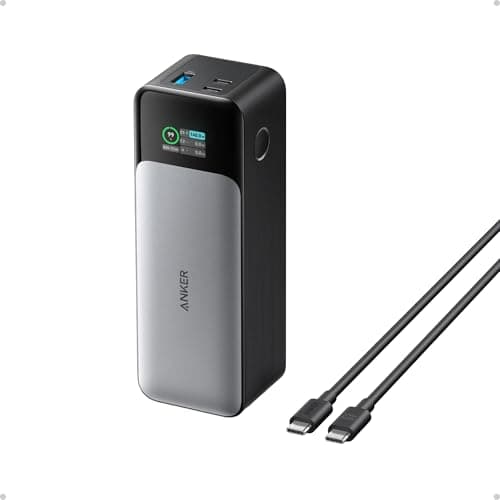
The Anker 737is the premium, high-capacity option with a display, for the person who wants Anker's build and safety record and does not flinch at the price or the weight. It is a brick, it is the dearest item here, and it butts against the airline limit like the rest — but if you want the reassurance of the best-known name in charging on a device you have spent real money on, it delivers.
Pass-through: one bank, two jobs
A feature worth understanding is pass-through charging: plugging the bank into a wall socket while the Ally is plugged into the bank, so mains power flows through the bank to the handheld and refills the bank at the same time. It is handy at a hotel with one free socket, or on a desk where you want the bank always full and ready to unplug. Not every bank supports it cleanly, and it can run a bank warmer than charging it alone, so treat it as a nice-to-have rather than a deciding feature. If you charge at the wall a lot, our ROG Ally dock guide covers the tidier way to do the same job with a proper charger and a cradle.
What a power bank does not fix
Set expectations honestly. A bank does not make the Ally more efficient; it just carries more fuel. It will not raise your frame rate, it will not cool the device, and it will not make Windows sleep reliably. If your complaint is that battery life is poor at high settings, the first fixes are free and live in software — drop the TDP, cap the frame rate, turn the brightness down — and a bank is what you add once you have done all that and still need more hours than the internal cell holds. Our ROG Ally accessories guide puts the bank in its proper place: the last thing you buy, and only if runtime away from a socket is the specific thing that annoys you.
Match the bank to how you play
Strip it all back and the decision is short. If you play plugged in and want the battery to hold, buy for wattage — the INIU is the value answer, the Baseus Blade the slimmer one, and the big Anker the pick if a laptop shares the bag. If you mostly top up between sessions, weight toward capacity and convenience, and the Anker with the built-in cable is the easiest to live with. If money is no object and you want the marquee name, the Anker 737 is the flagship. Whatever you choose, check the watt-hour rating before you fly and match your cable to the wattage — those two free habits are the difference between a bank that keeps you playing and one that quietly disappoints. A handheld power bank also makes a genuinely useful present, which is why one sits on our best gifts for gamers under $100 page.