Skip to content
GEAREDGAMING

HUB 03 · Best Value

The Best Gaming Mice for Big Hands

The esports mice everyone recommends are getting smaller, not bigger. Here are six that are genuinely full-size, with the measurement that decides whether one fits you.

By Stephen V.Updated How we research
#ad

We earn a commission when you buy through our Amazon links, at no extra cost to you. It never affects our rankings, and we say so when the cheaper product is the better buy. How this works.

Top pick · Best Mouse for Big Hands

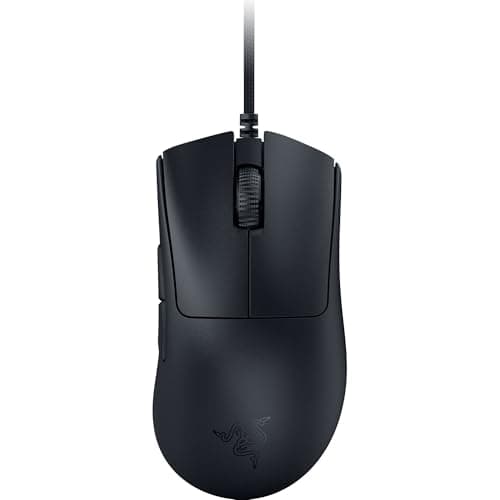
Razer Razer DeathAdder V3

Razer DeathAdder V3

8.2/10

The famous DeathAdder ergonomic hump, now genuinely light and wired-cheap. The comfortable pick that doesn't cost flagship money.

Price as of October 5, 2026. Prices change — Amazon's is the one that counts. #ad · we may earn a commission from this link to Razer DeathAdder V3

Verdict

The short version

The best gaming mouse for big hands is the Razer DeathAdder V3 — Razer publishes the shell at 128 x 68 x 44 mm and the weight at 59 g, which makes it the only mouse here that is full-size in all three dimensions and still featherweight. The 44 mm height is the part that matters and the part most “large” mice miss: a long shell with a low hump leaves a big palm resting on the mousepad instead of on the mouse.

If you want it wireless, the Glorious Model D 2 Wireless is a 127 mm ergonomic shell at 66 g, which is a combination almost nobody else sells. If you want buttons, the Logitech G502 X is the widest body on the page at 79.2 mm with 13 controls. If you play MMOs, the Corsair Scimitar Elite Wireless SE is the only mouse here whose thumb cluster physically slides to meet a long thumb. And one trap to avoid: the DeathAdder V3 HyperSpeedis a different, smaller shell than the wired DeathAdder V3 despite the name — Razer lists it at 122.2 x 64.8 x 41.3 mm.

Compare

Specs and prices at a glance

#ProductKey specsBest forPrice
01Razer DeathAdder V3

Razer

  • Wired USB
  • ~59g
  • Ergonomic right-hand shape
  • Optical switches
Best ergonomic value$44.99 on Amazon →
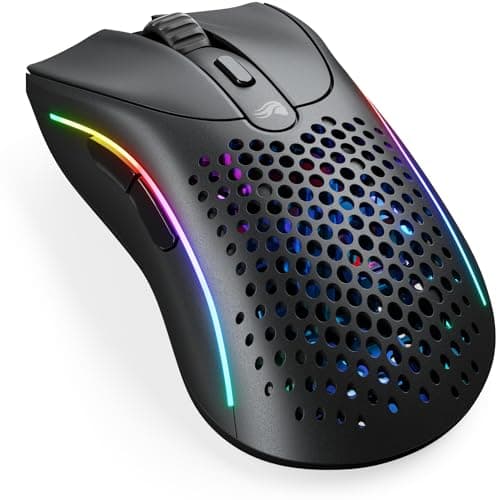
02Glorious Model D 2 Wireless

Glorious

  • 127 x 67 x 43 mm
  • 66 g
  • BAMF 2.0 · 26K DPI
  • 2.4GHz + Bluetooth 5.2
Large hands, wireless, light$99.99 on Amazon →
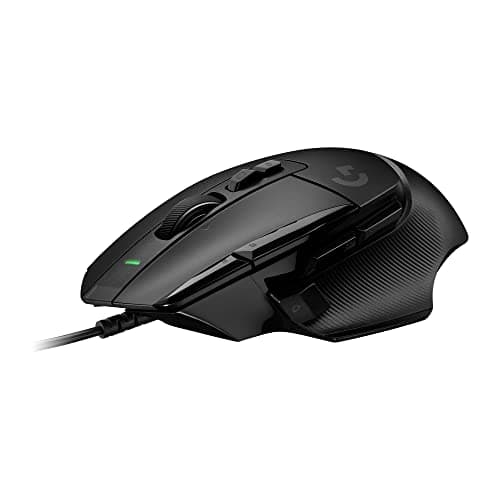
03Logitech G502 X

Logitech G

  • Wired USB
  • 11 programmable buttons
  • LIGHTFORCE switches
  • Removable DPI-shift button
Best for lots of buttons$79.99 on Amazon →
04Razer Basilisk V3

Razer

  • 26K DPI sensor
  • Wired
  • 101g
  • 11 buttons
  • Free-spin scroll
MMO, MOBA and big hands$34.98 on Amazon →
05Corsair Scimitar Elite Wireless SE

Corsair

  • 119 x 73 x 42 mm
  • 114 g
  • 16 buttons · 12-key slider
  • MARKSMAN S 33K · SLIPSTREAM
MMOs and macro-heavy games$96.56 on Amazon →
06Razer DeathAdder Essential

Razer

  • Razer rates 6,400 DPI
  • Wired
  • 96g
  • 5 buttons
Right-handed palm grip$19.99 on Amazon →

#ad · Specs as published by the manufacturer or the Amazon listing. Live prices from the Amazon Creators API, as of October 5, 2026. Where we have no verified live price we show none, rather than print a number that has rotted.

Buy the Razer DeathAdder V3. Razer publishes it at 128 x 68 x 44 mm and 59 g, and that 44 mm of height is the specification that actually decides whether a mouse fits a large hand — far more than the length everyone quotes. If you need it wireless, the Glorious Model D 2 Wireless is the same idea at 127 mm and 66 g.

Big hands have had a worse decade than small ones. The competitive mouse market spent it chasing weight, and the fastest way to remove weight from a mouse is to remove shell — so the models that reviewers rank highest got shorter and, more importantly, flatter. A lot of the mice currently described as the best in the world are 120 mm long and 38 mm high, which is a superb tool if your hand is 17 cm and a cramp machine if it is 20 cm.

Worse, “large” is not a regulated word. Manufacturers apply it to anything above their own median, which is why two mice both marketed to big hands can differ by a centimeter of length and five millimeters of height. The only defense is to read the published dimensions, and that is what this page is built on: every mouse here is listed with the figures its own manufacturer publishes, or with an independently measured figure attributed to the lab that measured it. We have not measured a mouse ourselves and we are not going to imply we have.

Measure your hand first. It takes thirty seconds

Two numbers, and you only need a tape measure and a flat surface.

  • Length. From the crease at the base of your palm to the tip of your middle finger, with the hand flat and the fingers extended.
  • Width. Across your knuckles, excluding the thumb, with the hand flat.

The commonly used rule of thumb puts anything from about 19 cm of length upward in “large” territory, and above about 20 cm you are in the group this page is for. Treat that as a rough guide rather than a standard, because no standard exists — different brands draw the line in different places, and width matters nearly as much as length for whether your thumb and little finger have anywhere to sit.

The number that then does the work is height, not length. A mouse supports a palm grip only if the hump is tall enough to fill the arch of your hand; if it is not, your palm bridges over it and your weight lands on the heel of your hand on the mousepad. That is the exact mechanism behind “this mouse is long enough but it still feels small”, and it is why we lead with the DeathAdder V3's 44 mm rather than its 128 mm.

Your grip style changes the target too, and it is worth knowing which one you actually use before you shop — our mouse grip styles explained guide walks through identifying it. Palm grip wants the most shell and the tallest hump. Claw grip wants length and height but a narrower waist to pinch. Fingertip grip, counter-intuitively, wants a smaller mouse even on a large hand, because you are steering it with your fingers rather than resting on it. A large-handed fingertip player is one of the few people who should ignore this page and read our best lightweight gaming mice page instead.

The naming trap: same model, different shell

This catches people out constantly and it costs a return, so it is worth its own section. A model name plus a suffix does not guarantee the same physical shape.

The clearest current example is the DeathAdder. Razer publishes the wired DeathAdder V3 at 128 x 68 x 44 mm. Razer publishes the wireless DeathAdder V3 HyperSpeedat 122.2 x 64.8 x 41.3 mm. Those are not the same mouse with a radio added — the HyperSpeed is nearly 6 mm shorter and 3 mm lower, which moves it out of the large bracket entirely. If you buy it expecting the shape in our top pick because the names look adjacent, you will be disappointed, and the listing will not warn you.

The same applies across brands and across generations: a “Pro” or “Wireless” version is frequently a different mold, and a V2 is often smaller than the V1 it replaced because the market moved toward lighter mice. Check the published dimensions on the exact variant you are adding to your basket, every time. Where a manufacturer does not publish them, RTINGSmeasures the physical dimensions of most popular mice independently — its measured lengths are what we used for the two older mice on this page, the Basilisk V3 and the DeathAdder Essential, both of which it puts at roughly 130 mm and 128 mm respectively.

Weight: the trade-off is real, and it is smaller than it was

Large shells used to mean heavy mice, because more plastic weighs more and the big-hand models were also the feature-heavy ones. The G502 HERO at 121 g and the Basilisk V3 at 101 g are both from that era, and both are still perfectly good mice.

What changed is that honeycomb shells and better internals brought full-size mice down to where the small ones were. The DeathAdder V3 is 128 mm and 59 g. The Model D 2 Wireless is 127 mm and 66 g, wirelessly. Five years ago neither existed, and a big-handed player who wanted a light mouse had to accept one that was too small for them. That is no longer the trade, which is the main reason this page is worth writing in 2026 and would have been a shorter page in 2021.

Whether you should chase the low number at all depends on what you play. In a shooter where you flick, mass is work your arm has to do thousands of times a session, and the lighter mouse is measurably easier to move precisely. In an MMO, a strategy game or anything where the mouse mostly glides and clicks, a heavier mouse feels more planted and the weight is close to irrelevant — which is why we have the 114 g Scimitar on this page without apology. Our lightweight vs heavy gaming mouse guide goes through that properly.

The desk matters as much as the mouse

Two things that a large hand makes more important, and both are cheaper than a new mouse.

Mousepad area. A bigger hand on a bigger mouse at a low sensitivity sweeps a wider arc, and running out of pad mid-flick is the most common cause of inconsistent aim that has nothing to do with your hardware. If your mouse leaves the pad during a 180, the pad is the problem. Our what size mousepad do I need guide has the arc math, and best gaming mousepads covers the surfaces.

Armrest and desk height.A neutral wrist — forearm roughly level, wrist not bent up or sideways — is what OSHA's workstation guidance asks for, and it is harder to achieve with long forearms on a desk set for an average one. If your elbows are below the desk surface, you will bend your wrist up to reach the mouse, and no shell shape compensates for that. Armrests set to desk height fix it, which is why we ranked chairs on armrest adjustability in our best gaming chairs under $200page — it is the companion purchase to this one for a larger player.

How to choose between these six

If you play shooters and you grip with your palm, buy the DeathAdder V3. It is the tallest and one of the longest shells here, at a weight that would have been flagship territory recently, and the only reason not to is that it is wired.

If it has to be wireless, the Glorious Model D 2 Wirelessis the direct equivalent — 127 mm, 66 g, dual-mode, and a battery life measured in weeks rather than days. Its one real limitation is 1,000 Hz polling, which matters to a small number of competitive players and to nobody else. If you want the Razer wireless shape instead, note the HyperSpeed caveat above and consider the wired V3 with a longer cable instead.

If you want buttons and a wider body, the Logitech G502 Xis 131.4 mm long and 79.2 mm wide with 13 controls — the widest shell here, which suits a broad hand as much as a long one. The Razer Basilisk V3 is the cheaper version of that idea, with a free-spin scroll wheel that is genuinely the thing you miss elsewhere, at the cost of 101 g.

If your main game is an MMO, the Corsair Scimitar Elite Wireless SE is the pick despite being the shortest mouse on this page, because its sliding 12-key cluster is the only thumb layout here that moves to fit you rather than the reverse. And if the budget is tight, the DeathAdder Essentialis a 128 mm shell for a fraction of the price of everything above it — heavier, older sensor, no frills, right shape.

If none of these is quite it, the two pages next door are the right next stop: best gaming mice for FPS ranks on speed and sensor rather than size, and best wireless gaming mice covers the wireless field more broadly. If you are shopping for someone else and do not know their hand size, our how to choose a gaming mouse guide is the safer starting point — and our best gaming mice for small hands page is the mirror of this one.
The short answer

Quick picks

#ProductBest forScorePrice
01
Razer Razer DeathAdder V3
Razer DeathAdder V3

The famous DeathAdder ergonomic hump, now genuinely light and wired-cheap. The comfortable pick that doesn't cost flagship money.

Best ergonomic value
8.2
$44.99 on Amazon →
02
Glorious Glorious Model D 2 Wireless
Glorious Model D 2 Wireless

A full-size ergonomic shell at 66 g, wireless. That combination is the thing almost nobody sells — big-hand mice are normally heavy ones.

Large hands, wireless, light
8.2
$99.99 on Amazon →
03
Logitech G Logitech G502 X
Logitech G502 X

The button-heavy workhorse, lighter than the G502s of old. If you play MMOs or want controls under every finger, start here.

Best for lots of buttons
8.4
$79.99 on Amazon →
04
Razer Razer Basilisk V3
Razer Basilisk V3

The feature-rich one. The free-spin wheel is the bit you'll actually miss elsewhere.

MMO, MOBA and big hands
8.8
$34.98 on Amazon →
05
Corsair Corsair Scimitar Elite Wireless SE
Corsair Scimitar Elite Wireless SE

The MMO exception. Shorter than everything else here, but the thumb cluster slides to meet a long thumb instead of asking it to curl under.

MMOs and macro-heavy games
8.2
$96.56 on Amazon →
06
Razer Razer DeathAdder Essential
Razer DeathAdder Essential

The shape is the product. Twenty years of people agreeing it's the right one.

Right-handed palm grip
7.6
$19.99 on Amazon →

#ad · Live prices from the Amazon Creators API, as of October 5, 2026. Where we have no verified live price, we show none — we would rather leave a gap than print a number that has rotted.

In detail

The picks, in full

01
Razer Razer DeathAdder V3

Best ergonomic value

Razer DeathAdder V3

Wired USB~59gErgonomic right-hand shapeOptical switches
8.2/10

The famous DeathAdder ergonomic hump, now genuinely light and wired-cheap. The comfortable pick that doesn't cost flagship money.

Sensor quality
9
Build quality
8
Ergonomics
9
Features
6
Value
9

Pros

  • The DeathAdder shape is one of the most universally comfortable right-handed humps ever made
  • Far lighter than older DeathAdders, so comfort no longer costs you speed
  • Optical main switches that can't develop the double-click fault that kills mechanical ones

Cons

  • Wired only at this price; the wireless Pro version is a big step up in cost
  • A right-hand ergonomic shape, so it's no use to left-handers
  • Only two side buttons — it's a shooter/ergonomic mouse, not an MMO one

Don't buy this if…

…you want a flat, ambidextrous shape or extra macro buttons. This is a right-handed ergonomic hump — the Model O 2 (ambidextrous) or G502 X (buttons) fit those needs.

$44.99View on Amazon

$69.9936% off

Price as of October 5, 2026. Prices change — Amazon's is the one that counts.

#ad · we may earn a commission from this link to Razer DeathAdder V3

02
Glorious Glorious Model D 2 Wireless

Large hands, wireless, light

Glorious Model D 2 Wireless

127 x 67 x 43 mm66 gBAMF 2.0 · 26K DPI2.4GHz + Bluetooth 5.2
8.2/10

A full-size ergonomic shell at 66 g, wireless. That combination is the thing almost nobody sells — big-hand mice are normally heavy ones.

Sensor quality
9
Build quality
8
Ergonomics
9
Features
7
Value
8

Pros

  • A 127 mm shell with a genuine ergonomic hump at 66 g. Large-hand mice are normally 100 g and up, and this is the rare one that is not
  • Glorious lists 110 hours on 2.4GHz and up to 210 on Bluetooth, so this is not a mouse you charge every night
  • 80-million-click rated switches and a 26,000 DPI BAMF 2.0 sensor — nothing about the internals is a budget compromise

Cons

  • Polling tops out at 1,000 Hz. The competitive flagships offer 4K and 8K polling and this does not
  • Six programmable buttons: plenty for a shooter, short for an MMO
  • Right-handed only, and the shell is tuned for palm and relaxed-claw grips rather than fingertip

Don't buy this if…

…you specifically want the lowest-latency wireless link for ranked play. 1,000 Hz polling is enough for almost everyone, but if 4K or 8K polling is the reason you are shopping, this is not the mouse.

$99.99View on Amazon

Price as of October 5, 2026. Prices change — Amazon's is the one that counts.

#ad · we may earn a commission from this link to Glorious Model D 2 Wireless

03
Logitech G Logitech G502 X

Best for lots of buttons

Logitech G502 X

Wired USB11 programmable buttonsLIGHTFORCE switchesRemovable DPI-shift button
8.4/10

The button-heavy workhorse, lighter than the G502s of old. If you play MMOs or want controls under every finger, start here.

Sensor quality
9
Build quality
8
Ergonomics
8
Features
9
Value
8

Pros

  • A genuine button farm — thumb buttons, a tilt wheel and a removable sniper button cover MMO and productivity needs
  • Lighter than the classic G502 while keeping the shape that made it a bestseller
  • Hybrid optical-mechanical main switches that resist the double-click fault over time

Cons

  • Heavier and busier than a minimalist FPS mouse — the opposite tool to the Viper
  • The wired version is the affordable one; going wireless costs a lot more
  • The pile of buttons is wasted if all you play is shooters

Don't buy this if…

…you play twitchy competitive FPS and want the lightest possible mouse. All those buttons add weight — the Viper V3 Pro or Model O 2 is the flick tool.

$79.99View on Amazon

$99.9920% off

Price as of October 5, 2026. Prices change — Amazon's is the one that counts.

#ad · we may earn a commission from this link to Logitech G502 X

04
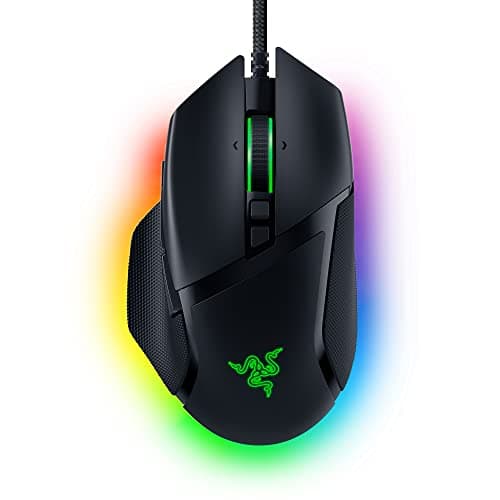
Razer Razer Basilisk V3

MMO, MOBA and big hands

Razer Basilisk V3

26K DPI sensorWired101g11 buttonsFree-spin scroll
8.8/10

The feature-rich one. The free-spin wheel is the bit you'll actually miss elsewhere.

Sensor quality
9
Build quality
8
Ergonomics
9
Features
10
Value
8

Pros

  • Eleven programmable buttons, which is a genuine advantage in MMOs and MOBAs
  • The tilt-and-free-spin scroll wheel is excellent and rare at this price
  • A big, comfortable, properly-supported shape for large hands

Cons

  • Heavy at 101g — you will feel it against a 77g mouse in a flick-aim game
  • Razer Synapse is required for the good bits

Don't buy this if…

…you play competitive FPS. The weight and the button clutter both work against you there — the G305 or Rival 3 are better tools for that job.

$34.98View on Amazon

$69.9950% off

Price as of October 5, 2026. Prices change — Amazon's is the one that counts.

#ad · we may earn a commission from this link to Razer Basilisk V3

05
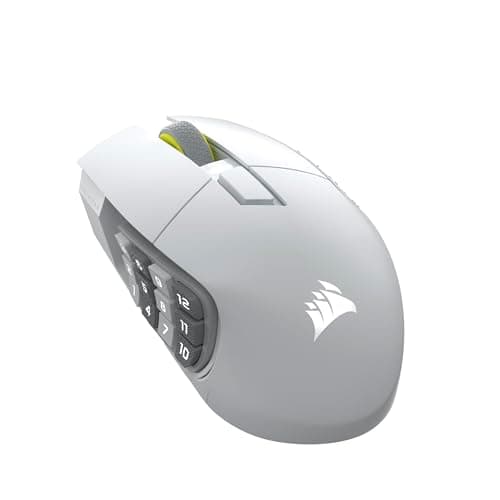
Corsair Corsair Scimitar Elite Wireless SE

MMOs and macro-heavy games

Corsair Scimitar Elite Wireless SE

119 x 73 x 42 mm114 g16 buttons · 12-key sliderMARKSMAN S 33K · SLIPSTREAM
8.2/10

The MMO exception. Shorter than everything else here, but the thumb cluster slides to meet a long thumb instead of asking it to curl under.

Sensor quality
9
Build quality
8
Ergonomics
7
Features
10
Value
7

Pros

  • The Key Slider moves the whole 12-button side cluster along the mouse — the only mechanism on this page that adapts a button layout to a long thumb instead of the other way round
  • 16 buttons total behind a 33K-rated MARKSMAN S sensor, so the macro pad does not come at the cost of tracking
  • Corsair rates it at up to 150 hours on SLIPSTREAM wireless, which is a long time for a mouse with this much going on

Cons

  • At a listed 119 mm it is the shortest mouse on this page. It is wide rather than long, so a very long palm will still hang off the back
  • 114 g is heavy by current standards, and the mass sits under the thumb cluster rather than centrally
  • That 12-key cluster is superb in an MMO and genuinely in the way in a shooter — you will hit one by accident

Don't buy this if…

…your main game is a shooter. The side cluster that makes this mouse worth buying for MMOs becomes a liability when the only thumb buttons you want are two you can find without looking.

$96.56View on Amazon

$139.9931% off

Price as of October 5, 2026. Prices change — Amazon's is the one that counts.

#ad · we may earn a commission from this link to Corsair Scimitar Elite Wireless SE

06
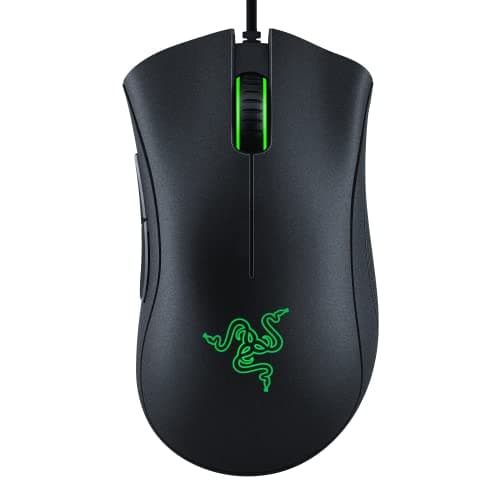
Razer Razer DeathAdder Essential

Right-handed palm grip

Razer DeathAdder Essential

Razer rates 6,400 DPIWired96g5 buttons
7.6/10

The shape is the product. Twenty years of people agreeing it's the right one.

Sensor quality
7
Build quality
8
Ergonomics
9
Features
5
Value
9

Pros

  • The DeathAdder hump is the most-copied mouse shape in existence, and this is the cheap way to own it
  • Excellent for palm-grip and larger hands, where the G203 falls down
  • Rubber side grips that survive sweaty hands

Cons

  • 6,400 DPI is the lowest figure here — irrelevant in practice, but it's the spec people fixate on
  • Right-handed only
  • Heavier than the light-mouse crowd will accept

Don't buy this if…

…you claw- or fingertip-grip a small mouse. The whole point of this shape is filling a palm, and it does nothing for you otherwise.

$19.99View on Amazon

$29.9933% off

Price as of October 5, 2026. Prices change — Amazon's is the one that counts.

#ad · we may earn a commission from this link to Razer DeathAdder Essential

How we picked

We do not run a testing lab

We researched published specifications, third-party lab measurements, manufacturer documentation and aggregated owner reviews, then scored each product against a published rubric. The scores are judgments from documented research — they are not measurements we took, because we do not have a lab and we are not going to pretend we do. Where a number came from someone else's lab, we name them and link them in Sources.

Questions

Frequently asked

What size mouse is best for big hands?
As a starting point, look for a shell around 128 mm or longer and — the part people miss — at least about 42 mm high, because the height of the hump is what fills the arch of a large palm. Our top pick, the Razer DeathAdder V3, is published at 128 x 68 x 44 mm. Length alone is not enough: a long, flat mouse still leaves a big hand resting on the mousepad rather than on the mouse.
How do I know if I have big hands for a mouse?
Measure from the crease at the base of your palm to the tip of your middle finger, and across your knuckles excluding the thumb. The widely used rule of thumb puts roughly 19 cm of length and up in the large bracket, with above about 20 cm clearly in it. There is no official standard, so treat it as a guide — and remember that if you use a fingertip grip, a large hand can still prefer a smaller mouse.
Is the DeathAdder V3 HyperSpeed the same size as the DeathAdder V3?
No, and this is the most common mistake in this category. Razer publishes the wired DeathAdder V3 at 128 x 68 x 44 mm and the wireless DeathAdder V3 HyperSpeed at 122.2 x 64.8 x 41.3 mm — nearly 6 mm shorter and 3 mm lower, which takes it out of the large bracket. Always check the published dimensions of the exact variant rather than assuming a suffix means “same mouse, now wireless”.
Are heavy mice better for big hands?
No — that was a limitation, not a feature. Large shells used to be heavy because more plastic weighs more, but honeycomb shells and better internals have brought full-size mice down to 59 g (DeathAdder V3) and 66 g wireless (Model D 2). A heavier mouse does feel more planted, which genuinely suits MMOs and strategy games, but if you flick in shooters the lighter full-size option is the better tool.
What is the best wireless mouse for big hands?
The Glorious Model D 2 Wireless, at a published 127 x 67 x 43 mm and 66 g with dual-mode wireless and a battery life Glorious rates at 110 hours on 2.4GHz. It is the rare mouse that is genuinely full-size, genuinely light and genuinely wireless at once. Its one real limitation is a 1,000 Hz polling ceiling, which matters to competitive players chasing 4K or 8K polling and to almost nobody else.
Do big hands need a bigger mousepad too?
Usually yes, and it is the cheaper half of the fix. A larger hand on a larger mouse at a low sensitivity sweeps a wider arc, and running off the edge of the pad mid-flick is a very common cause of inconsistent aim that gets blamed on the mouse. If your mouse leaves the pad during a fast turn, the pad is too small regardless of how good the mouse is.

Keep reading

Receipts

Sources

We do not run a testing lab, and we do not pretend to. Where a measured number came from someone else's lab, we name them and link them. Where we could not verify something, we say so on the page rather than quietly leaving it out. Read our full method.