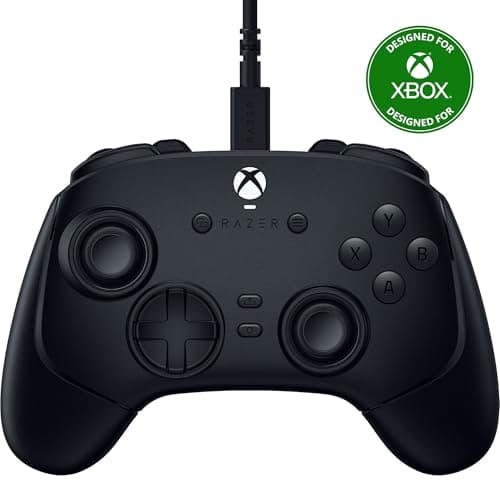
Nobody should buy a wired controller for latency. The gap between a good 2.4GHz pad and a cable is a fraction of one frame, and you cannot act on it. What the cable genuinely buys is everything else: a controller that is never flat, never pairing, never dropping out because a microwave came on — and, at a fixed price, better parts.
That last point is the one worth internalising. A wireless pad spends part of its bill of materials on a radio, a battery, a charging circuit and the firmware to run them. Remove all four at the same retail price and the money goes into sticks, triggers and face buttons. It is why a fifty-dollar wired pad can ship Hall-effect sticks while a fifty-dollar wireless pad generally cannot. Every price here is live and stamped with its retrieval date.
Why this list is mostly licensed third parties
Microsoft and Sony both moved their own controllers to wireless-first years ago, and neither sells a plain wired pad any more. The wired market is therefore made up almost entirely of licensed third-party manufacturers, which is a feature rather than a warning: those companies compete on the parts, not the brand, and the licensing itself is the thing that matters.
On Xbox specifically, licensing is not decoration. An unlicensed pad is rejected by the console even when it works perfectly on a PC, because the authentication happens in hardware. If a controller does not say “licensed for Xbox”, it will not run an Xbox, whatever the listing photo implies. Every Xbox pick here is licensed. Our controller compatibility guide covers the PC side, where the rules are far looser.
Hall-effect sticks are the spec to shop for
Analog stick drift — a character that walks on its own with your thumbs off the pad — is the single most common way a controller dies. The cause is mechanical: a traditional stick reads position by dragging a wiper across a resistive track, and that track wears. Once it wears, the pad reports movement at rest, and the only fix is a wider deadzone that costs you precision.
A Hall-effect stick reads a magnet instead, with nothing touching anything, so the wear mechanism is simply absent. Two picks here use them at under fifty dollars, which would have been a pro-tier feature three years ago. If you have a drifting pad right now, our stick drift guide covers what can and cannot be repaired, and our deadzone explainer explains the setting people reach for first.
Face buttons and triggers, which nobody checks
Most controllers use a rubber membrane under the face buttons: press, the dome collapses, contact is made. It is cheap, quiet and slightly mushy, and the actuation point gets vaguer as the rubber ages. The Wolverine V3 TE uses mecha-tactile buttons instead, which switch over with a defined click and a shorter travel. For fighting games and anything with tight input timing, that definition is worth real money — it is the same argument our fighting-game roundup makes about d-pads.
Triggers split the same way. Analog triggers travel and report a range, which racing games need; Hall-effect triggers do that without a wearing part. A few competitive pads add a hair-trigger stop that converts the trigger into a short digital click, which is faster for shooters and useless for driving.
Cables, and the one that matters
A detachable cable is worth more than a long one. The cable is the part of a wired controller most likely to fail, usually at the strain relief where it leaves the shell, and a pad with a captive cable becomes landfill when that happens. Three picks here list detachable cables.
Length still matters if you play from a sofa: three metres is the realistic minimum for a television, and a ten-foot cable covers most living rooms. For a desk, anything over two metres is slack you will be moving out of the way. Our wired versus wireless controller guide covers the trade in full, including the cases where wireless clearly wins.
Back buttons, software and what you will actually use
Mappable rear inputs are the one pro feature that genuinely changes how a game plays, because they let you jump or crouch without taking a thumb off the right stick. Two picks here have them. The honest caveat is that they take about a week to stop feeling alien, and a lot of people map them once and never think about them again.
Remapping software is the other differentiator, and it is worth checking before you buy whether the configuration lives on the controller or in an app that has to be running. On-pad profiles work everywhere, including on a console; app-based profiles do not travel. If you want the wider field rather than the wired subset, our main controller roundup picks one pad per platform and our pro controller page covers the expensive tier.
Which wired pad, by what you need from it.
Competitive play, and you will use the extra inputs: the Razer Wolverine V3 Tournament Edition, with mecha-tactile face buttons.
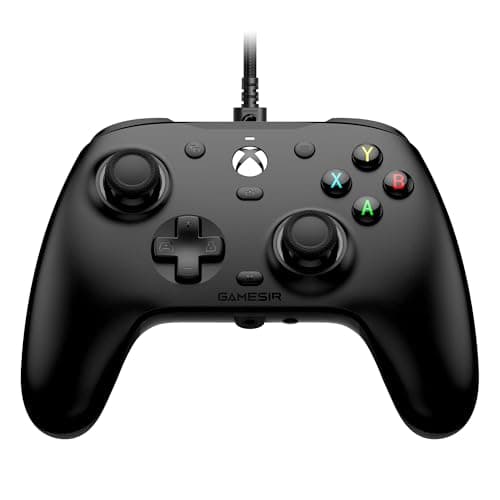
Best pad for the money: the GameSir G7 HE. Hall-effect sticks and triggers under fifty dollars, Xbox-licensed, swappable faceplate.
You want back buttons as cheaply as possible: the PowerA Advantage Plus, which pairs them with Hall-effect sticks.
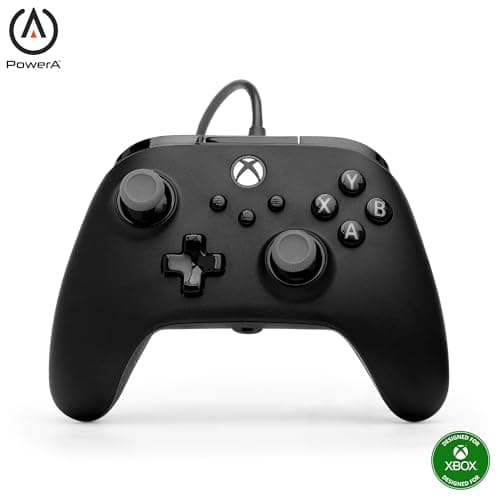
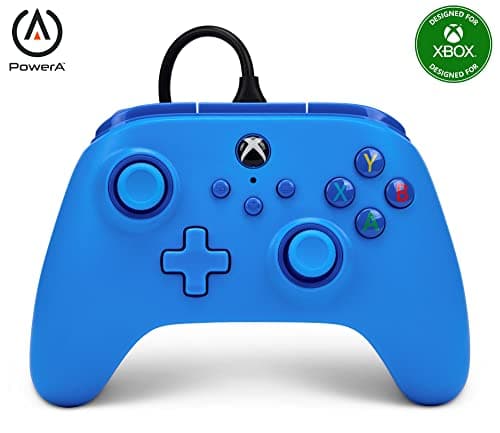
A plain Xbox pad with a headset jack: the PowerA Wired Controller for Xbox, with a detachable cable.
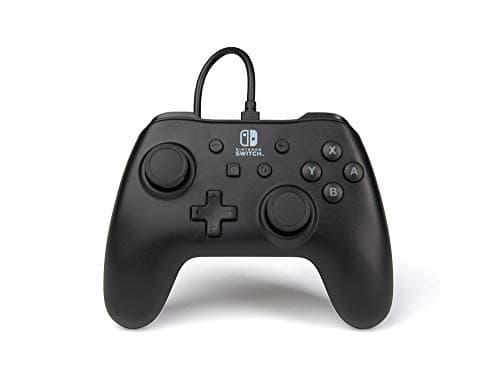
Cheapest controller that works, for a Switch: the PowerA Wired Controller for Switch. Ten-foot detachable cable, no battery, nothing clever.