The one requirement, and why it disqualifies most monitors
High dynamic range means a wide gap between the darkest and brightest parts of the same image. A sun glinting off a rifle scope should be genuinely bright while the shadow under the tree beside it stays genuinely dark, in the same frame, at the same time. That is the whole idea.
An ordinary LCD physically cannot do it. It has one backlight behind the entire panel, and that backlight is either on or off for the whole screen at once. Send it an HDR signal and it will accept the signal, display an “HDR” notification, and then show you the same flat image it was showing before — often slightly worse, because HDR content is mastered on the assumption that the display can go far brighter than it can. This is the single most common disappointment in monitor buying, and it is not a defect. The panel was never capable.
Only two technologies fix it. Local dimmingsplits the backlight into independently controlled zones so parts of the screen can dim while others stay bright — and mini-LED is simply local dimming with a lot of very small zones. OLED goes further and controls light at every individual pixel, so a pixel that should be black is genuinely off. Everything on this page is one or the other. Our is HDR worth it for gaming guide covers the underlying physics in more depth; this page is the shopping list that follows from it.
The tiers, and the badge that means nothing
VESA runs the DisplayHDR certification program, and its published tiers are the only HDR label on a monitor box worth reading. The problem is that the tiers are not a simple ladder, and one of them is actively misleading.
- DisplayHDR 400 (LCD).This is the badge to ignore. It does not require local dimming at all, which means a panel can carry it while being physically incapable of displaying HDR contrast. The overwhelming majority of “HDR gaming monitors” sold today sit here. Nothing on this page carries it.
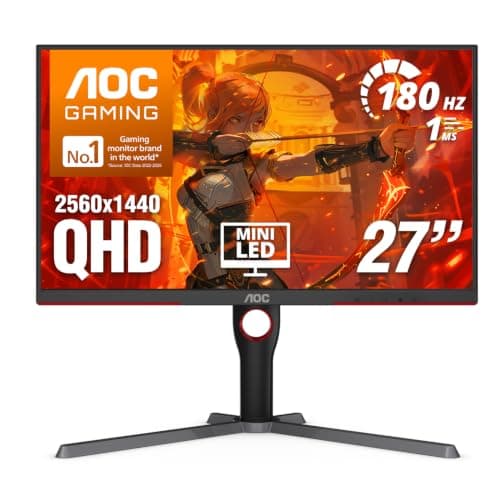
- DisplayHDR 600 and 1000. These require real local dimming and progressively higher peak brightness. This is where LCD HDR starts to be worth having, and it is where the four mini-LED panels on this page sit.
- DisplayHDR True Black 400 / 500. Here is the part that catches people out: True Black 400 is not the same certification as DisplayHDR 400, despite the number. It is an OLED-only tier with a black-level requirement orders of magnitude stricter than the LCD tiers, and it is a far better HDR badge than DisplayHDR 600. Both MSI QD-OLEDs on this page carry True Black 400, and they produce a more convincing HDR image than any of the mini-LEDs above them despite the lower-looking number.
If you take one thing from this page, take that: a monitor listed as True Black 400 is an OLED with essentially perfect blacks, and a monitor listed as DisplayHDR 400 is an ordinary LCD with a sticker. The numbers look almost identical on a product page.
Mini-LED or OLED? The honest trade
Both technologies do real HDR. They fail in opposite directions, and which failure you can live with is genuinely the whole decision.
Mini-LED blooms.Because the backlight is divided into zones rather than pixels, a small bright object on a black background lights up the zone around it too — a subtitle on a dark scene sits in a faint glowing rectangle. More zones make the halo smaller, never absent. In exchange, mini-LED goes far brighter across the whole screen than OLED can, which matters enormously in a bright room. If your desk faces a window, this is the technology for you.
OLED has no blooming at all, because every pixel is its own light source and a black pixel is simply switched off. The image is the more convincing of the two by a clear margin in a dim room. The costs are real, though: full-screen brightness is much lower, so a sunlit room washes it out, and burn-in from static elements — a game HUD, a Windows taskbar, a spreadsheet left open all day — remains a managed risk rather than a solved problem. Panel-care features reduce it; they do not eliminate it. Our OLED vs IPS guide goes through that trade in more detail, and monitor panel types explained covers what sits underneath each backlight.
What “HDR1000” on a listing does and does not tell you
Four of the six panels here are listed with “HDR1000” in the product title. That string is doing less work than it appears to. Sometimes it means the panel holds a genuine VESA DisplayHDR 1000 certification. Sometimes it means the manufacturer measured 1,000 nits somewhere, once, under conditions of their choosing, and printed the number.
We are not going to tell you which is which per model, because we do not run a testing lab and we are not going to imply otherwise. Two things are worth knowing. First, the presence of a mini-LED backlight is the claim that actually matters, and it is a hardware fact rather than a marketing figure — if the listing says mini-LED, there are dimming zones behind the panel. Second, for measured peak brightness, sustained brightness and zone counts on a specific model, RTINGS publishes lab figures per monitor and is where we would send you before spending four hundred dollars on a claim.
You will notice we do not quote local-dimming zone counts anywhere on this page. That is deliberate. Zone counts are not stated on these listings, they vary between regional revisions of the same model, and a number we cannot source is a number we will not print.
HDR and refresh rate: the “240Hz HDR monitor” question
A common search, and a reasonable one, because for a long time you genuinely had to choose. HDR panels were slow, fast panels had fake HDR, and the two lists barely overlapped. That is no longer true, but the shape of the compromise has changed rather than disappeared.
On mini-LED, high refresh rates are now normal — the panels on this page are rated from 160Hz to 200Hz, which is fast enough for the large majority of players. What you are still trading is response time: mini-LED backlights sit behind conventional LCD panels, and those panels smear on dark transitions in a way OLED does not. Our what is monitor response time guide explains why the numbers on the box rarely describe that.
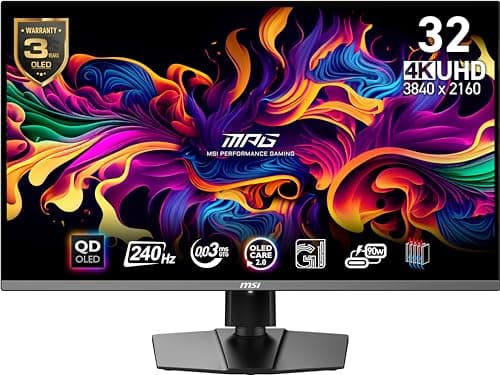
On OLED, there is no trade left. The MSI 271QRX is rated at 360Hz and the 321URX at 240Hz, both with a 0.03ms rated response, so you get competitive-grade speed and the best HDR image in the same panel. That is the reason OLED costs what it does. If refresh rate rather than HDR is your priority, our best 240Hz gaming monitors page ranks on speed instead, and 144Hz vs 240Hz covers whether you will see the difference.
Console HDR is easy. PC HDR still is not
Worth knowing before you buy, because it surprises people. On a PS5 or Xbox, HDR is close to automatic: the console detects the display, runs a short calibration, and games handle it from there. Our best gaming monitors for PS5page covers what the consoles can actually drive — note that two of the panels here have HDMI 2.0 rather than 2.1 inputs, which caps console refresh rate.
On Windows it remains fiddlier. You have to enable HDR at the operating-system level, SDR content can look washed out while it is on, and per-game behavior is inconsistent enough that many people toggle it per session. Auto HDR helps for games without native support. Microsoft documents the setup and the display-calibration tool on its support pages, and it is worth ten minutes before you conclude a new monitor is faulty.
Three things that quietly switch HDR off after you buy it
A surprising share of “my new HDR monitor looks the same” complaints are not the panel at all. Before you conclude a monitor is disappointing, rule these out in order — they take about five minutes between them and they account for most of it.
- The monitor's own HDR mode is off.Many panels ship with HDR disabled in the on-screen menu, and enabling HDR in Windows does not turn it on at the display end. Some also gate local dimming behind a separate menu item, which means you can be running HDR with the zones idle — all of the washed-out look and none of the contrast. Go through the monitor's own menu, not just the operating system.
- The cable or the port cannot carry it.HDR at high resolution and high refresh rate needs real bandwidth, and a display will silently drop to a lower refresh rate, a reduced color depth, or out of HDR entirely rather than tell you. Use the DisplayPort cable in the box where you can, and if you are on HDMI, check the port generation — two of the panels here have HDMI 2.0 inputs, which is a real cap rather than a technicality.
- The game is not actually outputting HDR.HDR is per-title, not global. A game has to render and send an HDR signal for any of this to exist, and plenty of older and indie titles never will. Windows' Auto HDR can approximate it for some SDR games with mixed results. If HDR looks right in one game and flat in another, that is usually the explanation rather than the hardware.
There is one more that is worth stating plainly because it is not a fault: SDR content can look washed out while Windows HDR is enabled. That is a known behavior of the way the desktop is composited, not a defect in the monitor, and it is why a lot of PC owners toggle HDR on per gaming session rather than leaving it on permanently. Consoles do not have this problem, which is part of why console HDR has a much better reputation than PC HDR despite using the same panels.
How to choose between these six
Start with the room. If it is bright, or the monitor sits opposite a window, buy mini-LED — OLED will look washed out exactly when you are using it most. If the room is dim and you mostly play in the evening, OLED is the better image by a clear margin.
Then the graphics card. HDR itself costs almost nothing in performance, but the resolutions these panels ship at do. The two 4K options here demand a genuinely strong card before either the resolution or the refresh rate means anything, which our 1440p vs 4K guide is blunt about. At 1440p, a mid-range card is enough.
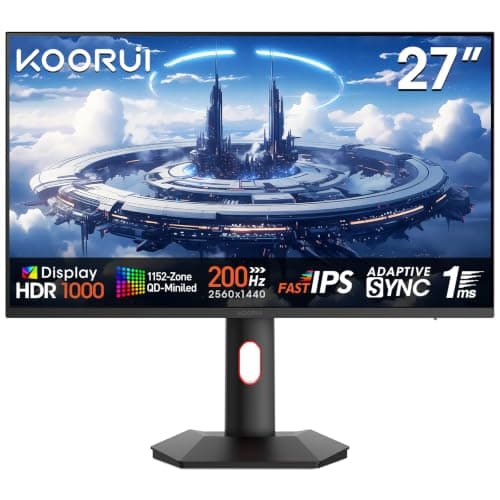
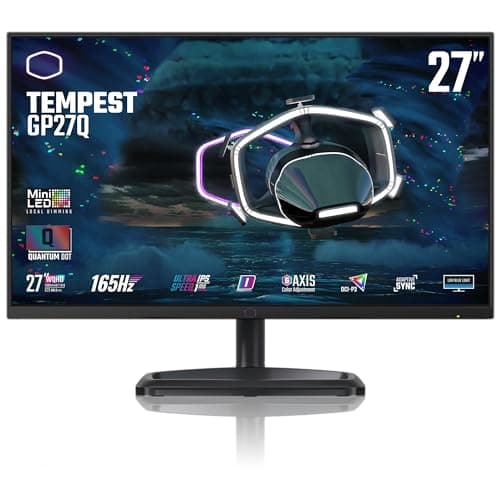
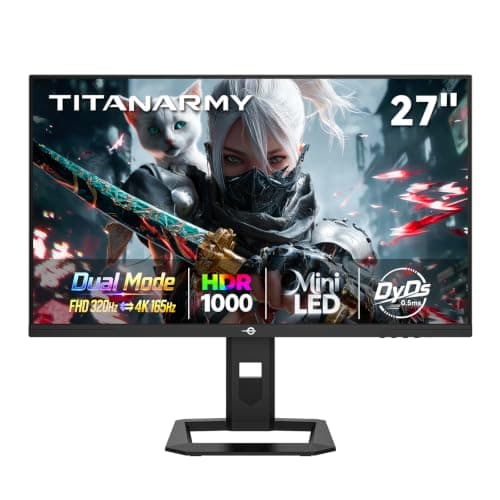
Then the budget, and here the ordering on this page is deliberate. The AOC Q27G3XMN sits first because it is the cheapest panel that clears the bar at all, and clearing the bar is worth more than any amount of extra specification on a panel that cannot. The KOORUI and Cooler Master GP27Qare lateral moves from it — more refresh rate and more inputs respectively, for modestly more money. The TITAN ARMY P275MV Plus is the cheapest route to 4K and mini-LED together, with the brand-risk caveat stated plainly on its card. The two MSI QD-OLEDs are the step up in image quality rather than specification, and the 32-inch 4K version is the best HDR you can put on a desk on this page.
And if, having read all of that, HDR is not actually what you want, that is a legitimate conclusion and we would rather you reached it here than after spending the money. A fast, well-calibrated SDR panel is a better gaming monitor for a competitive player than a mediocre HDR one — our best 1440p gaming monitors and best gaming monitors under $300 pages rank on those terms instead, and how to choose a gaming monitor is the place to start if you are not sure which camp you are in. If the two OLEDs above are what caught your eye, our best OLED gaming monitors page ranks that field on its own terms, and is OLED burn-in a problem for gaming answers the question that stops most OLED purchases.