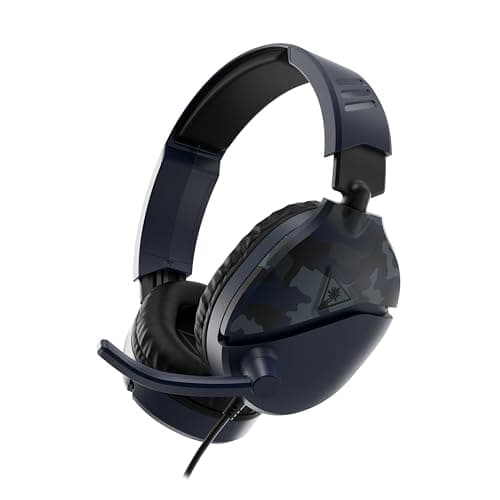
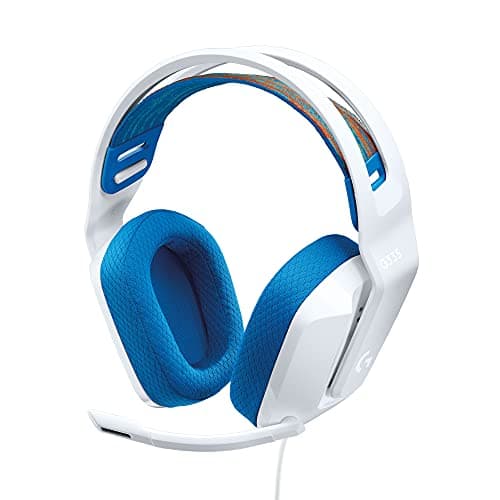
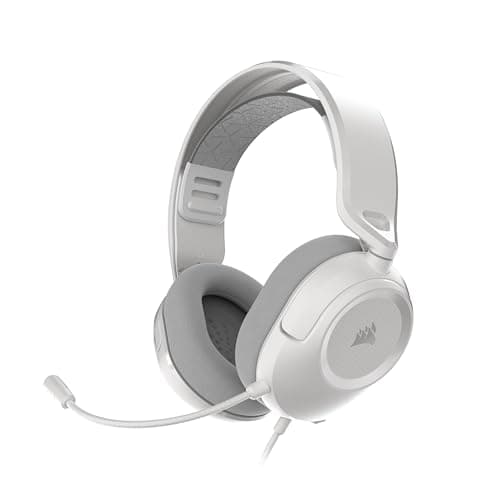
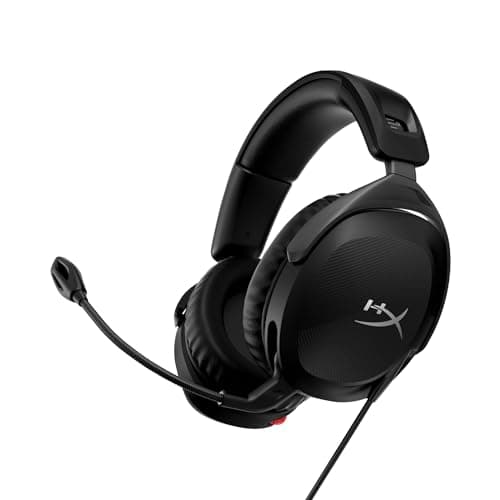
The HyperX Cloud Stinger 2 is the floor — the cheapest headset here that is genuinely worth owning rather than a toy. But the honest truth about this bracket is that the sound is a wash. Every set on this page sounds broadly similar, and the decision that actually matters is how it plugs in, how it sits on your head, and whether your teammates can understand you.
Nobody wants to hear that a cheap headset is “good enough,” least of all the brands selling them, but under $50 it is the truth. The drivers are all small, closed and tuned for a bit of fun bass. None of them will out-image an open-back studio headphone, and none of them needs to — you are not buying this to win a tournament, you are buying it to hear the game, talk to your squad, and not spend much doing it. That is a completely reasonable thing to want, and it is what we ranked for.
So we did not rank these on a frequency-response graph we cannot measure and you would not hear the difference in anyway. We ranked them on the three things that genuinely separate a cheap headset from another cheap headset: the connection, the comfort, and the microphone. Get those three right for your situation and you have bought correctly. Everything else at this price is noise.
The three decisions that actually differ down here
Read these before you look at the picks, because they will tell you which pick is right for you far better than a ranking can. The order these come in on the page is our general recommendation; the order they matter to you depends on your setup.
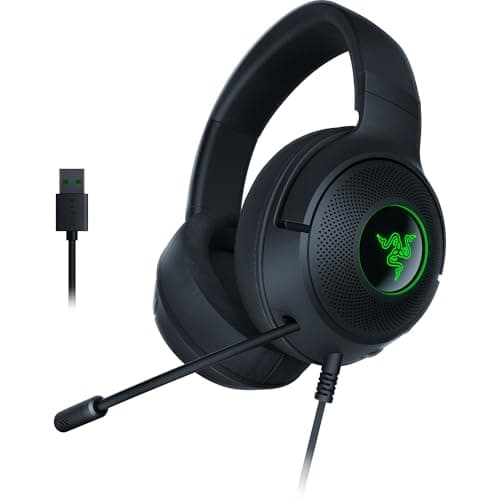
- Connection: 3.5mm universal vs USB PC-only. This is the single biggest practical difference on the page. A plain 3.5mm analog jack — the Cloud Stinger 2, the Recon 70, the G335 and the HS35 v3 — plugs into a PC, an Xbox or PlayStation controller, a Switch, a Steam Deck and a phone, with no drivers and no dongle. A USB headset like the Razer Kraken V3 X ties you mostly to a PC (and PlayStation), but in exchange it unlocks software virtual surround that the analog sets cannot do on their own. If you game across devices, 3.5mm wins before you look at anything else.
- Comfort for long sessions. You will forget how a $40 headset sounds within a week and remember how it clamps every single night. Weight, clamp force and pad material are the specs that decide whether you still wear it in a year. The Logitech G335 is the comfort pick here specifically because its fabric suspension band spreads the load, and the Kraken V3 X is genuinely light on the head too.
- Mic clarity for comms.A cheap headset mic is for being understood, not for streaming. All of these are “fine” — clear enough that your team can parse a callout. The differences are in the details: the Cloud Stinger 2's swivel-to-mute is a better mute mechanism than a lot of expensive headsets manage, and the HS35 v3's mic detaches so the headset doubles as ordinary headphones out of the house.
The one trap to avoid: do not buy a USB-only headset if you also play on a console or a Switch dock. The Kraken V3 X is the best-processed sound on this page for PC players, but that same USB connector is a wall on hardware that expects a 3.5mm plug. If your setup has more than one machine in it, buy analog and keep your options open.
Why only five, and how we ranked them
We kept this list short on purpose. There are dozens of headsets under $50, and most of them are the same handful of drivers in different plastic with different logos. Padding the page to ten would make it look more authoritative and earn us more, and it would help you less. These five are the ones we would actually hand to a friend on a tight budget — each one winning a different situation rather than being ranked on a single score.
So read the ranking as a default, not a verdict. The Cloud Stinger 2 is the safe pick for the most people, but if your priority is comfort the G335 moves to the top; if you need one plug for every device you own, the Recon 70 or the HS35 v3 does that; and if you are a PC player who wants surround processing, the Kraken V3 X is your headset. The right one is the one that matches your setup — which is exactly why the three criteria above matter more than the order of the cards.
A note on how this page relates to our headsets under $100 roundup. That page is where the category starts making real sense — the extra money buys a meaningfully better driver, a better mic and a build that lasts. This page is the tier below it: the headsets you buy when the budget is genuinely tight, when you need a spare, or when you are kitting out a second machine. If you can stretch, stretch. If you cannot, these five will not embarrass you.
And if positional precision is the whole reason you are here — you want to hear footsteps before you see anyone — be honest with yourself that no headset at this price is built for it. Read our best headsets for footsteps instead, because the answer there is a plainer headphone with a neutral tuning, and it changes the shopping list entirely.
How to buy a cheap gaming headset without regret
Connection first — it decides more than sound does
This is the decision to make before any other, because it is the one you cannot fix later. A 3.5mm headset is a universal key: it works on every device with a headphone jack, which is nearly all of them. The Cloud Stinger 2, Recon 70, G335 and HS35 v3 all use it, and that single fact is worth more to most people than any tuning difference between them.
USB is the specialist option. It hands your PC a digital signal and lets the manufacturer's software do the audio conversion and add virtual surround, which the Kraken V3 X does. That processing can genuinely help some people place sounds, and it is a real reason to choose it — if you are on a PC and staying there. The moment a console or a Switch enters the picture, USB becomes a liability, not a feature.
Comfort is the spec you will actually feel
Cheap headsets are light, which is good, but light is not the same as comfortable. What determines whether a headset disappears on your head over a three-hour session is how it distributes its weight and how hard it squeezes. A suspension headband — the fabric sling on the Logitech G335 — spreads the load across the top of your skull instead of concentrating it on one strip, and it is the reason that headset is the comfort pick here despite costing no more than the others.
Clamp force is the other half. A firm clamp seals better and stays put, but it presses on your temples and, if you wear glasses, drives the arms into the side of your head until it genuinely hurts. A gentle clamp like the G335's is kinder over hours but can feel loose on a large head. There is no universally correct answer — there is only the answer that fits your head, and it is worth being honest with yourself about which problem you would rather have.
The microphone is for comms, and that is a low bar these clear
Set your expectations correctly and every mic on this page passes. A cheap headset microphone exists so your team can understand “he's pushing B” — not so you can stream to an audience or record a podcast. Judged on that job, all five are adequate, and adequate is genuinely all you need for voice chat.
Where they differ is in the small conveniences. The Cloud Stinger 2 mutes when you swivel the boom up, which is a satisfying, unambiguous mute that a lot of pricier headsets fail to match. The Recon 70 and G335 use a flip-up-to-mute boom that does the same job. The HS35 v3's mic detaches entirely, so when you leave the desk it becomes a normal pair of headphones with nothing sticking out of the side. The Kraken V3 X uses a bendable cardioid boom that stays wherever you position it. Pick the mechanism that matches how you play — none of them is a reason to spend more.
If your voice matters more than a bundled boom can deliver — you stream, you record, people keep asking you to repeat yourself — the fix is not a pricier headset. It is a separate microphone, and we cover that in the best microphones for gaming. A cheap headset for your ears plus a real mic for your voice beats almost any all-in-one at this price.
Detachable vs fixed — a small thing that matters to some people
Only the HS35 v3 has a fully detachable mic. If you ever wear your gaming headset outside the house, on public transport or at a desk where a boom arm looks ridiculous, that detachability is a real quality-of-life feature. If your headset never leaves your gaming chair, it is irrelevant, and a fixed flip-up mic is one less thing to lose. Decide which of those describes you and the choice makes itself.
What virtual surround does and does not buy you
The Kraken V3 X advertises virtual 7.1, and it is worth being clear-eyed about what that is. It is a software effect applied on the PC — a filter that simulates directional cues — not seven physical drivers in each cup. It can help you localize sounds, and it can also make everything sound slightly hollow; whether it helps you depends on your ears. Our advice is the same as always: try it, give it real time, keep it if it helps, and do not pay a premium expecting it to be a competitive cheat code. The full argument is in our virtual surround vs stereo guide.
Wired is a feature at this price, not a compromise
Four of these five are wired, and at this budget that is a strength rather than a limitation. Wireless under $50 means a corner has been cut somewhere you have not spotted yet — usually the driver or the microphone — to pay for the radio and the battery. A wired headset spends its entire cost on the parts you actually hear, has no battery to die on you, and introduces no latency between the game and your ears. Cheap wireless done well is a real thing, but it belongs a tier up, on our wireless headset roundup. Down here, a cable is simply how the money stays where it matters.
What not to pay for at this price
RGB lighting. “7.1” printed on the box of an analog headset that has no way to process it. Impressive-sounding driver diameters — a bigger driver is not a better one. Any claim of “studio-grade” sound on a $40 headset. The money at this tier goes into a working mic, comfortable pads and a plug that fits your hardware, and everything printed on the box beyond that is there to help the headset stand out on a shelf, not to help you play.