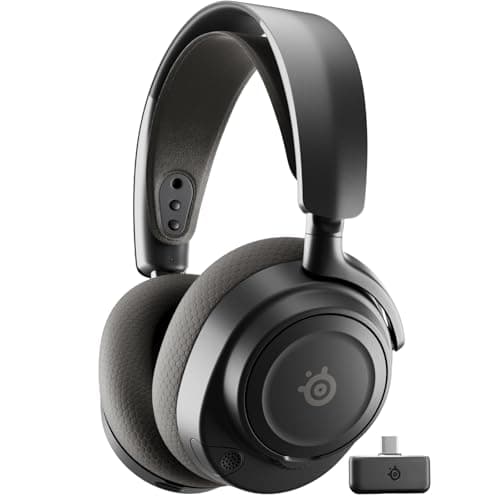
For most PS5 owners the answer is the SteelSeries Arctis Nova 7 — a wireless all-rounder whose 2.4GHz dongle plugs into a PS5 USB port for low-latency audio, with comfort and a retractable mic that make it easy to live with. Buy the PlayStation-listed edition, because it is set up for the console out of the box. If you would rather not go wireless, the honest universal path is the 3.5mm jack on the DualSense controller, which works on every PS5 — and the HyperX Cloud Alpha plugged straight into the pad is the do-everything wired pick. The one thing worth getting straight before you buy is how a headset actually reaches a PS5, because it is not the same for every model, and the marketing rarely says it plainly. There are exactly two honest connection paths, and every pick below uses one of them.
How a headset actually connects to a PS5
Get the connection right and the rest is just picking the headset you like. There are two real routes, and it helps to know which one each pick uses.
- Wireless — a 2.4GHz USB dongle in a PS5 port.The low-latency wireless path on a PS5 is a dedicated 2.4GHz receiver that plugs into one of the console's USB ports — a USB-C dongle into the front USB-C port, a USB-A dongle into a rear port, and either works. This is a purpose-built radio link, so the latency is low enough that you will not feel it, which is exactly why it is preferred over Bluetooth for gaming. Two honest notes: some headsets ship in a separate PlayStation edition and Xbox edition, so where a variant exists, buy the PlayStation-listed oneto be sure the dongle is configured for the console; and we will not claim a headset unlocks a specific PlayStation audio feature we cannot verify from its listing. PlayStation's own PS5 audio documentation is the reference for what the console supports.
- Wired — the 3.5mm jack on the DualSense. Every DualSense controller has a 3.5mm headset jack on the bottom, and every PS5 ships with a DualSense, so a plain analog headset plugged into the pad works on every console with zero setup. It is the most universal, most reliable path there is, and it is why a good wired headset is never the wrong answer on a PS5.
One more path deserves a warning, because it is the most common PS5 headset mistake: plain Bluetoothis not a PS5 audio route. Unlike a phone, a PS5 does not pair with ordinary Bluetooth headphones for game sound out of the box, so a set that connects to your phone over Bluetooth will not simply pair to the console the same way — you still need the 2.4GHz dongle or the DualSense jack. That is why every pick here reaches the console through a dongle or a cable, and why we treat Bluetooth on these headsets as a bonus for your phone rather than the link to your PS5.
Notice what we are not doing: we are not promising Dolby Atmos or a specific 3D-audio mode on any given headset, because those depend on the console and the game as much as the hardware, and we will not claim a feature we cannot stand behind. What we can say honestly is which connection path each headset uses and how well it does the basics.
How we picked
Every headset here connects to a PS5 through one of the two paths above, is comfortable enough for a long session, and has a mic good enough for party chat. After that we ranked on value and on fit for a specific buyer — the best wireless all-rounder is not competing with a budget wireless set or a plug-into-the-pad wired option. We also weighted the things that actually bite on a console: a mic good enough for party chat, comfort for a long evening on the couch, and a connection that works without a driver screen you cannot easily reach from a sofa. The scores beside each pick are judgments from documented specs and owner reports, not measurements we ran; the method is on our methodology page.
How the ranking shakes out
The SteelSeries Arctis Nova 7is the best wireless all-rounder, and the headset most PS5 owners should buy. Its USB dongle gives you the low-latency 2.4GHz link a PS5 wants, it is genuinely comfortable for long sessions, and its retractable mic tucks away when you are not talking. It also does simultaneous 2.4GHz and Bluetooth, so you can take a phone call over the same headset you are gaming on — rare at this price. Buy the PlayStation edition so the dongle is set up for the console. The honest caveats: there is no hot-swap battery, so a flat headset means reaching for a cable, and like every headset here it is closed-back, so it will not stage as wide as an open design. For most people, though, it is the fewest compromises for the money, and the one we would hand a PS5 owner who just wants a very good wireless headset and no fuss.
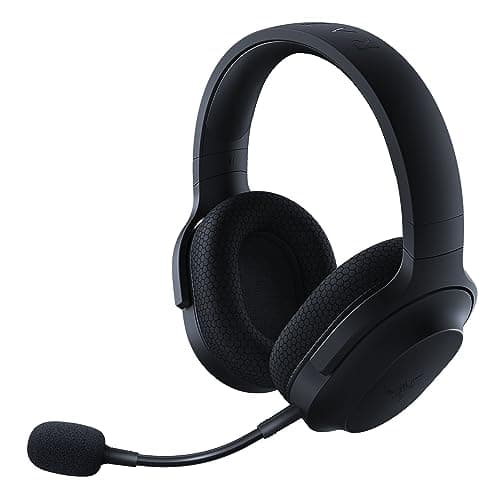
The Razer Barracuda Xis the low-latency wireless pick that doubles as the best handheld headset. Its USB-C 2.4GHz dongle plugs straight into a PS5's front USB-C port — and, just as usefully, into a Steam Deck, an ROG Ally or a Switch — giving you clean, low-latency wireless audio with no Bluetooth delay. It also does Bluetooth for a phone and keeps a 3.5mm cable as a fallback. The trade-offs are honest: the dongle sticks out and is easy to snap in a bag, and the sound is good rather than exceptional for the money. If you split time between a PS5 and a handheld, this is the one, and the USB-C dongle means the exact same headset moves between them with nothing to reconfigure.
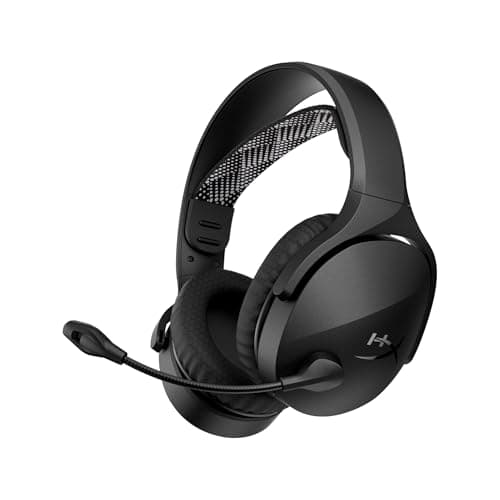
The HyperX Cloud Jetis the budget wireless pick. It runs on a 2.4GHz USB-A dongle and is listed for PS5, so the low-latency wireless path is covered at a genuinely budget price, and it carries Bluetooth 5.3 alongside the dongle so a phone can stay paired at the same time. Be clear-eyed about what a budget wireless headset is, though: HyperX publishes no weight, driver or battery figure for it, so we cannot tell you how it compares on comfort or stamina, and headsets in this bracket generally have no 3.5mm fallback if the battery dies. It is the cheap way onto wireless, not the best-sounding one — but as a first wireless headset for a PS5, it does the job for very little.
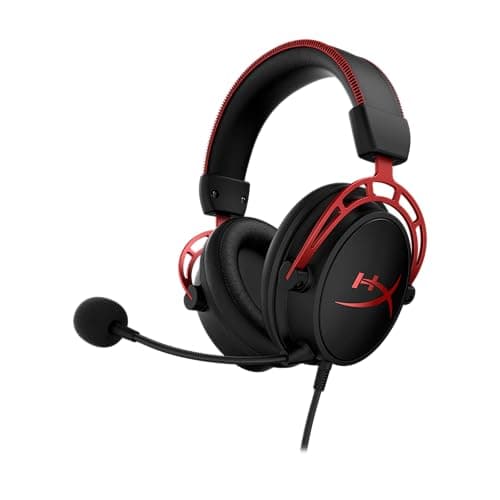
The HyperX Cloud Alphais the do-everything wired pick, and on a PS5 that means plugging its 3.5mm cable straight into the DualSense — which works on every console, no dongle, no setup. You get the comfort benchmark at this price, a detachable mic, and a durable aluminum frame, and the same headset moves to a PC, a Switch or a phone without a second thought. It is bass-forward and closed-back, but as the wired answer that never has a compatibility question, it is the safe pick, and the one to reach for if you would rather never think about a battery again.
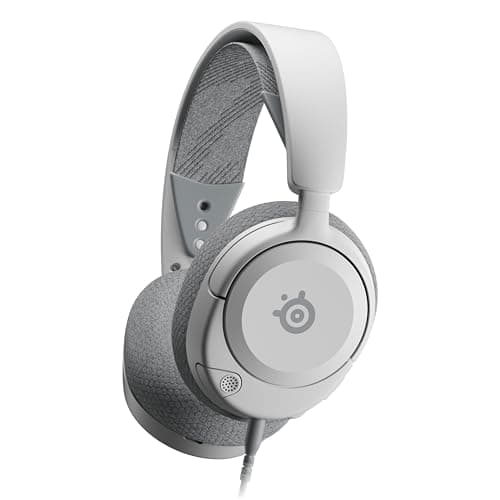
The SteelSeries Arctis Nova 1is the best sound-per-dollar wired option, and it plugs into the DualSense the same way. It brings the Nova family's tuning and comfort and a retractable ClearCast mic to the bottom of the range, and the ski-goggle band keeps it light and easy to wear. It has no USB sound card of its own, so it leans on the DualSense's jack for the signal — which on a PS5 is a perfectly good place to plug in. If you want the most sound for the least money and are happy going wired, this is it — and paired with the DualSense jack it is one of the best-value ways onto a PS5 there is.
Battery, the mic and the things that matter on a couch
Once the connection is sorted, a PS5 headset lives or dies on the same practical details a desk headset does, with a couch-shaped twist that changes the weighting. Battery lifematters more than it does on a PC, because you sit further from a charger and are less likely to game plugged in — the Arctis Nova 7 and Barracuda X both comfortably last a long evening, while HyperX does not publish a battery figure for the Cloud Jet, so treat its stamina as unknown rather than assumed. None of the wireless picks here has a hot-swap battery, so when one runs flat it means reaching for a cable or falling back to a wired set, which is a small but real reason the two wired options stay on this list.
The micis worth thinking about the moment you use party chat, and there is a clear split. The retractable and detachable boom mics on the Nova 7, Barracuda X, Cloud Alpha and Nova 1 all sit close to your mouth and sound clearly better, and they are the safe choice if you talk a lot. HyperX does not describe the Cloud Jet's microphone on its listing, so we cannot tell you how it compares — if party chat matters to you, buy one of the boom picks rather than find out.
Finally, comfortis the spec you will feel most across a long, seated evening in front of a TV, and it is the one least likely to be on the box. The Nova family's ski-goggle suspension band and the low overall weight of these picks are built for exactly those sessions, spreading the load so the headset fades into the background rather than aching after an hour. Read the pads and the clamp as carefully as the battery number — a headset you cannot wear for a whole session is a false economy no matter how cleanly it connects.
Wireless or wired for a PS5?
Choose on how you play, not on a spec sheet. Go wirelessif you sit back from the TV and want a cable-free couch setup — the Nova 7 is the all-rounder, the Barracuda X is the pick if a handheld shares your time, and the Cloud Jetis the budget way in — and remember the low-latency path is the 2.4GHz USB dongle, not Bluetooth, which is why we point you to the dongle every time. Go wired if you want the cheapest, most reliable route with nothing to charge: the Cloud Alpha and Nova 1 both plug into the DualSense jack that every PS5 already has. If you are still weighing the two, our wired vs wireless headset guide makes the full case, and our best wireless gaming headsets and best wired gaming headsets pages rank each side on its own. Every price here is pulled live and date-stamped, so the value case stays current.