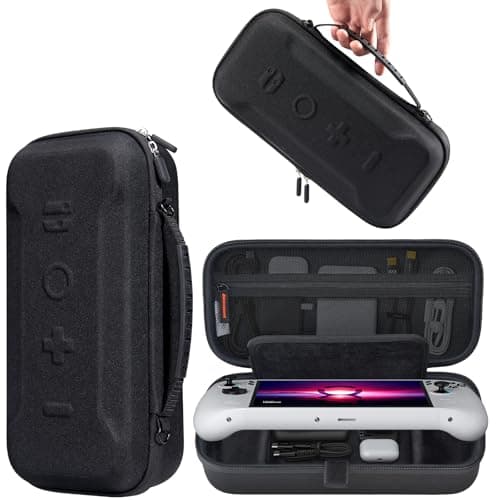
Spend on protection before anything else. The Legion Go's selling point is its large touchscreen, and the large touchscreen is also the single most expensive thing to break. A hard case and a sheet of tempered glass are the two accessories every owner should buy on day one. Everything after that is optional, and two of the options here are not really Legion Go accessories at all — they work just as well with a Steam Deck or an ROG Ally.
The Legion Go is the biggest of the mainstream Windows handhelds. That one fact reorders the whole accessory list. On a Steam Deck the first thing people reach for is storage; on the Legion Go the first thing that matters is keeping the enormous glass panel intact, because it is the part you notice a scratch on and the part a drop lands on. So this page leads with protection and treats the rest as genuinely optional.
Why the Legion Go's accessory list is different
The Legion Go is not just a bigger Steam Deck, and the differences change what you should buy. Its controllers detach from the body, it has a sturdy kickstand built into the chassis, and its touchscreen is the largest in the mainstream handheld class. Each of those design choices ripples into the accessory decision. The detachable controllers mean a case has to account for parts a Deck or Ally case never has to hold. The built-in kickstand means you do not need a separate stand, and you do not need a kickstand case the way a Steam Deck owner might — the Legion Go already stands up on its own, so that is money you simply do not spend. And the large screen, as above, is why protection leads this list rather than storage.
It is worth saying what is missing from this list too, because an omission is advice. There is no storage pick here. The Legion Go ships with a usable internal drive and takes a microSD card, and unlike the Steam Deck we have not built this page around an internal-drive swap — for most Legion Go owners a card is more than enough, and the SSD upgrade is an enthusiast job. If storage is your real concern, the same honest logic we apply to the Deck applies here: a good UHS-I card is the low-risk answer, and headline card speeds you cannot actually reach are not worth paying for. So a chunk of the usual handheld accessory budget — a stand, a kickstand case, an expensive fast card — simply does not apply to this device.
The device is also a Windows PC, which means it inherits Windows' appetite for battery. No accessory fixes that at the software level, and the honest answer to “how do I get more playtime” is the same as it is for the ROG Ally: carry more battery. The power bank at the bottom of this list is that answer, and it is deliberately the same class of product we recommend for the Ally.
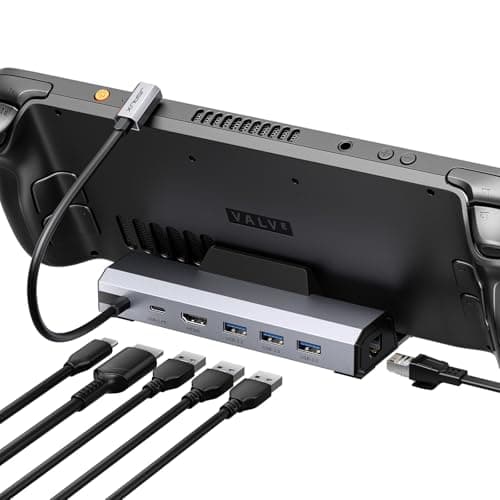
Two picks here are cross-device, and we want to flag that up front. The JSAUX 6-in-1 dock outputs video over standard USB-C DisplayPort Alt Mode, so it drives a TV from a Legion Go, a Steam Deck or an ROG Ally equally well. The Baseus Blade power bank charges any of the three over USB-C PD. If you already own either from another handheld, you do not need to buy it again — and if you are buying now, you are buying something that survives a switch to a different device later.
We earn a commission on every link on this page, and we are still going to tell you that the cheapest two items are the ones you actually need and the priciest one solves a problem most people at home do not have. That is the whole point of the site.
Buy in this order
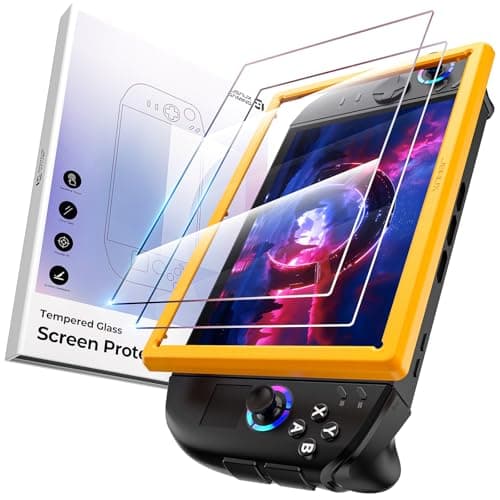
1. Screen protector — day one, no thinking required
The Legion Go's panel is large, glossy and central to why you bought the thing. A 2-pack of tempered glass costs a rounding error next to the handheld and removes the entire risk of a scratch. There is no argument for delaying this, and the 2-pack matters specifically because a bubble-free application on a screen this size takes patience — the spare sheet is insurance against your own first attempt. The one thing to get right is the model: the Legion Go, Go S and Go 2 differ in size, so buy the glass that names your exact device rather than assuming one fits all.
2. Case — the moment it leaves the house
The Legion Go is big, and a big handheld is a big target in a bag. A rigid shell cut for its body — including the detachable controllers most generic cases ignore — is the difference between a knock and a cracked screen. This is travel insurance: if the device genuinely never leaves your desk, you can skip it, but the moment it goes in a backpack it stops being optional. Note that a hard case adds protection and bulk together; that is the trade, and on a device this size the bulk is real.
3. Case versus sling bag — two different jobs
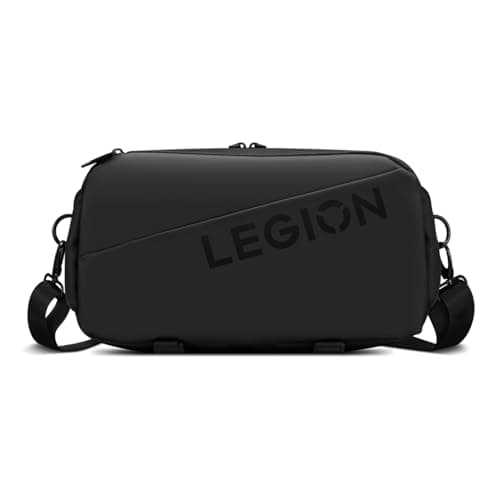
The choice between the JSAUX hard shell and the official Lenovo sling bag is a choice about what you carry. The hard shell is maximum drop protection in the smallest package — it guards the device and little else. The Lenovo sling bag is the opposite priority: it is a soft, water-resistant everyday-carry bag with pockets for the charger, a dock and cables, and it protects against scuffs rather than a hard fall. If you travel with the whole kit, the bag is the nicer thing to own. If you just want the handheld to survive a backpack, the shell does that better and cheaper. Plenty of people end up with both — the shell for protection, the bag to carry the shell and everything else.
4. Dock — only if you play on a TV, and it is cross-device
The dock question on the Legion Go is exactly the question we answer on the Steam Deck dock page. A generic USB-C hub will output to a display perfectly well, and the only feature that changes how the machine performs rather than how it sits on a desk is Ethernet — a wired connection removes an entire class of online-play problems that Wi-Fi cannot. The JSAUX 6-in-1 here is the pick because it does the core job, ships firmware updates, and works with a Deck or an Ally too, so it is not single-device spend. If you never plug into a TV, skip it entirely; if there is already a USB-C hub in a drawer, try that first.
There is one Legion Go-specific wrinkle on docks worth knowing: like the ROG Ally, the Legion Go is a power-hungry Windows machine, and at higher performance settings it draws more than a weak hub can feed. A cheap hub without genuine high-wattage pass-through can leave the device slowly discharging while it is plugged in and playing — the exact problem you were trying to avoid. If you intend to run it hard while docked, prioritize a dock or hub with real, high-output power delivery over one with a longer port list you will not use.
5. Power bank — if Windows battery life is what annoys you
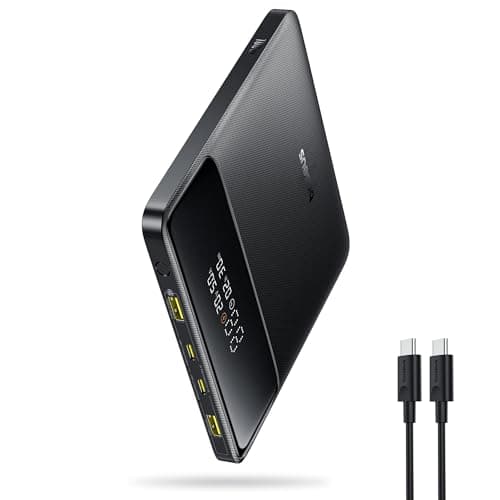
The Baseus Blade is on this list for the same reason a power bank is on the ROG Ally list: the Legion Go is a Windows machine, and Windows drinks battery. You cannot accessory your way out of that in software, so the fix is to carry more of it. The Blade's flat, slab-shaped body is the specific reason it is here rather than a fat cylindrical bank — it stacks against the handheld in a bag instead of rolling around it — and its high USB-C output is enough to charge the device while you are still playing, which most banks cannot manage. It is heavy and it is the most expensive item on the page. If you mostly play near a wall, it solves a problem you do not have.
A quick word on capacity, because bigger is not automatically better here: airline rules cap the battery capacity you can carry onto a plane, and the class of bank we recommend already sits near that practical limit. So the goal is not the largest milliamp-hour figure you can find — it is a bank that outputs enough wattage to charge the handheld while you play and still fits the bag and the rules. One strong charge you can actually travel with beats a heavier reserve you cannot.
You probably do not need a stand
Steam Deck owners often buy a kickstand case so they can play at a table with a separate controller. Legion Go owners do not need to: the device has a solid kickstand built into its body, and the controllers detach, so tabletop play works straight out of the box. That is a real slice of the usual handheld accessory budget that simply does not apply here. Do not buy a stand for a device that already stands up on its own.
Match the case and glass to your exact model
The Legion Go family has grown — the original Legion Go, the Go S and the Go 2 are not identical in size, so a case or a sheet of glass cut for one may not fit another. This is the same trap that catches Steam Deck buyers with LCD-versus-OLED accessories, and the fix is the same: confirm the listing names your exact device before you pay. Product photos and filenames will not tell you; the compatibility line will.
Cables and chargers are usually not a separate purchase
The Legion Go charges over standard USB-C Power Delivery, so the charger it ships with — or any decent USB-C PD charger you already own — does the job, and there is rarely a reason to buy a branded “Legion Go charger.” The one cable upgrade worth considering is a longer USB-C cable if you want to keep playing while charging from across the room, and even that is a generic part, not a handheld-specific one.
What we would not buy
A clip-on cooling fan. Like every Windows handheld, the Legion Go throttles on its power budget rather than primarily on external airflow, and we could not verify a meaningful, repeatable frame-rate gain from bolt-on coolers — so we are not going to recommend one to earn a commission. Spend the money on the case and glass instead; those do a job you will actually notice.
The order is the advice
If you take one thing from this page, take the sequence. Protection first — glass and a case — because that is what keeps the expensive part intact. A dock only if you actually play on a TV, and even then a hub you already own beats a dock you buy. Power last, and only if Windows battery life is a genuine irritation for how you play. Buy in that order and you spend money where it matters and skip the things the accessory market would love to sell you but you will never use.