Set the chair up in this order and most discomfort goes away: seat height so your feet are flat and your knees sit at roughly 90 degrees, seat depth so there is a two-to-three finger gap behind your knees, armrests so your shoulders are relaxed and your forearms are level with the desk, and only then the lumbar cushion, positioned at the inward curve of your lower back rather than wherever the strap happens to sit. Three of those four cost nothing. The common mistake is to start with the cushion, which is the only one that cannot compensate for the others being wrong.
Why the order matters
Seating posture is a chain that starts at the floor. If the seat is too high your feet dangle and your thighs take weight they are not meant to carry; if it is too low your knees rise above your hips and your pelvis rolls backwards, which flattens the lower back. Everything above that — backrest contact, lumbar support, shoulder position — is being set relative to a pelvis that is already in the wrong place.
That is why adjusting the lumbar pillow first feels like it helps and then stops helping an hour later. OSHA’s workstation guidance and Mayo Clinic’s sitting-posture guidance both describe the same chain, and both start at feet and hips rather than at the back.
Step 1: seat height, measured from your feet
Sit back in the chair with your feet flat on the floor. Your knees should be at about a right angle, with your thighs roughly parallel to the floor or sloping very slightly down. If your heels lift, the seat is too high. If your knees are higher than your hips, it is too low.
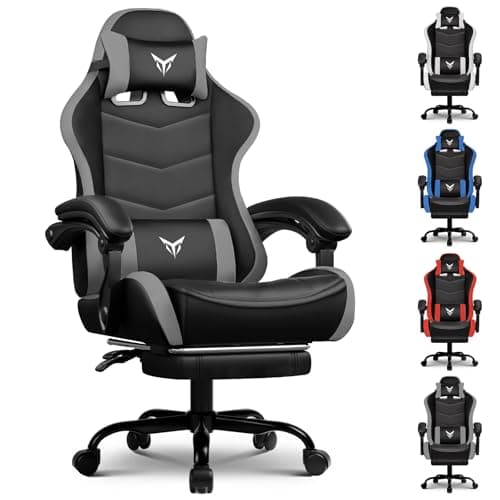
Here is the complication: your desk also has a correct height, and most desks are fixed. If the chair height that suits your legs puts your forearms below the desk, raise the chair and put your feet on a footrest — which is exactly what the chair with a built-in retractable footrest below is for, and why a $20 box under the desk solves more problems than a $300 chair swap. Shorter users hit this constantly, because seat-height ranges on most chairs are designed around average adult leg length.
Step 2: seat depth, measured behind your knees
Slide back until your back touches the backrest, then check the gap between the front edge of the seat and the back of your knees. Two to three fingers is right. Less than that and the seat edge presses into the soft tissue behind your knee, which is the cause of the numbness and pins-and-needles people often misread as a circulation problem with the chair’s foam.
Racing-style gaming chairs are frequently too deep for shorter users and have no seat-depth adjustment. The workaround is a firm cushion behind your lower back — not under you — which effectively shortens the seat by moving you forward while keeping back contact.
Step 3: armrests, measured from your shoulders
Let your arms hang, then bend your elbows to about 90 degrees. The armrests should meet your forearms exactly there, with your shoulders relaxed and down. Armrests set too high lift the shoulders and cause neck and upper-back ache; too low and you lean, which loads one side.
If your armrests are fixed and too high, the answer is usually to raise the desk or lower the chair and use a footrest, in that order. If they are too wide to be useful — common on racing-style chairs — they are better removed entirely than used, because resting on a splayed armrest is worse than resting on nothing.
Step 4: lumbar support, last
A lumbar cushion exists to maintain the natural inward curve of the lower spine — the neutral spine position — while you are sitting. It only works if it sits at that curve, which for most people is roughly at belt height, a few inches above the seat.
The pillows that ship with racing-style chairs are usually too thick and strapped too high, so they push the middle of the back forward and arch the spine instead of supporting it. Try it lower. Try it thinner. Try it removed entirely for a day and see if you feel better — plenty of people do. Our best chairs for back pain page covers what adjustable lumbar support does differently.
What a cushion can and cannot fix
A seat cushion genuinely helps with collapsed foam, a hard seat base, or pressure points from a shallow seat pan, and it is the cheapest intervention available. It raises you, though, so redo step one afterwards.
It cannot fix a seat that is the wrong width or depth for you, a backrest whose curve does not match your spine, a broken gas lift that sinks, or a chair whose frame has started to flex. Those are structural, and no accessory solves them.
Posture, breaks and the thing no chair fixes
No chair makes sitting still for six hours healthy. The evidence on seated work consistently points at movement rather than equipment: stand up every 30 to 45 minutes, even briefly, and vary your position through the day. A good chair makes long sitting less uncomfortable; it does not make it good for you, and any product claiming otherwise is selling something.
Also worth checking: your monitor height. A screen too low pulls your head forward, and the neck and upper-back pain that produces gets blamed on the chair constantly. Our monitor set-up guide covers the eye-level rule, and desk set-up covers the rest of the workstation.
When the chair is genuinely done
Three faults mean replacement rather than adjustment. A gas lift that sinks under you cannot be repaired reliably — replacement cylinders exist and are a gamble. Foam that has compressed to the point you can feel the base plate through it does not recover. And any flex or creak from the frame or the base is a safety matter: chair bases are the component BIFMA durability standards exist for, and a cracked nylon base can fail suddenly.
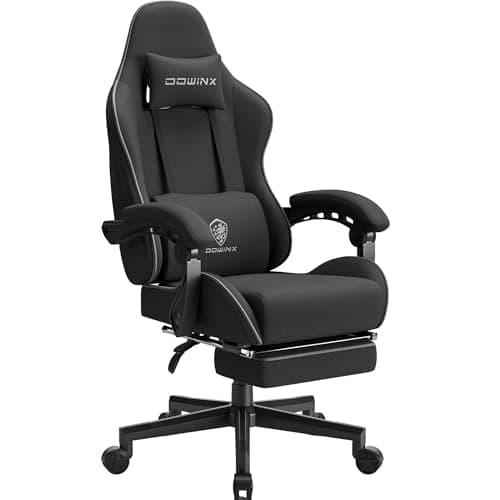
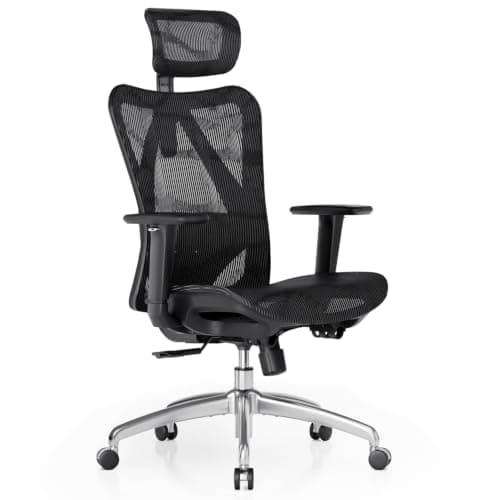
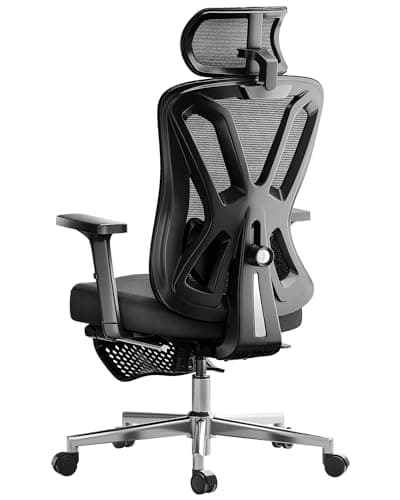
If you are at that point, the four picks below cover the practical replacement routes: the footrest chair for anyone whose desk forces the seat higher than their legs want, the fabric pocket-spring chair for anyone who found foam too hot or too hard, and two mesh ergonomic chairs with real adjustment for anyone who has concluded the racing-style shape was the problem all along. The full rankings are on best gaming chairs under $200, and how to choose a gaming chair covers measuring yourself before you buy.