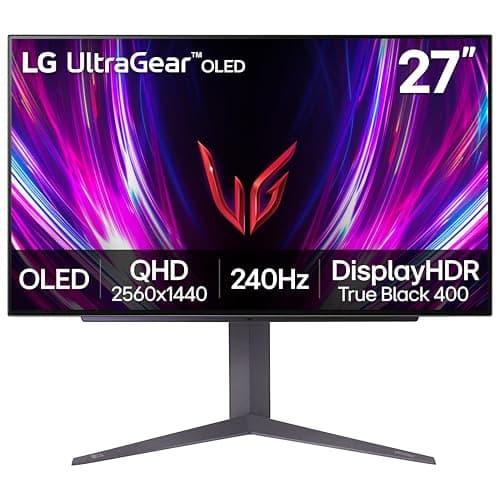
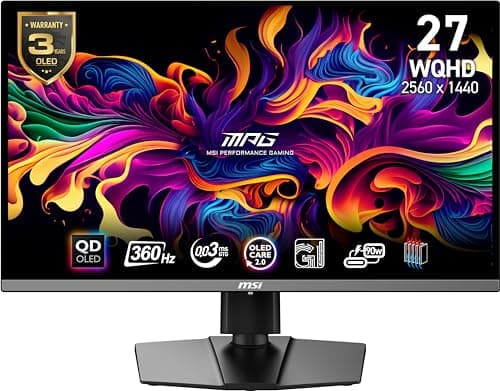
Buy the MSI MPG 271QRX. 27 inches, 1440p, QD-OLED, and MSI rates it at 360Hz with a 0.03ms response — the combination that gives you the OLED image without asking for a graphics card that does not exist in most people's machines. If the budget is the constraint, the LG 27GS93QE is the same size and resolution at a rated 240Hz.
OLED is the first genuinely different thing to happen to desktop monitors in a decade, and it is worth being precise about why rather than repeating the word “immersive”. An LCD makes an image by shining a backlight through a filter, so a black pixel is a bright light being blocked imperfectly. An OLED pixel emits its own light, so a black pixel is a pixel that is off. Everything people like about OLED follows from that one structural difference, and so does everything they complain about.
What OLED actually buys you
Blacks, and therefore contrast.No backlight means no glow, no halo around a bright object on a dark field, and no dimming zones to blow their cover. A mini-LED gets much closer than an edge-lit LCD — our best HDR gaming monitorspage covers that field — but a mini-LED still has a finite number of zones, and OLED has one zone per pixel. In a dark room playing anything with a night scene, the difference is not subtle.
Motion clarity. This is the part that gets undersold. An LCD pixel changes state in a few milliseconds; an OLED pixel changes almost instantly, which is why these panels are rated at 0.03ms rather than 1ms. Faster pixel response means less smearing behind a moving object, independent of refresh rate. Blur Busters has the motion-clarity research and the UFO test if you want to see the mechanism rather than read about it. A 240Hz OLED looks cleaner in motion than a 240Hz IPS, and that is a hardware property rather than a tuning choice. Our monitor response time guide explains how the rated figures are measured and why they are not comparable across panel types.
Real HDR, by a different route. The VESA DisplayHDR program has a separate tier for OLED — True Black 400 — precisely because the LCD tiers are written around peak brightness and OLED wins on the other axis. Both MSI panels here carry it. Whether HDR is worth chasing at all is a separate question our is HDR worth it guide answers honestly.
The two conditions where you should not buy one
A bright room.OLED peak brightness on a full white screen is much lower than a mini-LED's. Small bright highlights on a dark background are spectacular; a full-screen white desktop in direct sunlight is where an LCD wins outright. If your desk faces a window and you cannot close a blind, this is a real reason to buy a mini-LED instead.
Hours of static content.Burn-in is the honest long-term risk, and we are not going to pretend otherwise just because every pick on this page is an OLED. A taskbar, a game HUD or a spreadsheet left on screen for hours a day every day is the specific pattern that causes it. Modern panels fight it with pixel shifting, logo dimming and automatic refresh cycles, and the manufacturers now back that with burn-in coverage in the warranty — but mitigation is not elimination. We gave this its own page: is OLED burn-in a problem for gaming goes through what the long-running independent testing has actually found and what the warranties actually say.
QD-OLED and OLED are not quite the same thing
Three of the four panels here are listed as QD-OLED; the LG is listed simply as OLED. The practical difference buyers notice is color volume at high brightness — the quantum-dot layer is there to keep colors saturated as the picture gets brighter — and the appearance of the screen when it is off and lit by a lamp, where QD-OLED can look slightly gray rather than black. Neither is a reason to choose one over the other on its own. Size, resolution, refresh rate and price all matter more, and the two families are far closer to each other than either is to an LCD. Check the exact listing: panel generation changes between model years within the same product name.
Resolution is a graphics card decision, not a monitor decision
This is where most OLED buying goes wrong. 4K at 240Hz is a spectacular specification and it is a requirement placed on your graphics card, not a feature of the monitor. If your card cannot push the frame rate, you paid flagship money to run a flagship panel below its capability — and a 1440p OLED at the same refresh rate would have looked faster.
As a rough allocation: 1440p at 27 inches is the sweet spot for a current mid-to-upper card in demanding titles, and it is why our top pick is a 27-inch 1440p panel. 4K at 32 inches is for people running a top-end card, or for people who mostly play less demanding games and want the desktop sharpness. Our 1440p vs 4K gaming guide has the frame-cost comparison, and what size monitor for gaming covers the pixel-density side of the same decision.
How to choose between these four
If you want one answer, buy the MSI MPG 271QRX. 1440p at 27 inches is a resolution real graphics cards can feed, a rated 360Hz leaves headroom for competitive play, and it has USB-C alongside HDMI and DisplayPort so a laptop can share the desk.
If the price is the obstacle, the LG UltraGear 27GS93QE is the same size and resolution at a rated 240Hz, which is a refresh rate almost nobody will find limiting. It is usually the cheapest way to own an OLED, and the step down from 360Hz is far less visible than the step up from IPS to OLED.
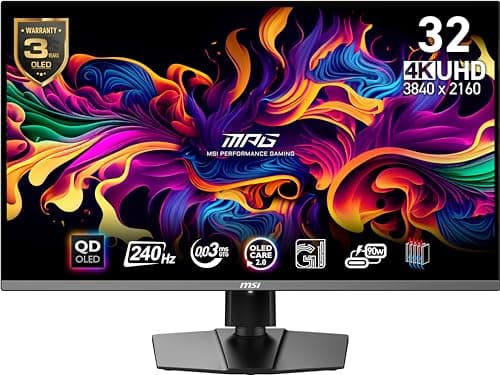
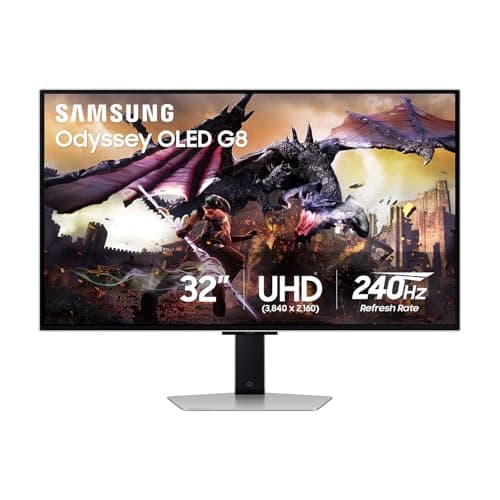
If you have the graphics card, the MSI MPG 321URX is a 32-inch 4K QD-OLED at a rated 240Hz with 90W USB-C, which is unusual at that size and means a laptop runs and charges from one cable. The Samsung Odyssey OLED G8is the same proposition with Samsung's warranty and support behind it; check both listings on the day, because these two trade places on price regularly.
If, having read the two caveats above, you have decided OLED is wrong for your room or your usage, that is a legitimate conclusion and the alternatives are good. A mini-LED from our best HDR gaming monitors page gets you most of the contrast and all of the brightness, and a fast IPS from best 1440p gaming monitors is the sensible, zero-worry option. Our OLED vs IPS comparison is the direct head-to-head if you are still deciding.