Skip to content
GEAREDGAMING

HUB 03 · Best Value

The Best Gaming Monitors

There is no single best gaming monitor, because the specs that matter trade against each other and against the graphics card you already own. This page picks one winner for each real buyer and shows you which one you are.

By Stephen V.Updated How we research
#ad

We earn a commission when you buy through our Amazon links, at no extra cost to you. It never affects our rankings, and we say so when the cheaper product is the better buy. How this works.

Top pick · Best Gaming Monitor Overall

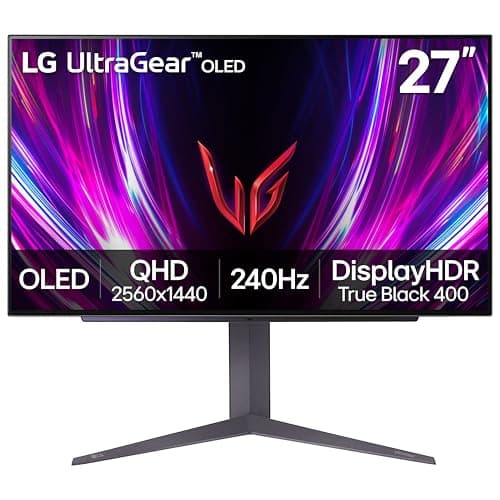
LG LG UltraGear 27GR83Q-B

LG UltraGear 27GR83Q-B

8.4/10

The do-it-all pick. 240Hz IPS for the PC, HDMI 2.1 for a current console, and a stand that does everything.

Price as of November 2, 2026. Prices change — Amazon's is the one that counts. #ad · we may earn a commission from this link to LG UltraGear 27GR83Q-B

Verdict

The short version

Buy the LG UltraGear 27GR83Q-B — a 27-inch 1440p IPS panel LG rates at 240Hz, with HDMI 2.1. It wins the overall slot because it is the only panel here that does not force a choice: 1440p at 27 inches is the resolution and size most PC players should be on, 240Hz covers competitive play, and HDMI 2.1 means a PS5 or Xbox Series X plugged into the same screen can run 1440p at 120Hz instead of being capped. It sits in the mid-$200s-to-low-$300s bracket, which is the most defensible money in the category.

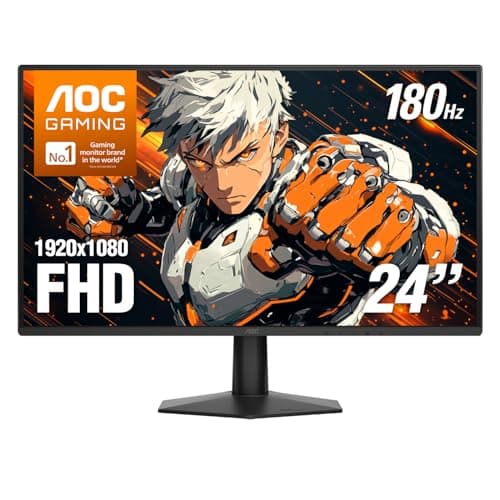
If your budget is near $100, buy the AOC 24G51F2 instead— 24-inch, 1080p, Fast IPS, a rated 180Hz, and genuinely no compromise for competitive shooters. If you want the single most visible upgrade and have the budget, the LG UltraGear 27GS93QE OLED is it; per-pixel blacks and near-instant pixel response are a different class of image, with a burn-in caveat you should read before buying. The Acer Nitro VG270K V4 is the pick if sharpness matters more than refresh rate, the AOC Q27G3XMN is the only panel here with mini-LED HDR that does something real, and the LG UltraGear 34G600A is the immersion pick for racing, sims and single-player games.

Compare

Specs and prices at a glance

#ProductKey specsBest forPrice
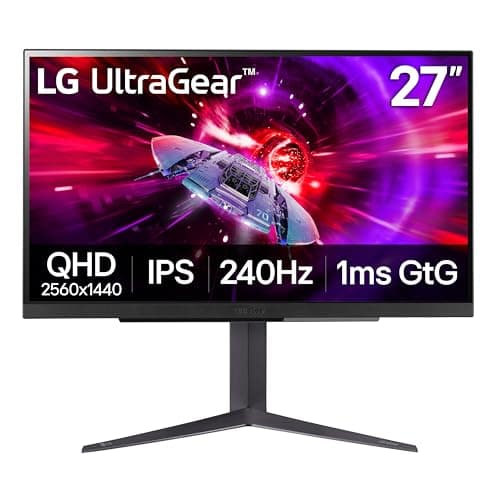
01LG UltraGear 27GR83Q-B

LG

  • 27"
  • 2560x1440 IPS
  • LG rates 240Hz / 1ms
  • HDMI 2.1 · DisplayHDR 400
PS5 / Xbox + PC$302.00 on Amazon →
02AOC 24G51F2

AOC

  • 24"
  • 1920x1080 Fast IPS
  • AOC rates 180Hz / 0.5ms MPRT
  • Adaptive Sync
The best all-round pick$106.83 on Amazon →
03LG UltraGear 27GS93QE OLED

LG

  • 27" OLED
  • 2560x1440
  • LG rates 240Hz / 0.03ms
  • HDR
Best in class$499.99 on Amazon →
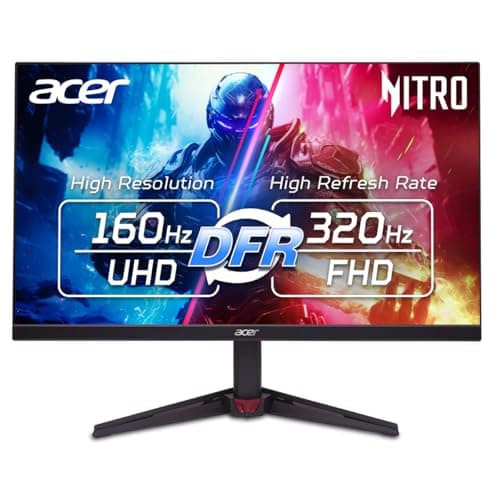
04Acer Nitro VG270K V4

Acer

  • 27" 4K UHD
  • 3840x2160 IPS
  • Acer rates 160Hz
  • Dual-mode 320Hz at lower res
Best big-brand 4K on a budget$249.99 on Amazon →
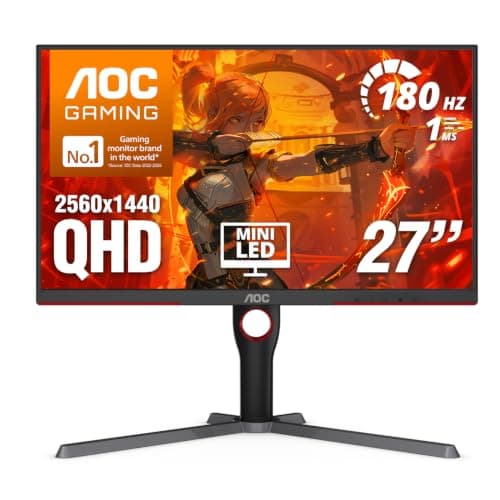
05AOC Q27G3XMN

AOC

  • 27"
  • 2560x1440 VA
  • Mini-LED · HDR 1000
  • AOC rates 180Hz / 1ms
Real HDR$276.75 on Amazon →
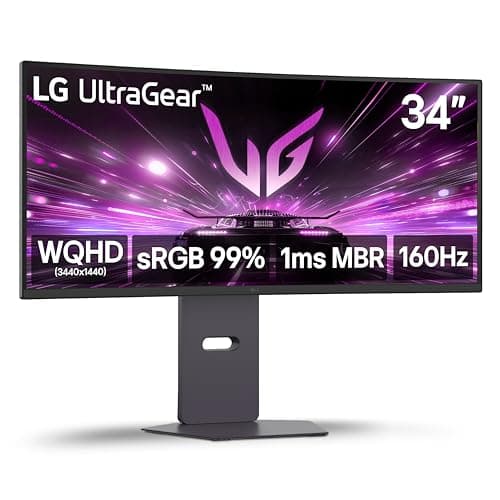
06LG UltraGear 34G600A

LG

  • 34" ultrawide curved
  • 3440x1440
  • High refresh + VRR
  • 21:9
Best for immersion$369.99 on Amazon →

#ad · Specs as published by the manufacturer or the Amazon listing. Live prices from the Amazon Creators API, as of November 2, 2026. Where we have no verified live price we show none, rather than print a number that has rotted.

“Best gaming monitor” has no single answer, and any page that gives you one is hiding the trade-offs. Resolution fights refresh rate. Contrast fights response time. HDR fights price. And all of it fights the graphics card already in your PC, which is the constraint nobody selling you a monitor wants to talk about. So this page is built the other way round: the criteria first, then one winner for each kind of buyer those criteria produce.

Every price on this page is pulled live from Amazon and stamped with the time we retrieved it. We do not run a testing lab and we never claim to — our methodology page spells out exactly what our scores are and are not.

The three specs that actually decide it

Monitor listings advertise twenty numbers. Three of them change what you experience; the rest are context or noise.

1. Resolution paired with size.Neither number means anything alone — what you see is pixel density, resolution divided across the diagonal. A 24-inch 1080p panel is about 92 pixels per inch. A 27-inch 1440p panel is about 109. A 27-inch 4K panel is about 163. That is why a 27-inch 1080p monitor looks soft while a 24-inch 1080p monitor looks fine, and it is the single most common mistake in a first monitor purchase. Our monitor size guide pairs each size with the resolution that suits it.

2. Refresh rate, read together with response time.Refresh rate is how many times per second the panel can show a new image. Response time is how fast a pixel can finish changing color. A high refresh rate on a slow panel produces smeared motion rather than clear motion, which is why the two numbers have to be read as a pair — the motion-persistence research at Blur Busters is the clearest public explanation of why. The “1ms” on most boxes is an MPRT or best-case gray-to-gray figure measured with overdrive pushed hard, not an average, and our response time guide shows how that number is produced.

3. Panel type. This decides contrast, viewing angles and how motion looks in dark scenes, and it is the spec buyers skip. IPS gives accurate color and wide viewing angles with mediocre blacks. VA gives much deeper blacks and smears on dark, fast transitions. OLED switches individual pixels off, winning contrast and response time outright, and carries a burn-in risk with static interface elements. Our panel types explainer is the long version.

Your graphics card is the real budget

Pixels per frame scale brutally. 1080p is about 2.1 million pixels. 1440p is 3.7 million — roughly 1.8 times the work. 4K is 8.3 million, about 2.25 times 1440p and four times 1080p. No monitor purchase changes that arithmetic, and a panel your card cannot feed will feel slower than the cheaper panel it replaced.

Valve’s monthly hardware survey is the honest reality check here: the most-used cards on Steam are mid-range parts, and 1080p is still the most common resolution in use. If your card currently gives you frame rates you are happy with at 1080p, moving to 1440p will cost you roughly a third to a half of them, and moving to 4K will cost considerably more than half. Upscaling claws some of that back and is a legitimate answer, but it is a reason to buy with your eyes open rather than a reason to skip the math. Our GPU requirements guide walks the calculation through with numbers.

The practical rule: buy the resolution your card can drive at the frame rate you want, and spend what is left on panel quality rather than on pixels. A 1440p OLED running at 140 frames per second is a far better experience than a 4K IPS running at 55.

Where refresh rate stops paying you back

The jump from 60Hz to 144Hz is the largest single improvement available in this category, and it is obvious to everyone, in every game, immediately — our 60Hz vs 144Hz comparison covers why. After that the curve flattens hard. 144Hz to 240Hz is a real but much smaller change that competitive players notice and most other people do not; 240Hz to 360Hz and beyond is a measurable difference that is genuinely difficult to perceive. We cover both steps honestly in 144Hz vs 240Hz and 240Hz vs 360Hz.

There is a hard requirement attached: your frame rate has to reach the refresh rate for the refresh rate to mean anything. A 240Hz panel fed 90 frames per second is a 90Hz experience with extra marketing. This is also why variable refresh rate — FreeSync, G-SYNC Compatible, VESA Adaptive-Sync — matters more than the headline number for most people: it keeps the panel in step with a frame rate that fluctuates, removing tearing without the input-lag penalty of V-Sync. Treat it as mandatory, not a feature. Our G-SYNC vs FreeSync guide covers which badge you actually need.

HDR, and the sticker that means nothing

Most monitors advertising HDR cannot produce it. An HDR10 logo describes a signal format the monitor accepts, not brightness or contrast it can deliver, and an edge-lit panel with one backlight zone physically cannot show a bright highlight next to a dark shadow. The only HDR claim worth reading is a VESA DisplayHDR tier, and below DisplayHDR 600 the effect is marginal.

Real HDR on an LCD needs a mini-LED backlight, which splits illumination into hundreds of independently dimmable zones. That is what the AOC on this page has and what the other LCDs do not. OLED solves it differently, by turning pixels off entirely. Everything else labeled HDR in the sub-$300 bracket is a format sticker. Our is HDR worth it guide names the tiers and what each one buys.

Console owners: one spec, and it is not the refresh rate

If a PS5 or Xbox Series X shares the monitor, the specification that decides your purchase is HDMI 2.1. Consoles output over HDMI, not DisplayPort, and HDMI 2.0 does not have the bandwidth for 1440p or 4K at 120Hz. A 240Hz monitor with only HDMI 2.0 inputs will run your console at 60Hz while your PC enjoys the full refresh rate — and the listing will still say 240Hz, because over DisplayPort it is true. Count the HDMI 2.1 ports, not the headline number. Our HDMI vs DisplayPort guide covers what each cable carries, and best monitors for PS5 is the console-specific page.

Specs you can safely ignore

Static contrast ratios above about 3000:1. Measured by a method each manufacturer chooses, not comparable between brands, and routinely optimistic. RTINGS measures contrast on a consistent bench; that figure is worth something, the box figure is not.

Peak DPI-style color claims.“16.7 million colors” is 8-bit, which is every monitor in this price range. “1.07 billion” usually means 8-bit plus dithering.

Curvature on a 27-inch panel.At 16:9 and arm’s length a curve is a preference, not a benefit. On a 34-inch ultrawide it genuinely changes the experience, because the screen edges are far enough away to matter. Our curved vs flat comparison takes the question seriously rather than selling the curve.

Built-in speakers. They exist to tick a box. If audio matters to you, a decent gaming headset costs a fraction of the monitor and is not in the same league.

How we ranked these

Scores are judgments from documented research — published manufacturer specifications from LG, AOC and Acer, independent lab measurements from RTINGS where a given panel has been benched, and aggregated owner reports. They are not our own measurements. Every refresh-rate and response-time figure on this page is the manufacturer’s own rating and is written that way (“LG rates 240Hz”), because that is what it is. Where a brand does not state a DisplayHDR tier, we flag the HDR as nominal instead of repeating the claim.

The six picks below are the winners of six different questions, not six attempts at the same one. Each links through to the page where we examine that bracket in depth.

The short answer

Quick picks

#ProductBest forScorePrice
01
LG LG UltraGear 27GR83Q-B
LG UltraGear 27GR83Q-B

The do-it-all pick. 240Hz IPS for the PC, HDMI 2.1 for a current console, and a stand that does everything.

PS5 / Xbox + PC
8.4
$302.00 on Amazon →
02
AOC AOC 24G51F2
AOC 24G51F2

The one to buy. 24in, 1080p, Fast IPS, 180Hz — the competitive-gaming standard, cheap.

The best all-round pick
8.0
$106.83 on Amazon →
03
LG LG UltraGear 27GS93QE OLED
LG UltraGear 27GS93QE OLED

OLED at the very top of this budget. Once you've seen the black levels and the motion clarity, IPS looks broken.

Best in class
8.4
$499.99 on Amazon →
04
Acer Acer Nitro VG270K V4
Acer Nitro VG270K V4

4K at 160Hz from a brand with a real warranty, for what the no-name panels charge.

Best big-brand 4K on a budget
7.8
$249.99 on Amazon →
05
AOC AOC Q27G3XMN
AOC Q27G3XMN

The only monitor here with real HDR. A mini-LED backlight and a 1,000-nit peak give you HDR that actually does something.

Real HDR
7.8
$276.75 on Amazon →
06
LG LG UltraGear 34G600A
LG UltraGear 34G600A

The immersion pick. A 34-inch curved ultrawide turns racing, sim and single-player games into something a flat 27 can't do.

Best for immersion
7.8
$369.99 on Amazon →

#ad · Live prices from the Amazon Creators API, as of November 2, 2026. Where we have no verified live price, we show none — we would rather leave a gap than print a number that has rotted.

In detail

The picks, in full

01
LG LG UltraGear 27GR83Q-B

PS5 / Xbox + PC

LG UltraGear 27GR83Q-B

27"2560x1440 IPSLG rates 240Hz / 1msHDMI 2.1 · DisplayHDR 400
8.4/10

The do-it-all pick. 240Hz IPS for the PC, HDMI 2.1 for a current console, and a stand that does everything.

Panel quality
9
Build quality
8
Ergonomics
9
Features
9
Value
7

Pros

  • HDMI 2.1 is the real differentiator — a PS5 or Xbox Series X can run 1440p at 120Hz here, which none of the HDMI 2.0 monitors on this page can deliver
  • 240Hz IPS covers the competitive-PC side with no compromise
  • Full tilt/height/pivot stand and LG's better factory calibration

Cons

  • DisplayHDR 400 is entry-level HDR — better than a bare HDR10 sticker, but nowhere near the mini-LED AOC's real HDR
  • The most expensive monitor here, and part of that money buys HDMI 2.1 that a PC-only player on DisplayPort will never use

Don't buy this if…

…you only ever game on a PC. The HDMI 2.1 headline is wasted over DisplayPort, and the AOC Q27G41ZE gives you the same 240Hz and sharpness for over a hundred dollars less.

$302.00View on Amazon

$499.9940% off

Price as of November 2, 2026. Prices change — Amazon's is the one that counts.

#ad · we may earn a commission from this link to LG UltraGear 27GR83Q-B

02
AOC AOC 24G51F2

The best all-round pick

AOC 24G51F2

24"1920x1080 Fast IPSAOC rates 180Hz / 0.5ms MPRTAdaptive Sync
8.0/10

The one to buy. 24in, 1080p, Fast IPS, 180Hz — the competitive-gaming standard, cheap.

Panel quality
8
Build quality
8
Ergonomics
6
Features
8
Value
10

Pros

  • Fast IPS at 180Hz for close to VA money — you get the color and the viewing angles without paying the usual premium
  • 24in/1080p is the size and resolution competitive players actually use, and it is not a compromise
  • DisplayPort 1.4 and HDMI 2.0 both carry the full 180Hz, and AOC backs the panel with a three-year zero-bright-dot warranty

Cons

  • 1080p on a 24in panel is not sharp by modern standards — you will see pixels
  • IPS contrast is mediocre; blacks are gray in a dark room
  • The slim stand tilts only — no height adjustment, no swivel, no pivot, so raising it means a VESA arm

Don't buy this if…

…you mostly play story games in the dark. IPS blacks will disappoint you — the KOORUI's VA panel is the better tool for that, and it costs about the same.

$106.83View on Amazon

Price as of November 2, 2026. Prices change — Amazon's is the one that counts.

#ad · we may earn a commission from this link to AOC 24G51F2

03
LG LG UltraGear 27GS93QE OLED

Best in class

LG UltraGear 27GS93QE OLED

27" OLED2560x1440LG rates 240Hz / 0.03msHDR
8.4/10

OLED at the very top of this budget. Once you've seen the black levels and the motion clarity, IPS looks broken.

Panel quality
10
Build quality
8
Ergonomics
8
Features
9
Value
7

Pros

  • Per-pixel OLED black levels and color that no IPS or VA panel on any cheaper page can approach
  • 240Hz with near-instant pixel response makes fast motion genuinely clearer, not just higher-numbered
  • The single biggest 'wow' upgrade you can make to a desk under $500

Cons

  • It eats the whole budget — there is nothing left for anything else
  • OLED carries a burn-in risk with static HUDs and taskbars over years of use; mind the care features
  • Full-screen brightness is lower than a bright LCD, so a sun-blasted room isn't ideal

Don't buy this if…

…you leave static UI on screen for hours daily, or you play in a bright room. A high-refresh IPS like the 27GP850 sidesteps burn-in worry and gets brighter.

$499.99View on Amazon

$899.9944% off

Price as of November 2, 2026. Prices change — Amazon's is the one that counts.

#ad · we may earn a commission from this link to LG UltraGear 27GS93QE OLED

04
Acer Acer Nitro VG270K V4

Best big-brand 4K on a budget

Acer Nitro VG270K V4

27" 4K UHD3840x2160 IPSAcer rates 160HzDual-mode 320Hz at lower res
7.8/10

4K at 160Hz from a brand with a real warranty, for what the no-name panels charge.

Panel quality
8
Build quality
7
Ergonomics
7
Features
8
Value
9

Pros

  • 4K at a rated 160Hz on a 27-inch IPS panel, which is the sharpest pixel density on this page
  • A dual-mode switch trades resolution for a much higher rated refresh rate, so one panel covers a cinematic night and a competitive one
  • Acer's support and RMA process is predictable in a category where the bargain panels often are not

Cons

  • Driving 4K at high frame rates needs a strong, expensive graphics card — the monitor is the cheap part
  • Acer does not state a DisplayHDR tier on this listing, so treat its HDR as nominal rather than real
  • Dual-mode is a resolution downgrade in disguise: the 320Hz figure is not available at 4K

Don't buy this if…

…your graphics card is mid-range. 4K at high refresh is hard to drive, and a 1440p panel will feel considerably faster on the same GPU.

$249.99View on Amazon

$349.9929% off

Price as of November 2, 2026. Prices change — Amazon's is the one that counts.

#ad · we may earn a commission from this link to Acer Nitro VG270K V4

05
AOC AOC Q27G3XMN

Real HDR

AOC Q27G3XMN

27"2560x1440 VAMini-LED · HDR 1000AOC rates 180Hz / 1ms
7.8/10

The only monitor here with real HDR. A mini-LED backlight and a 1,000-nit peak give you HDR that actually does something.

Panel quality
9
Build quality
7
Ergonomics
6
Features
9
Value
8

Pros

  • Mini-LED local dimming with a DisplayHDR 1000 rating is genuine HDR — bright highlights that pop against blacks that stay black, which no edge-lit HDR10 panel here can manage
  • VA contrast plus mini-LED zones produces the deepest blacks on this page by a wide margin
  • 180Hz and Adaptive Sync, so it games well beyond the HDR party trick

Cons

  • Mini-LED blooming — a faint halo around bright objects on a dark background — is visible, as it is on every backlight near this price
  • One HDMI 2.0 and one DisplayPort only; a thin selection of inputs if you juggle several devices
  • VA smear on dark, fast transitions applies here too — it is not the panel for a competitive-shooter main

Don't buy this if…

…you mostly play competitive shooters in SDR. You would be paying a premium for an HDR panel and VA response times you will not use — the fast IPS AOC Q27G41ZE serves that far better.

$276.75View on Amazon

Price as of November 2, 2026. Prices change — Amazon's is the one that counts.

#ad · we may earn a commission from this link to AOC Q27G3XMN

06
LG LG UltraGear 34G600A

Best for immersion

LG UltraGear 34G600A

34" ultrawide curved3440x1440High refresh + VRR21:9
7.8/10

The immersion pick. A 34-inch curved ultrawide turns racing, sim and single-player games into something a flat 27 can't do.

Panel quality
8
Build quality
8
Ergonomics
7
Features
8
Value
8

Pros

  • The 21:9 curve wraps the periphery in a way that's genuinely more immersive for racing, sims and RPGs
  • 3440x1440 gives you real extra desktop width for multitasking, not just games
  • High refresh with variable refresh keeps the big canvas smooth

Cons

  • Ultrawide is demanding to drive — you need a stronger GPU than a 27-inch 1440p panel asks for
  • Competitive esports titles often letterbox or stretch at 21:9, and the extra width doesn't help your aim
  • It's physically wide; check your desk before buying

Don't buy this if…

…you mainly play competitive shooters or have a modest GPU. Many esports games don't use 21:9 well, and the pixel count is heavier to run — a 27-inch 16:9 is the better fit.

$369.99View on Amazon

$399.998% off

Price as of November 2, 2026. Prices change — Amazon's is the one that counts.

#ad · we may earn a commission from this link to LG UltraGear 34G600A

Buying checklist

1. Start from your graphics card, not the panel. Look at the frame rate you get today. Expect to lose roughly a third to a half of it moving 1080p to 1440p, and more than half moving 1440p to 4K. If that lands below the refresh rate you are paying for, buy the lower resolution and a better panel.

2. Match size to resolution. 24 inches for 1080p, 27 inches for 1440p, 27 inches or larger for 4K, 32 inches only at 1440p or above. A 27-inch 1080p panel is the one combination to avoid.

3. Pick the panel for the room you game in. Bright room, mostly competitive shooters: IPS. Dark room, mostly story games: VA, mini-LED or OLED. If static interface elements sit on screen for many hours a day, factor in OLED burn-in before you commit.

4. Count the right ports. HDMI 2.1 if a current console is involved. DisplayPort 1.4 or better for a PC at high refresh. USB-C with power delivery if a laptop docks to it.

5. Check the stand before you check the price. Budget panels save money on the stand first. A tilt-only stand means a VESA arm, which is another $30 to $80 on a comparison you thought you had already made.

6. Confirm variable refresh rate is present and on. It ships disabled on a surprising number of monitors, and it is the setting most responsible for a panel feeling smooth. Our monitor setup guide covers the handful of settings worth changing on day one, including overdrive.
How we picked

We do not run a testing lab

We researched published specifications, third-party lab measurements, manufacturer documentation and aggregated owner reviews, then scored each product against a published rubric. The scores are judgments from documented research — they are not measurements we took, because we do not have a lab and we are not going to pretend we do. Where a number came from someone else's lab, we name them and link them in Sources.

Questions

Frequently asked

What is the best gaming monitor overall?
The LG UltraGear 27GR83Q-B. A 27-inch 1440p IPS panel rated at 240Hz with HDMI 2.1 is the configuration that forces the fewest compromises: the right size-and-resolution pairing for a PC, enough refresh rate for competitive play, and the console bandwidth that most 240Hz monitors at this price lack. If you only ever play on a PC over DisplayPort, you are paying for HDMI 2.1 you will not use, and a cheaper 1440p panel is the smarter buy.
Is 1440p or 4K better for gaming?
1440p, for most people, at any given budget. 4K is four times the pixels of 1080p and about 2.25 times 1440p, so the same graphics card produces far fewer frames. At equal money you can have 4K on a mediocre panel or 1440p on a very good one, and the better panel at 1440p is the more noticeable upgrade. 4K makes sense when your card is strong, when you also work on the screen, or when sharpness genuinely matters more to you than frame rate.
Is 240Hz worth it over 144Hz?
Only if your frame rate actually reaches it and you play competitively. The 60Hz to 144Hz jump is dramatic and obvious to everyone; 144Hz to 240Hz is real but much smaller, and invisible if your games run at 110 frames per second. Spend the difference on panel quality first. Our 144Hz vs 240Hz comparison covers where the returns stop.
Do I need HDR on a gaming monitor?
Not unless the panel has a mini-LED or OLED backlight. An HDR10 logo describes a signal format the monitor accepts, not brightness it can produce, and a single-zone edge-lit panel cannot show a bright highlight against a dark background no matter what the box says. Look for a VESA DisplayHDR tier; below DisplayHDR 600 the effect is marginal.
What monitor should I buy for a PS5 or Xbox Series X?
One with HDMI 2.1. Consoles output over HDMI, and HDMI 2.0 does not carry 1440p or 4K at 120Hz — so a 240Hz monitor with HDMI 2.0 inputs will cap your console at 60Hz while advertising 240Hz truthfully, because that figure applies over DisplayPort. Of the picks here, the LG 27GR83Q-B is the one built for a shared PC-and-console desk.
Is an ultrawide monitor good for gaming?
For racing, flight sims, strategy and single-player games, yes — the extra peripheral width is genuinely immersive. For competitive shooters it is a weaker choice: many esports titles either letterbox at 21:9 or gain nothing from the extra width, and the higher pixel count costs frames. It also needs a stronger graphics card than a 27-inch 1440p panel does.
How much should I spend on a gaming monitor?
Around the $100 mark buys a genuinely good 24-inch 1080p high-refresh panel with nothing important missing. The mid-$200s to low-$300s is the sweet spot of the whole category, where 27-inch 1440p at high refresh lives. Above that you are buying a specific capability — OLED contrast, 4K sharpness, real mini-LED HDR or ultrawide width — so decide which one you want before you decide the number.

Keep reading

Receipts

Sources

We do not run a testing lab, and we do not pretend to. Where a measured number came from someone else's lab, we name them and link them. Where we could not verify something, we say so on the page rather than quietly leaving it out. Read our full method.