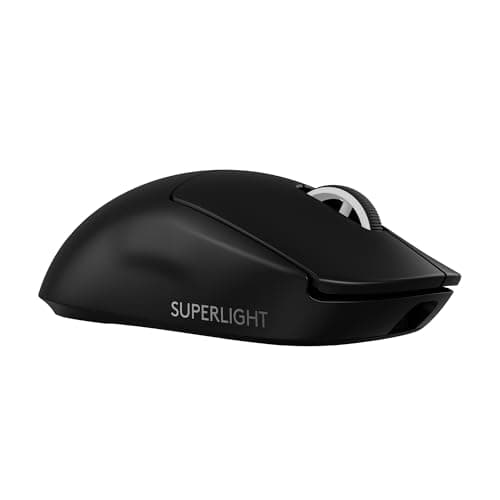
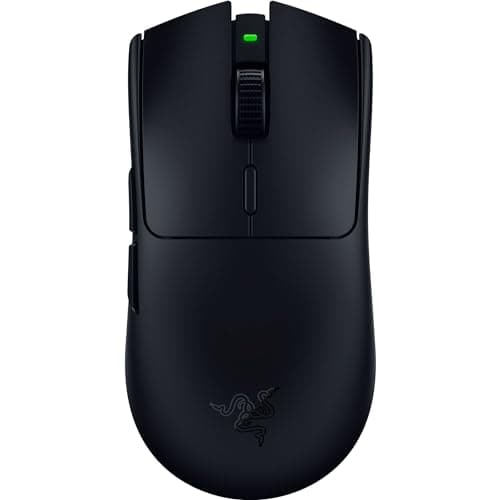
These are the two most-used wireless mice in competitive shooters, they are about six grams apart, and they are far more similar than the marketing suggests. Both are symmetrical ultralights with flagship optical sensors, optical main switches and low-latency 2.4GHz wireless that is indistinguishable from a cable in use. Nothing in that list separates them. What separates them is shape, the polling-rate ceiling, battery behavior and price — in that order of importance for an actual buyer.
Weight: 54g against 60g, and why it barely matters
The Viper V3 Pro is the lighter mouse. Six grams is a real difference on paper and a small one in the hand — roughly the weight of a coin. Both are deep into the range where the limiting factor is your arm, not the mouse.
Weight stops mattering below about 70g for most players, and both of these are comfortably under that. If you are coming from a 100g mouse, either will feel transformative; if you are choosing between these two on weight alone, you are optimizing a variable that is already solved. Our lightweight vs heavy mouse guide covers where the real threshold sits and why going lighter stops helping.
Shape: the actual decision
The Superlight 2 has a slightly taller, fuller back that fills the palm more. The Viper V3 Pro is flatter and more neutral, with a marginally more pronounced rear flare. Neither is ergonomic in the right-hand-only sense — both are symmetrical — and both suit claw and fingertip grips well.
If you palm-grip, the Superlight 2 is the safer buy of the two because there is more mouse under your hand. If you claw or fingertip, the Viper is the more natural fit. And if you have large hands and palm-grip heavily, the honest answer is that neither is ideal: a dedicated ergonomic shape will support your hand better, which is what our best mice for big hands page ranks. Our grip styles guideis the place to start if you have never checked which grip you actually use — most people are wrong about their own.
Polling rate: 8,000Hz is real and mostly irrelevant
Razer rates the Viper V3 Pro for 8,000Hz polling with its HyperPolling dongle. Logitech ships the Superlight 2 at 1,000Hz. A polling rate of 1,000Hz means the mouse reports its position once per millisecond; 8,000Hz means eight times per millisecond. The theoretical latency saving is therefore under a millisecond.
Two caveats make it smaller than that in practice. It costs battery life, significantly, and it only translates into visible smoothness if your frame rate is high enough to display the extra reports — which in most titles means several hundred frames per second. Treat it as a specification you can leave off rather than a reason to choose. Our polling rate explained guide does the arithmetic in full.
Switches, sensor and wireless: a genuine tie
Both use a flagship-tier optical sensor whose published resolution and tracking-speed figures are far beyond anything a human input produces, and both use optical main switches, which matters for a practical reason rather than a performance one: optical switches do not develop the double-click fault that kills mechanical-switch mice after a year or two of hard use.
Both wireless implementations — Razer HyperSpeed and Logitech LIGHTSPEED — are the real low-latency kind on a dedicated dongle, not Bluetooth, and independent testing at RTINGS has repeatedly found this class of link indistinguishable from wired. Anyone telling you they can feel the difference between these two wireless stacks is describing a preference, not a measurement.
Battery
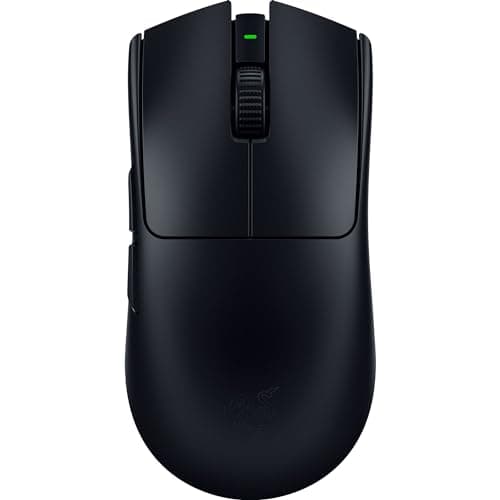
Both are internal-battery mice charged over USB-C, and both quote multi-day figures at 1,000Hz. The practical difference only appears if you run the Viper at 8,000Hz, where battery life drops sharply. If you want a mouse that never needs charging at all, the Viper V3 HyperSpeed on this page runs from a single AA — heavier, but you swap a battery instead of planning around a cable.
The uncomfortable part: the cheaper mouse
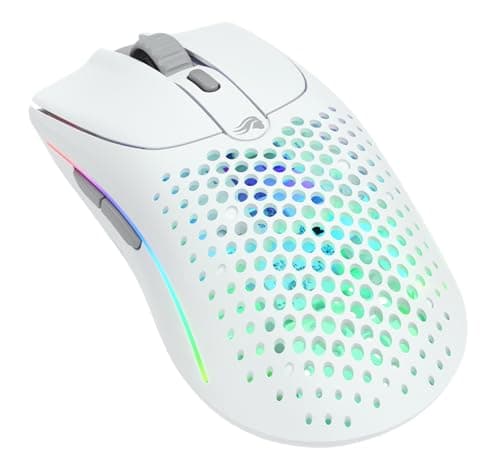
The Viper V3 HyperSpeed is the same tournament-grade line at roughly a third of the price, 82g instead of 54g, running on an AA cell. The Glorious Model O 2 Wireless sits between the two on price with a neutral ambidextrous shell and dual 2.4GHz and Bluetooth.
Both are listed here deliberately, because the flagship pair is a diminishing-returns purchase. The flagships buy you the last few grams, the 8,000Hz option and the exact shapes the pro scene settled on. They do not buy accuracy you can measure in your own gameplay, and we are not going to pretend otherwise. If you are spending your own money and you are not competing for anything, buy the HyperSpeed and put the difference into a better mousepad, which affects your aim more than six grams does.
How we compared these
Scores are judgments from documented research — published manufacturer specifications from Razer and Logitech G, independent lab measurements from RTINGS, and owner reports — not our own lab measurements. We have not run a click-latency rig on either mouse, and our methodology page says so plainly.