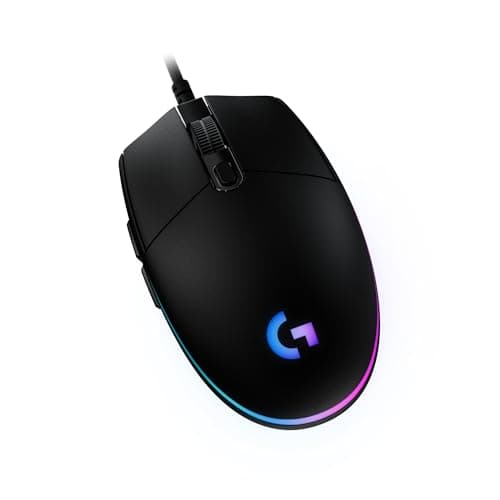
If you want one wired mouse and no deliberation, buy the Logitech G203 LIGHTSYNC. It is light, its sensor is better than your aim, its ambidextrous shape suits the widest range of hands, and it costs less than almost anything worth owning — the default budget answer, and the one most people never need to upgrade from. Wireless mice get the marketing, but a cable still buys you more mouse for the money than the equivalent wireless model, with none of the battery or connection worries. The six mice below are all wired; what separates them is shape, weight, and the grip your hand naturally falls into — get those three right and every mouse on this page is a good one.
Why wired still wins for a lot of players
The case for a wired mouse is not nostalgia, it is arithmetic. A cable delivers a direct, uninterrupted connection with none of the things that can go wrong wirelessly: there is no battery to charge, no dongle to lose, no crowded 2.4GHz channel to fight with your neighbour's router, and no moment mid-match where a flat cell turns your mouse into a paperweight. Modern wireless is genuinely excellent — we say so on our best wireless gaming micepage — but “excellent” costs money, and the same budget spent on a wired mouse buys you a better sensor, a lighter shell, or simply a bit back in your pocket.
There is also the latency question, which matters more in your head than on the scoreboard. A good wireless mouse is, for all practical purposes, as fast as a cable now; the difference is measured by reviewers with lab gear, not felt by players. But “as fast as a cable” is the ceiling, and a cable is where that ceiling comes from — so if you never want to think about input lag again, wired removes the question entirely. If you want the full argument laid out fairly, our wired vs wireless guide weighs both sides.
The cable is the only real downside — and it is fixable
Be honest about the one genuine drawback: a stiff cable drags across the desk, and that drag fights your aim. It is the single thing people who switched to wireless say they do not miss. The good news is that it is a solved problem. A soft, flexible paracord-style cable — which several mice here already ship with — removes most of the drag on its own, and a cheap mouse bungee holds the cable up and off the pad so it tracks like a wireless mouse without the price. Pair either with a large, smooth surface and the cable effectively disappears; our best gaming mousepads page covers the pads that help most here.
Shape, weight and grip decide everything else
Because the sensor in even a budget wired mouse is now better than any human hand, sensor quality is not what separates these picks. Three things are: the shape, the weight, and the grip your hand prefers.
- Shapesplits into ambidextrous (symmetrical, suits the most hands) and ergonomic (a right-handed hump built to fill a palm). Neither is better in the abstract — one will simply fit your hand and the other will not.
- Weight is the trade-off that has defined mice for years: lighter is faster to flick and less tiring over a long session, while heavier feels planted and deliberate for slow, precise tracking. Our lightweight vs heavy guide explains which way to lean.
- Grip— palm, claw or fingertip — determines how big a mouse you want and where your fingers land. If you do not know yours, the grip styles explainer is five minutes that will save you a bad purchase.
For how those choices shake out into a shortlist, our how to choose a gaming mouse guide is the full walk-through, and independent reviewers such as RTINGS publish the click-latency and sensor measurements we do not take ourselves, because we do not run a lab.
Ambidextrous or ergonomic: pick the side your hand is on
The oldest decision in mice is still the most important one, and it has nothing to do with performance. An ambidextrous mouse is symmetrical, with a low, even shape that most hands and most grips can adapt to — the G203, KATAR PRO XT and Rival 3 all sit here. An ergonomic mouse is a right-handed hump, sculpted to fill a palm and put your thumb in a dedicated rest; the DeathAdder V3, Basilisk V3 and G502 HERO are all ergonomic. If you palm-grip, or your hand is on the larger side, an ergonomic shape usually feels more supportive and less tiring over hours. If you claw or fingertip, or you value a neutral shape you can move freely, ambidextrous tends to win. Left-handers should note that most ergonomic mice, including all three here, are right-hand only — a symmetrical shape is the safe route. There is no universally correct answer; there is only the shape your hand settles into, which is why we keep steering you back to trying the grip rather than reading the spec.
How the ranking shakes out
The Logitech G203takes the top spot because it is the most complete wired mouse for the money: light, accurate, a neutral ambidextrous shape, and a price that ends the search for most people. Its honest weakness is the stiff cable, which is exactly why the bungee advice above exists — solve that and there is very little left to complain about at this price.
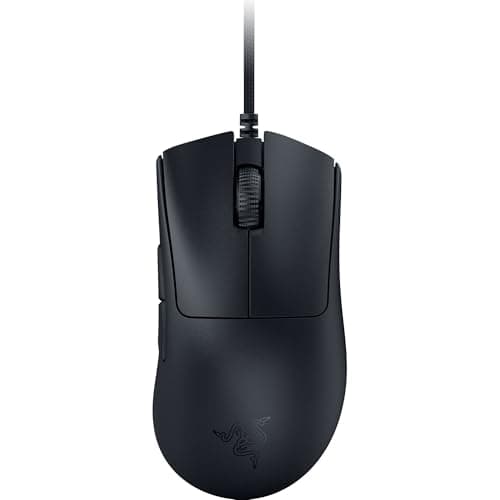
The Razer DeathAdder V3is the pick for anyone who wants the famous ergonomic hump without flagship money. It is a genuinely light wired mouse now, so comfort no longer costs you speed, and its optical switches sidestep the double-click fault that eventually kills cheaper mechanical switches. The catch is that it is a right-handed shape with few extra buttons — it is a comfortable shooter mouse, not a do-everything one, and left-handers are out entirely.
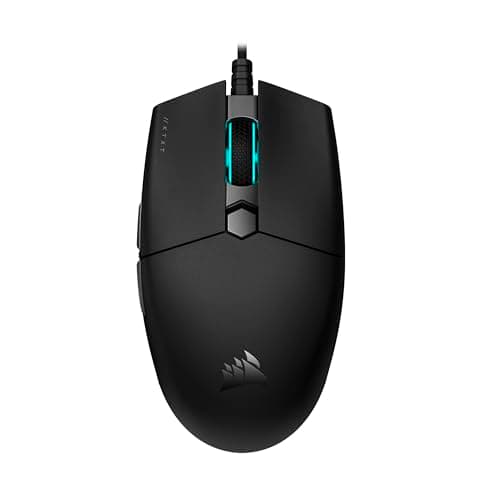
The Corsair KATAR PRO XTis the budget lightweight: a small, symmetrical, claw-friendly shape with a cable that already drags far less than most. It is a pure aim tool with little else going on, and that focus is the point. The honest limit is size — it is too small for large hands or a full palm grip, and there is no getting around that.
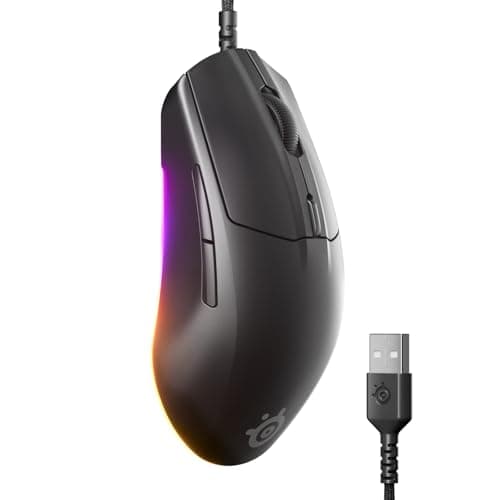
The SteelSeries Rival 3 (Gen 2)is the dependable alternative: light, comfortable, and built around a genuinely good sensor. It earns its place on shape rather than spec, because — and we would rather say this than pad the list — the G203 largely does the same job for less. Pick the Rival because its shape suits your hand, not because the number on the box is bigger.
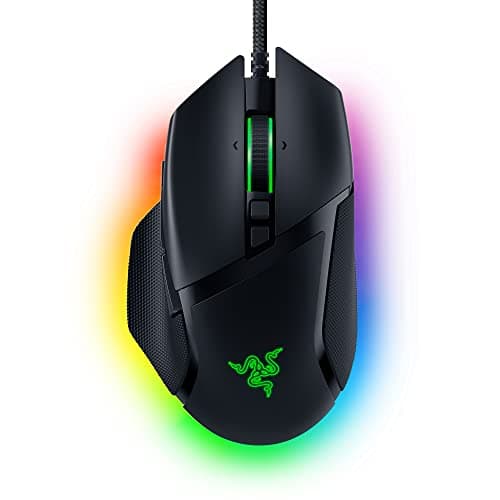
The Razer Basilisk V3is the feature pick: a big, comfortable body with a pile of programmable buttons and a superb tilt-and-free-spin scroll wheel that you genuinely miss on plainer mice. It is the answer for MMO, MOBA and productivity as much as for gaming. The trade-off is weight and clutter — it is heavier than the flick-aim crowd will tolerate, and it wants Razer's software for the good bits.
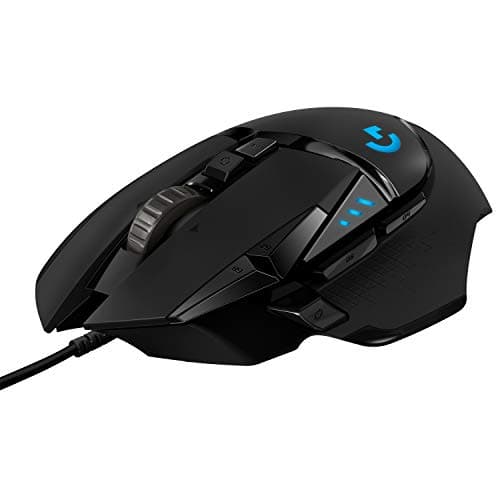
The Logitech G502 HEROis the heavyweight do-everything mouse, and the best-selling gaming mouse in the world for a reason: a flagship-class sensor, a wall of buttons, a great wheel, and a tunable weight system for players who like a planted, deliberate feel. Its honest downside is exactly that heft — it is the heaviest mouse here by a wide margin, and its aggressive shape does nothing for small hands.
Ignore the big numbers on the box
Every mouse on this page quotes a headline sensor resolution and a polling rate, and both are mostly marketing now. The sensor figures are already far beyond anything a human hand can use, so a bigger number buys you nothing you will feel — our gaming mouse DPI explained guide is blunt about why. Polling rate is the same story: past a point you are chasing decimals, as our polling rate explainerlays out. The two things that actually affect your aim and are worth checking are that the sensor tracks without acceleration — the subtle fault our mouse acceleration guideexplains — and that it is a modern optical sensor rather than an old laser one, which our optical vs laser guidecovers. Every mouse here clears both bars, which is precisely why the decision comes back to shape, weight and grip rather than the spec sheet. The manufacturers' own pages — Logitech G and Razer — document the sensor and switch families if you want the underlying detail.
Match the mouse to your hand and your genre
The one mistake to avoid is buying a shape that fights your hand. Measure before you buy, be honest about your grip, and let genre break the tie: for twitchy shooters, lean light — the G203, KATAR or Rival 3 — and see our best mice for FPS and best lightweight mice for the wider field. For MMOs, MOBAs or a mouse that also has to work for you, the button-rich Basilisk V3 or G502 HERO earn their weight. If your budget is a hard number rather than a shape, our price-first pages line up the same class of mouse by cost: the best under $30, under $50 and under $100. And if you have a smaller hand, our best mice for small hands page narrows this list to the shapes that fit.
Build, switches and software: the quiet differences
Once shape and weight are settled, a few less-glamorous factors separate a mouse you keep for years from one you replace in a season. The first is switch type. Traditional mechanical switches are proven and cheap, but over a long life they can start to register a single press as two — the double-click fault — whereas optical switches, like those in the DeathAdder V3, use a light beam instead of metal contacts and sidestep that failure mode entirely. If you tend to keep a mouse until it dies, that difference is worth a small premium. The second is the cable itself: a soft, braided or paracord-style cable ages better and drags less than the stiff rubber kind, and it is one of the first things a cheaper mouse economizes on. The third is software. Every mouse here works out of the box, but the feature-rich picks — the Basilisk V3 and G502 HERO — only reveal their extra buttons and lighting through a companion app, and those apps are heavier than a simple mouse strictly needs. If you want a peripheral you plug in and forget, the plainer picks ask nothing of you; if you want a wall of remappable inputs, the software is the price of admission. None of this changes the ranking, but it is the detail that decides which of two similar mice you are still happy with in two years.
Keep it working: a clean mouse is a fast mouse
One under-rated advantage of spending less on a wired mouse is that you can afford to actually maintain it. Grime on the feet and lens is the quiet killer of tracking — a mouse that has started to feel scratchy or inconsistent is usually just dirty, not worn out. Our how to clean a gaming mouseguide takes ten minutes and restores most of that lost glide, and a fresh set of skates costs very little. Separately, cheap mechanical switches can eventually develop a double-click fault, where one press registers as two; it is the most common way a good mouse dies, and it is often fixable — our how to fix mouse double-clicking guide walks through it. It is also why the optical-switch picks here, the DeathAdder V3 especially, are worth the small premium if you keep a mouse for years.