Skip to content
GEAREDGAMING

HUB 02 · Gaming Audio

The Best Gaming Headsets for Glasses Wearers

The pain is not the headset touching your glasses — it is clamp force driving the temple arms into the side of your head. Three design choices fix it, and they are not the ones marketing talks about.

By Stephen V.Updated How we research
#ad

We earn a commission when you buy through our Amazon links, at no extra cost to you. It never affects our rankings, and we say so when the cheaper product is the better buy. How this works.

The Logitech G435 is the pick, and the reason is weight rather than anything to do with glasses specifically. Logitech rates it at around 165g, which is roughly half what a typical gaming headset weighs, and a lighter headset needs less clamp force to stay on your head. Clamp force is the actual cause of glasses pain — not the headset touching your frames, but the cushions pressing the temple arms into your skull. Once you understand that, the whole category gets easier to shop.

The short answer

Quick picks

#ProductBest forScorePrice
01
Logitech G Logitech G435 LIGHTSPEED
Logitech G435 LIGHTSPEED

The cheapest wireless headset that isn't a mistake. Extremely light.

Cheap wireless, and small heads
7.0
Check price →
02
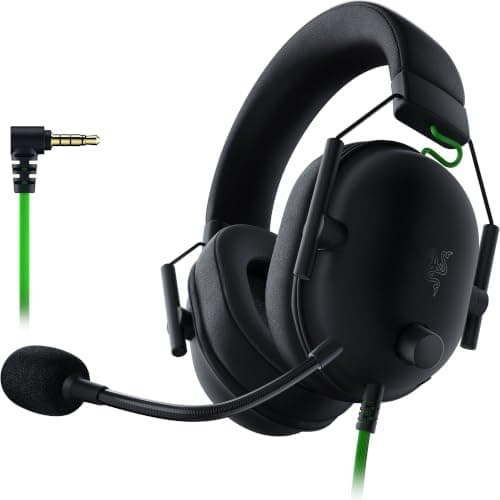
Razer Razer BlackShark V2 X
Razer BlackShark V2 X

Plush memory-foam cushions and a light clamp for well under $50 — the cheapest genuinely comfortable pick here.

Best cheap comfort pick
7.4
$39.79Amazon
03
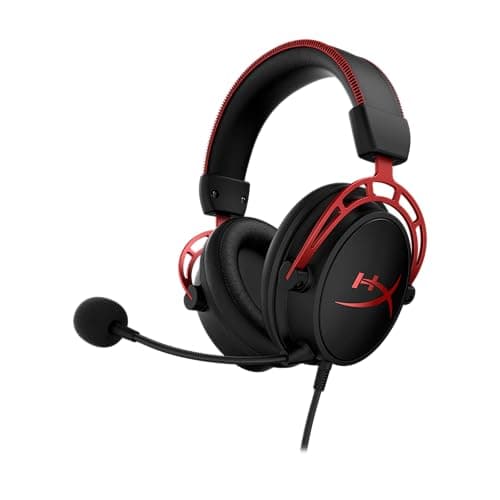
HyperX HyperX Cloud Alpha
HyperX Cloud Alpha

The default wired gaming headset, and the default for a reason.

One thing that just works, on everything
8.0
$67.99Amazon
04
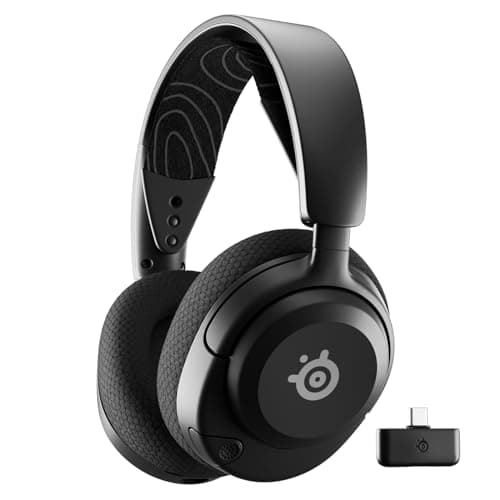
SteelSeries SteelSeries Arctis Nova 5
SteelSeries Arctis Nova 5

The suspension headband is the reason it is here: it spreads load across the top of the head instead of squeezing the sides.

Best wireless comfort pick
8.0
$129.99Amazon
05
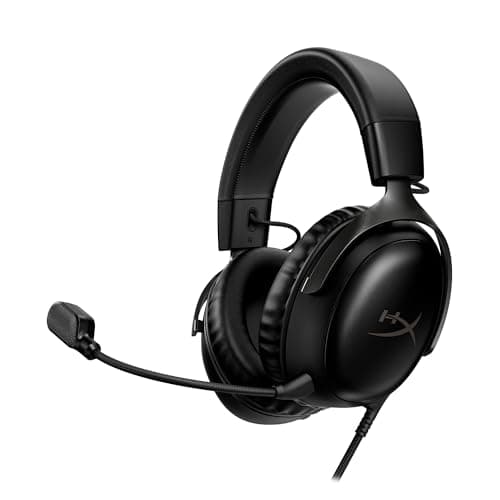
HyperX HyperX Cloud III
HyperX Cloud III

The Cloud formula updated: angled 53mm drivers, thick memory foam, and three ways to plug it in.

Best all-round wired pick
8.2
$69.99Amazon
06
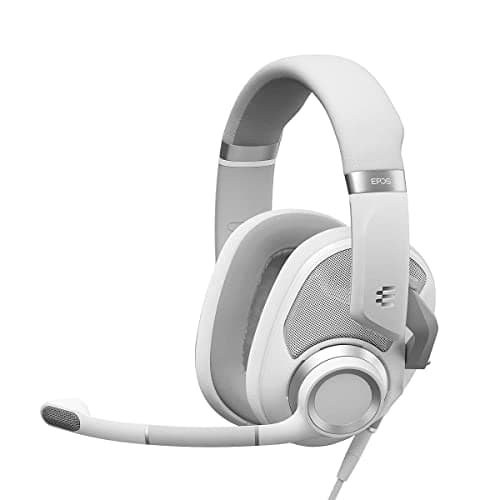
EPOS EPOS H6PRO (Open)
EPOS H6PRO (Open)

The compromise pick: open-back staging with a mic already attached.

Open-back sound without a second purchase
7.6
$88.75Amazon

#ad · Live prices from the Amazon Product API, as of Sep 7, 2026. Where we have no verified live price, we show none — we would rather leave a gap than print a number that has rotted.

In detail

The picks, in full

01
Logitech G Logitech G435 LIGHTSPEED

Cheap wireless, and small heads

Logitech G435 LIGHTSPEED

LIGHTSPEED 2.4GHz + BT165gBeamforming micsNo boom arm
7.0/10

The cheapest wireless headset that isn't a mistake. Extremely light.

Positional accuracy
6
Footstep clarity
6
Mic quality
5
Comfort
9
Value
9

Pros

  • 165g — the lightest thing in this entire roundup, by a lot
  • Both 2.4GHz and Bluetooth at a genuinely budget price
  • One of the few headsets that fits a smaller head properly

Cons

  • The built-in beamforming mics are clearly worse than any boom arm here
  • No 3.5mm jack at all — if the battery dies, you are done
  • Bass-light, which some people will hate

Don't buy this if…

your teammates need to understand you. The mic is the compromise that pays for everything else, and it is a real one.

Check price on Amazon →

No buyable offer at the last price check (Sep 7, 2026). We show nothing rather than a stale number.

#ad · we may earn a commission from this link to Logitech G435 LIGHTSPEED

02
Razer Razer BlackShark V2 X

Best cheap comfort pick

Razer BlackShark V2 X

Wired 3.5mm50mm driversMemory-foam cushionsPC · PS5 · Switch
7.4/10

Plush memory-foam cushions and a light clamp for well under $50 — the cheapest genuinely comfortable pick here.

Positional accuracy
7
Footstep clarity
7
Mic quality
6
Comfort
8
Value
9

Pros

  • Razer's memory-foam cushions are thick enough to close around glasses arms rather than press them into your head
  • Light for a 50mm-driver headset, so it does not build pressure over a long session
  • Plain 3.5mm connection with no software required to get sound

Cons

  • Fixed, non-detachable cable and non-detachable mic
  • The 7.1 surround on the box is a software feature on PC, not something the hardware does on its own
  • Build is plastic throughout

Don't buy this if…

you want a removable cable. Everything on this headset is fixed, so a cable failure means a new headset rather than a new cable.

$39.79View on Amazon

$59.9934% off

Price as of Sep 7, 2026. Prices change — Amazon's is the one that counts.

#ad · we may earn a commission from this link to Razer BlackShark V2 X

03
HyperX HyperX Cloud Alpha

One thing that just works, on everything

HyperX Cloud Alpha

Closed backDual-chamber driversDetachable mic3.5mm — works on anything
8.0/10

The default wired gaming headset, and the default for a reason.

Positional accuracy
7
Footstep clarity
7
Mic quality
8
Comfort
9
Value
9

Pros

  • Plugs into a Deck, an Ally, a controller, a phone — no dongle, no software, no drivers
  • The memory-foam pads are the comfort benchmark at this price
  • Genuinely durable — the aluminum frame outlives the plastic competition

Cons

  • Closed back, so the soundstage is narrower than any open-back on this list
  • Bass-forward tuning can mask quiet detail if you don't EQ it

Don't buy this if…

positional accuracy is the only thing you care about. A closed back is a structural handicap there, and an open-back pair plus a cheap mic beats it for the same money.

$67.99View on Amazon

$99.9932% off

Price as of Sep 7, 2026. Prices change — Amazon's is the one that counts.

#ad · we may earn a commission from this link to HyperX Cloud Alpha

04
SteelSeries SteelSeries Arctis Nova 5

Best wireless comfort pick

SteelSeries Arctis Nova 5

2.4GHz or Bluetooth60hr battery (rated)Suspension headbandClearCast Gen2.X mic
8.0/10

The suspension headband is the reason it is here: it spreads load across the top of the head instead of squeezing the sides.

Positional accuracy
8
Footstep clarity
8
Mic quality
8
Comfort
9
Value
7

Pros

  • SteelSeries' elastic suspension band carries the weight on the crown, which is exactly the load path that spares glasses arms
  • A real 2.4GHz dongle as well as Bluetooth, so you get low-latency play and phone audio without switching headsets
  • SteelSeries rates the battery at 60 hours, so it is not a nightly-charge headset

Cons

  • The app preset library is a large part of the pitch and requires installing SteelSeries' software to use
  • Plastic construction at a price where some rivals use metal
  • Battery and driver figures are manufacturer ratings, not something we measured

Don't buy this if…

you will not install the companion app. A meaningful share of what you are paying for is the preset system, and without it this is a plainer headset than the price implies.

$129.99View on Amazon

$149.9913% off

Price as of Sep 7, 2026. Prices change — Amazon's is the one that counts.

#ad · we may earn a commission from this link to SteelSeries Arctis Nova 5

05
HyperX HyperX Cloud III

Best all-round wired pick

HyperX Cloud III

USB-C · USB-A · 3.5mmAngled 53mm driversMemory-foam cushions10mm mic
8.2/10

The Cloud formula updated: angled 53mm drivers, thick memory foam, and three ways to plug it in.

Positional accuracy
8
Footstep clarity
8
Mic quality
8
Comfort
9
Value
8

Pros

  • Thick memory-foam cushions and a wide earcup opening — the Cloud line's long-standing comfort advantage
  • Three connection options in one box covers PC, PS5, Xbox and handhelds without adapters
  • Angled drivers aim the sound at the ear rather than straight across it

Cons

  • Wired only — there is no wireless version of this exact model
  • The USB spatial audio is PC-focused; on console you are using plain 3.5mm
  • Costs noticeably more than the older Cloud Alpha it sits above

Don't buy this if…

you want wireless. This is a cable headset in every configuration, and the Arctis Nova 5 is the equivalent-comfort wireless answer.

$69.99View on Amazon

$99.9930% off

Price as of Sep 7, 2026. Prices change — Amazon's is the one that counts.

#ad · we may earn a commission from this link to HyperX Cloud III

06
EPOS EPOS H6PRO (Open)

Open-back sound without a second purchase

EPOS H6PRO (Open)

Open acousticDetachable boom micWired 3.5mmLightweight
7.6/10

The compromise pick: open-back staging with a mic already attached.

Positional accuracy
8
Footstep clarity
8
Mic quality
8
Comfort
7
Value
7

Pros

  • The only genuinely open-back design here that ships with a good microphone
  • The boom mic is a cut above the usual bundled effort
  • Light enough to forget you're wearing it

Cons

  • Costs more than the SHP9500 plus a decent clip-on mic would
  • Still leaks sound like any open back
  • Clamp force is firm out of the box

Don't buy this if…

you wear glasses. The clamp is firm and it presses the arms into your temples — this is the single most common complaint in the owner reviews.

$88.75View on Amazon

Price as of Sep 7, 2026. Prices change — Amazon's is the one that counts.

#ad · we may earn a commission from this link to EPOS H6PRO (Open)

The mechanism: it is clamp force, not contact

A headset stays on your head by squeezing it. That squeeze has to overcome the headset's own weight, so heavier headsets need more of it. When you wear glasses, that pressure is transmitted through a thin, rigid plastic or metal temple arm into a narrow line of contact on the side of your skull — and a narrow line of contact concentrates force. That is why the pain arrives after forty minutes rather than immediately, and why it appears at the temple rather than the ear.

There are only three levers that address this, and every genuinely glasses-friendly headset pulls at least one of them.

  • Less weight. Less weight means less clamp needed. This is the most reliable single indicator, and it is a published spec you can check.
  • Thicker, softer cushions. A deep memory-foam pad deforms around the temple arm instead of pressing it flat. Thin, firm pads do the opposite.
  • A suspension headband.An elastic band that carries the weight on the crown of your head changes where the load goes — downward rather than inward — which reduces how much side pressure is needed at all.

We should be straight about the limits of what we can tell you here: we do not measure clamp force, because we do not have a lab. Weight is a published manufacturer figure and we use it. For measured clamp and comfort data, RTINGS publishes it per model and is the right place to check a specific headset.

Which of the three levers each pick uses

The Logitech G435 is the weight play, outright. The Razer BlackShark V2 Xis the cushion play and the cheapest good option here — thick memory foam on a light frame. The HyperX Cloud Alpha and Cloud IIIare the Cloud line's long-standing combination of deep foam and wide earcup openings, with the Cloud III adding angled drivers. The SteelSeries Arctis Nova 5 is the suspension-band play, and the only wireless entry. The EPOS H6PRO is the open-back option, which brings a fourth benefit that has nothing to do with pressure: an open earcup runs cooler, and heat build-up around a frame is the other thing glasses wearers complain about. Our open back vs closed back guide covers what you trade for that.

Two things that help regardless of what you buy

First, thinner temple arms. If you have glasses with wire or thin acetate arms, wear those for long sessions; thick chunky frames concentrate the pressure far more. Second, stretch the headband. Leaving a headset resting over a stack of books overnight relaxes the band slightly and permanently reduces clamp — it is crude, it works, and it costs nothing. Do it in small increments rather than all at once.

If you would rather sidestep the problem entirely, in-ear monitors do not touch your glasses at all — see best gaming earbuds and IEMs and our gaming headset vs earbuds guide. For the wider comfort field regardless of glasses, our how to choose a gaming headset guide is the starting point.

How we picked

We do not run a testing lab

We researched published specifications, third-party lab measurements, manufacturer documentation and aggregated owner reviews, then scored each product against a published rubric. The scores are judgments from documented research — they are notmeasurements we took, because we do not have a lab and we are not going to pretend we do. Where a number came from someone else's lab, we name them and link them in Sources.

Questions

Frequently asked

Why do gaming headsets hurt when you wear glasses?
Because clamp force presses the thin, rigid temple arms of your glasses into a narrow line of contact on the side of your skull. It is not the headset touching your frames — it is pressure being concentrated through them. That is why the pain builds over time and appears at the temple rather than the ear.
What makes a headset glasses-friendly?
Three things: low weight (which means less clamp force is needed to keep it on), thick soft memory-foam cushions (which deform around a temple arm instead of pressing it flat), and a suspension headband (which carries weight on the crown so less inward pressure is required). Any headset with two of the three is a good bet.
Do headsets with an eyewear channel work?
Cushions with a channel or notch moulded for glasses arms exist and can help, but they only work if your frames sit exactly where the channel is. Weight and cushion depth are more reliably useful because they help regardless of frame shape — which is why this page ranks on those instead.
How do you stop a headset from hurting your glasses?
Reduce the clamp. Rest the headset stretched over a stack of books overnight to relax the band slightly, wear thinner-armed frames for long sessions, and choose a lighter headset next time. If none of that is enough, in-ear monitors avoid the contact entirely and cost far less than most gaming headsets.

Keep reading

Receipts

Sources

We do not run a testing lab, and we do not pretend to. Where a measured number came from someone else's lab, we name them and link them. Where we could not verify something, we say so on the page rather than quietly leaving it out. Read our full method.