The first question in this category is not which pad is best. It is what your phone will talk to. Both Apple and Google publish controller support documentation, and the practical summary is that Bluetooth HID gamepads are the common language: pair one, and well-behaved games see a standard controller. A 2.4GHz dongle is lower latency but needs somewhere to plug in, which on a modern phone means the single USB-C port you may also want for charging.
That constraint is the whole shape of this page. Every pick below connects over Bluetooth except one, and the one that does not is here precisely because some people would rather give up the port than the response time. Prices come from the live price layer and are stamped with the date we retrieved them; we do not run a testing lab and say so on our methodology page.
Bluetooth or a dongle
Bluetooth adds a few milliseconds over a dedicated 2.4GHz link. On a phone, that is almost always the right trade: nothing to lose, nothing to carry, and the port stays free for a cable or a battery pack. For turn-based games, platformers, racing games and emulated consoles you will not feel it.
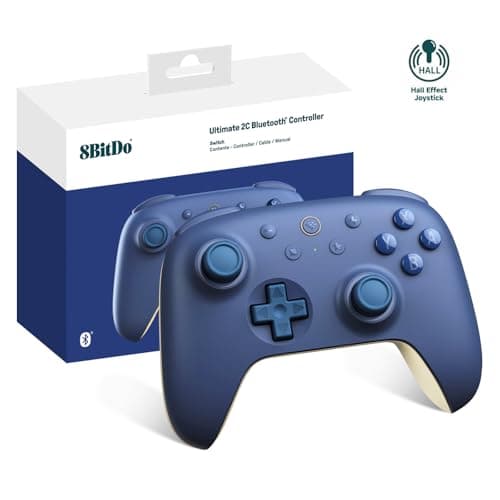
Where a dongle starts to matter is fast-twitch competitive play — mobile shooters and fighting games, where a few frames of input delay is the difference people are actually arguing about. If that is you, the Ultimate 2C is the pick here, with the honest caveat that the dongle occupies the port. Our Bluetooth vs 2.4GHz guide has the mechanism and the measured gap.
iOS and Android are not the same shortlist
Apple publishes which controllers iOS and iPadOS support, and the list is narrower than Android’s by design — iOS expects a controller to speak a profile it recognises, and a pad built for a Nintendo or Xbox ecosystem may connect without every button mapping cleanly. Android is more permissive: most Bluetooth HID gamepads simply work, and the ones that do not usually need a mapping app rather than different hardware.
The practical advice: if you are on iPhone, check the controller’s own listed platform support before buying, and treat “works with Switch and Android” as not a promise about iOS. The 8BitDo Lite SE and the Micro are the two pads in the wider catalogue that list the broadest device coverage, and the Micro is on this page partly for that reason.
Sticks, and whether you need them
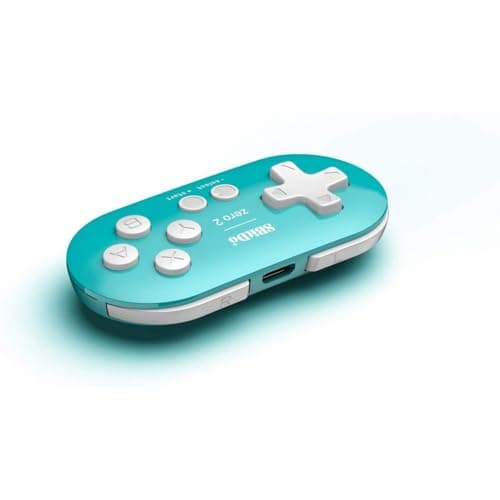
This is the split that decides most of this list. A keychain pad like the Zero 2 has a d-pad, face buttons and shoulders. That is a complete controller for an enormous amount of what people actually play on a phone: puzzle games, platformers, fighting games, and emulated 8- and 16-bit consoles, which never had analog sticks to begin with.
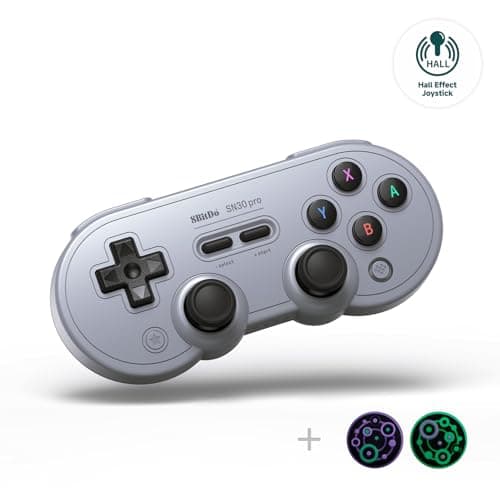
The moment a game has a camera you steer, a d-pad stops being enough, and you need two sticks. That is the SN30 Pro’s job here. Two picks go further and use Hall-effect sticks, which read position magnetically instead of dragging a wiper across a resistive track — the mechanism that eventually produces drift. Our Hall effect versus potentiometer explainer covers why that matters more on a controller you throw in a bag, and our Hall-effect roundup ranks the wider field.
Mounting the phone is half the problem
A separate controller leaves you holding a phone that is not attached to anything. Three options, in order of how well they work. A clip that grips the controller and holds the phone above it turns the pair into something handheld, and is what most people end up using. A small stand on a table works well for anything you play sitting at a desk and badly on a sofa. Propping the phone against something is what everyone tries first and abandons within a week.
We do not rank phone clips — they are not in our registry and we are not going to invent picks for them — but budget for one, because it is the difference between a controller you use and a controller in a drawer.
Battery, latency and the things that actually annoy people
Mobile sessions are short and unplanned, which changes what matters. A pad that takes a rechargeable cell and holds a charge for weeks of fifteen-minute sessions is better than one with a bigger battery that needs topping up to a schedule. Reconnection speed matters more than it does on a desk: you want the pad awake and paired before the game finishes loading.
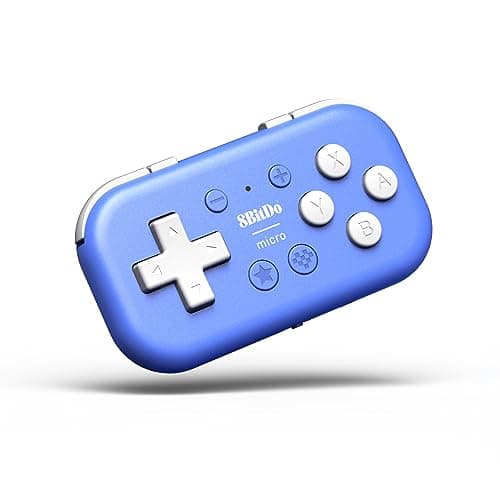
The failure that generates the most complaints in this category is not latency or battery. It is a game that does not detect a controller at all, usually because it was built touch-only. The Micro’s keyboard mode is the workaround for that: it can present itself as a keyboard and send key presses instead of gamepad inputs, which some touch-only games and emulators accept. Our phone pairing guide walks the connection steps per platform, and our remapping guide covers fixing a layout a game gets wrong.
Which pad, by what you play on your phone.
Anything with a camera stick: the 8BitDo SN30 Pro. Real sticks, rumble, motion, and Android support listed by the manufacturer.
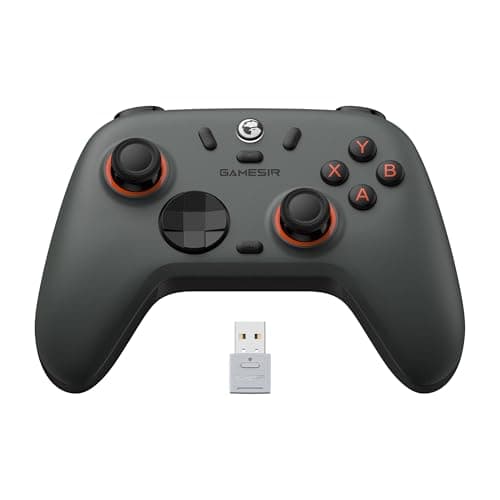
You want sticks that will not drift, cheaply: the GameSir Nova Lite 2, with Hall-effect sticks and triggers.
Competitive mobile shooters: the 8BitDo Ultimate 2C over its 2.4GHz dongle, accepting that the dongle takes the port.
It has to fit in a pocket every day: the 8BitDo Micro, which also has a keyboard mode for games with no controller support.
Retro and 2D games only, spend as little as possible: the 8BitDo Zero 2. No analog sticks, and for those games you do not need them.