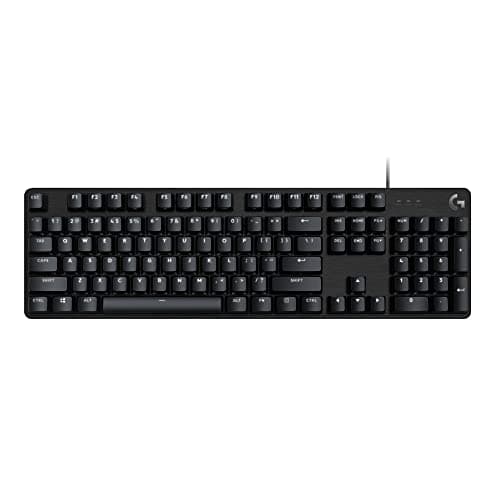
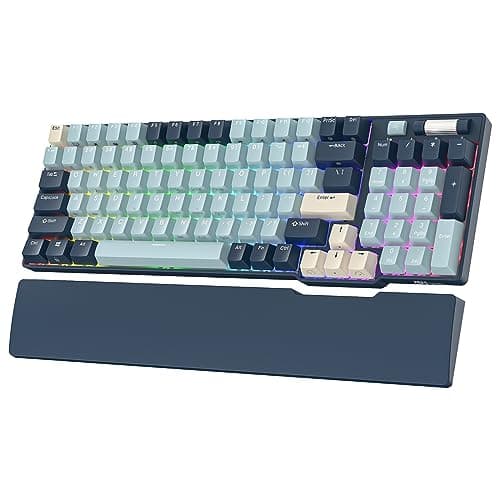
Full-size keyboards get written off in gaming roundups for one legitimate reason and one lazy one. The legitimate reason: the number pad pushes your mouse hand outward, which at low sensitivity costs you sweep room and puts your shoulder in a slightly worse position. The lazy one: it has become a received opinion that nobody needs a number pad. Plenty of people do — accounting, data entry, CAD, MMO hotbars, Blender, calculator work at speed — and swapping to a separate numpad accessory is a downgrade dressed as a solution.
Every price here is pulled live from Amazon and stamped with the date we retrieved it. We do not run a testing lab and never claim to — our methodology page states exactly what our scores are and are not.
96% is the trick most buyers have not heard of
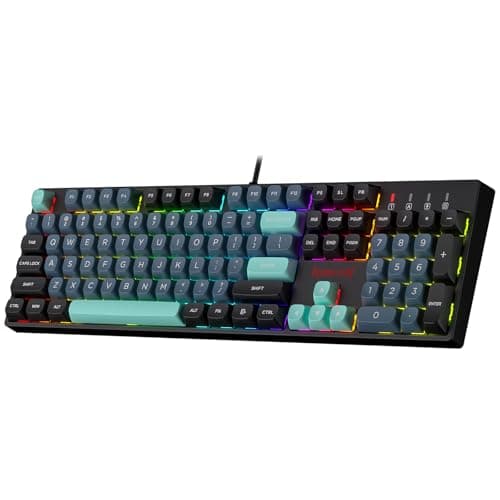
A traditional full-size board separates the main block, the navigation cluster and the number pad with gaps. A 96% layout deletes the gaps and squeezes the same keys together, which saves roughly an inch and a half of desk without removing a single function. You keep the number pad, the arrows, the function row and Home or End; what you lose is a little visual breathing room, and the fact that keys sit shoulder to shoulder takes about a day to adjust to.
If the only reason you were considering a tenkeyless board was desk space, a 96% board is a better answer than giving up keys. If you want to see the full ladder of layouts, our keyboard sizes guide lays each one out, and the best TKL keyboards page covers the other side of this trade honestly.
Mechanical or membrane at full size
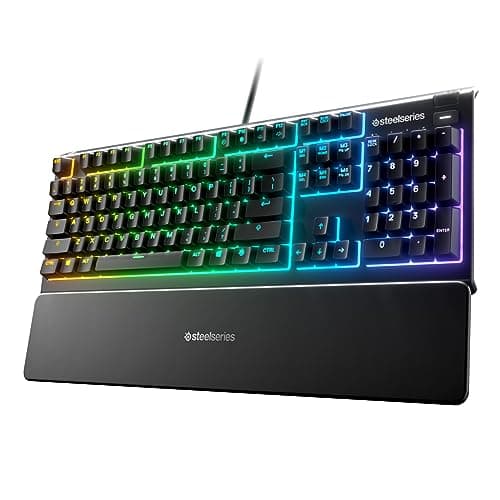
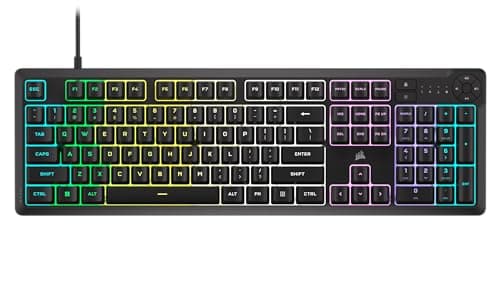
Full-size is the one category where membrane boards still have a real argument, and it is not price. It is noise and liquid. A membrane board presses a rubber dome onto a contact sheet, so it is quieter than almost any mechanical, and because the sheet can be sealed, membrane boards get meaningful spill resistance — the Apex 3 carries an IP32 rating, and the K55 CORE is built around the same idea. On a shared desk or a family room, that matters more than switch feel.
What you give up is consistency and repairability. Dome feel varies across a board and degrades with use; a mechanical switch feels the same on year five as on day one, and on a hot-swap board a dead key is a two-minute fix. If you type for a living, buy mechanical and accept the noise. If quiet is a condition of being allowed to game in that room, buy membrane and stop apologising for it.
Keycaps: the spec that decides how it looks in a year
Keycaps come in two common plastics. ABS is cheaper and develops a greasy shine on the keys you touch most — WASD, space, the arrows — often within months. PBT is harder, more textured, and resists that shine for years. It is the single cheapest upgrade in the hobby and the reason the Redragon pick punches above its price: a full-size mechanical with PBT caps for close to the money a membrane board costs is genuinely unusual.
One related note: shine-through legends (the ones that let RGB glow through the character) are almost always ABS or a doubleshot construction, so if you want both PBT and lit legends, expect to pay for it. On a gaming keyboard in a lit room, backlight is far less useful than people expect.
Getting your mouse room back anyway
If you keep the number pad, you can still fix the ergonomics. Angle the board so its left edge sits further forward than the right, which moves the mouse inward without moving your keys. Pull the keyboard further from the desk edge so your forearms rest on the desk rather than hanging. And buy a bigger pad — our large mousepad roundup covers the mats that give a low-sensitivity player room to turn even with a full-width keyboard on the desk.
Three questions.
1. How much desk do you have? If space is tight but you need the number pad, take the 96% board. If you have room, a true 104-key layout is slightly easier on existing muscle memory.
2. Does noise matter to someone else in the room? If yes, membrane, and look for a spill rating while you are there. If no, mechanical, and prefer hot-swap sockets.
3. Will this board also do work? Then prioritise PBT keycaps and a tactile switch over linear. Linear switches are marginally preferred for gaming; tactile is better for a day of typing, and you will spend more hours typing than gaming.
For the whole-category view across every layout, start at our best gaming keyboards page.