The interesting thing about this price bracket is what has stopped being a premium feature. Hot-swappable switch sockets, tri-mode wireless and per-key RGB were all enthusiast specifications a few years ago. All four boards here have the first two, and three have the third. That removes most of the usual spec argument and leaves the decision where it should be: layout, switch feel and build.
Prices come from the live price layer and carry the date we retrieved them, so a board that drifts above $100 between our checks will show its real number rather than a claim we made once. We do not run a testing lab; our methodology page states plainly what our scores are and are not.
Wireless latency on a keyboard, settled
It does not matter. This is worth saying flatly because keyboard marketing keeps implying it does. A keypress is a discrete event and the human reaction time around it is on the order of 200 milliseconds; a 2.4GHz keyboard adds something on the order of one. Nobody has ever lost a round to a wireless keyboard.
What does matter is which radio. Use the 2.4GHz dongle for gaming and keep Bluetooth for the tablet or work laptop. Bluetooth on a keyboard occasionally drops the first keystroke after an idle period while the link wakes, which is harmless in a document and infuriating in a game lobby. All four boards here let you switch between modes with a key combination, so there is no reason to compromise. Our wired versus wireless keyboard guide covers the full trade, including battery behaviour with RGB running.
Layout is the real decision
Four boards, four layouts, and this is where your money actually goes.
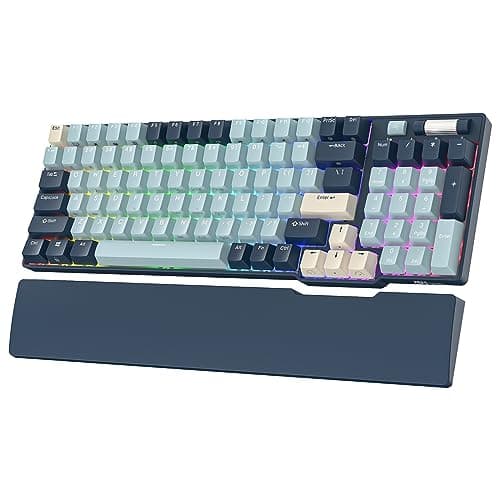
A 96% layout— the RK96 — keeps every key including the number pad but squeezes the gaps out, recovering roughly an inch and a half of width against a full-size board. If you use the number pad for work, MMO hotbars or spreadsheets, this is the layout almost nobody tells you about and it is frequently the right answer.
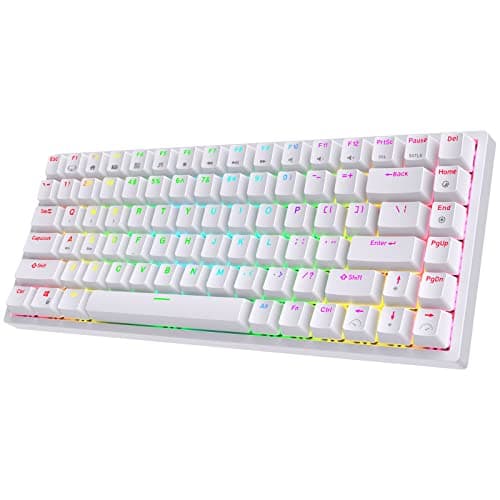
A 75% layout— the RK84 — drops the number pad, keeps the function row and arrows, and compresses the navigation cluster into a column. It is the best balance on this page for a desk that also does work, which is why it leads.
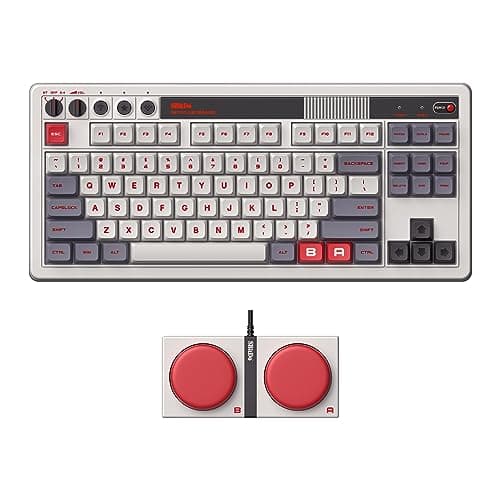
A tenkeylessboard — the 8BitDo — keeps the standard spacing and just removes the number pad. Nothing to relearn, and the most familiar typing experience here.
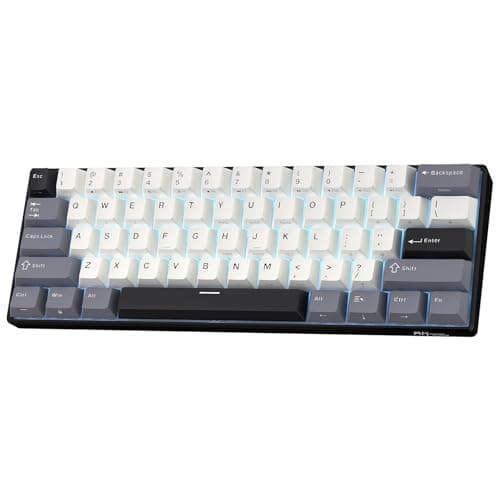
A 60% layout— the RK61 — removes the function row, arrows and navigation keys too, putting them behind a held layer. It gives a low-sensitivity player genuinely more room to sweep a mouse, and it taxes you every time you need F5. Our keyboard sizes explainer walks each layout with what it costs, and our 60% roundup is the page if you have already decided.
Hot-swap is the durability feature
Every board here takes switches in sockets rather than solder. That turns the single most likely keyboard failure — one switch developing chatter, double-sending or going dead — from a replaced keyboard into a two-minute repair with a part that costs a few dollars. It also means you can change the feel of the board later without buying another one, which is the only way to find out what you actually like.
If you have never swapped a switch: you pull the keycap with a wire puller, pull the switch with a two-pronged tool, and push the new one in until it clicks. There is no soldering and no software. Our hot-swap explainer covers socket types and the one compatibility trap, and our keyboard chatter guide covers diagnosing the failure before you replace anything.
Where this bracket is still thin
Three honest gaps. Keycaps: most boards at this price ship ABS, which develops a glossy shine on the keys you use most within months; PBT is denser and stays matte, and it is the upgrade we would make first on any board here. Case construction: these are plastic cases with a plate, not gasket-mounted aluminium, so they sound hollower and flex more than an enthusiast board.
And software. Boards in this bracket configure through a vendor app or on-board key combinations rather than open firmware. If you want QMK or VIA — which lets you remap the board at the firmware level, with no running software and the configuration stored on the keyboard itself — that starts just above this price, and our full wireless roundup covers the boards that have it. For a wired board at the same money you get noticeably better parts, which is the case our under-$100 keyboard page makes.
None of that should stop you. A hot-swappable tri-mode mechanical keyboard for well under a hundred dollars is the best value this category has ever offered, and the keycaps are a twenty-dollar fix whenever you want to make it.
Which board, by the layout you need.
One keyboard for gaming and work: the RK84, at 75%. Arrows and function row kept, number pad dropped.
The number pad is non-negotiable: the RK96, at 96%. Every key, about an inch and a half narrower than full size.
You want standard spacing and nothing to relearn: the 8BitDo Retro Mechanical Keyboard, tenkeyless, with two programmable Super Buttons.
Low sensitivity, maximum mouse room, lowest price: the RK61, at 60%. Accept the held layer for arrows and function keys.