Start with what the Yeti is actually known for, because that is what an alternative has to cover. It is a USB condenser microphone with four selectable polar patterns — cardioid, omnidirectional, bidirectional and stereo — that needs no interface, no driver and no phantom power, and it ships on a weighted desk stand. Its reputation rests on that no-decisions-required experience: plug it in, talk, sound dramatically better than a headset boom.
It earned that reputation and it still does the job. The reason people look for alternatives is almost always one of two specific complaints, and they are both real. Every price on this page is pulled live from Amazon and stamped with the date we retrieved it. We do not run a testing lab and never claim to — our methodology page states exactly what our scores are.
Complaint one: it hears your whole room
This is the big one, and it is physics rather than a defect. The Yeti is a condenser: a very light diaphragm, electrically biased, extremely sensitive. That sensitivity is why it sounds detailed on a voice, and it is also why it picks up a keyboard, a desk fan, a PC, a dog and the room’s reflections. Turning the gain down does not fix the ratio between your voice and the room — it lowers both.
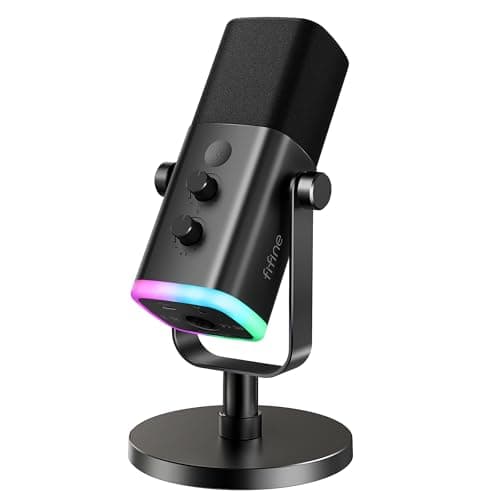
A dynamic microphone is the actual answer. It uses a heavier moving coil, which is far less sensitive, so it needs you closer and hears much less of everything else. That is why broadcasters use them in untreated rooms. The AM8 is the dynamic pick here, and if your complaint about the Yeti is “everyone can hear my keyboard”, it is the microphone to buy rather than any condenser on this page. Our condenser versus dynamic guide covers the mechanism properly, and our background noise guide has the free fixes to try first.
Complaint two: the stand transmits everything
The Yeti’s weighted stand is solid, and solid is exactly the problem: it couples the microphone to your desk, so a keyboard press or a knocked table arrives as a thump. The standard fix is a shock mount and a boom arm, which is an extra purchase and an extra bit of desk furniture.
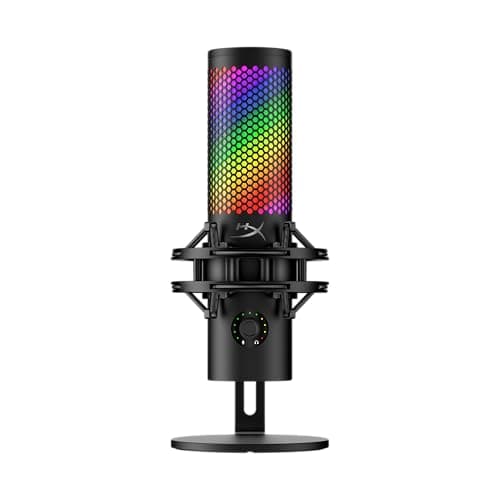
The QuadCast 2 S attacks that directly with a shock mount built into the body, which is the single most practical difference between it and the Yeti for a desk gamer. If you would rather keep a microphone you own and solve the mounting, a boom arm clamped to the desk edge gets the microphone off the surface entirely and also puts it where your mouth is — our microphone setup guide covers positioning, which is worth more than any upgrade on this page.
Do you actually use four polar patterns?
Be honest about this before you pay for it. Cardioid — picking up from the front and rejecting the rear — is the correct pattern for one person talking, and it is what almost every Yeti owner leaves it on permanently. Omnidirectional is for a room of people, bidirectional for a two-person interview facing each other, stereo for recording music or ambience.
If you stream, game or take calls alone, you need one pattern and the other three are a feature you are carrying. That is the case for the two cardioid-only picks here: the same money goes into the capsule, the body and the gain stage instead of a pattern switch. Our microphone choosing guide walks the decision in order.
USB or XLR, and why one pick has both
USB microphones have the converter and preamp inside them, which is what makes the Yeti plug-and-play. The trade is that the microphone and the electronics are one object: when you outgrow the preamp, you replace the whole thing.
XLR separates them — the microphone is just a microphone, and the interface is replaceable. The AM8 is on this page partly because it offers both: use USB today, and the same microphone can move onto an interface later without being thrown away. For most people that day never comes, but it is a genuine difference and it costs nothing to have. Our USB versus XLR guide covers when the upgrade is actually worth making.
The things worth more than the microphone
Three, in order. Distance.Six to twelve inches from your mouth, slightly off axis, beats any upgrade on this page — a cheap microphone close sounds better than an expensive one across a desk, and moving closer also adds low-end through the proximity effect.
Monitoring. A headphone jack on the microphone lets you hear yourself with no delay, which is how you notice plosives, clipping and a fan you have stopped consciously hearing. Our mic monitoring explainer covers setting it up without an echo.
The room. A hard, bare, square room sounds like a hard, bare, square room through every microphone ever made. A rug, a curtain, and not sitting in the exact centre of the room will do more for your voice than doubling your budget. If something is already wrong with your current sound, our quiet-mic guide and echo guideare the right place to start — a replacement microphone fixes neither fault.
Which alternative, by what you wanted from the Yeti.
You wanted the pattern switching and the simplicity: the HyperX QuadCast 2 S. Multiple patterns, plug-and-play USB-C, plus a built-in shock mount and tap-to-mute.
Your room is noisy and people can hear your keyboard: the FIFINE AmpliGame AM8. Dynamic rather than condenser, and USB plus XLR so it can outlive your setup.
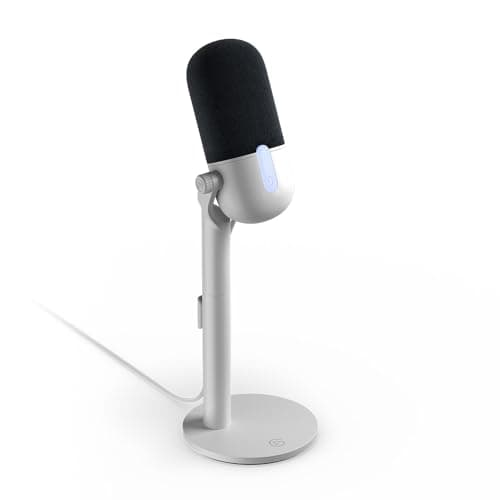
You stream and want software mixing: the Elgato Wave Neo, with Wave Link, in a footprint that does not sit in your webcam shot.
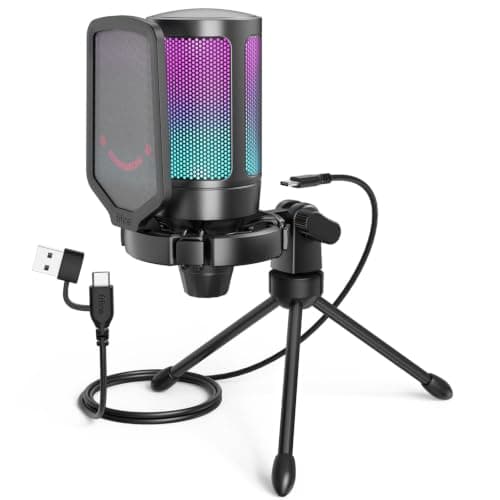
You want most of the upgrade for a third of the money: the FIFINE AmpliGame A6V. Cardioid only, tap-to-mute, gain dial, and nothing else you were going to use.
You already own a Yeti and it thumps: buy a boom arm and a shock mount, not a microphone. That is the cheapest real fix in this whole category.